
Introduction
The YOYOJAMES N116N Solar Motion Sensor Alarm is designed to provide security for outdoor areas such as yards, garages, farms, and chicken coops. It features a 130dB siren and flashing red lights, activated by motion detection, to deter unwanted intruders. This device is solar-powered and includes a remote control for convenient operation. It also offers a unique recording function, allowing users to customize the alarm sound.
Package Contents
Verify that all items are present in the package:
- YOYOJAMES Outdoor Motion Sensor Solar Alarm (N116N)
- Remote Control
- One USB Charging Cable
- Screws/Bolts for mounting
Product Features
- High Decibel Siren: Up to 130dB adjustable volume to effectively deter intruders.
- Motion Activation: Advanced sensitive motion sensors detect movement within 10-20 feet, triggering audible and visual alerts.
- Solar Powered: Efficient solar charging provides 6-10 hours of operation on a single charge.
- USB Charging: Supports USB charging for faster power replenishment (2 hours for full charge).
- IP55 Waterproof Rating: Designed for outdoor use in various weather conditions.
- Custom Recording Function: Record a 20-second custom sound message to play twice upon activation.
- Remote Control: Conveniently manage alarm settings and modes.
Setup and Installation
The alarm unit is designed for wall mounting. Choose a location that receives ample sunlight for optimal solar charging and provides a clear line of sight for motion detection.
- Initial Charge: Before first use, it is recommended to fully charge the device. This can be done via solar power (place in direct sunlight for 6-10 hours) or using the provided USB cable (connect to a DC5V 1A charger for approximately 2 hours).
- Mounting Location: Select a suitable outdoor location, such as a wall, fence post, or shed, where the solar panel can receive direct sunlight and the motion sensor can cover the desired area.
- Secure Mounting: Use the provided screws and bolts to securely attach the alarm unit to the chosen surface. Ensure it is mounted firmly to prevent accidental dislodgement.
- PIR Sensor Orientation: Position the alarm so the Passive Infrared (PIR) sensor faces the area you wish to monitor. The motion detection range is approximately 10-20 feet.

Image: YOYOJAMES Solar Motion Sensor Alarm, remote control, and USB charging cable.

Image: Product dimensions and components including solar panel, loudspeaker, PIR sensor, recording button, microphone, sound switch, volume control, and power button.
Operating Modes
The alarm offers three distinct operating modes, selectable via the remote control or the device buttons:
- Mode A: 24H Motion Sensor Sound & Flash Alarm
The alarm will activate with both sound and flashing lights whenever motion is detected, day or night. - Mode B: Night Motion Sensor Sound & Flash Alarm
The alarm will activate with both sound and flashing lights only when motion is detected during nighttime hours. - Mode C: Night Sound & Flash Alarm Every 5 Minutes
During nighttime, the alarm will emit sound and flash lights every 5 minutes, regardless of motion detection, to deter persistent animals or intruders.

Image: Visual representation of the three operating modes: 24H motion sensor, night motion sensor, and night alarm every 5 minutes.
Charging Methods
The YOYOJAMES N116N alarm supports two charging methods:
- Solar Charging: The integrated solar panel efficiently converts sunlight into electrical energy to charge the internal battery. Place the device in a location with direct sunlight for 6-10 hours for a full charge.
- USB Charging: For faster charging or during periods of low sunlight, use the provided USB cable. Connect it to a DC5V 1A charger. A full charge typically takes about 2 hours.

Image: Illustration of the solar charging process and the USB charging port with specifications.
Recording Function
The alarm features a custom recording function, allowing you to personalize the alert sound:
- Activate Recording: Locate the recording button on the device (refer to the product diagram in the Setup section). Press and hold this button to begin recording.
- Record Message: Speak clearly into the microphone. The device can record up to 20 seconds of audio.
- Save Recording: Release the recording button to save your custom message.
- Playback: When the alarm is triggered, your recorded message will play twice.
This feature can be used for welcome messages or specific warning phrases.
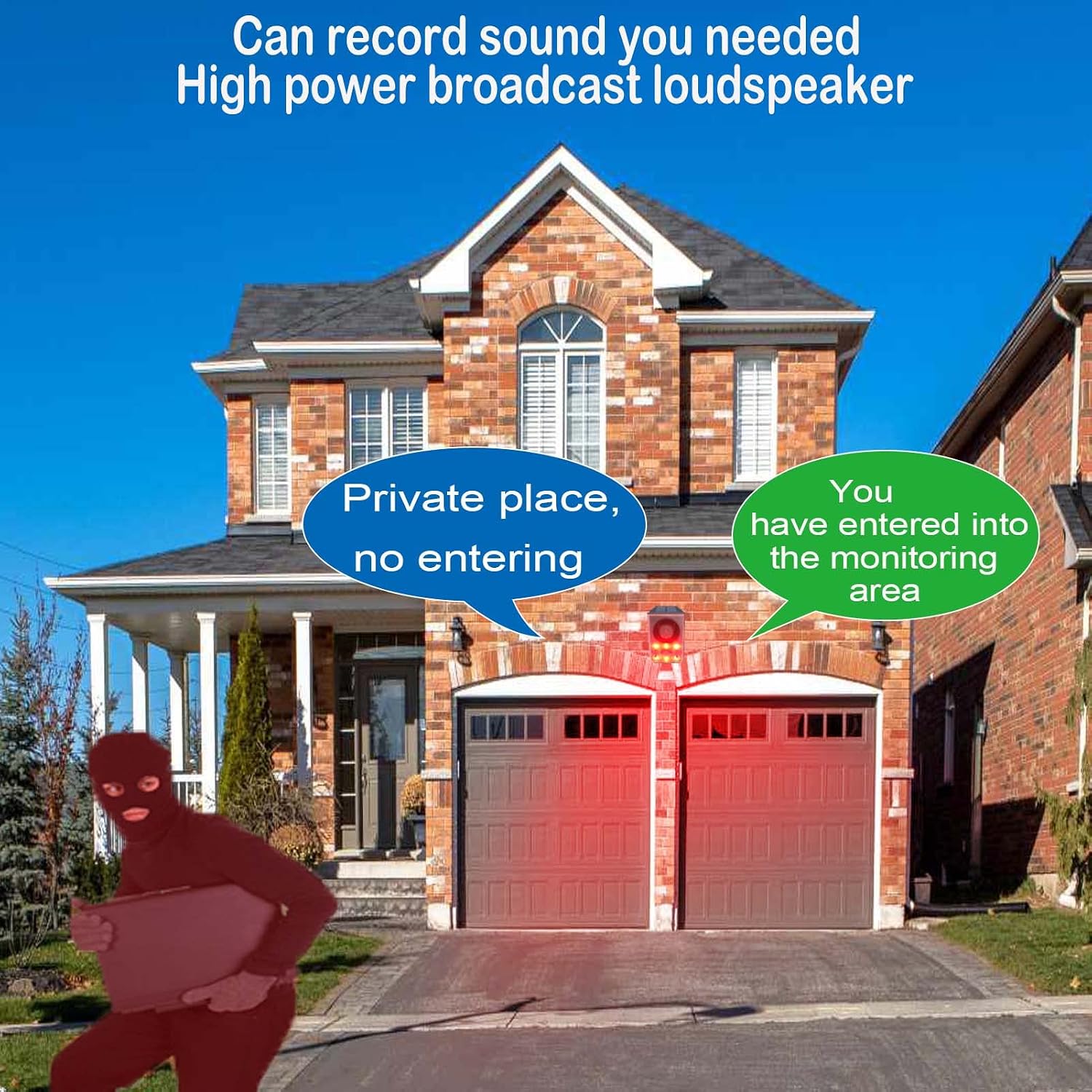
Image: A person demonstrating the recording function of the alarm.
Remote Control
The included remote control allows for convenient management of the alarm's functions from a distance. Ensure the remote is pointed directly at the alarm unit for optimal response. The effective range is approximately 5-6 feet.
- Arm/Disarm: Activate or deactivate the alarm.
- Mode Selection: Switch between Mode A, B, and C.
- Volume Adjustment: Control the 3-level volume output of the siren.

Image: The solar motion sensor alarm unit alongside its remote control.
Troubleshooting
If you encounter issues with your YOYOJAMES N116N Solar Motion Sensor Alarm, refer to the following common troubleshooting steps:
- Alarm Not Activating:
- Ensure the device is fully charged. Check solar panel exposure or use USB charging.
- Verify the alarm is armed and in the correct operating mode (A, B, or C).
- Check the motion sensor for obstructions.
- Test the motion sensor by walking within its detection range.
- Alarm Volume Issues:
- Adjust the volume using the remote control or the device's volume button.
- If the volume changes unexpectedly, ensure the remote control is not accidentally pressed or that there are no environmental factors interfering.
- Device Not Holding Charge:
- Ensure the solar panel is clean and receives direct sunlight for several hours daily.
- If using USB charging, verify the cable and charger are functioning correctly.
- Extreme temperatures can affect battery performance.
- Recording Function Not Working:
- Ensure you are pressing and holding the recording button for the entire duration of your message (up to 20 seconds).
- Speak clearly and close to the microphone.
- Water Damage:
- While the device is IP55 waterproof, prolonged exposure to extreme weather or submersion can cause damage. Ensure proper installation and avoid direct water jets.
Specifications
| Model Number | N116N |
| Brand | YOYOJAMES |
| Power Source | Solar Powered, USB Chargeable |
| Battery Type | 1 Lithium Ion battery (required) |
| Voltage | 5 volts |
| Audible Noise | Up to 130 dB |
| Motion Sensor Range | 10-20 feet (5-8 meters) |
| Control Method | Remote Control |
| Mounting Type | Wall Mount |
| Product Dimensions (L x W x H) | 3.4" x 3.3" x 5.5" |
| IP Rating | IP55 Waterproof |
| UPC | 752811843931 |
Official Product Videos
The following videos provide additional information and demonstrations of the YOYOJAMES N116N Solar Motion Sensor Alarm.
Video: Demonstration of the motion sensor alarm in action, titled "motion sensor alarm".
Video: Overview of the "Outdoor Motion Sensor Alarm" features and functionality.
Video: A short demonstration of the "YOYOJAMES solar outdoor motion sensor alarm".
Support
For any questions, concerns, or to report your experience with the YOYOJAMES N116N Solar Motion Sensor Alarm, please contact YOYOJAMES customer support. Your feedback is valuable and helps in the continuous improvement of our products.
Refer to the product packaging or the retailer's website for specific contact information.
