
HEONAM 1
HEONAM 59 Inch Electric L-Shape Standing Desk User Manual
Model: 1 | Brand: HEONAM
1. Introduction
Thank you for choosing the HEONAM 59 Inch Electric L-Shape Standing Desk. This manual provides essential information for the safe assembly, operation, and maintenance of your new desk. Designed for home office use, this desk offers a spacious work surface and smooth electric height adjustment to promote a healthier and more productive work environment.
Key features include:
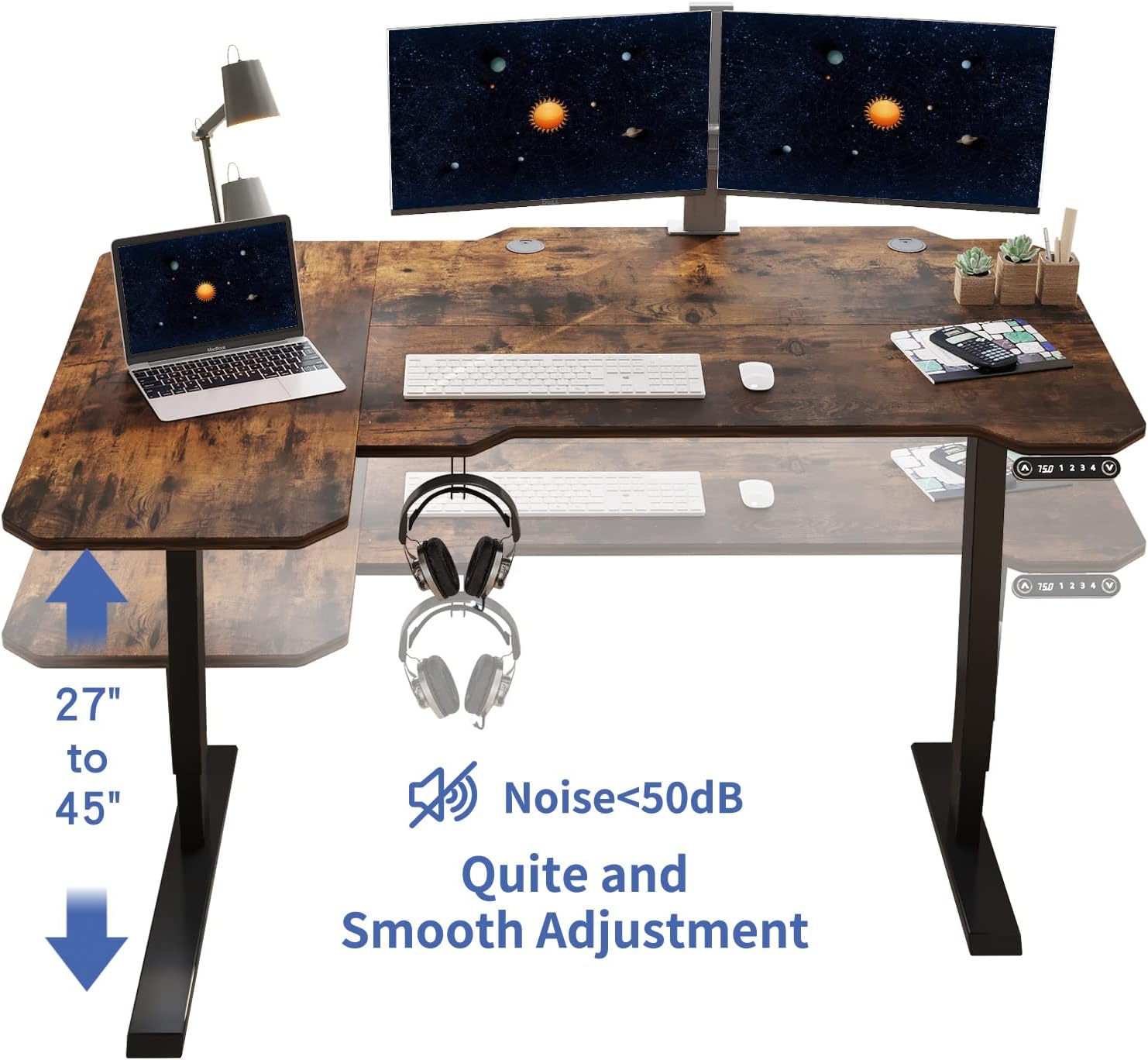
- Smooth Height Adjustment: Effortlessly switch between sitting and standing positions with the electric lift system.
- Spacious Work Surface: Provides ample room for multiple monitors, laptops, and office accessories. The L-shape design offers extended workspace.
- Sturdy & Stable Construction: Built with a durable steel frame and high-quality engineered wood desktop for long-lasting use.
- Smart Memory Control: Customize and save up to four preferred height settings for quick adjustments.
- Modern & Versatile Design: Sleek style suitable for various home or office decors.
2. Safety Information
Please read and understand all safety instructions before assembly and use. Failure to follow these instructions may result in injury or damage to the product.
- Ensure proper assembly according to the instructions provided.
- Do not exceed the maximum weight recommendation of 132 pounds (60 kg).
- Utilize the anti-collision technology to prevent damage to the desk and surrounding objects during height adjustments.
- Keep children and pets away from the desk during operation.
- Do not sit or stand on the desk.
- Keep all electrical components dry and away from liquids.
- Regularly check all screws and connections to ensure they are tight.
3. Setup & Assembly
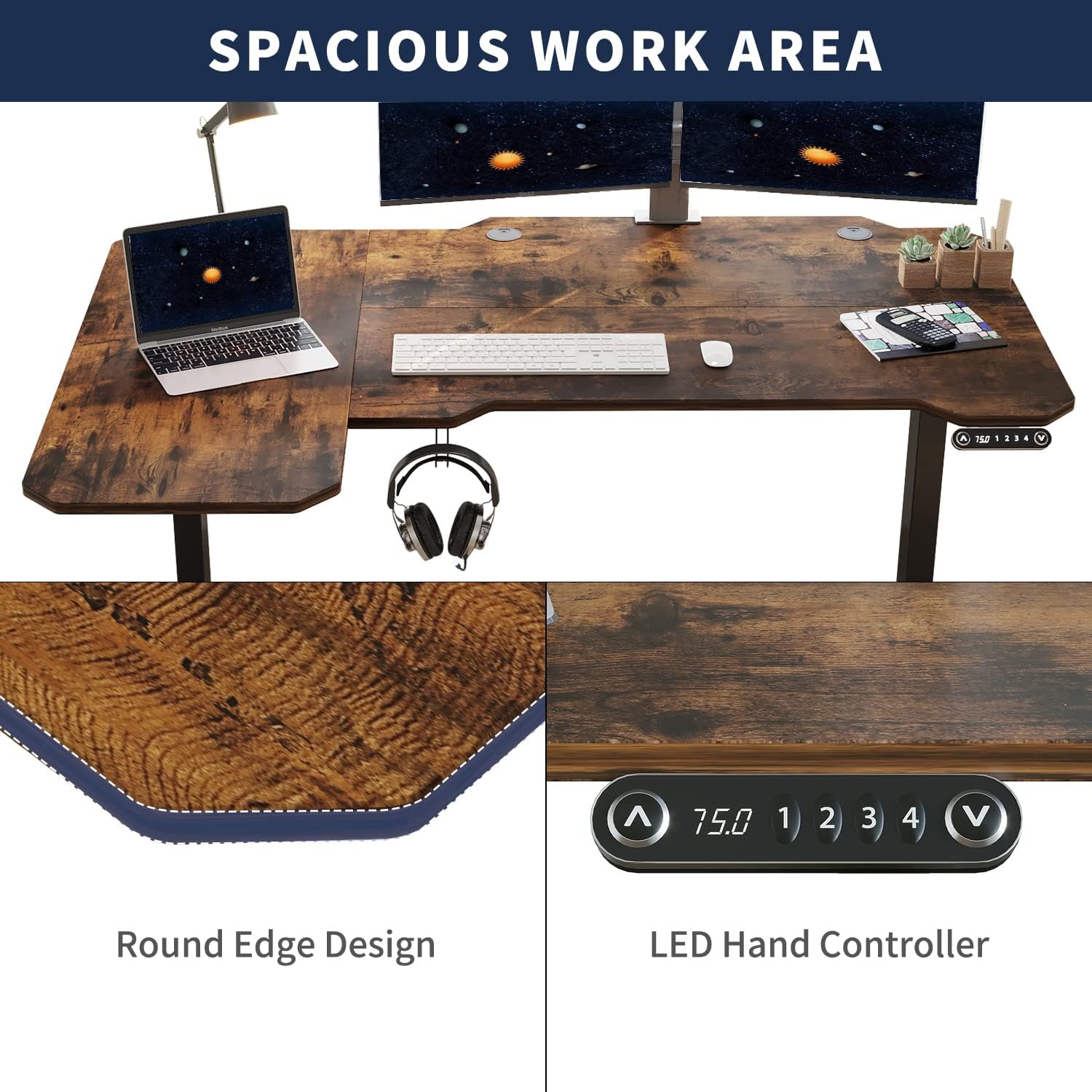
Assembly requires approximately 45 minutes and is recommended for two people. While some tools are included, a power drill may expedite the process. Please verify all parts are present before beginning assembly.
3.1. Unpacking and Part Identification
Carefully unpack all components and lay them out on a clean, soft surface to prevent scratches. Refer to the parts list to identify each component.

3.2. Assembling the Desktop
Connect the desktop sections using the provided dowels and fasteners. Ensure the sections align perfectly to form the L-shape.
3.3. Attaching the Legs and Frame
Attach the desk legs to the main frame. Pay close attention to the orientation of the motor and support beams. The motor should align with the designated holes on the leg brackets. Ensure all screws are tightened securely.
For detailed visual guidance on frame assembly, including motor and sync rod installation, please refer to the official installation video:
3.4. Finalizing the Frame and Desktop Connection
Once the frame is assembled, carefully place the desktop onto the frame and secure it with the remaining screws. Ensure all connections are firm before proceeding.

3.5. Cable Management
Utilize the integrated cable management basket and clips to organize power cords and other cables, ensuring they do not interfere with the desk's movement.

The desk also includes a hook for headphones or other accessories, which can be installed on either side of the desk.

4. Operating Instructions
Your HEONAM Electric Standing Desk is equipped with an intuitive control panel for easy height adjustment and memory settings.
4.1. Control Panel Overview
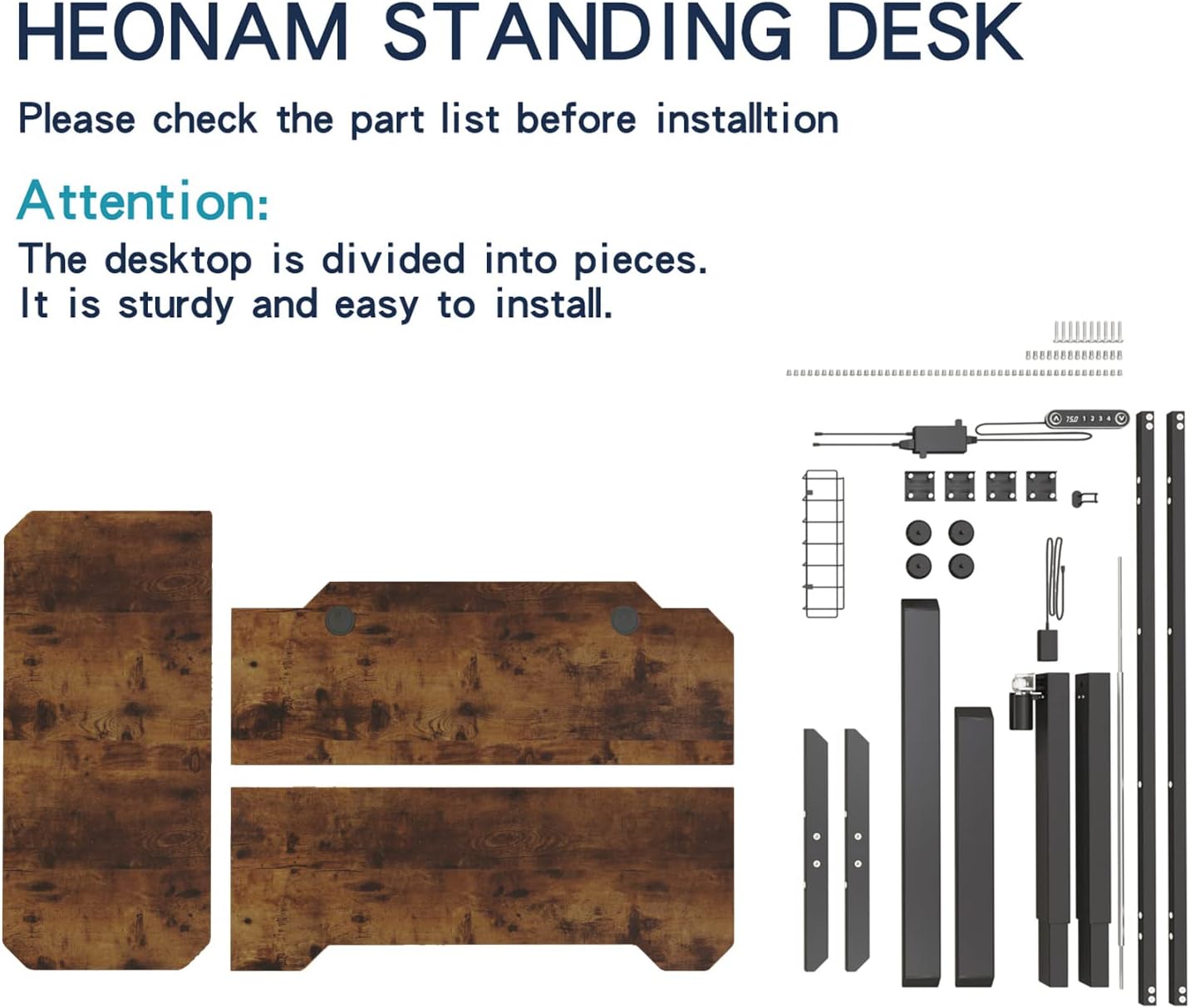
- Up/Down Arrows (▲ / ▼): Press and hold to manually adjust the desk height.
- LED Display Screen: Shows the current desk height in inches.
- Memory Setting Buttons (1, 2, 3, 4): Save and recall your preferred height positions.
4.2. Adjusting Height
To adjust the desk height, simply press and hold the up (▲) or down (▼) arrow buttons until the desk reaches your desired height. Release the button to stop movement.
4.3. Setting Memory Presets
The desk allows you to save up to four custom height settings:
- Adjust the desk to your desired height using the up/down arrows.
- Press and hold one of the memory buttons (1, 2, 3, or 4) until the LED display flashes or beeps, indicating the height has been saved.
- To recall a saved height, simply press the corresponding memory button (1, 2, 3, or 4). The desk will automatically move to that preset height.
5. Maintenance
Proper maintenance ensures the longevity and optimal performance of your standing desk.
- Cleaning: Wipe the desktop and frame with a soft, damp cloth. Avoid harsh chemicals or abrasive cleaners.
- Inspections: Periodically check all screws and connections to ensure they remain tight. Re-tighten if necessary.
- Cable Management: Ensure cables are neatly organized and do not obstruct the desk's movement.
- Weight Limit: Adhere strictly to the maximum weight capacity of 132 pounds to prevent damage.
6. Troubleshooting
If you encounter any issues with your desk, please refer to the following common problems and solutions:
| Problem | Possible Cause | Solution |
|---|---|---|
| Desk does not move. | Power cable disconnected, motor issue, or overload. | Check power connections. Ensure desk is not overloaded. Contact customer support if problem persists. |
| Uneven height adjustment. | Loose connections or obstruction. | Verify all frame connections are tight. Check for obstructions under the desk. |
| Memory presets not working. | Incorrect programming. | Re-program the memory presets following the instructions in Section 4.3. |
| Desk makes unusual noises. | Loose components or motor strain. | Check all screws and bolts. Reduce weight on the desk. If noise persists, contact support. |
7. Specifications
The following specifications apply to the HEONAM 59 Inch Electric L-Shape Standing Desk:

| Feature | Detail |
|---|---|
| Brand | HEONAM |
| Model Number | 1 |
| Model Name | Standing desk |
| Desktop Material | Engineered Wood |
| Frame Material | Alloy Steel |
| Color | Rustic Brown |
| Minimum Height | 27 Inches |
| Maximum Height | 45 Inches |
| Maximum Weight Recommendation | 132 Pounds |
| Lifting Mechanism | Electric |
| Number of Height Presets | 4 |
| Recommended People for Assembly | 2 |
| UPC | 768599667232 |
8. Warranty & Support
Your HEONAM Electric Standing Desk comes with a Limited 1 Year Warranty. For any questions, technical assistance, or warranty claims, please contact HEONAM customer support.
Additional protection plans may be available for purchase from your retailer.