
Introduction
Welcome to the eMylo EMAC805 WiFi Water Leak Detector. This device is designed to detect water leaks and provide immediate alerts through a loud alarm and smartphone notifications via the Tuya or Smart Life app. It helps protect your property from potential water damage in various locations such as kitchens, bathrooms, basements, and laundry rooms.
Product Overview
The eMylo EMAC805 is a compact and sensitive water leak detector. It features a built-in 120dB alarm and connects to your home WiFi network for remote monitoring.

Image: The eMylo EMAC805 WiFi Water Leak Detector, a compact white device with a water drop icon and eMylo branding.

Image: A size comparison showing the compact dimensions of the eMylo EMAC805 Water Leak Detector, highlighting its small and space-saving design.
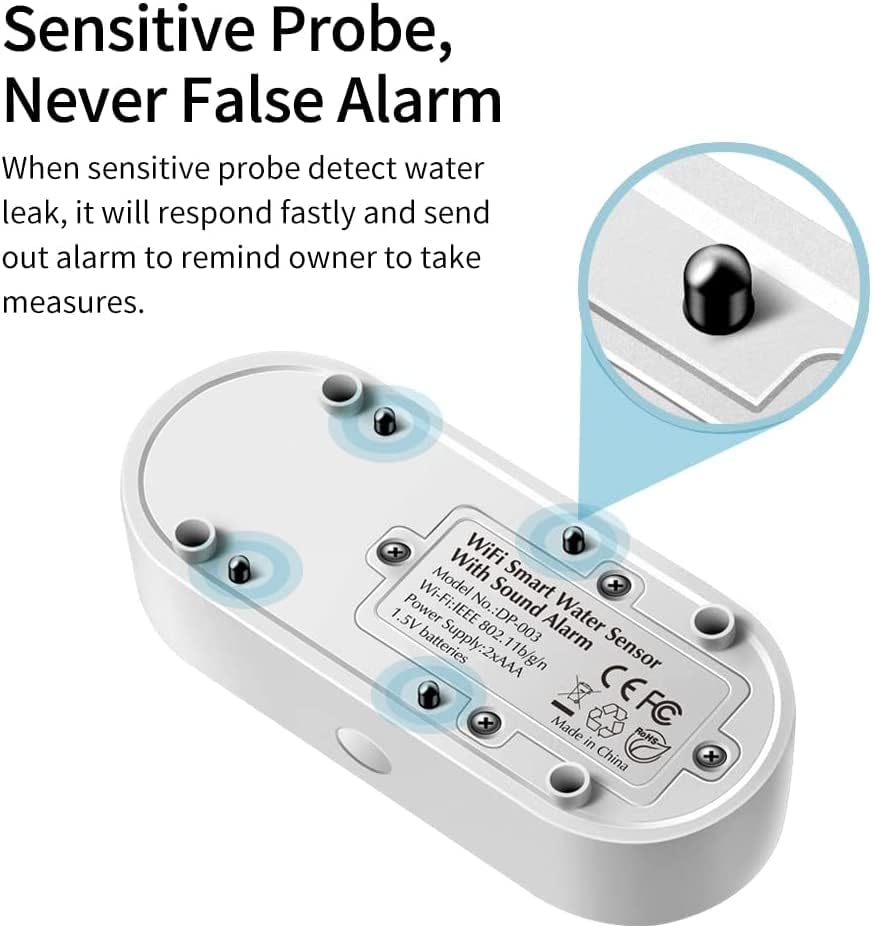
Image: A close-up view of the underside of the eMylo EMAC805 Water Leak Detector, showing the sensitive metal probes designed to detect water contact and trigger an alarm.
Specifications
| Brand | eMylo |
| Model Number | EMAC805 |
| Color | White |
| Power Source | Battery Powered |
| Battery Type | 2 AAA Alkaline batteries (included) |
| Voltage | 1.5 Volts |
| Control Method | App (Tuya / Smart Life) |
| Audible Noise | 120 Decibels |
| Mounting Type | Tabletop Mount |
| Sensor Technology | Capacitive Sensor |
| Smart Home Compatibility | Yes |
Setup
1. Battery Installation
The device requires 2 AAA batteries. Open the battery compartment on the back of the device and insert the batteries, ensuring correct polarity. Close the compartment securely.

Image: A hand pulling a tab from the battery compartment of the eMylo water leak detector, indicating battery activation or installation.

Image: A close-up of the eMylo water leak detector's battery compartment, showing two AAA batteries inserted.
2. App Download and Device Pairing
Download the "Tuya Smart" or "Smart Life" app from your smartphone's app store (iOS or Android). Register or log in to your account. To pair the device:
- Ensure your smartphone is connected to a 2.4GHz WiFi network.
- Open the app and tap the "+" icon to add a device.
- Select "Sensors" or "Security & Video Surveillance" and then "Water Leak Sensor (Wi-Fi)".
- Follow the in-app instructions to put the device into pairing mode (usually by pressing and holding the button on the device for 5-10 seconds until the indicator light flashes rapidly).
- Enter your WiFi network password when prompted.
- The app will search for and add the device. Once added, you can rename it and assign it to a room.
Video: This video demonstrates the process of pairing the eMylo WiFi Water Leak Detector with the Smart Life application, including adding the device and testing its notification function.

Image: A smartphone screen displaying the Tuya Smart or Smart Life app interface for the water leak sensor, showing its current status as "Normal".
3. Placement
Place the detector in areas prone to water leaks, such as near water heaters, washing machines, sinks, toilets, or in basements. Ensure the metal probes on the bottom of the device are in direct contact with the surface where water might accumulate.
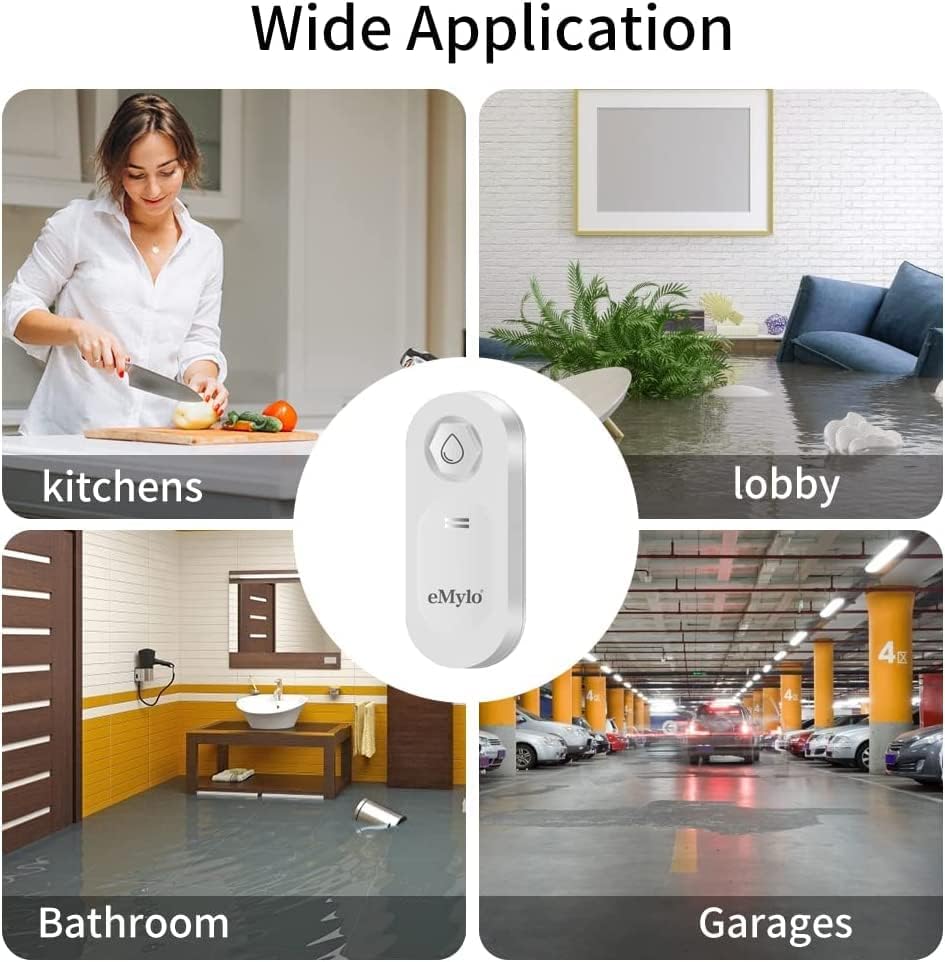
Image: A collage showing various application areas for the eMylo water leak detector, including kitchens, laundry rooms, bathrooms, and bedrooms, indicating its versatility.
Operating
Water Leak Detection
When the sensitive probes on the bottom of the device detect water, the detector will immediately trigger a loud 120dB audible alarm. Simultaneously, a notification will be sent to your smartphone via the connected app (Tuya Smart or Smart Life), alerting you to the leak.

Image: The eMylo EMAC805 Water Leak Detector placed on a wet surface near a sink, with a red exclamation mark indicating a detected leak and an active alarm.

Image: An illustration depicting the eMylo EMAC805 Water Leak Detector emitting a loud 120dB alarm sound, with a sleeping person in the background, emphasizing its effectiveness in alerting users to leaks.
App Notifications
The app provides real-time status updates and a history of detected leaks. You can view the battery level and manage notification settings within the app.

Image: A hand interacting with a smartphone displaying the Tuya Smart or Smart Life app, showing the "Water Immersion Sensor" interface with options for "Normal" status, "Record" of events, "Smart" scenes, and "Set" settings.
Maintenance
Battery Replacement
The device will indicate a low battery status through a flashing red light and an app notification. Replace the 2 AAA batteries promptly to ensure continuous operation.

Image: A smartphone screen showing a "Low Battery Reminder" notification for the eMylo water leak detector, indicating that the red light will flash when the battery is low.

Image: An illustration of the eMylo water leak detector with a red battery icon and a dashed line pointing to a red indicator light, signifying a low battery state.
Cleaning
Wipe the device with a dry cloth. Do not use abrasive cleaners or immerse the device in water. Ensure the metal probes are clean and free of debris for optimal performance.
Troubleshooting
Device not connecting to WiFi:
- Ensure your WiFi network is 2.4GHz. The device does not support 5GHz networks.
- Check your WiFi password for accuracy.
- Move the device closer to your WiFi router.
- Reset the device and try the pairing process again.
False alarms:
- Ensure the placement surface is completely dry. Even slight dampness can trigger the sensor.
- Clean the sensor probes to remove any residue that might be causing conductivity.
- Elevate the device slightly if placed on a consistently damp surface (e.g., concrete floor in a basement) to prevent constant contact with moisture.
No app notifications:
- Check if app notifications are enabled in your smartphone's settings for the Tuya Smart/Smart Life app.
- Verify the device is still connected to WiFi and has sufficient battery.
- Ensure you have not disabled notifications within the app itself.
Alarm is not loud enough:
- The device has a fixed 120dB alarm. For remote alerts, rely on app notifications.
- Consider placing multiple detectors in large or noisy areas.
Warranty Information
Please refer to the product packaging or contact eMylo customer support for detailed warranty information. Typically, eMylo products come with a standard manufacturer's warranty covering defects in materials and workmanship.
Customer Support
For further assistance, technical support, or inquiries, please visit the official eMylo website or contact their customer service team. Contact details can usually be found on the product packaging or on the eMylo brand store page on Amazon.
eMylo Brand Store: https://www.amazon.com/stores/eMylo/page/049A639F-FB7D-497B-83A3-EA76CED76610