
Introduction
This manual provides instructions for the AULCMEET CRMC-A751JBEZ replacement remote control, designed for use with various Sharp Portable AC Air Conditioner models. Please read this manual carefully before use to ensure proper operation and to maximize the lifespan of your remote control.
Product Features
- Direct replacement remote control for Sharp Portable AC Air Conditioner units.
- Compatible with a wide range of Sharp AC models, including: CV-2P10SC, CV-2P10SX, CV-P12PX, CRMC-A775JBEZ, CV-P10RC, CRMC-A705JBEZ, CRMC-A729JBEZ, CVP10PC, CVP10NC, CVP09LX, CVP10MX, CVP10MC, CVP10LC, AU-A9MMV, AH-AP9FMV, AH-AP12MMV, AU-A12MMV, AH-A18LEW, AU-A18LEW, AH-A24LEW, AU-A24LEW, CRMC-A663JBEZ, CRMC-A750JBEZ, CV-P09FX, CV-P12LX, CVPD13PX, CPV09FX, CVP09FL, CRMC-A810JBEZ.
- Ergonomic design for comfortable handling.
- Infrared connectivity for reliable control.
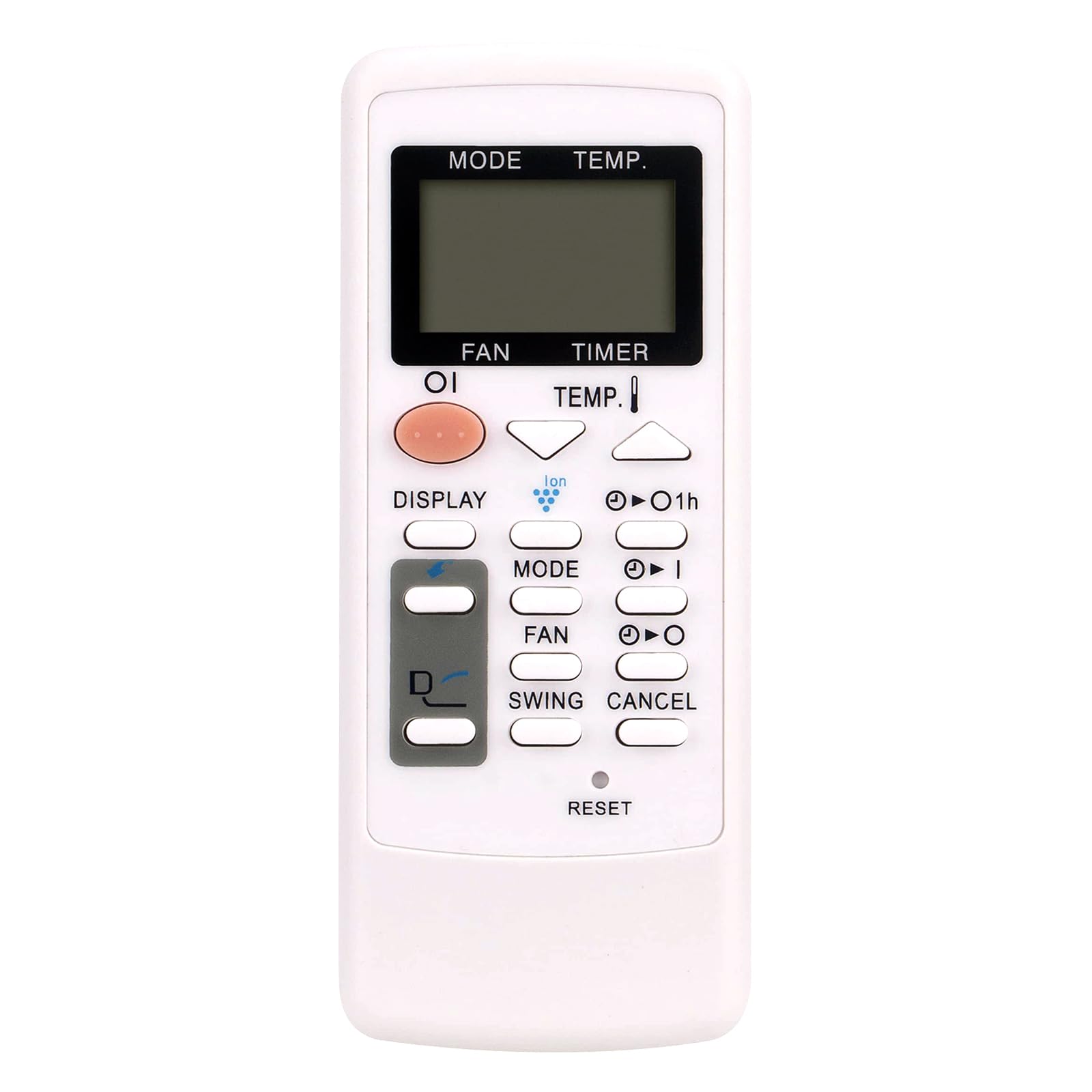
Image: The AULCMEET CRMC-A751JBEZ remote control shown with a Sharp portable air conditioner in a room setting. The remote features a large LCD display for easy operation.
Setup
Battery Installation
- Locate the battery compartment cover on the back of the remote control.
- Slide the cover downwards or press the latch to open the compartment.
- Insert two AAA batteries (not included), ensuring that the positive (+) and negative (-) terminals align correctly with the markings inside the compartment.
- Slide the battery compartment cover back into place until it clicks securely.
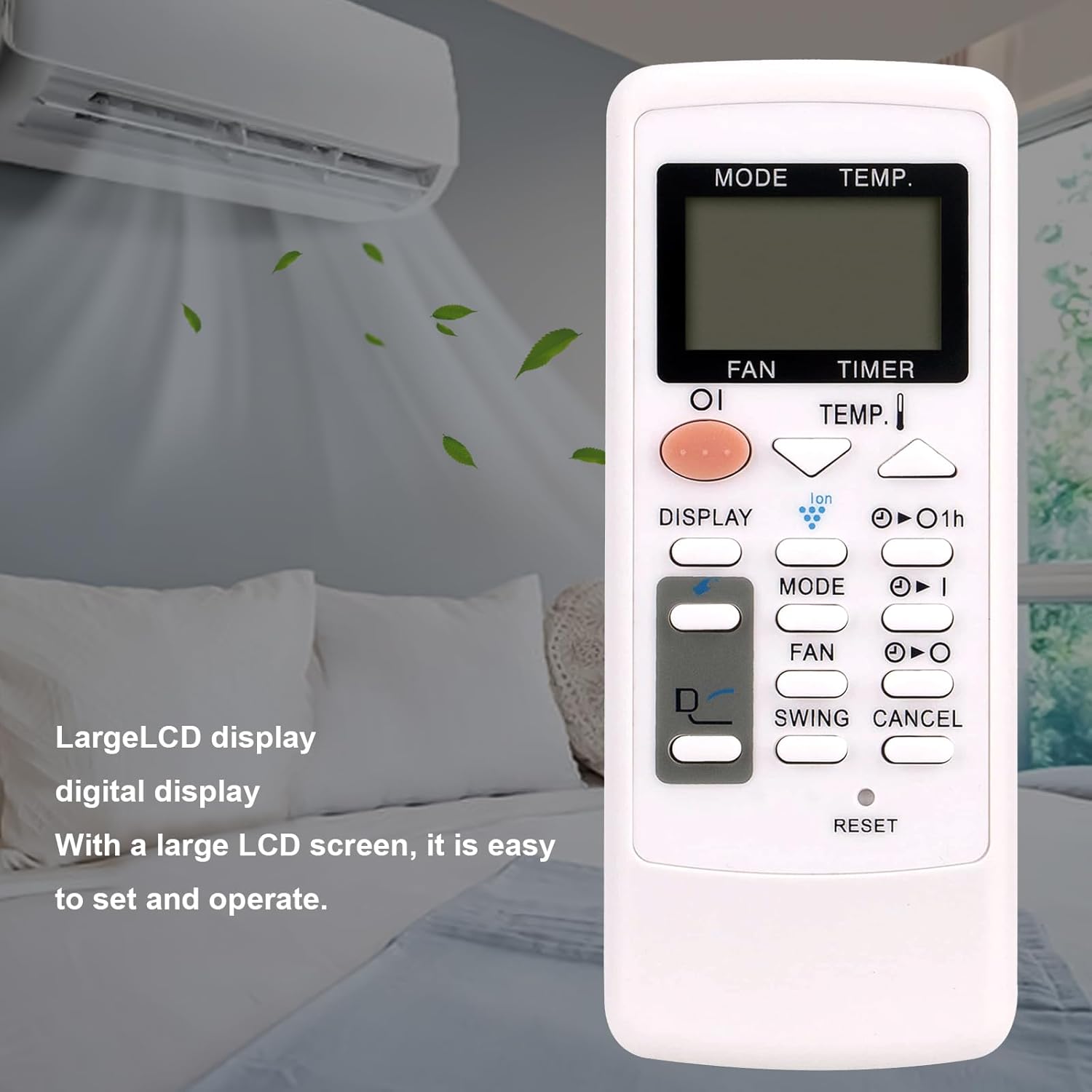
Image: A close-up front view of the AULCMEET CRMC-A751JBEZ remote control, highlighting its buttons and LCD display.
Operating Instructions
Point the remote control directly at the infrared receiver on your Sharp Portable AC unit for optimal performance.
- Power On/Off: Press the POWER button (usually a prominent button, often orange or red) to turn the air conditioner on or off.
- Mode Selection: Press the MODE button repeatedly to cycle through available operating modes: Cool (snowflake icon), Fan (fan icon), and Dry (water drop icon). Note: This remote does not support a heating function.
- Temperature Adjustment: Use the TEMP. up (▲) and down (▼) buttons to adjust the desired temperature.
- Fan Speed: Press the FAN button to adjust the fan speed (e.g., Low, Medium, High, Auto).
- Timer Function: Use the TIMER buttons (often labeled with a clock icon or '1h') to set or cancel the timer for automatic power on/off.
- Swing Function: Press the SWING button to activate or deactivate the louver swing function, which helps distribute air evenly.
- Display: Press the DISPLAY button to change display settings or activate/deactivate the display backlight on the AC unit.
- Reset: To reset the remote control to its default settings, use a pointed object (like a pen tip) to press the recessed RESET button.

Image: The AULCMEET CRMC-A751JBEZ remote control displayed alongside a Sharp portable AC unit, illustrating its compatibility.
Maintenance
- Cleaning: Clean the remote control with a soft, dry cloth. Do not use liquid cleaners, abrasive materials, or chemical solvents, as these can damage the remote's surface or internal components.
- Battery Replacement: Replace batteries when the remote's operational range decreases significantly or it stops responding. Always replace both batteries at the same time with new ones of the same type.
- Storage: If the remote control will not be used for an extended period, remove the batteries to prevent leakage and potential damage to the device. Store the remote in a cool, dry place.
Troubleshooting
- Remote not responding:
- Check if the batteries are inserted correctly with the correct polarity (+/-).
- Replace old batteries with new ones.
- Ensure there are no obstructions between the remote control and the AC unit's infrared receiver.
- Make sure the remote is pointed directly at the AC unit.
- Limited operational range:
- Replace batteries.
- Ensure a clear line of sight to the AC unit.
- Specific functions not working (e.g., Heat mode):
- Verify the compatibility of the remote with your specific AC model.
- Note that this remote control does not support heating functions, even if your AC unit has one.
Specifications
| Brand | AULCMEET |
| Model Name | CRMC-A751JBEZ |
| Compatible Devices | Sharp Portable Air Conditioners |
| Connectivity Technology | Infrared |
| Battery Type | 2 x AAA (not included) |
| Maximum Range | 33 Feet |
| Button Quantity | 30 |
| Dimensions (L x W x H) | 5" x 1" x 0.5" |
Warranty and Support
This AULCMEET CRMC-A751JBEZ replacement remote control comes with a 1-year warranty from the date of purchase. For technical support, warranty claims, or any inquiries regarding your remote control, please contact your retailer or the manufacturer directly through their official support channels.