
1. Introduction
This manual provides instructions for the installation, operation, and maintenance of the Blue Square Spectrum 360 Multi-Color LED Pool Light, Model 200043-P. This LED light is designed to replace Pentair style pool lights, offering multi-color options and various preprogrammed scroll and flash modes for your pool environment.
Please read this manual thoroughly before installation and operation to ensure safe and correct usage.
2. Important Safety Information
WARNING: Risk of electrical shock. Always disconnect power to the pool light circuit at the circuit breaker before attempting any installation, service, or maintenance.
- Installation must be performed by a qualified electrician or a certified pool professional in accordance with all applicable local and national electrical codes.
- Ensure the light fixture is properly grounded and bonded.
- Do not operate the light out of water for extended periods, as this may cause overheating and damage.
- Keep children away from the installation area.
- Use only genuine Blue Square Manufacturing replacement parts.
3. Package Contents
Verify that all components are present before beginning installation:
- Blue Square Spectrum 360 Multi-Color LED Pool Light (Model 200043-P)
- User Manual (this document)
Note: The power cord for this LED light is NOT included and must be purchased separately or reused from an existing installation.
4. Setup and Installation
This LED light is designed to replace existing Pentair style pool lights. Professional installation is highly recommended.
4.1 Pre-Installation Steps
- Turn off Power: Locate the circuit breaker for your pool light and turn off the power completely. Verify power is off using a voltage tester.
- Drain Water (if necessary): For some installations, it may be necessary to lower the pool water level below the light fixture.
- Remove Existing Light: Carefully remove the existing pool light fixture from its niche. Disconnect the old wiring.
4.2 Installing the Spectrum 360 LED Light
- Connect Wiring: Connect the new Spectrum 360 LED light to the existing power cord wiring. Ensure all connections are secure, waterproof, and comply with local electrical codes. Use appropriate waterproof connectors.
- Seal and Test: Before fully seating the light, place it in the water and turn on the power briefly to test its functionality. Ensure there are no leaks around the seal.
- Secure Light: Carefully coil any excess cord behind the light fixture and secure the light into its niche. Ensure the light is properly seated and sealed to prevent water intrusion.
- Refill Pool (if drained): If the pool water level was lowered, refill it to the appropriate level.
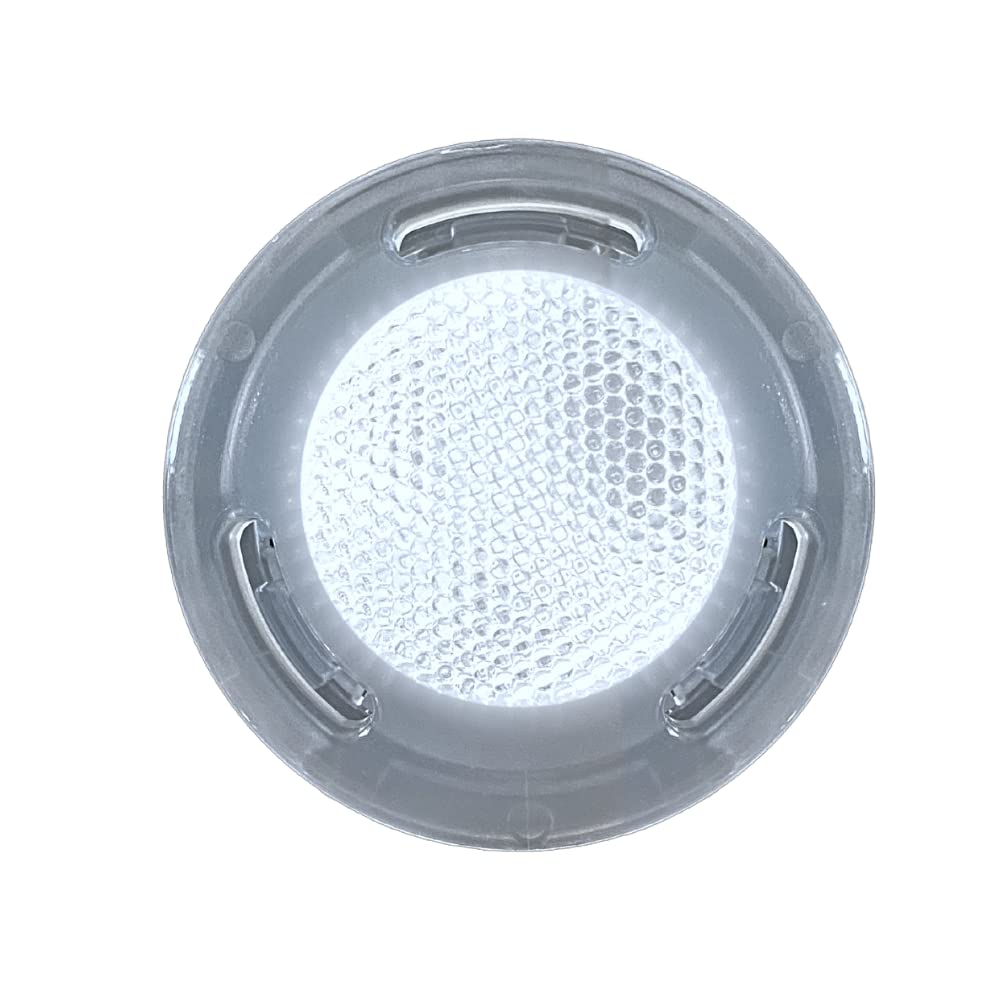
Image 1: Blue Square Spectrum 360 LED Pool Light. This image shows the light fixture, which is designed to fit into a standard pool light niche.
5. Operating Instructions
The Blue Square Spectrum 360 Multi-Color LED Pool Light offers a variety of color options and preprogrammed modes. The light is controlled by cycling the power switch.
5.1 Changing Colors and Modes
To change the light's color or mode, simply turn the pool light switch OFF and then ON again within 5 seconds. Each power cycle will advance the light to the next available color or mode in its sequence. If the light is off for more than 5 seconds, it will typically revert to the first mode in its sequence when turned back on.
Experiment with cycling the power to discover all the available fixed colors, scrolling effects, and flash modes.
6. Maintenance
The Blue Square Spectrum 360 LED Pool Light requires minimal maintenance.
- Regular Inspection: Periodically inspect the light fixture and its cord for any signs of damage, wear, or leaks. Address any issues promptly.
- Cleaning: If the lens becomes dirty or covered with algae, gently clean it with a soft brush or cloth and mild pool-safe cleaner. Do not use abrasive cleaners or tools that could scratch the lens.
- Winterization: Follow standard pool winterization procedures for your region. Ensure the light is properly protected if the pool is drained below the light level.
7. Troubleshooting
| Problem | Possible Cause | Solution |
|---|---|---|
| Light does not turn on. | No power to the circuit; faulty wiring connection; damaged light. | Check circuit breaker. Verify all wiring connections are secure. If problem persists, consult a qualified electrician. |
| Light is stuck on one color or mode. | Incorrect power cycling; internal fault. | Ensure you are cycling the power switch OFF and ON within 5 seconds. If issue continues, contact customer support. |
| Light flickers or dims. | Loose connection; voltage fluctuation; internal component issue. | Check all electrical connections. Ensure stable power supply. If problem persists, professional inspection is recommended. |
8. Specifications
- Model Number: 200043-P
- Product Dimensions: 6.5 x 6.5 x 2.07 inches
- Item Weight: 2 pounds
- Light Type: LED Pool Light
- Equivalent Wattage: Equivalent to 140 Watt Incandescent Light
- Color Temperature: 400K
- Lumen Output: 800 Lumens
- Manufacturer: Blue Square Manufacturing
9. Warranty and Customer Support
For warranty information or technical assistance, please contact Blue Square Manufacturing customer support. Keep your purchase receipt as proof of purchase.
Contact information can typically be found on the manufacturer's official website or on your product packaging.