
BLACK+DECKER REVCDD12C
BLACK+DECKER reviva 12V Cordless Drill User Manual
Model: REVCDD12C
1. Introduction
This manual provides essential information for the safe and effective operation of your BLACK+DECKER reviva 12V Cordless Drill. Designed for versatility and ease of use, this tool is suitable for a variety of household tasks, from drilling holes to driving screws into wood, metal, or plastic. The reviva drill/driver's housing is notably made with Tritan Renew 50% certified recycled material, contributing to environmental sustainability.
Please read this manual thoroughly before using the product and retain it for future reference.
2. Safety Information
WARNING: Read all safety warnings, instructions, illustrations and specifications provided with this power tool. Failure to follow all instructions listed below may result in electric shock, fire and/or serious injury.
- Always wear appropriate personal protective equipment, including eye protection.
- Keep work area clean and well lit. Cluttered or dark areas invite accidents.
- Do not operate power tools in explosive atmospheres, such as in the presence of flammable liquids, gases or dust.
- Keep children and bystanders away while operating a power tool.
- Avoid unintentional starting. Ensure the switch is in the off-position before connecting to power source, picking up or carrying the tool.
- Do not overreach. Keep proper footing and balance at all times.
- Maintain power tools and accessories. Check for misalignment or binding of moving parts, breakage of parts and any other condition that may affect the power tool’s operation.
- Use the power tool, accessories and tool bits in accordance with these instructions, taking into account the working conditions and the work to be performed.
3. Product Overview
The BLACK+DECKER reviva 12V Cordless Drill is designed for efficient and comfortable use. Below are the main components and their functions.
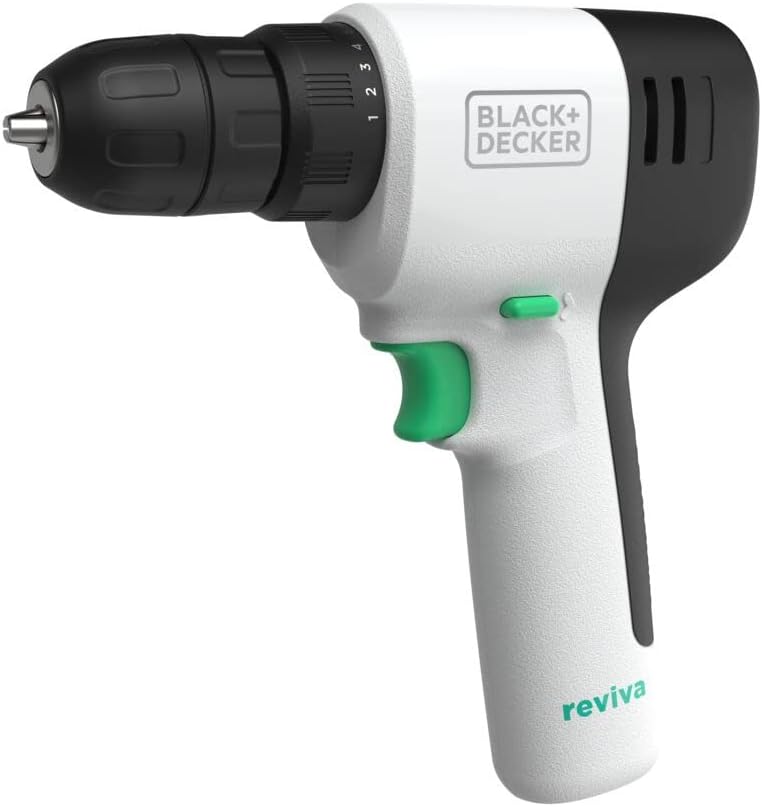
Figure 3.1: Front view of the BLACK+DECKER reviva 12V Cordless Drill, highlighting its compact design and keyless chuck.
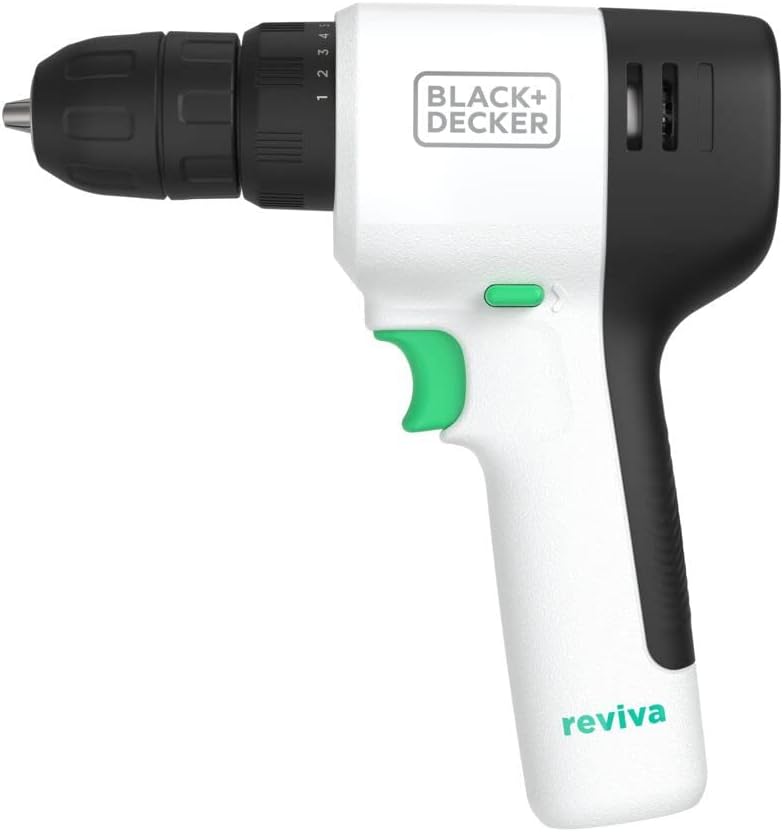
Figure 3.2: Side view of the drill, showing the ergonomic handle and trigger.

Figure 3.3: Rear view of the drill, showing the ventilation slots.

Figure 3.4: Top view of the drill, showing the forward/reverse switch.
Components:
- Keyless Chuck: For quick and simple bit changes.
- Torque Adjustment Collar: 10-position clutch for precise control over driving screws into various materials.
- Variable Speed Trigger: Allows adjustment of speed based on project needs.
- Forward/Reverse Switch: To drive and remove fixings.
- Integrated Battery: 12V MAX Lithium Ion battery for cordless convenience.
- Charging Port: Located at the base of the handle for easy charging.
4. Setup
4.1 Charging the Drill
The reviva drill features an integrated battery. Before first use, fully charge the drill. A full charge allows driving over 400 screws.
- Locate the charging port at the bottom of the drill handle.
- Connect the provided charger to the charging port.
- Plug the charger into a standard electrical outlet.
- Allow the drill to charge until the charging indicator (if present) signals a full charge.
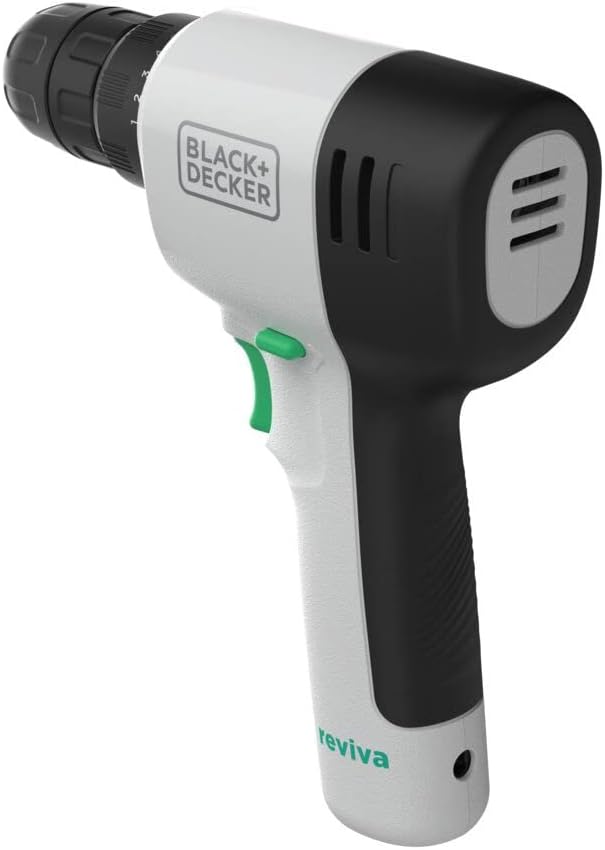
Figure 4.1: The drill connected to its charger, plugged into a wall outlet.
4.2 Installing/Changing Bits
The keyless chuck allows for quick and easy bit changes.
- To open the chuck, hold the rear part of the chuck and rotate the front part counter-clockwise until the jaws are wide enough to insert the bit.
- Insert the desired drill bit or screwdriver bit into the chuck. Ensure the bit is fully seated.
- To close the chuck, hold the rear part of the chuck and rotate the front part clockwise until the bit is securely clamped. Do not overtighten.
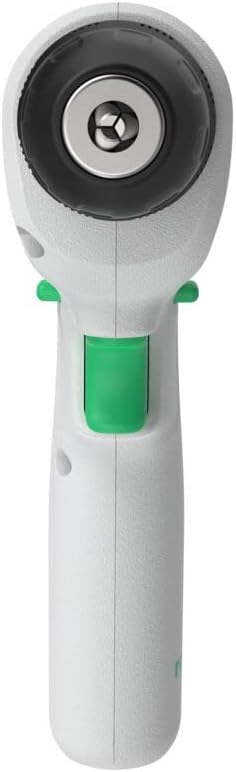
Figure 4.2: A hand demonstrating the adjustment of the keyless chuck for bit insertion.
5. Operating the Drill
5.1 Variable Speed Control
The variable speed trigger allows you to control the drilling or driving speed. Press the trigger lightly for slower speeds and press it further for higher speeds. This control is crucial for delicate tasks or when starting a hole.

Figure 5.1: A hand demonstrating the use of the variable speed trigger.
5.2 Torque Adjustment (Clutch)
The 10-position torque adjustment collar allows you to set the amount of torque (turning force) the drill applies. This prevents over-driving screws and damaging the workpiece or screw head. Start with a lower setting for softer materials or smaller screws, and increase the setting for harder materials or larger screws.

Figure 5.2: A hand adjusting the torque collar on the drill.
5.3 Forward/Reverse Operation
The forward/reverse switch, located above the trigger, controls the direction of rotation. Push the switch to the left for forward rotation (driving screws/drilling) and to the right for reverse rotation (removing screws). The center position locks the trigger for safety.
Figure 5.3: Close-up view of the forward/reverse switch.
5.4 General Usage Tips
- Always ensure the workpiece is securely clamped or held to prevent movement during operation.
- Apply steady, even pressure when drilling or driving.
- For drilling into hard materials, use a pilot hole to prevent splitting or cracking.
- Do not force the tool; let the drill do the work.
Video 5.1: Official product video demonstrating the features and use of the BLACK+DECKER reviva 12V Cordless Drill.
6. Maintenance
- Cleaning: Regularly clean the ventilation slots and the tool housing with a soft, damp cloth. Do not use abrasive cleaners or solvents.
- Storage: Store the drill in a dry, secure place, out of reach of children. Ensure the trigger is locked when storing.
- Battery Care: For optimal battery life, avoid fully discharging the battery frequently. Recharge the drill after each use.
7. Troubleshooting
| Problem | Possible Cause | Solution |
|---|---|---|
| Drill does not start. | Battery is discharged. Trigger is locked. | Charge the drill. Unlock the trigger by moving the forward/reverse switch to the left or right. |
| Drill stops during operation. | Overload protection activated. Battery is low. | Reduce pressure on the tool. Recharge the drill. |
| Screw head strips or material splits. | Torque setting is too high. Incorrect bit used. | Adjust the torque collar to a lower setting. Use the correct type and size of bit for the application. |
8. Specifications
| Feature | Detail |
|---|---|
| Brand | BLACK+DECKER |
| Model Number | REVCDD12C |
| Power Source | Battery Powered |
| Voltage | 12V MAX (10.8V Nominal) |
| Maximum Torque | 230 Inch Pounds |
| Chuck Type | Keyless |
| Special Feature | Variable Speed, 10-Position Clutch |
| Material | Tool housing made with Tritan Renew 50% certified recycled material |
| Item Weight | 2.79 pounds (1.27 Kilograms) |
| Product Dimensions | 10.7 x 10.5 x 2.3 inches |
| Included Components | (1) Drill/Driver, (1) Double-ended screwdriver bit |
9. Warranty and Support
For warranty information and customer support, please refer to the warranty card included with your product packaging or visit the official BLACK+DECKER website. You can also contact customer service using the details provided on the product packaging or the manufacturer's website.
Online Support: www.blackanddecker.com
Related documentsREVCDD12C


Ask a question about this manual
Ask about setup, troubleshooting, compatibility, parts, safety, or missing instructions. Manuals+ will review the question and use this page’s manual context to help answer it.