
Introduction
This manual provides comprehensive instructions for the YOBYBO X-BOAT Pro Fully Wireless Earbuds. Please read this manual carefully before using the product to ensure proper operation and to maximize your listening experience. Keep this manual for future reference.
Package Contents
- YOBYBO X-BOAT Pro Earbuds (Left and Right)
- Charging Case
- USB Cable for Charging (Type-C)
- User Manual
Product Overview
The YOBYBO X-BOAT Pro earbuds feature an innovative open-case design, delivering high-resolution audio with apt-X Adaptive technology. They are designed for comfort and ease of use, offering a seamless wireless audio experience.

Image: The YOBYBO X-BOAT Pro earbuds and their sleek charging case, showcasing the innovative open design.
Key Features:
- High-Resolution Sound: Equipped with Qualcomm's apt-X Adaptive codec and a 13mm LCP dynamic driver for immersive audio up to 96kHz/24bit.
- Innovative Open Case Design: Allows for quick and easy access to the earbuds.
- Bluetooth 5.2 & QCC3040 Chipset: Ensures stable connection, low latency, and TrueWireless Mirroring for simultaneous left and right earbud connection.
- Extended Playback: Up to 5 hours on a single charge, with the charging case providing a total of 40 hours of playback.
- Fast Charging: 20 minutes of charging provides significant playback time.
- ENC Noise Canceling: Enhances call clarity by reducing environmental noise.
- Lightweight Design: Each earbud weighs approximately 3.9g for comfortable long-term wear.
Setup
1. Charging the Earbuds and Case
Before first use, fully charge the earbuds and the charging case. Connect the provided USB Type-C cable to the charging port on the case and to a power source. The indicator lights on the case will show the charging status.
- A full charge for the case and earbuds takes approximately 20 minutes for fast charging.
- The earbuds provide up to 5 hours of playback on a single charge.
- The charging case extends total playback time to approximately 40 hours.

Image: The charging case with its USB-C port, illustrating where to connect the charging cable.
2. Pairing with Your Device
- Ensure the earbuds are charged.
- Open the charging case. The earbuds will automatically enter pairing mode.
- On your device (smartphone, tablet, etc.), go to Bluetooth settings.
- Search for "YOBYBO X-BOAT Pro" in the list of available devices.
- Select it to connect. Once connected, you will hear an audio prompt, and the indicator lights on the earbuds will change.
The earbuds support TrueWireless Mirroring, allowing for a stable connection to both earbuds simultaneously.
Operating Instructions
Wearing the Earbuds
Gently insert the earbuds into your ears. Adjust them for a comfortable and secure fit. The lightweight design (approx. 3.9g per earbud) ensures comfort during extended use.
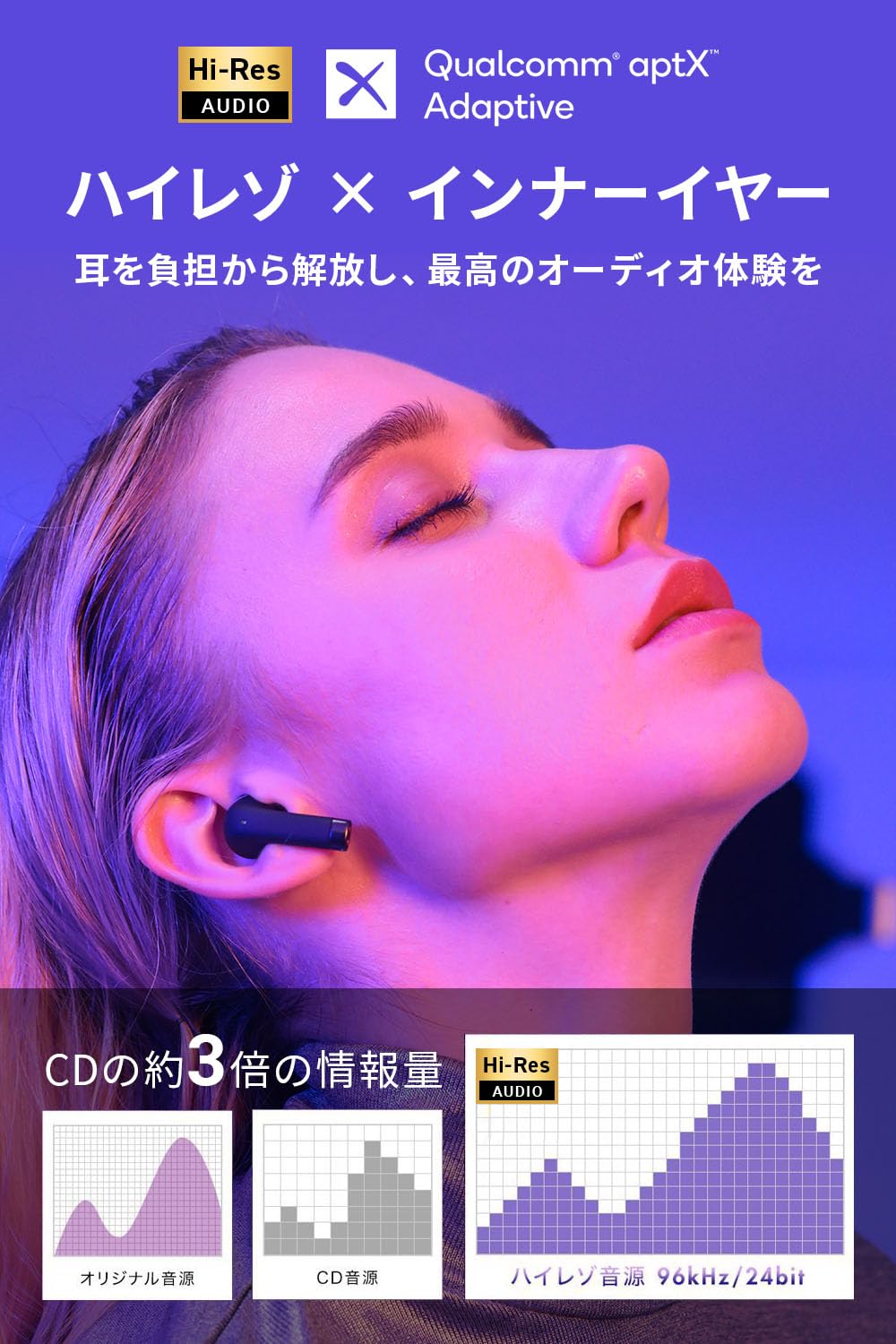
Image: A person wearing the YOBYBO X-BOAT Pro earbuds, demonstrating their in-ear fit.
Basic Controls (Touch Sensitive)
The earbuds feature touch-sensitive controls. Specific functions may vary slightly depending on your device and operating system.
- Play/Pause: Single tap on either earbud.
- Next Track: Double tap on the right earbud.
- Previous Track: Double tap on the left earbud.
- Answer/End Call: Single tap on either earbud.
- Reject Call: Press and hold either earbud for 2 seconds.
- Activate Voice Assistant: Triple tap on either earbud.
Gaming Mode
The X-BOAT Pro earbuds support a low-latency gaming mode. This mode minimizes audio delay, providing a more synchronized experience for gaming and video playback.
- Activate Gaming Mode: Refer to your device's Bluetooth settings or the YOBYBO companion app (if available) for specific instructions on enabling low-latency mode.
Single Earbud Use
Either earbud can be used independently. Simply take one earbud out of the case, and it will automatically connect to your device if already paired. The other earbud can remain in the case or be used by another person (if supported by your device).
Maintenance
To ensure the longevity and optimal performance of your YOBYBO X-BOAT Pro earbuds, follow these maintenance guidelines:
- Cleaning: Regularly clean the earbuds and charging case with a soft, dry, lint-free cloth. Do not use abrasive cleaners or solvents.
- Charging Contacts: Ensure the charging contacts on both the earbuds and inside the case are clean and free of debris to maintain proper charging.
- Storage: When not in use, store the earbuds in their charging case to protect them and keep them charged.
- Water Resistance: The earbuds have a waterproof rating (IPX4). While they can withstand splashes, avoid submerging them in water. Dry them thoroughly if they get wet.
- Temperature: Avoid exposing the earbuds to extreme temperatures (hot or cold) or high humidity.
Troubleshooting
If you encounter issues with your YOBYBO X-BOAT Pro earbuds, refer to the following common solutions:
Earbuds Not Connecting/Pairing:
- Ensure both earbuds are charged.
- Place both earbuds back into the charging case, close the lid, wait a few seconds, then open it again to re-enter pairing mode.
- Turn off and on your device's Bluetooth.
- Forget "YOBYBO X-BOAT Pro" from your device's Bluetooth list and attempt to pair again.
Sound Interruption or Lag:
- Ensure there are no significant obstacles between your device and the earbuds.
- Move closer to your connected device.
- Minimize interference from other wireless devices.
- Activate Gaming Mode if experiencing lag during video or gaming.
One Earbud Not Working:
- Check if the non-working earbud is charged.
- Place both earbuds back in the case, close the lid, and then reopen to reset the connection.
- Clean the charging contacts on both the earbud and the case.
Poor Call Quality:
- Ensure the microphone is not obstructed.
- Move to a quieter environment, as ENC (Environmental Noise Canceling) works best on ambient noise, but extreme noise can still affect clarity.
Specifications
| Feature | Detail |
|---|---|
| Model Name | X BOAT Pro |
| Connectivity Technology | Wireless (Bluetooth 5.2) |
| Chipset | Qualcomm QCC3040 |
| Audio Codec | apt-X Adaptive, AAC, SBC |
| Driver | 13mm LCP Dynamic Driver |
| High-Resolution Audio | Up to 96kHz/24bit |
| Noise Control | ENC (Environmental Noise Canceling) |
| Battery Life (Earbuds) | Up to 5 hours |
| Total Playback Time (with Case) | Up to 40 hours |
| Fast Charging | 20 minutes for significant charge |
| Charging Port | USB Type-C (CtoC charging supported) |
| Item Weight (Earbuds) | Approx. 3.9g per earbud |
| Total Item Weight | 50 g |
| Water Resistance Level | Waterproof (IPX4) |
| Ear Placement | In Ear |
| Impedance | 32 Ohms |
| Model Year | 2022 |
Warranty and Support
YOBYBO provides the following support for the X-BOAT Pro earbuds:
- Manufacturer Warranty: A 1-year manufacturer warranty is provided from the date of purchase.
- Return Policy: You may be eligible for a free return within 30 days of purchase for any reason, subject to retailer's terms and conditions.
- For further assistance or warranty claims, please contact YOBYBO customer support or your retailer.