
SONOFF THR316
SONOFF THR316 Origin Smart Temperature and Humidity Monitoring Switch User Manual
Model: THR316
Product Overview
The SONOFF THR316 Origin is an advanced smart switch designed for precise temperature and humidity monitoring and control. It integrates seamlessly into smart home ecosystems, offering robust performance and versatile applications.
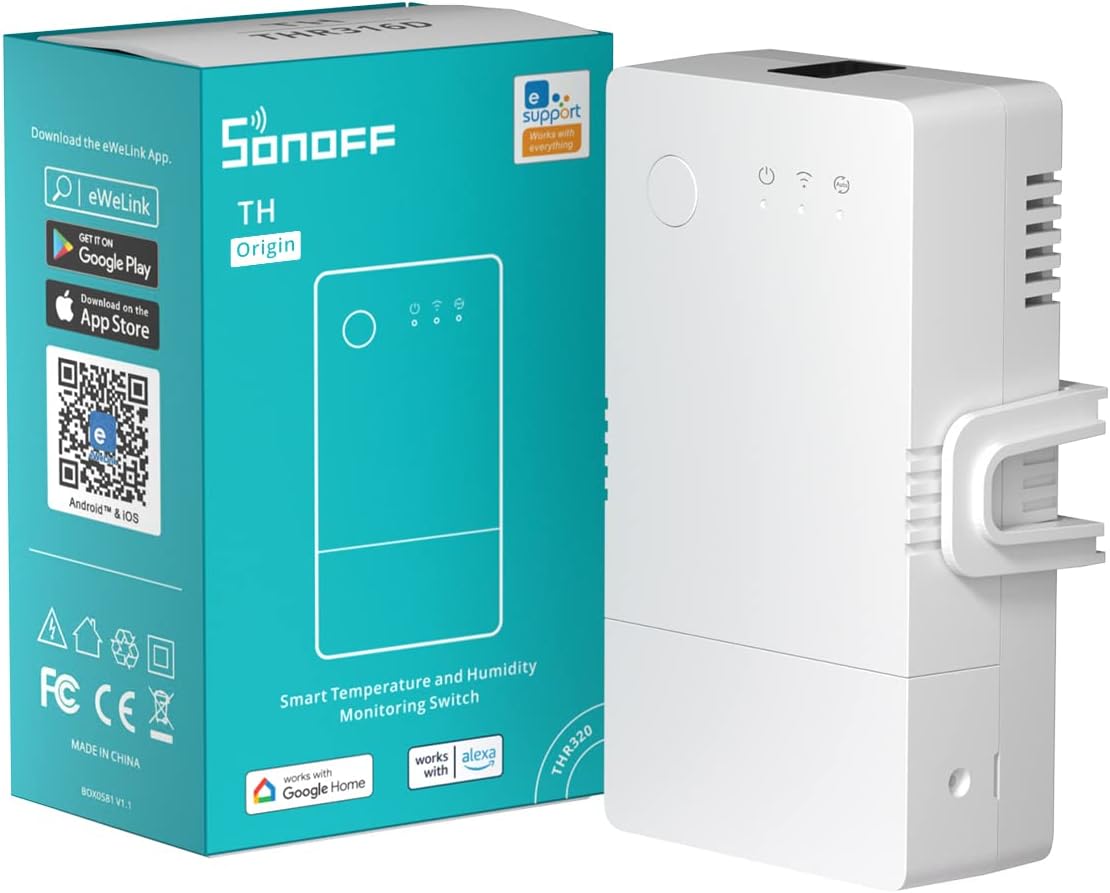
Image: SONOFF THR316 Origin Smart Switch with its retail packaging.
Features
- 16A Max & Dry Contact Output: Supports connection to high-load devices.
- Temperature/Humidity History Query: Review historical data by hour, day, and month, with up to 6 months of data exportable in .xlsx format.
- Local Automatic Control: Reliable LAN control for automated programs, even without internet access.
- Voice Control: Compatible with Alexa and Google Home for voice-activated queries of temperature and humidity values.
- RJ9 4P4C Interface: Enhanced stability and reliability for sensor connections.
- DIN Rail Mounting: Includes an accompanying rail adaptor for easy installation.
- Upgraded Wiring Terminal: Designed to prevent short circuits.
- Protective Cover: Ensures safety from high-voltage parts during use.
Reliable Temperature & Humidity Control
The THR316 supports both manual and automatic control modes. In auto mode, the device can turn on/off automatically based on temperature and humidity thresholds at different time periods. LAN control ensures operation even if Wi-Fi is disconnected.

Image: Demonstrates manual control via the app and automatic control based on temperature thresholds.
Enhanced Performance and Safety
The TH Series features an upgraded ESP32-D0WD-V3 (2 core) chip, offering significant improvements in overall performance, CPU clock speed, and ROM. Safety features include a V0 Class flame-retardant shell and a varistor to absorb peak voltage, protecting against lightning strikes or unstable power supply.

Image: Highlights performance upgrades including 200% overall performance, 50% CPU clock speed, and 300% ROM increase.

Image: Illustrates safety features like V0 Class Flame-Retardant Shell and Varistor for peak voltage absorption, along with CE, FC, TUV, RoHS, and SRRC certifications.
Wide Application Scenes
The THR316 is suitable for various applications, including heated swimming pools, home heating systems, fermentation rooms, reptile terrariums, greenhouses, and irrigation systems, providing precise environmental control.

Image: Examples of applications including heated swimming pools, home heating, fermentation rooms, reptile terrariums, greenhouse growing, and irrigation systems.
Package Contents
Upon opening your SONOFF THR316 Origin package, you should find the following items:
- SONOFF THR316 Smart Temperature and Humidity Monitoring Switch (x1)
- Mounting Base (x1)
- Quick Guide (x1)
Setup & Installation
Follow these steps to set up and install your SONOFF THR316 Origin Smart Switch:
- Download the eWeLink App: Scan the QR code on the packaging or visit http://app.coolkit.cc/dl.html to download the eWeLink app for Android or iOS.
- Power On the Device: Connect the THR316 to a power source.
- Enter Pairing Mode: Long press the pairing button for 5 seconds until the Wi-Fi indicator flashes "two short and one long" to enter Bluetooth Pairing Mode.
- Add Device in App: Open the eWeLink app, tap "+" and select "Bluetooth Pairing". Follow the on-screen prompts to connect the device to your Wi-Fi network.
- Mounting: The THR316 supports DIN rail mounting. Use the accompanying rail adaptor to easily mount it in your electrical box or panel.
- Connect Sensors: Plug compatible RJ9 4P4C sensors (e.g., THS01, DS18B20, MS01) into the sensor interface on the device.
Installation Diagram
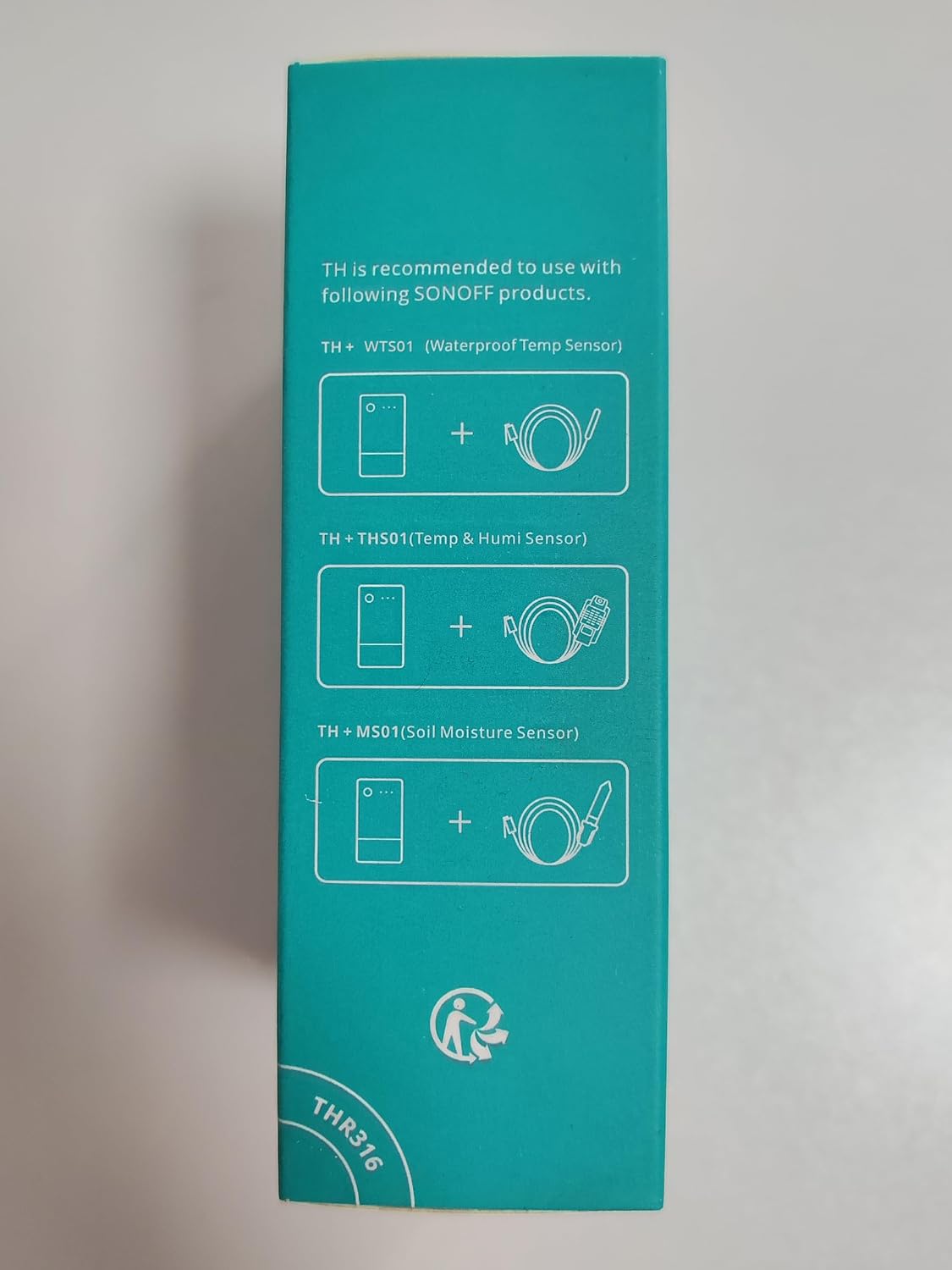
Image: Diagram showing RJ9 4P4C Interface, DIN Rail Mounting, Protective Cover, and Upgraded Wiring Terminal.
Setup and Operation Video Guide
Video: A comprehensive guide demonstrating the product features, interfaces, manual control, Bluetooth pairing, app setup, and compatibility with MS01, THS01, and DS18B20 sensors.
Operating Instructions
Once installed, operate your SONOFF THR316 using the eWeLink app or voice commands.
Real-Time Monitoring and History
Monitor temperature and humidity values in real-time directly on the device's LCD display or through the eWeLink app. The app allows you to review historical data by hour, day, and month, providing insights into environmental changes over time.
Video: Demonstrates real-time monitoring of temperature and humidity, and how to review historical data via the eWeLink app and web interface.
Local Auto Mode
Set up automated rules within the eWeLink app based on temperature and humidity thresholds. These rules can operate locally, ensuring reliability even if your internet connection is interrupted.
Scene Automation and Notifications
Create smart scenes to automate actions with other smart devices. Receive timely notifications on your phone when temperature or humidity reaches preset thresholds or when the device's on/off state changes.

Image: Shows app notifications for temperature alerts and an example of scene automation to close a humidifier based on humidity levels.
Sensor Compatibility
The SONOFF THR316 Origin is compatible with various RJ9 4P4C sensors to suit different monitoring needs:
- THS01: Temperature and Humidity Sensor (Working temperature: -40℃~+85℃, Working humidity: 0-100%RH, Cable length: 0.5m, Max extend length: 60m)
- DS18B20: Waterproof Temperature Sensor (Working temperature: -55℃~+125℃, Cable length: 0.5m, Max extend length: 60m)
- MS01: Soil Moisture Sensor (Humidity measuring: 0-100%RH, Operating temp. range: 0-60℃, Cable length: 0.5m, Max extend length: 10m)
- RL560: Sensor Extension Cable (Conductor resistance: max.10Ω, Insulation resistance: min.5MΩ, Cable length: 5m)

Image: Visual representation and specifications of THS01, DS18B20, MS01, and RL560 sensors.
Maintenance
To ensure the longevity and optimal performance of your SONOFF THR316 Origin, follow these maintenance guidelines:
- Keep the device clean and free from dust and debris. Use a soft, dry cloth for cleaning.
- Avoid exposing the device to extreme temperatures, humidity, or direct sunlight.
- Ensure all connections, especially sensor cables, are securely plugged in.
- Regularly check for firmware updates through the eWeLink app to benefit from new features and bug fixes.
Troubleshooting
If you encounter issues with your SONOFF THR316 Origin, refer to the following common troubleshooting steps:
- Device Offline: Check your Wi-Fi connection. Ensure the device is within range of your router. Restart the device and your router.
- Incorrect Readings: Verify that the sensor is correctly connected to the RJ9 4P4C interface. Ensure the sensor is placed in an appropriate environment for accurate readings.
- App Connection Issues: Make sure your eWeLink app is updated to the latest version. Try force-closing and reopening the app.
- Automation Not Working: Double-check your auto mode settings and scene conditions in the eWeLink app. Ensure all linked devices are online and functioning correctly.
- Device Not Responding: Try power cycling the device by unplugging it for a few seconds and plugging it back in. If the issue persists, consider resetting the device (refer to the quick guide for specific reset instructions).
Specifications
| Attribute | Value |
|---|---|
| Model Number | THR316 |
| Operation Mode | Automatic |
| Current Rating | 16 Amps |
| Operating Voltage | 120 Volts |
| Contact Type | Normally Closed |
| Connector Type | RJ9 4P4C |
| Brand | SONOFF |
| Terminal | Through Hole |
| Item Dimensions (L x W x H) | 4.13 x 2.52 x 1.54 inches |
| Circuit Type | 1-way |
| Contact Material | Plastic |
| International Protection Rating | IP00 |
| Number of Positions | 1 |
| Upper Temperature Rating | 40 Degrees Celsius |
| Controller Type | Amazon Alexa, Google Home |
| Control Method | App |
| Connectivity Protocol | Wi-Fi |
| Wattage | 3840 watts |
| Item Weight | 4.6 ounces |
| Manufacturer | SONOFF |
| Date First Available | August 30, 2022 |
Warranty & Support
For warranty information, please refer to the documentation provided with your purchase or contact SONOFF customer support directly. SONOFF is committed to providing high-quality products and support.
Manufacturer: SONOFF
Support Contact:
- Email: service@itead.cc
- Website: sonoff.tech
Related documentsTHR316


Ask a question about this manual
Ask about setup, troubleshooting, compatibility, parts, safety, or missing instructions. Manuals+ will review the question and use this page’s manual context to help answer it.