Introduction
This manual provides detailed instructions for the safe and efficient use of your HOMLYNS HL-NCHT-02 Heated Blanket Controller. Please read this manual thoroughly before operating the device and retain it for future reference. Proper use ensures optimal performance and longevity of your heated blanket system.
Product Overview
The HOMLYNS HL-NCHT-02 is a dedicated controller designed to manage the heat and timer functions of compatible heated blankets. It features an intuitive interface for ease of use.
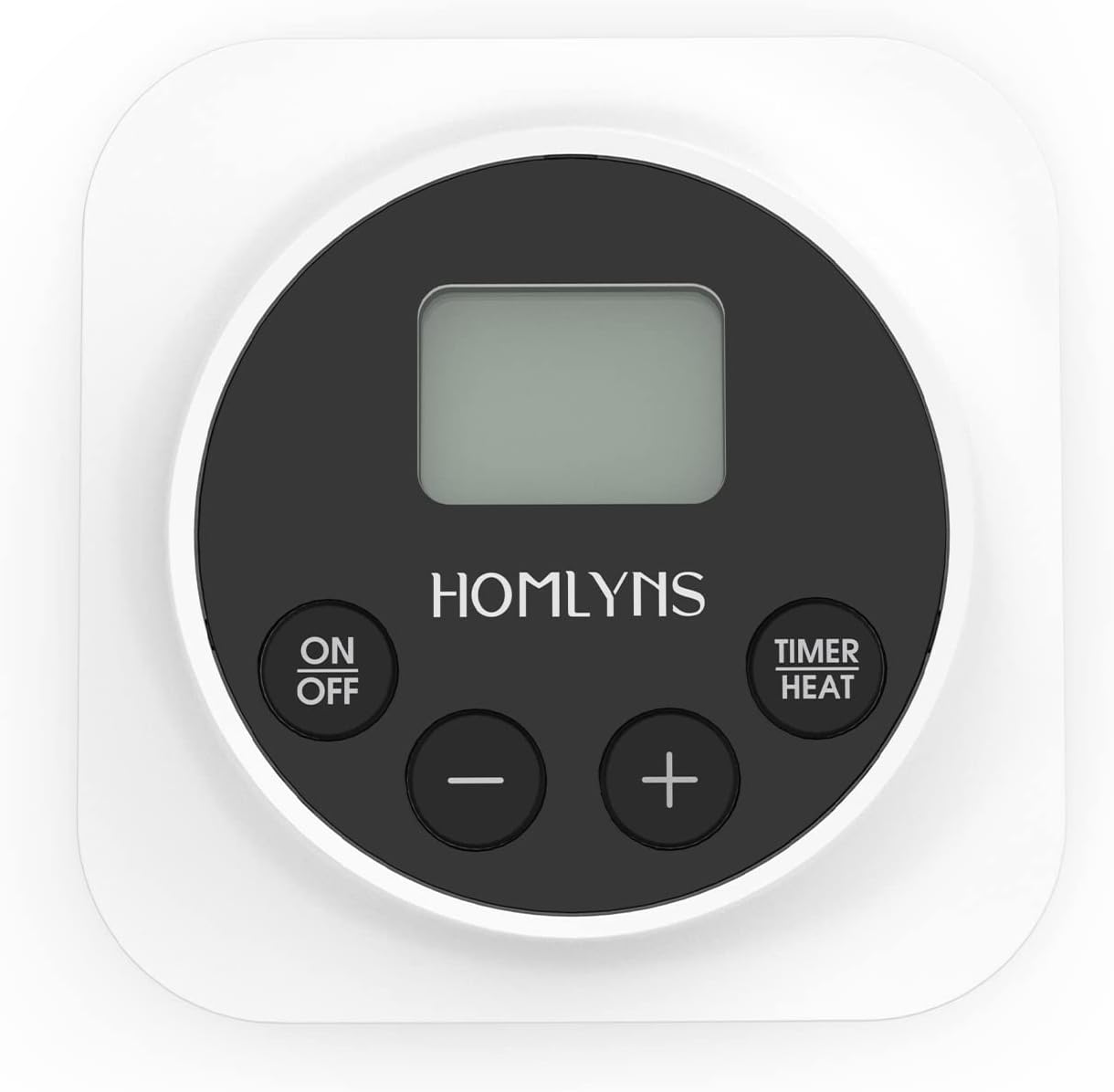
This image displays the HOMLYNS HL-NCHT-02 Heated Blanket Controller. It features a central digital display, an 'ON/OFF' button on the left, a 'TIMER/HEAT' button on the right, and '-' and '+' buttons below the display for adjustment. The controller is white with a black circular control panel.
Controller Components:
- Digital Display: Shows current heat setting and timer status.
- ON/OFF Button: Powers the controller on or off.
- TIMER/HEAT Button: Toggles between timer and heat setting adjustment modes.
- '+' Button: Increases heat setting or timer duration.
- '-' Button: Decreases heat setting or timer duration.
Setup Instructions
- Unpack: Carefully remove the controller and any associated cables from the packaging.
- Connect to Blanket: Locate the connector on your heated blanket. Align the controller's cable connector with the blanket's port and push firmly until it clicks into place. Ensure a secure connection.
- Connect to Power: Plug the power cord from the controller into a standard electrical outlet. Ensure the outlet is easily accessible.
- Placement: Position the controller within easy reach, ensuring the cable is not stretched or pinched.
Important: Do not plug the controller into the wall outlet before connecting it to the heated blanket. Always ensure the blanket is laid flat and not folded or bunched when in use.
Operating Instructions
Power On/Off:
- To turn the blanket on, press the ON/OFF button. The display will illuminate, showing the current heat setting.
- To turn the blanket off, press the ON/OFF button again. The display will turn off.
Adjusting Heat Settings:
- With the controller powered on, the display will typically show the heat setting by default. If not, press the TIMER/HEAT button until the heat indicator is active.
- Press the '+' button to increase the heat level.
- Press the '-' button to decrease the heat level.
- The display will show the selected heat level. Allow a few minutes for the blanket to reach the desired temperature.
Setting the Timer:
- With the controller powered on, press the TIMER/HEAT button until the timer indicator is active on the display.
- Press the '+' button to increase the timer duration (e.g., in hours).
- Press the '-' button to decrease the timer duration.
- Once the desired time is set, the controller will automatically count down and turn off the blanket when the timer expires.
Note: Specific heat levels and timer increments may vary. Refer to the display for exact values.
Maintenance
Cleaning the Controller:
- Always unplug the controller from the wall outlet before cleaning.
- Wipe the surface of the controller with a soft, damp cloth.
- Do not use abrasive cleaners, solvents, or immerse the controller in water.
- Ensure the controller is completely dry before plugging it back in.
Storage:
- When not in use, disconnect the controller from both the blanket and the power outlet.
- Store the controller in a cool, dry place, away from direct sunlight and extreme temperatures.
- Avoid placing heavy objects on the controller or its cable.
Troubleshooting
| Problem | Possible Cause | Solution |
|---|---|---|
| Controller does not turn on. | No power supply; loose connection. | Check if the power cord is securely plugged into the outlet and the blanket. Try a different outlet. |
| Blanket is not heating. | Low heat setting; blanket not fully connected; internal fault. | Increase the heat setting. Ensure the controller is firmly connected to the blanket. If the issue persists, discontinue use and contact support. |
| Display shows an error code. | System malfunction. | Unplug the controller from the wall for 5 minutes, then plug it back in. If the error persists, contact customer support. |
If you encounter any issues not listed here, or if the suggested solutions do not resolve the problem, please contact HOMLYNS customer support.
Specifications
- Brand: HOMLYNS
- Model: HL-NCHT-02
- ASIN: B0B5DCC89B
- Color: White
- Display Type: LCD or LED
- Item Weight: 15.9 ounces (0.45 Kilograms)
- Package Dimensions: 11.81 x 6.3 x 2.87 inches
- Manufacturer: HOMLYNS
- Date First Available: June 29, 2022
Warranty and Support
HOMLYNS products are manufactured to high-quality standards. For warranty information and customer support, please refer to the documentation included with your heated blanket or visit the official HOMLYNS website. You may also contact HOMLYNS customer service directly for assistance with your HL-NCHT-02 controller.
HOMLYNS Store: Visit the HOMLYNS Store on Amazon