
Anliato DW13
Anliato DW13 Retro Portable Bluetooth Speaker User Manual
Model: DW13 | Brand: Anliato
Introduction
This manual provides detailed instructions for the safe and efficient operation of your Anliato DW13 Retro Portable Bluetooth Speaker. Please read this manual thoroughly before use and retain it for future reference.

Image: The Anliato DW13 Retro Portable Bluetooth Speaker in purple, featuring a classic design with a gold trim and a brown leather carrying handle.
Safety Information
- Do not expose the speaker to extreme temperatures, direct sunlight, or high humidity.
- Avoid dropping or subjecting the speaker to strong impacts.
- Do not disassemble or attempt to repair the speaker yourself. Contact qualified service personnel.
- Keep the speaker away from water and other liquids.
- Use only the specified charging cable and power adapter.
Package Contents
- 1 x Anliato DW13 Retro Portable Bluetooth Speaker
- 1 x USB Charging Cable
- 1 x User Manual
Product Overview
The Anliato DW13 speaker combines a vintage aesthetic with modern audio technology. It features a compact design with a leather handle for portability.

Image: A hand placing the compact Anliato DW13 speaker into a handbag, illustrating its portability.
Controls and Ports:

Image: Close-up view of the Anliato DW13 speaker's side panel, highlighting the AUX input, Type-C charging port, TF card slot, and USB port for multiple playback options.
- Rotary Knob: Power ON/OFF, Volume adjustment, Play/Pause (short press).
- "Up" Button: Next track (short press) / Increase volume (long press).
- "Down" Button: Previous track (short press) / Decrease volume (long press).
- AUX Input: For wired audio connection.
- TF Card Slot: For playing music from a MicroSD card.
- USB Port: For playing music from a USB flash drive.
- Type-C Charging Port: For charging the speaker's internal battery.
Setup
1. Charging the Speaker
- Connect the provided USB charging cable to the Type-C port on the speaker.
- Connect the other end of the USB cable to a compatible USB power adapter (5V) or a computer's USB port.
- The charging indicator light will illuminate during charging and turn off when fully charged.
- A full charge typically takes approximately 2-3 hours.

Image: A graphic illustrating the speaker's battery life, showing a battery icon charging, indicating the speaker can play for 4-6 hours on a single charge.
2. Powering On/Off
- To power on, rotate the rotary knob clockwise until you hear an audible click and the speaker powers on.
- To power off, rotate the rotary knob counter-clockwise until you hear an audible click and the speaker powers off.
Operating Instructions
1. Bluetooth Connection
- Ensure the speaker is powered on. It will automatically enter Bluetooth pairing mode, indicated by a flashing LED light.
- On your device (smartphone, tablet, laptop), enable Bluetooth and search for available devices.
- Select "DW13" from the list of devices.
- Once connected, the speaker will emit a confirmation tone, and the LED light will stop flashing.
- The speaker will automatically reconnect to the last paired device when powered on, if the device is within range.

Image: A visual representation of the speaker's Bluetooth 5.0 technology, showing a smartphone wirelessly connected to the speaker with a Bluetooth symbol.
2. Adjusting Volume
- Using the Rotary Knob: Rotate the knob clockwise to increase volume and counter-clockwise to decrease volume.
- Using "Up" / "Down" Buttons: Long press the "Up" button to increase volume. Long press the "Down" button to decrease volume.
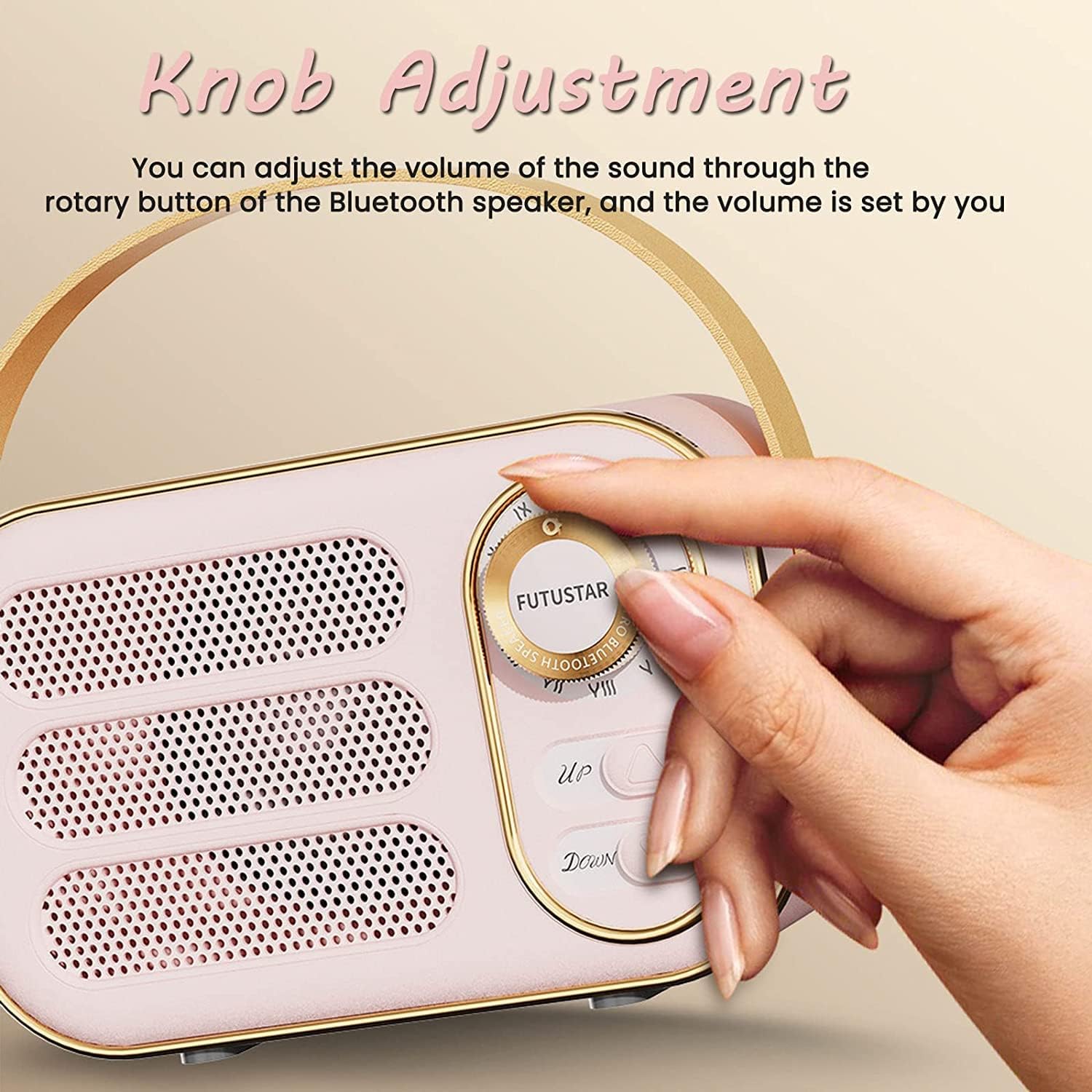
Image: A hand demonstrating how to adjust the volume using the rotary knob on the speaker.
3. Music Playback Controls
- Play/Pause: Short press the rotary knob.
- Next Track: Short press the "Up" button.
- Previous Track: Short press the "Down" button.
4. TF Card / USB Disk Playback
- Insert a TF card (MicroSD) or USB flash drive containing MP3 audio files into the respective slot/port on the speaker.
- The speaker will automatically detect the storage device and begin playing music.
- Use the "Up" and "Down" buttons for track navigation and the rotary knob for play/pause and volume control.
5. AUX Input Mode
- Connect one end of a 3.5mm audio cable (not included) to the AUX input port on the speaker.
- Connect the other end of the audio cable to the audio output jack of your external device (e.g., MP3 player, computer).
- The speaker will automatically switch to AUX mode.
- Control playback and volume primarily from your connected device, or use the speaker's rotary knob for volume adjustment.
Maintenance
- Cleaning: Wipe the speaker with a soft, dry cloth. Do not use abrasive cleaners or solvents.
- Storage: Store the speaker in a cool, dry place away from direct sunlight and extreme temperatures when not in use for extended periods.
- Battery Care: To prolong battery life, avoid fully discharging the battery frequently. Charge the speaker regularly, even if not in use.
Troubleshooting
| Problem | Possible Solution |
|---|---|
| Speaker does not power on. | Ensure the battery is charged. Connect the speaker to a power source using the USB cable. |
| Cannot pair via Bluetooth. |
|
| No sound or low volume. |
|
| TF card/USB disk not playing. |
|
Specifications
| Model Name: | DW13 |
| Bluetooth Version: | 5.0 |
| Bluetooth Range: | Up to 10 meters (33 feet) |
| Speaker Output Power: | 5 Watts |
| Battery Capacity: | 400mAh Lithium Battery |
| Playback Time: | Approximately 4-6 hours (at 50% volume) |
| Charging Time: | Approximately 2-3 hours |
| Connectivity: | Bluetooth, TF Card, USB Disk, AUX Input |
| Product Dimensions: | 2.32"D x 2.95"W x 4.92"H (5.9cm D x 7.5cm W x 12.5cm H) |
| Item Weight: | 9.1 ounces (258 grams) |
| Material: | Leather (handle) |
Warranty and Support
Warranty Information
This product comes with a limited warranty. Please refer to the warranty card included in your package for specific terms and conditions. Retain your proof of purchase for warranty claims.
Customer Support
For technical assistance, troubleshooting, or warranty inquiries, please contact Anliato customer support through the retailer where the product was purchased or visit the official Anliato website for contact information.
Note: Specific contact details are not provided in this manual. Please refer to your purchase documentation or the manufacturer's official channels.
Ask a question about this manual
Ask about setup, troubleshooting, compatibility, parts, safety, or missing instructions. Manuals+ will review the question and use this page’s manual context to help answer it.