
1. Overview
The Anliato Retro Bluetooth Speaker DW13 combines vintage aesthetics with modern audio technology, offering a portable and versatile listening experience. This manual provides detailed instructions for its setup, operation, and maintenance, ensuring you can fully enjoy your device.

Image: The Anliato Retro Bluetooth Speaker, showcasing its compact, vintage-inspired design with a handle.
2. Package Contents
Please check the package for the following items:
- 1 x Anliato Retro Bluetooth Speaker DW13
- 1 x User Manual
- 1 x Charging Cable (Type-C)
- 1 x AUX Audio Cable
3. Product Features
- Bluetooth 5.0 Technology: Provides stable and fast wireless connection up to 10 meters.
- Multiple Playback Modes: Supports Bluetooth, TF card, USB disk, and AUX audio input.
- Loud Volume: Equipped with a 5-watt speaker for clear and rich audio output.
- Portable Design: Compact size (125*75*59mm) with a leather handle for easy carrying.
- Long Battery Life: Built-in 400mAh lithium battery offers up to 6 hours of playtime.
- Intuitive Controls: Features a rotary knob for volume adjustment and dedicated buttons for playback control.

Image: Illustration of Bluetooth 5.0 connectivity with a smartphone and the speaker.

Image: Graphic indicating the speaker's long battery life, capable of 4-6 hours of playback.
4. Setup
4.1 Charging the Speaker
Before first use, fully charge the speaker. Connect the provided Type-C charging cable to the speaker's charging port and the other end to a USB power adapter (not included) or a computer's USB port. The charging indicator light will illuminate during charging and turn off when fully charged.
4.2 Powering On/Off
- To Power On: Press and hold the power button (usually integrated with the mode switch or a dedicated button) for a few seconds until you hear an audible prompt or see an indicator light.
- To Power Off: Press and hold the power button again for a few seconds until the speaker powers down.
4.3 Bluetooth Pairing
- Ensure the speaker is powered on and in Bluetooth mode. If not, switch to Bluetooth mode (indicated by a flashing blue light or an audible prompt).
- On your mobile device (smartphone, tablet, etc.), enable Bluetooth and search for available devices.
- Select "DW13" or "Anliato Speaker" from the list of found devices.
- Once connected, you will hear a confirmation sound, and the Bluetooth indicator light will remain solid.
5. Operating Instructions
5.1 Mode Selection
The speaker supports multiple playback modes. Press the 'M' (Mode) button to cycle through Bluetooth, TF Card, USB Disk, and AUX Input modes. An audible prompt will indicate the current mode.

Image: Diagram showing the various input options: Bluetooth, TF Card Slot, USB Port, and AUX Interface.
5.2 Volume Adjustment
Rotate the large knob on the front panel clockwise to increase the volume and counter-clockwise to decrease it.
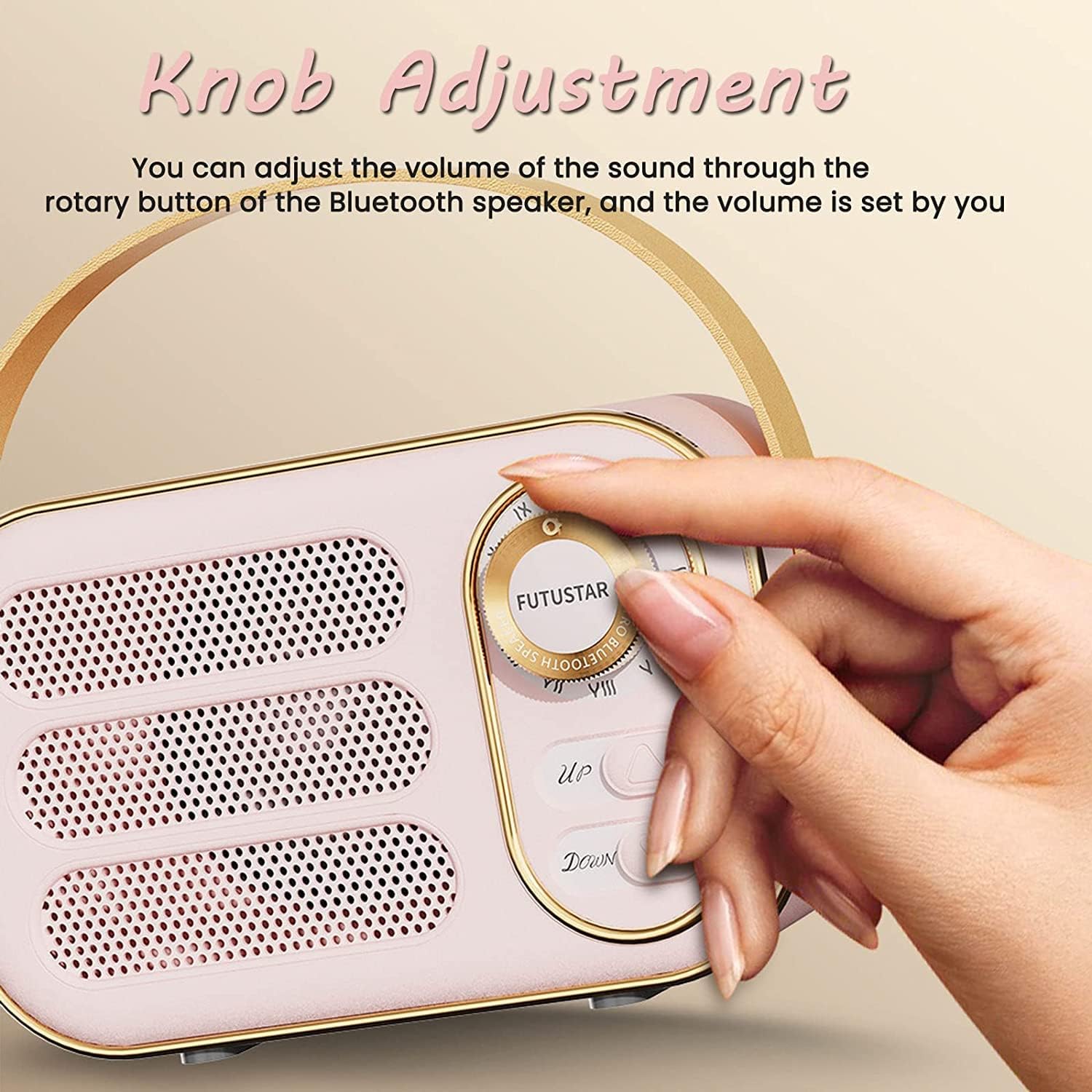
Image: A hand adjusting the rotary knob on the speaker, which controls the volume.
5.3 Playback Controls
- Play/Pause: Press the Play/Pause button (often labeled with a triangle/two vertical bars icon) to start or pause playback.
- Next Track: Press the 'Up' button (often labeled with a forward arrow) to skip to the next track.
- Previous Track: Press the 'Down' button (often labeled with a backward arrow) to go to the previous track.
6. Maintenance
6.1 Cleaning
Wipe the speaker with a soft, dry cloth. Do not use abrasive cleaners, alcohol, or other chemical solvents, as these may damage the surface.
6.2 Storage
Store the speaker in a cool, dry place away from direct sunlight, extreme temperatures, and high humidity. If storing for an extended period, charge the battery periodically to maintain its health.
7. Troubleshooting
- No Power:
Ensure the speaker is charged. Connect it to a power source and try again. - No Sound:
Check the volume level on both the speaker and your connected device. Ensure the correct playback mode is selected. If using AUX, ensure the cable is fully inserted. - Bluetooth Connection Failure:
Make sure the speaker is in Bluetooth pairing mode. Turn off and on Bluetooth on your device, then try pairing again. Ensure your device is within the 10-meter range. - Distorted Sound:
Reduce the volume on both the speaker and your device. Ensure there are no obstructions between the speaker and your Bluetooth device.
8. Specifications
| Brand | Anliato |
| Model Number | DW13 |
| Connectivity Technology | Bluetooth 5.0, Auxiliary, USB |
| Speaker Maximum Output Power | 5 watts |
| Battery Capacity | 400mAh Lithium Polymer |
| Battery Average Life | Up to 6 hours |
| Bluetooth Range | 10 meters |
| Item Dimensions (D x W x H) | 2.32" x 2.95" x 4.92" (5.9cm x 7.5cm x 12.5cm) |
| Item Weight | 0.26 kg |
| Material | Metal, Plastic |
9. Warranty Information
This Anliato product comes with a Full Warranty, including a 1-year manufacturer's warranty from the date of purchase. This warranty covers manufacturing defects and workmanship under normal use. It does not cover damage caused by misuse, accidents, unauthorized modifications, or normal wear and tear.
Please retain your proof of purchase for warranty claims.
10. Support
For further assistance, technical support, or warranty inquiries, please refer to the contact information provided on the product packaging or the official Anliato website. Always consult this manual for initial troubleshooting before seeking external support.