
1. Introduction
This manual provides comprehensive instructions for the installation, operation, and maintenance of your OOSSXX 5.5MP Wi-Fi Wireless Security Camera System, model OSX-WL0804T. This system is designed for both indoor and outdoor surveillance, featuring high-definition video, two-way audio, and advanced motion detection capabilities.

Figure 1: Overview of the OOSSXX 5.5MP Wi-Fi Wireless Security Camera System.
2. Package Contents
Verify that all items listed below are included in your package. If any components are missing or damaged, please contact customer support.
- 10-Channel 5.0MP Wireless NVR with 4TB Hard Drive (x1)
- 5.0MP PIR Wireless Security Camera (x8)
- Antenna for Camera (x16)
- 10FT Cable Power Supply for Camera (x8)
- 3FT Cable Power Supply for NVR (x1)
- USB Mouse (x1)
- HDMI Cable (x1)
- Ethernet Cable (x1)
- Mounting Screw Kits
- User Manual
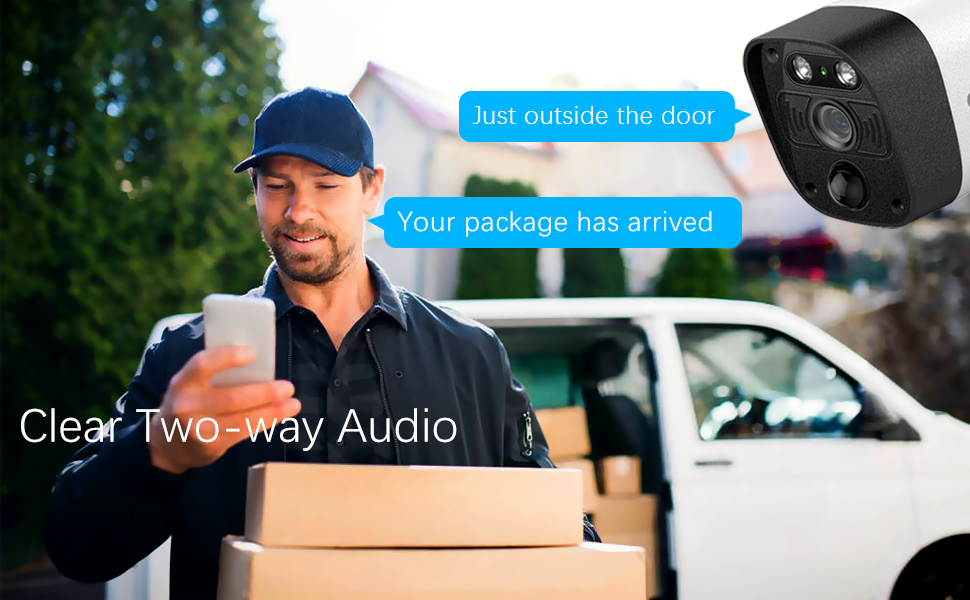
Figure 2: Illustration of system components.
3. Product Features
- 5.0MP High Definition Video: Cameras capture video at 2592 x 1944 resolution, providing clear and detailed images.
- Two-Way Audio: Integrated microphone and speaker allow for real-time communication through the camera.
- 130° Wide-Angle Lens: Provides an expansive field of view, reducing blind spots in surveillance areas.
- Dual Antennas for Enhanced Wi-Fi: Each camera is equipped with dual antennas to improve wireless signal strength and range, ensuring stable video transmission.
- PIR + AI Human Detection: Combines Passive Infrared (PIR) and Artificial Intelligence (AI) for accurate human motion detection, minimizing false alarms.
- Night Vision: Equipped with IR-LEDs for automatic infrared mode activation in low-light conditions, offering visibility up to 65 feet.
- IP66 Weatherproof Cameras: Cameras are designed to withstand various outdoor weather conditions.
- 4TB Hard Drive: The NVR includes a 4TB hard drive, supporting up to 60 days of continuous recording.
- Flexible Connectivity: Supports both wireless Wi-Fi (2.4G) and wired network transmission for cameras.
- Remote Access: Monitor your property remotely via the free "Honestview" or "Eseecloud" mobile application on smartphones, PCs, or tablets.
- H.265+ Video Compression: Utilizes advanced compression technology for efficient storage and faster video processing.

Figure 3: Two-Way Audio functionality.

Figure 4: 130° Ultra Wide-Angle Lens coverage.

Figure 5: Dual Antennas for enhanced Wi-Fi signal.

Figure 6: AI & PIR Double Detection for accurate alerts.
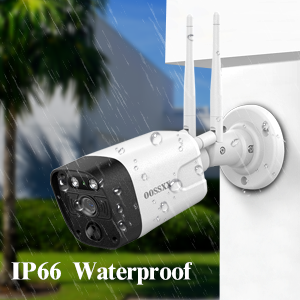
Figure 7: IP66 Waterproof camera design.
4. Setup Instructions
4.1 NVR Initial Setup
- Connect NVR to Power: Plug the 3FT power adapter into the NVR's power input and then into a power outlet.
- Connect to Monitor: Use an HDMI or VGA cable to connect the NVR to a monitor or TV.
- Connect USB Mouse: Plug the included USB mouse into a USB port on the NVR for navigation.
- Network Connection (Optional): For wired internet access, connect an Ethernet cable from your router to the NVR's LAN port. The system also supports wireless connection.
4.2 Camera Installation and Powering
- Mount Cameras: Select desired locations for your cameras, ensuring they are within Wi-Fi range of the NVR (if using wireless mode) and have a clear view. Use the provided mounting screw kits to secure the cameras.
- Attach Antennas: Screw the two antennas firmly onto each camera.
- Power Cameras: Connect the 10FT power adapters to each camera and plug them into power outlets. The cameras will automatically attempt to pair with the NVR.
4.3 Mobile App Setup
- Download App: Search for "Honestview" or "Eseecloud" in the App Store (iOS) or Google Play Store (Android) and install it on your smartphone or tablet.
- Register Account: Open the app and follow the prompts to create a new user account.
- Add Device: On the app, select "Add Device" and scan the QR code displayed on your NVR's monitor or located on the NVR itself. Follow the on-screen instructions to complete the device addition.

Figure 8: Plug & Play setup and remote access.

Figure 9: Wireless and Wired Transmission Modes.
5. Operating Instructions
5.1 Live View
After successful setup, the live video feed from all connected cameras will be displayed on the NVR's monitor. You can also access live view through the mobile app by selecting the device.
5.2 Two-Way Audio
To use two-way audio, access the live view of a specific camera through the mobile app. Tap the microphone icon to speak, and audio from the camera's location will be transmitted to your device. Ensure your device's microphone is enabled for the app.
5.3 Recording Modes
The NVR supports various recording modes:
- Continuous Recording: Records 24/7.
- Motion-Triggered Recording: Records only when motion is detected.
- Schedule Recording: Records during specified time intervals.
Configure these settings via the NVR's menu interface (right-click with the mouse) or through the mobile application's device settings.
5.4 Motion Detection and Alerts
The system utilizes PIR and AI human detection to identify relevant motion events. When motion is detected, the system can send email alerts and push notifications to your mobile device. Sensitivity and detection zones can be customized in the NVR settings or app.

Figure 10: Smart Motion Detection & Alerts.
5.5 Video Playback and Export
Access recorded footage through the NVR's playback menu or the mobile app. You can search by date, time, and event. Footage can be exported to a USB drive connected to the NVR.
6. Maintenance
- Camera Cleaning: Periodically clean the camera lenses with a soft, damp cloth to ensure clear image quality. Avoid abrasive cleaners.
- NVR Ventilation: Ensure the NVR is placed in a well-ventilated area to prevent overheating. Do not block ventilation openings.
- Firmware Updates: Check the OOSSXX official website or the mobile app periodically for firmware updates to ensure optimal performance and security.
- Data Backup: Regularly back up important video footage from the NVR to an external storage device.
7. Troubleshooting
- No Video Signal:
- Ensure cameras and NVR are powered on.
- Check all cable connections (power, HDMI/VGA, Ethernet).
- Verify cameras are within Wi-Fi range of the NVR.
- If cameras were not pre-paired, refer to the NVR's on-screen menu for manual pairing instructions.
- Weak Wi-Fi Signal / Blurred Video:
- Ensure camera antennas are securely attached and oriented correctly.
- Reduce distance between cameras and NVR, or minimize obstructions.
- Consider using the wired transmission mode for cameras experiencing persistent signal issues.
- No Remote Access via App:
- Verify the NVR is connected to the internet (wired or wireless).
- Ensure your mobile device has a stable internet connection.
- Confirm the NVR is correctly added to your app account.
- False Motion Alerts:
- Adjust motion detection sensitivity settings in the NVR or app.
- Define specific motion detection zones to exclude areas with frequent irrelevant movement (e.g., public roads, swaying trees).
- Audio Issues (Two-Way Audio):
- Ensure camera microphone and speaker are not obstructed.
- Check volume settings on both the NVR/app and your mobile device.
- Verify network stability for clear audio transmission.
8. Specifications
| Feature | Specification |
|---|---|
| Brand | OOSSXX |
| Model Number | OSX-WL0804T |
| Connectivity Technology | Wired, Wireless Wi-Fi 2.4G |
| Video Capture Resolution | 5.0MP (2592 x 1944) |
| Special Features | 2-Antenna Wireless Signal Extend, Two-Way Audio, PIR AI Motion Detection |
| Number of Channels | 10 |
| Memory Storage Capacity | 4 TB (Hard Drive Included) |
| Power Source | AC/DC |
| Operating System | Linux |
| Recommended Uses | Indoor, Outdoor |
| Compatible Devices | Cameras, Personal Computers, Smartphones, TV, Tablets |
| Night Vision Range | 65 Feet |
| Frame Rate | 15 fps |
| Recording Mode | Event, Schedule |
| Hardware Interface | HDMI, USB, VGA |
| Lens Type | Wide Angle |
| Viewing Angle | 130 Degrees |
| Material | Aluminum |
| Voltage | 110 Volts (AC) |
| Wattage | 60 watts |
| Item Dimensions (L x W x H) | 13 x 11 x 9 inches |
| Item Weight | 14.42 pounds |
9. Warranty and Support
9.1 Warranty Information
The OOSSXX 5.5MP Wi-Fi Wireless Security Camera System comes with a manufacturer's warranty for 1 year from the date of purchase. Please retain your proof of purchase for warranty claims.
9.2 Customer Support
For technical assistance, troubleshooting, or warranty inquiries, please contact OOSSXX customer support. Details for contacting support can typically be found on the OOSSXX official website or within the product packaging.
Figure 11: OOSSXX offers reliable after-sales support.