
1. Introduction
Thank you for choosing the Bathlink LED Medicine Cabinet Mirror. This manual provides essential information for the safe installation, operation, and maintenance of your new medicine cabinet. Please read these instructions thoroughly before installation and retain them for future reference.
This modern medicine cabinet features an LED mirror with adjustable lighting, a defogging function, and a multi-functional digital display for time, date, and temperature. It is designed to enhance your bathroom's functionality and aesthetic.
2. Safety Information
WARNING: Electrical Shock Hazard
- Always unplug the cabinet before installation, cleaning, or maintenance.
- Do not install near water sources to prevent electrical hazards.
- Use appropriate safety gear when handling the cabinet.
- Consult professional help if you are unsure about installation or maintenance procedures.
- Ensure all electrical connections comply with local codes and regulations.
3. Parts Listing and Dimensions
Before beginning installation, verify that all parts are present and undamaged. Refer to the diagram below for identification and dimensions.

Image 3.1: Exploded view of the medicine cabinet with all components labeled and overall dimensions (16 inches width, 26 inches height, 5 inches depth).
Included Components:
- Mirror cabinet (1)
- Upper bracket (3)
- Glass shelf board (2)
- Screw cap (6)
- Side panel (2)
- Bottom bracket (1)
- ST4*35 screw (6)
- ST4*8 screw (4)
- Holder (4)
- Shelf board holder (8)
- Wall plug (6)
- Cover plate (1)
- Installation Instruction
- Installation Accessories
Product Dimensions: 5"D x 16"W x 26"H
4. Setup and Installation
The Bathlink LED Medicine Cabinet Mirror supports both recessed mount and surface mount installations. Choose the appropriate method for your bathroom.
4.1 Mounting Options

Image 4.1: Surface Mount Installation

Image 4.2: Recessed Mount Installation
Detailed installation instructions for both mounting types are provided in the separate "Installation Instruction" booklet included with your product. Ensure proper wall support and electrical connections are made by a qualified professional if you are unsure.
4.2 Shelf Installation
The cabinet includes two adjustable tempered glass shelves for customized storage.

Image 4.3: Interior of the cabinet with adjustable shelves.
- Insert the shelf board holders into the desired holes on the cabinet's interior side panels.
- Carefully place the glass shelves onto the installed holders.
- Ensure shelves are level and securely seated before placing items on them.

Image 4.4: Shelf board holder detail.
4.3 Door Hinges
The cabinet features 110° clip soft-close Blum hinges for smooth and quiet operation. The door is designed with a concealed finger pull for a sleek appearance.

Image 4.5: Blum soft-close hinge.

Image 4.6: Concealed finger door design.
5. Operation
Your Bathlink LED Medicine Cabinet Mirror features intuitive touch controls for various functions.
5.1 Digital Display Functions

Image 5.1: Overview of the built-in one-piece switches and multiple display.
- Date Display: Shows month, day, and day of the week.
- Time Display: Available in 12-hour or 24-hour format.
- Temperature Display: Shows temperature in Celsius (°C) or Fahrenheit (°F).
- Defogging Function: Activates the defogger to clear mirror fog.
- Adjustable Light Color: Cycles through cool, neutral, and warm light.
- Adjustable Light Brightness: Dims or brightens the LED lighting.
5.2 Adjusting Light Brightness
To adjust the brightness of the LED lights, long press the light brightness icon on the digital display. The brightness will cycle through its range, release when the desired level is reached.

Image 5.2: Long press to adjust brightness.
5.3 Adjusting Light Color
The mirror offers three adjustable light colors: cool, neutral, and warm. Tap the light color icon to cycle through the options:
- Tap once: Cool light
- Tap twice: Neutral light
- Tap three times: Warm light
- Tap four times: Turn off the light

Image 5.3: Adjustable light colors.
5.4 Defogging Function
Activate the defogging function by tapping the defog icon on the display. This will clear fog from the mirror surface, providing a clear reflection.
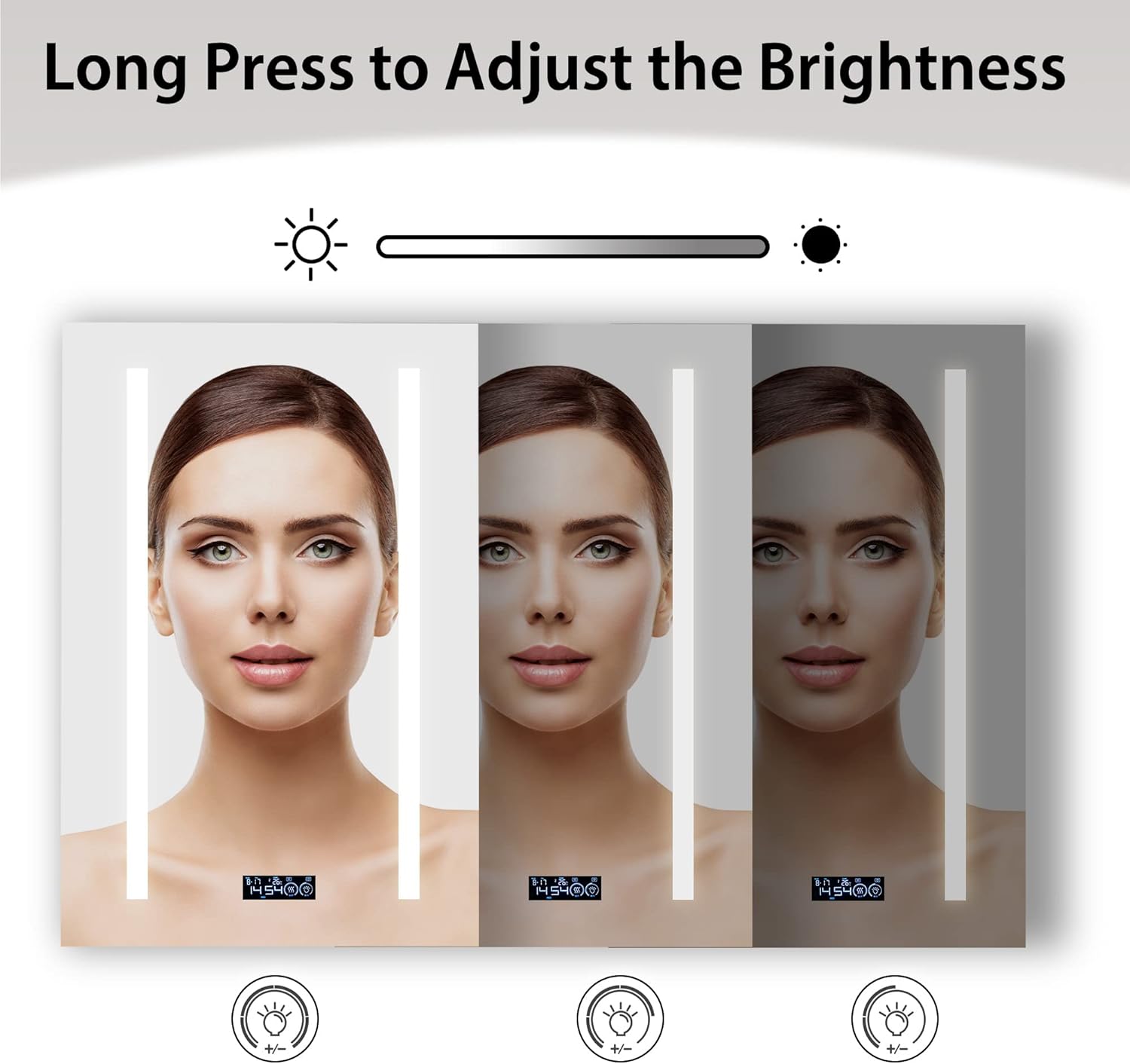
Image 5.4: Defogging function in action.
Warm Tip: The defogger operates within a small area. It is normal for the mirror to feel warm in this area during operation, indicating efficient defogging.
5.5 Setting Time, Date, and Temperature
To adjust the time, date, and temperature settings:
- Ensure the lights are off.
- Press and hold the "SET" icon (often combined with the defog icon) to enter the setting mode.
- Tap the relevant section (e.g., hour, minute, month, day, temperature unit) to adjust its value.
- Use the light brightness or color icons (depending on the model's interface) to increment/decrement values.
- Press "SET" again to move to the next setting or exit the setting mode.
Video 5.1: Demonstration of adjusting light colors, soft-close door, and setting time, date, and temperature on the Bathlink LED Medicine Cabinet Mirror.
6. Maintenance
Proper maintenance ensures the longevity and optimal performance of your medicine cabinet.
- Cleaning the Mirror: Use a soft, damp cloth and a mild glass cleaner. Avoid abrasive cleaners or harsh chemicals that can damage the mirror surface or electronic components.
- Cleaning the Cabinet Interior: Wipe down interior surfaces and glass shelves with a soft, damp cloth. Ensure shelves are dry before replacing items.
- Electrical Components: Do not spray water directly onto electrical components. If any part of the electrical system appears damaged, discontinue use and contact customer service.
- Hinges: The Blum soft-close hinges are designed for durability and typically require no maintenance. Avoid forcing the door open or closed.
7. Troubleshooting
If you encounter issues with your Bathlink LED Medicine Cabinet Mirror, refer to the following common problems and solutions:
| Problem | Possible Cause | Solution |
|---|---|---|
| LED lights not working or flickering. | Loose electrical connection, power outage, faulty LED driver. | Check power supply. Ensure connections are secure (consult a professional if needed). If problem persists, contact customer service. |
| Digital display (time/date/temp) is incorrect or not showing. | Power interruption, incorrect settings. | Reset time, date, and temperature using the setting instructions in Section 5.5. Check power supply. |
| Defogging function not working. | Defogger not activated, electrical issue. | Ensure the defog icon is pressed. Check power supply. If still not working, contact customer service. |
| Door does not close softly. | Hinge misalignment or damage. | Inspect hinges for damage or misalignment. Adjust if possible (refer to installation guide) or contact customer service for replacement parts. |
If you experience any issues not listed here or if the suggested solutions do not resolve the problem, please contact Bathlink customer service for assistance.
8. Specifications
| Feature | Detail |
|---|---|
| Brand | Bathlink |
| Model Name | LED medicine cabinet |
| Item Model Number | SMC1626R |
| Product Dimensions | 5"D x 16"W x 26"H |
| Item Weight | 10 pounds |
| Material | Anodized aluminum (Frame), Tempered Glass (Back Material) |
| Mounting Type | Recessed Mount & Surface Mount |
| Number of Shelves | 2 (Adjustable Tempered Glass) |
| Special Features | Date Display, Defog, Adjustable Light (Color & Brightness), Temperature Display, Time Display |
| Door Style | Mirrored, Right Hinge, Soft-Close |
| UPC | 616050967028 |
9. Warranty and Customer Support
Bathlink is committed to providing high-quality products. For specific warranty details, please refer to the warranty card included with your purchase or visit the official Bathlink website.
If you have any questions, require technical assistance, or need to report a problem with your product, please contact our customer service team. We are dedicated to ensuring a pleasant experience with our products.
Contact Information: Please refer to the contact details provided in your product packaging or on the official Bathlink website.