
1. Introduction
This manual provides instructions for the proper use and maintenance of your PGDLOF WM271 Wireless Lavalier Microphone system. Please read this manual thoroughly before operating the device to ensure optimal performance and longevity.
2. Package Contents
Verify that all items are present in your package:
- 2 x Wireless Microphones (Transmitters)
- 1 x Receiver (USB-C)
- 1 x USB Charging Cable
- 1 x User's Manual
3. Setup
Follow these steps to set up your PGDLOF WM271 Wireless Lavalier Microphone system:
- Charge the Microphones: Before first use, ensure both wireless microphones are fully charged using the provided USB charging cable. The indicator light will show charging status.
- Connect the Receiver: Plug the USB-C receiver directly into the USB-C port of your compatible device (smartphone, tablet, or laptop).
- Power On Microphones: Press the power switch on each microphone. The indicator light will illuminate, indicating the microphone is active.
- Automatic Pairing: The microphones and receiver will automatically pair. A successful connection is indicated by a steady light on both the microphone and receiver.
- Begin Recording: Once paired, you can start recording audio or video using your device's native camera or recording application. No additional apps or Bluetooth pairing are required.

Figure 3.1: Easy Connection Steps

Figure 3.2: Visual Guide to Connection
4. Operating Instructions
4.1 Microphone Placement
Clip the microphone onto your clothing, ideally near your mouth, for optimal sound capture. The clip features a 360-degree rotation, allowing you to adjust the microphone's direction without removing it from your clothing. This design helps protect the clip from damage during adjustments.

Figure 4.1: 360° Rotatable Clip
4.2 Omnidirectional Sound Pickup and Noise Cancellation
The microphone is designed with an omnidirectional polar pattern, capturing sound from all directions. It incorporates noise reduction technology to minimize ambient noise, ensuring clear audio recordings. The integrated spray-proof sponge foam further enhances sound quality.
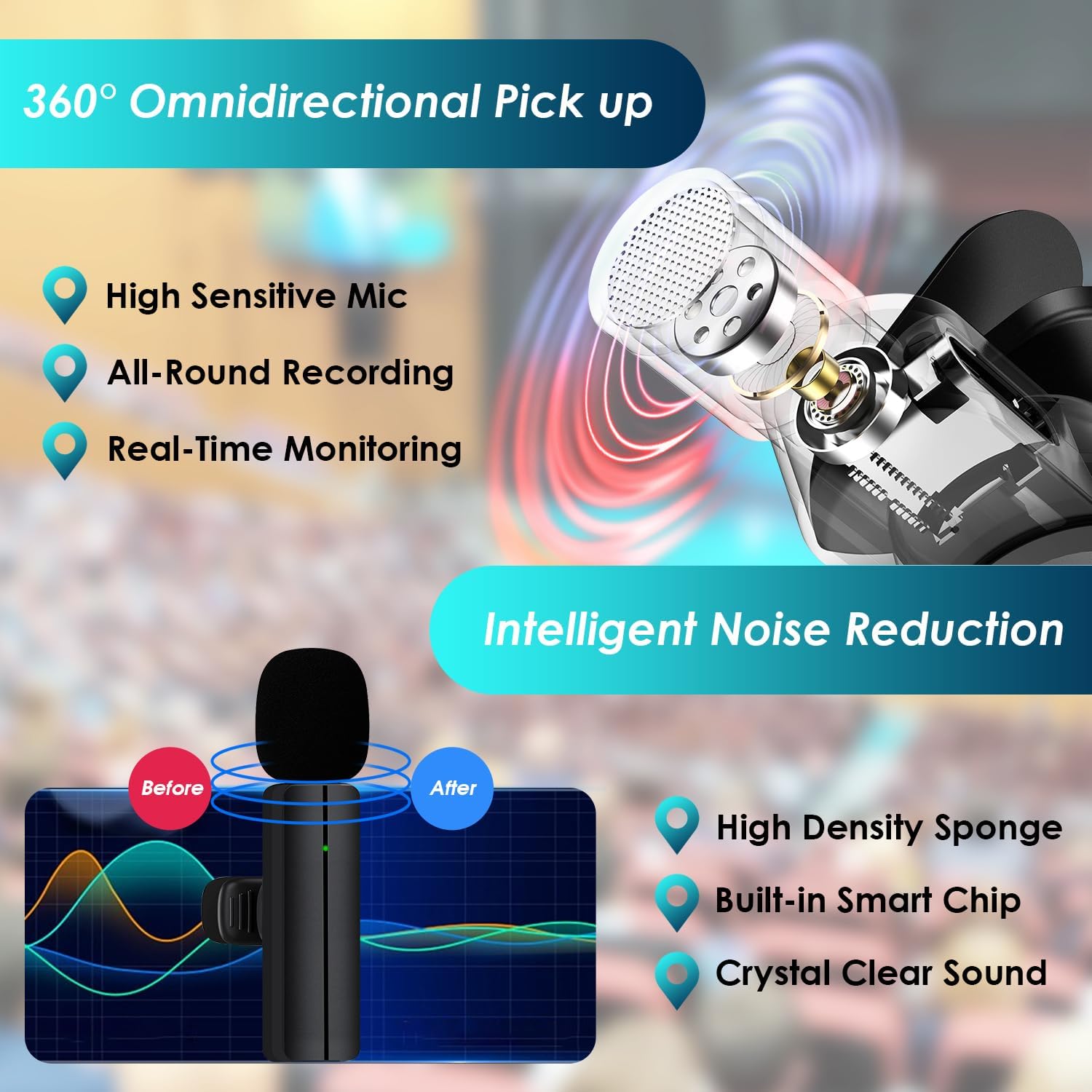
Figure 4.2: Omnidirectional Pickup and Noise Reduction
4.3 Dual Microphone Usage
The system includes two transmitters (microphones) and one receiver, allowing for simultaneous recording from two individuals. Both microphones will automatically pair with the receiver when powered on.

Figure 4.3: Dual Microphone Recording
4.4 Compatibility
This wireless microphone system is compatible with devices featuring a USB-C port, including:
- Android phones
- iPhone 15 series
- iPad Pro series with USB-C
- Laptops with USB-C ports

Figure 4.4: Device Compatibility
5. Maintenance
To ensure the longevity and optimal performance of your wireless microphone system, follow these maintenance guidelines:
- Cleaning: Use a soft, dry cloth to clean the microphone and receiver. Avoid using liquid cleaners or solvents.
- Storage: Store the devices in a cool, dry place away from direct sunlight and extreme temperatures.
- Charging: Fully charge the microphones before long periods of storage to maintain battery health.
- Handling: Handle the devices with care to prevent physical damage. Avoid dropping or subjecting them to strong impacts.
6. Troubleshooting
If you encounter issues with your PGDLOF WM271 Wireless Lavalier Microphone, refer to the following troubleshooting tips:
| Problem | Possible Cause | Solution |
|---|---|---|
| Microphone not pairing/connecting | Receiver not fully inserted; Microphone not powered on; Low battery; Pairing error. | Ensure receiver is fully plugged in. Turn on microphone. Charge microphone. Re-plug the receiver into your device. |
| No sound or low sound during recording | Microphone too far from source; Device volume too low; Microphone muted (if applicable); Compatibility issue. | Position microphone closer to the sound source. Increase device volume. Check if microphone has a mute function and ensure it's off. Verify device compatibility. |
| Poor audio quality/excessive noise | High ambient noise; Microphone placement; Interference. | Record in a quieter environment. Adjust microphone placement. Move away from potential sources of wireless interference. |
| Microphone not charging or turning on | Faulty charging cable; Charging port issue; Battery degradation. | Try a different USB-C charging cable. Ensure the charging port is clean. If the issue persists, contact customer support. |
| Limited recording range | Obstructions between microphone and receiver; Exceeding maximum range. | Ensure a clear line of sight between microphone and receiver. Stay within the specified operating range (approximately 65 feet). |
7. Specifications
Key technical specifications for the PGDLOF WM271 Wireless Lavalier Microphone:
- Model Name: WIRELESS LAVALIER MICROPHONE
- Model Number: WM271
- Brand: PGDLOF
- Connectivity Technology: Wireless
- Connector Type: USB Type-C
- Special Features: Battery Indicator Light, Clip, Mute Function, Noise Reduction
- Compatible Devices: Laptop, Smartphone, Tablet (with USB-C port)
- Polar Pattern: Omnidirectional
- Microphone Form Factor: Lavalier
- Power Source: Battery Powered (1 Lithium Ion battery included per microphone)
- Item Weight: 20 Grams
- Item Dimensions: 0.59 x 0.35 x 2.36 inches
- Enclosure Material: Acrylonitrile Butadiene Styrene
8. Warranty and Support
8.1 Warranty Information
This PGDLOF WM271 Wireless Lavalier Microphone comes with a 12-month warranty from the date of purchase. This warranty covers manufacturing defects and malfunctions under normal use. It does not cover damage caused by misuse, accidents, unauthorized modifications, or improper maintenance.
8.2 Customer Support
For technical assistance, warranty claims, or any questions regarding your product, please contact PGDLOF customer support through the retailer where the product was purchased or refer to the contact information provided on the product packaging or official PGDLOF website.