
TF1006LR
User Manual for 36" Oscillating Tower Fan
Model: TF1006LR
Brand: Generic
1. Introduction
Thank you for purchasing the Generic 36" Oscillating Tower Fan. This manual provides important information regarding the safe operation, assembly, maintenance, and troubleshooting of your new fan. Please read this manual thoroughly before use and retain it for future reference.

Figure 1: Generic 36" Oscillating Tower Fan with remote.
2. Important Safety Instructions
When using electrical appliances, basic precautions should always be followed to reduce the risk of fire, electric shock, and injury to persons, including the following:
- Read all instructions before using this fan.
- Always unplug the fan before moving, cleaning, or servicing.
- Do not operate any fan with a damaged cord or plug. Discard fan or return to an authorized service facility for examination and/or repair.
- Do not run cord under carpeting. Do not cover cord with throw rugs, runners, or similar coverings. Arrange cord away from traffic area and where it will not be tripped over.
- Do not insert or allow foreign objects to enter any ventilation or exhaust opening as this may cause an electric shock or fire, or damage the fan.
- Do not block air openings or operate with any openings blocked. Keep openings free of lint, hair, and the like.
- Use this fan only as described in this manual. Any other use not recommended by the manufacturer may cause fire, electric shock, or injury to persons.
- Do not use outdoors.
- This fan is intended for indoor use only.
3. Package Contents
Please check the package contents upon opening. If any items are missing or damaged, contact customer support.
- Tower Fan Unit
- Fan Base (two halves)
- Remote Control
- User Manual (this document)
4. Product Features
The Generic Tower Fan is designed to provide efficient and comfortable cooling with a range of convenient features:
- Flexible Airflow Control: Features 3 distinct wind modes (Normal, Natural, Sleep) and 3 fan speeds (Low, Medium, High). Maximum speed up to 11m/sec.
- Wide Oscillation: Provides 70 degrees of left-to-right oscillation to cover a larger area.
- 12-Hour Timer: Set the fan to automatically turn off after a specified duration, from 1 to 12 hours.
- Large LED Display: Clear display shows current settings, room temperature, and active modes.
- Remote Control: Full-function remote control allows convenient operation from a distance. Includes a storage slot on the fan.
- Bladeless Design: A safer design, especially for households with children and pets.
- Portable Design: Equipped with a convenient carry handle for easy relocation.
- Quiet Operation: Operates at a noise level of less than 50dB, ideal for bedrooms and offices.

Figure 2: Flexible Airflow Control with 3 Wind Modes and 3 Speeds.

Figure 3: Sleep-friendly Design with low noise operation and timer.

Figure 4: Tower fan illustrating air circulation for efficient cooling.

Figure 5: Wider Wind Coverage with 70° Oscillation.
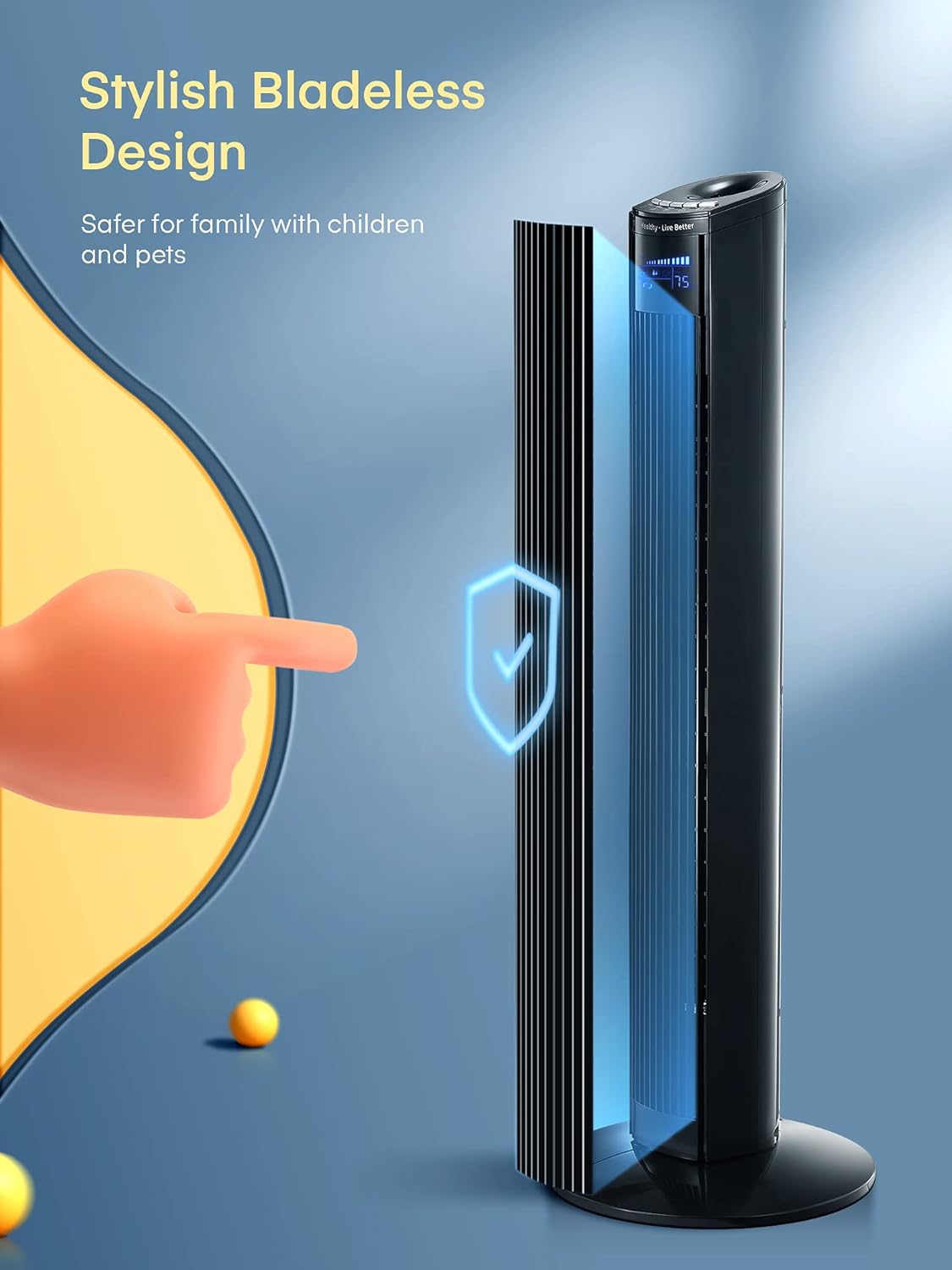
Figure 6: Stylish Bladeless Design for enhanced safety.

Figure 7: Convenient Carry Handle for easy portability.

Figure 8: Large LED Display and Remote Control with button functions.
5. Setup and Assembly
Follow these steps to assemble the base of your tower fan:
- Take the two halves of the fan base and align them.
- Carefully feed the power cord through the center hole of the base.
- Secure the two base halves together, ensuring they click into place or are fastened with provided screws (if applicable, check packaging).
- Attach the assembled base to the bottom of the tower fan unit, twisting or securing until it is firm and stable.
- Ensure the power cord is properly routed through the base's groove to prevent wobbling.

Figure 9: Base Assembly Steps.
6. Operating Instructions
Your tower fan can be operated using the control panel on top of the unit or the included remote control.
Control Panel / Remote Buttons:
- Power Button (POWER): Turns the fan On or Off.
- Speed Button (SPEED): Cycles through fan speeds: Low, Medium, High.
- Mode Button (MODE): Selects wind mode: Normal, Natural, Sleep.
- Oscillation Button (OSC): Turns the 70-degree oscillation On or Off.
- Timer Button (TIMER): Sets the auto-off timer from 1 to 12 hours. Each press increases the timer by 1 hour.
Operating the Fan:
- Plug In: Connect the power cord to a standard electrical outlet (100V-127V, 60Hz).
- Power On: Press the POWER button to turn on the fan. The LED display will illuminate.
- Adjust Speed: Press the SPEED button repeatedly to cycle through Low, Medium, and High speeds.
- Select Mode: Press the MODE button to choose between Normal, Natural, and Sleep modes.
- Normal Mode: Provides a constant airflow at the selected speed.
- Natural Mode: Simulates natural breeze by varying fan speed.
- Sleep Mode: Gradually decreases fan speed and operates quietly for undisturbed sleep.
- Activate Oscillation: Press the OSC button to start or stop the 70-degree oscillation.
- Set Timer: Press the TIMER button to set the desired auto-off time (1-12 hours). The display will show the set time.
- Power Off: Press the POWER button again to turn off the fan.

Figure 10: 12-Hour Timer Function.
7. Maintenance
Regular cleaning will help maintain the performance and longevity of your fan.
- Always unplug the fan from the power outlet before cleaning.
- Use a soft, damp cloth to wipe the exterior surfaces of the fan. Do not use abrasive cleaners or solvents.
- For dust accumulation in the air intake/outlet grilles, use a vacuum cleaner with a brush attachment or compressed air to gently remove dust.
- Do not immerse the fan in water or allow water to drip into the motor housing.
- Store the fan in a cool, dry place when not in use, preferably in its original packaging.
8. Troubleshooting
If you encounter issues with your fan, please refer to the following common problems and solutions:
| Problem | Possible Cause | Solution |
|---|---|---|
| Fan does not turn on. | No power supply; Power button not pressed. | Ensure the fan is securely plugged into a working outlet. Press the Power button. |
| Fan changes speeds or beeps randomly. | Possible electrical interference; Internal sensor issue; Remote control signal interference. | Unplug the fan for 5 minutes, then plug it back in. Try operating without the remote control to see if the issue persists. Ensure no other devices are causing interference. If the problem continues, contact customer support. |
| Weak airflow. | Fan speed set too low; Air intake/outlet blocked by dust. | Increase the fan speed. Clean the air intake and outlet grilles as per maintenance instructions. |
| Oscillation not working. | Oscillation function not activated. | Press the Oscillation button to activate the feature. |
9. Specifications
| Specification | Value |
|---|---|
| Brand | Generic |
| Model | TF1006LR |
| Electric fan design | Floor Fan |
| Style | Modern |
| Product Dimensions | 7"D x 7.6"W x 35.5"H |
| Room Type | Bedroom, Living Room, Office |
| Special Feature | Bladeless, Lightweight, Oscillating, Portable |
| Recommended Uses For Product | Cooling |
| Wattage | 45 watts |
| Indoor/Outdoor Usage | Indoor |
| Control Method | Remote |
| Blade Material | Plastic |
| UPC | 657381996165 |
| Item Weight | 9.28 pounds |
| Voltage | 100V-127V 60Hz |
| Noise Level | < 50dB |
| Max Airflow Speed | 11m/s |
| Airflow Volume | 16cbm/min (Max) |

Figure 11: Product Dimensions and FCC Compliance.
10. Warranty and Support
This product comes with a standard manufacturer's warranty. For specific warranty details, please refer to the documentation included with your purchase or contact the retailer.
For technical support, troubleshooting assistance, or replacement parts, please contact the Generic customer service team. Contact information can typically be found on the product packaging or the retailer's website.
Ask a question about this manual
Ask about setup, troubleshooting, compatibility, parts, safety, or missing instructions. Manuals+ will review the question and use this page’s manual context to help answer it.