
BREIL TW1957
Breil Finder Collection Men's Analog Quartz Watch - Model TW1957 Instruction Manual
Your guide to setup, operation, and maintenance.
1. Introduction
Thank you for choosing the Breil Finder Collection Men's Analog Quartz Watch, Model TW1957. This manual provides essential information for the proper use, setup, and care of your new timepiece. Please read it carefully to ensure optimal performance and longevity of your watch.

Image 1.1: The Breil Finder watch displayed on a wrist, showcasing its design and fit.
2. Product Overview
The Breil Finder TW1957 is an analog quartz watch featuring a durable blue IP steel case, a blue sunray dial, and a comfortable blue IP steel mesh bracelet. It is designed for reliability and style.

Image 2.1: Front view of the Breil Finder watch, highlighting the blue dial, white hands, and orange accents on the subdials.
2.1 Components
- Case: 43mm blue IP steel case with a satin finish.
- Dial: Blue sunray dial with white hour markers and hands.
- Subdials: Three subdials for chronograph functions (seconds, minutes) and a 24-hour indicator.
- Crown: Used for setting time and date.
- Pushers: Two pushers for operating the chronograph.
- Glass: Mineral glass for protection.
- Case Back: Screw-down case back, engraved with "BREIL" and "10 ATM".
- Bracelet: Blue IP steel mesh bracelet with a satin finish.
- Clasp: Sliding buckle with a safety clasp for secure fastening.
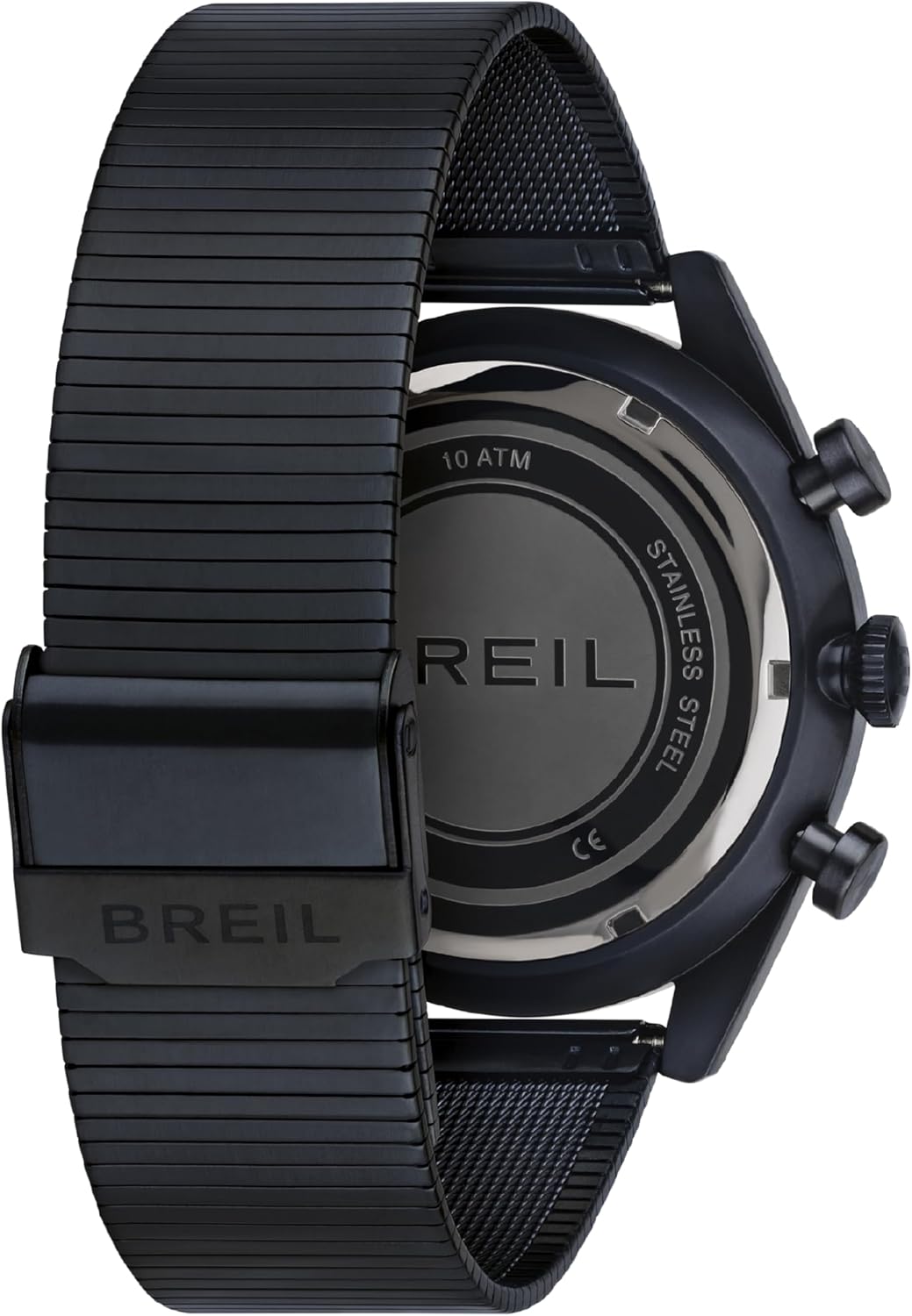
Image 2.2: Rear view of the watch, displaying the screw-down case back with "BREIL" engraving and the mesh bracelet with its clasp.
3. Setup
3.1 Setting the Time
- Pull the crown out to the second click position. The second hand will stop.
- Rotate the crown to set the hour and minute hands to the desired time. Ensure the 24-hour subdial is also correctly aligned if it's linked to the main time.
- Push the crown back into the normal position. The second hand will resume movement.

Image 3.1: Side view of the watch, illustrating the position of the crown and the two pushers used for time setting and chronograph operation.
3.2 Adjusting the Bracelet
The mesh bracelet features a sliding buckle for easy adjustment. To resize:
- Open the safety clasp.
- Use a small tool (e.g., a thin screwdriver) to lift the locking plate on the sliding buckle.
- Slide the buckle along the mesh band to the desired length.
- Press the locking plate back down firmly to secure the buckle in place.
- Close the safety clasp.
4. Operating the Chronograph
Your Breil Finder watch is equipped with a chronograph function for measuring elapsed time.
- Start/Stop: Press the upper pusher to start and stop the chronograph.
- Reset: While the chronograph is stopped, press the lower pusher to reset all chronograph hands to their zero positions.
The subdials indicate elapsed seconds and minutes, while the 24-hour subdial displays the current time in a 24-hour format.
5. Maintenance
5.1 Water Resistance (10 ATM / 100 Meters)
Your watch is water resistant up to 10 ATM (100 meters), making it suitable for swimming, snorkeling, and showering. It is not recommended for high-impact water sports or scuba diving. Always ensure the crown is fully pushed in before exposing the watch to water.
5.2 Cleaning
To maintain the appearance of your watch, wipe the case and bracelet with a soft, dry cloth. For stubborn dirt, a slightly damp cloth can be used, followed by immediate drying. Avoid using chemical cleaners.
5.3 Battery Replacement
The watch is powered by a non-standard battery. When the battery needs replacement, it is recommended to take your watch to an authorized Breil service center or a qualified watchmaker to ensure proper sealing and water resistance integrity.
6. Troubleshooting
- Watch not running: Check if the crown is fully pushed in. If the watch still does not run, the battery may need replacement.
- Incorrect time: Refer to Section 3.1 for instructions on setting the time.
- Chronograph hands not resetting to zero: This may require a chronograph reset procedure, which typically involves pulling the crown out and using the pushers to align the hands. Consult a professional if the issue persists.
7. Specifications
| Brand | BREIL |
| Model Number | TW1957 |
| Movement | Analog Quartz |
| Case Material | Blue IP Steel |
| Case Diameter | 43 mm |
| Dial Color | Blue |
| Bracelet Material | Blue IP Steel Mesh |
| Water Resistance | 10 ATM (100 Meters) |
| Battery Type | 1 Non-Standard Battery |
| ASIN | B0B4V5K326 |
8. Warranty and Support
For information regarding warranty coverage, service, or technical support, please refer to the warranty card included with your purchase or visit the official Breil website. Keep your proof of purchase for warranty claims.