
1. Introduction
The SKG Smart Watch V7 is designed to help you monitor your health and fitness activities with ease. This manual provides essential information on setting up, operating, maintaining, and troubleshooting your device to ensure optimal performance.

2. What's in the Box
Upon unboxing your SKG Smart Watch V7, please ensure all the following components are present:
- SKG Smart Watch V7
- Watch Band
- Magnetic Charging Cable
- User Manual
3. Setup
3.1 Charging the Device
Before first use, fully charge your smartwatch. The device uses a magnetic suction charging cable.
- Connect the magnetic charging cable to a USB power source.
- Align the magnetic end of the cable with the charging contacts on the back of the watch. It will snap into place.
- The watch display will indicate charging status. A full charge takes approximately 2 hours and provides up to 8 days of continuous use or 30 days of standby time.

3.2 App Installation and Pairing
To unlock the full potential of your SKG Smart Watch V7, download and install the "VeryFit" app on your smartphone.
- Scan the QR code below or search for "VeryFit" in your device's app store (compatible with iOS 9.0+ and Android 6+).
- Open the VeryFit app and follow the on-screen instructions to create an account or log in.
- Enable Bluetooth on your smartphone.
- In the VeryFit app, select to add a new device and choose the SKG Smart Watch V7 from the list of available devices.
- Confirm the pairing request on both your phone and the watch.

Watch the video below for a visual guide on linking the watch to the app and reviewing health data:
4. Operating Your Smart Watch
4.1 Display and Navigation
The SKG Smart Watch V7 features a 1.7-inch HD full touch screen for intuitive navigation. Swipe across the screen to access different functions and menus. A physical dial on the side provides additional control.

4.2 Health Monitoring
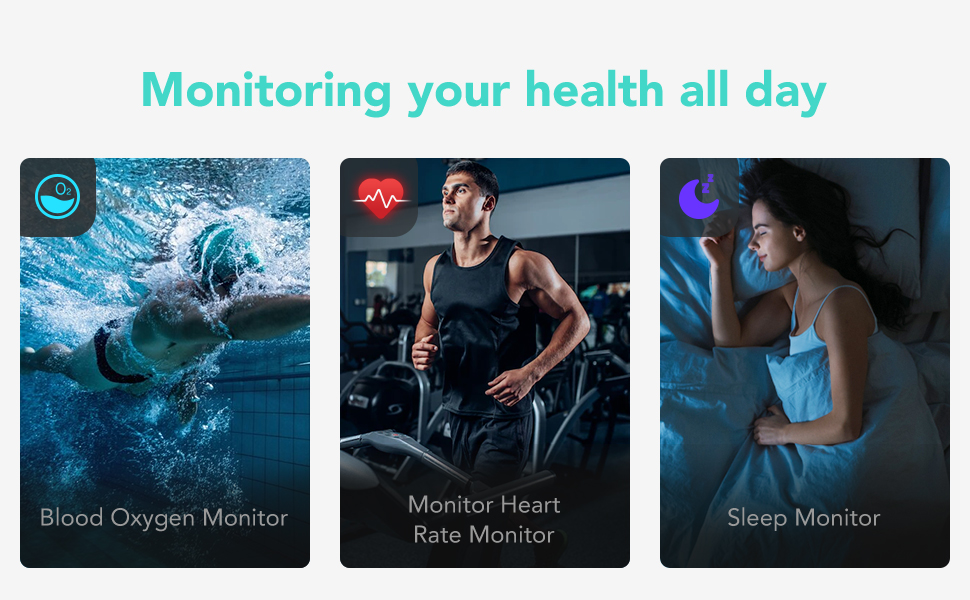
The watch continuously monitors key health metrics:
- Heart Rate: Provides 24/7 heart rate tracking.
- Blood Oxygen (SpO2): Measure your blood oxygen saturation to understand your physical state.
- Sleep Quality: Analyzes sleep patterns to help improve habits, including monitoring 20-minute daily naps.
- Stress Level: Monitors your stress levels throughout the day.

4.3 Sports Modes
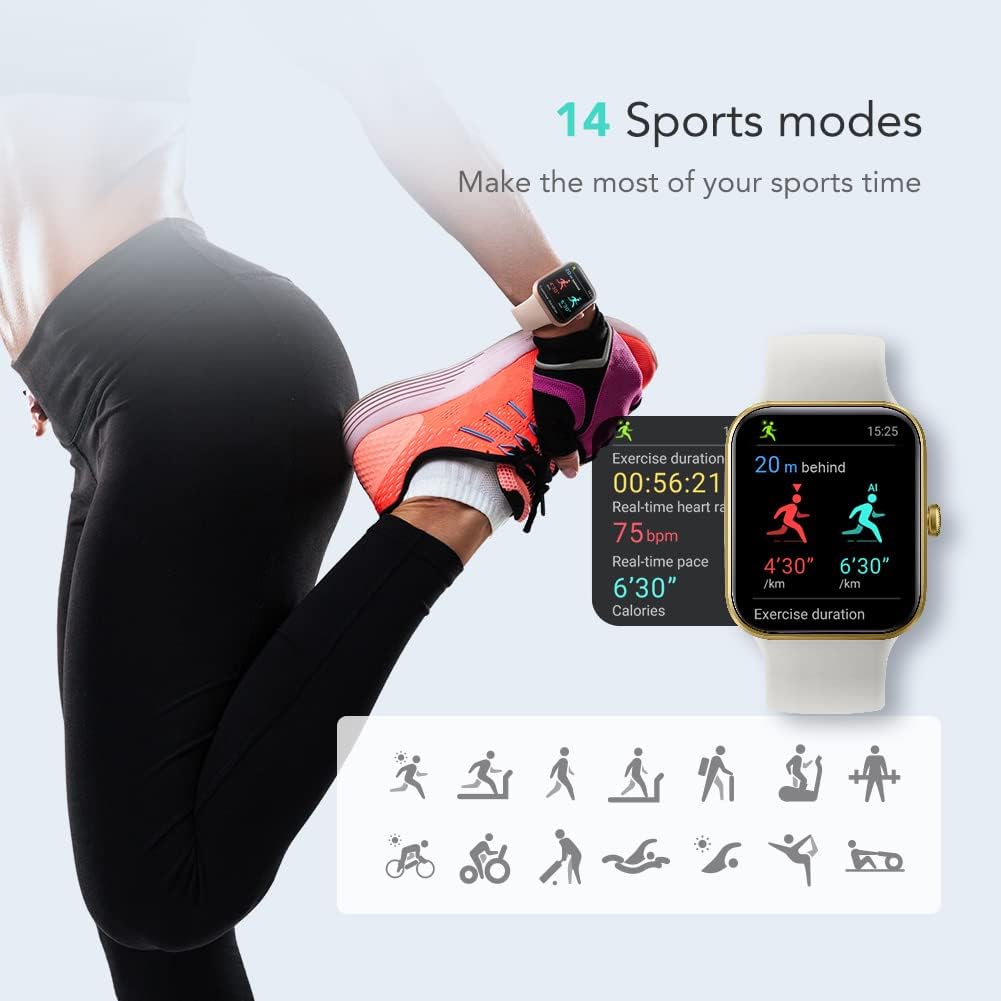
The watch supports over 14 sports modes to track your activities, including steps, distance, and calories burned.
4.4 Smart Notifications
Receive quick notifications for texts, messages, and phone calls directly on your wrist when connected to your smartphone.

4.5 Water Resistance
The SKG Smart Watch V7 is water-resistant up to 50 meters (5ATM), making it suitable for swimming and other water-based activities. It will record your achievements even underwater.

4.6 Female Health Tracking
The watch includes a female care function to help track and manage menstrual cycles.
4.7 Alexa Built-in
The SKG Smart Watch V7 features Alexa built-in, allowing you to use voice commands for various functions, such as checking the weather.

5. Maintenance
To ensure the longevity and proper functioning of your SKG Smart Watch V7, follow these maintenance guidelines:
- Cleaning: Regularly clean the watch and band with a soft, damp cloth. Avoid harsh chemicals or abrasive materials.
- Water Resistance: While 5ATM water-resistant, avoid exposing the watch to hot water, steam, or high-pressure water jets, as this can compromise the seal. Dry the watch thoroughly after exposure to water.
- Battery Care: Avoid completely draining the battery frequently. Charge the watch regularly to maintain battery health. Store in a cool, dry place when not in use for extended periods.
6. Troubleshooting
If you encounter issues with your SKG Smart Watch V7, refer to the following common problems and solutions:
| Problem | Possible Solution |
|---|---|
| Watch not turning on or charging | Ensure the charging cable is securely connected to both the watch and the power source. Try a different USB port or power adapter. Clean the charging contacts on the watch and cable. |
| Unable to pair with smartphone | Make sure Bluetooth is enabled on your phone. Restart both the watch and your phone. Ensure the VeryFit app is updated to the latest version. Try unpairing and re-pairing the device. |
| Inaccurate health readings (Heart Rate, SpO2) | Ensure the watch is worn snugly on your wrist, about one finger's width above the wrist bone. Avoid excessive movement during measurements. Clean the sensor on the back of the watch. |
| Notifications not appearing | Check app permissions for notifications on your phone. Ensure the watch is connected via Bluetooth. Verify notification settings within the VeryFit app. |
| Short battery life | Reduce screen brightness. Turn off unnecessary features like continuous heart rate monitoring if not needed. Limit frequent notifications. Ensure the watch is fully charged. |
7. Specifications
| Feature | Detail |
|---|---|
| Product Dimensions | 1.7 x 1.48 x 0.53 inches |
| Item Weight | 1.38 ounces |
| Screen Size | 1.69 Inches TFT-LCD |
| Water Resistance | 5ATM (up to 50 meters) |
| Operating System | Android, iOS |
| Connectivity Technology | Bluetooth 5.2 |
| Battery Capacity | 300 Milliamp Hours |
| Battery Life | Up to 8 days (typical use) |
| Special Features | Blood Oxygen Monitor, Health Monitor, Heart Rate Monitor, Notifications, Sleep & Stress Monitor, Female Health Tracking, Alexa Built-in |
| GPS | No GPS |
8. Warranty and Support
SKG is committed to providing excellent products and services. Your SKG Smart Watch V7 comes with a 12-month warranty from the date of purchase.
If you have any questions, concerns, or require technical assistance, please do not hesitate to contact the SKG Official Store. Refer to your purchase documentation or the SKG official website for contact details.