
1. Introduction
The Oral-B PRO 3 3500 Electric Toothbrush is designed to provide a superior cleaning experience, helping you brush as recommended by dental professionals. It features advanced cleaning technology and smart features to promote healthier gums and remove more plaque compared to a manual toothbrush.
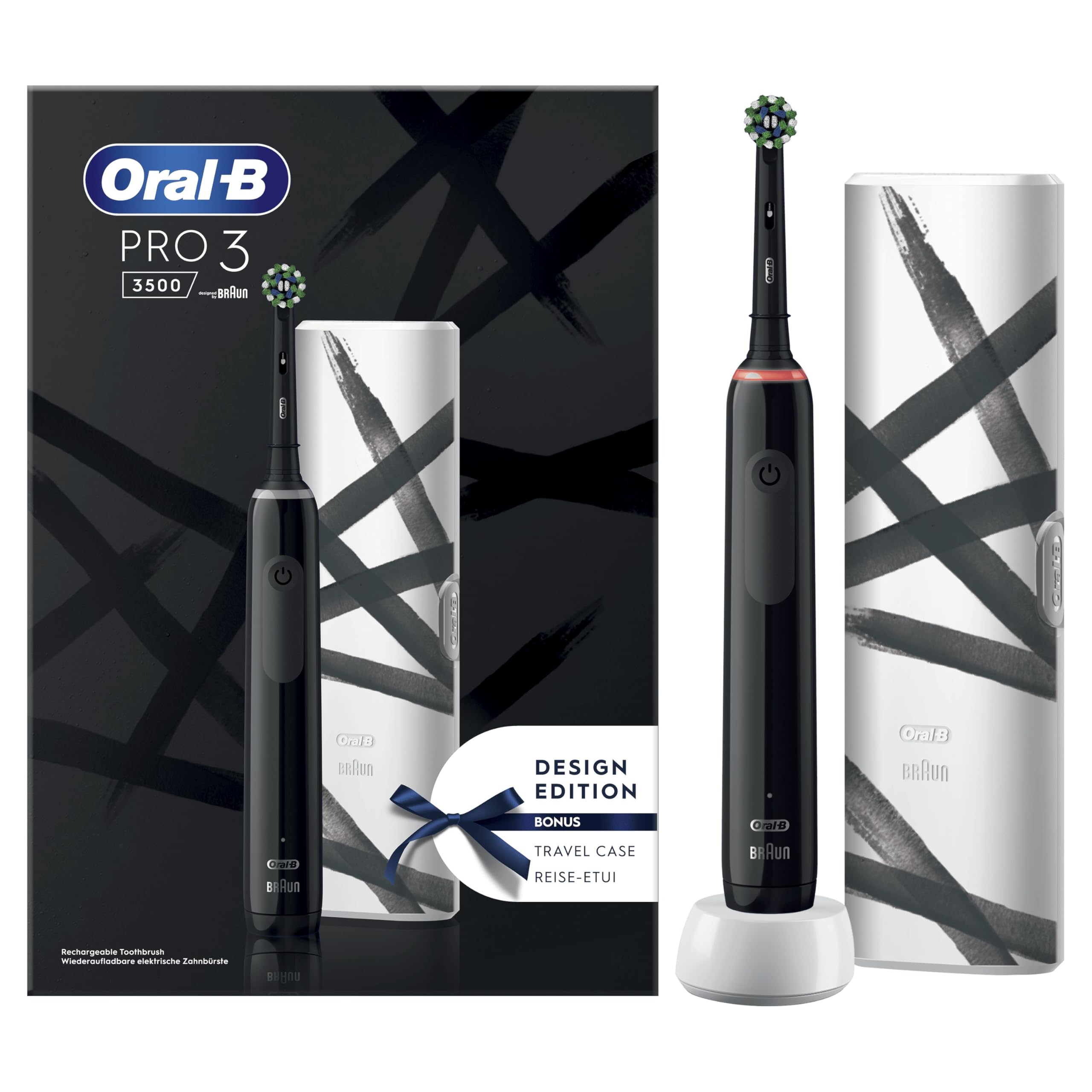
Image 1.1: Oral-B PRO 3 3500 Electric Toothbrush and included travel case.
2. Safety Information
WARNING:
- Use under adult supervision.
- Do not allow children to play with the product.
- Replace the brush head every 3 months or when bristles are worn.
- Do not use on children under 3 years of age.
- Consult your dentist before use if you have had oral surgery or gum disease.
3. Product Overview
The Oral-B PRO 3 3500 features a round brush head, 3D cleaning action, and a 360° visual pressure sensor for effective and safe brushing.

Image 3.1: The Oral-B PRO 3 3500 electric toothbrush, designed to remove up to 100% more plaque.
Key Features:
- 3D Cleaning Technology: Oscillates, rotates, and pulsates to break up and remove plaque.
- 360° Visual Pressure Control: Lights up red and reduces brushing speed if you brush too hard, protecting your gums.
- Built-in Timer: Guides you to brush for the dentist-recommended 2 minutes, with 30-second quadrant alerts.
- 3 Brushing Modes: For personalized cleaning.
- Long-lasting Lithium-Ion Battery: Provides extended use between charges.
- Round Brush Head: Designed to surround each tooth for a thorough clean.
4. Setup
4.1 Charging the Toothbrush
- Plug the charger into an electrical outlet.
- Place the toothbrush handle on the charging unit.
- The battery indicator light will show the charging status. A full charge can take approximately 12-16 hours.
- For optimal battery life, fully discharge the battery every 6 months by using the toothbrush until it stops, then fully recharge it.

Image 4.1: Visual representation of the battery charge indicator.
4.2 Attaching the Brush Head
- Align the brush head with the shaft of the toothbrush handle.
- Push the brush head down firmly until it clicks into place.
5. Operating Instructions
5.1 Brushing Your Teeth
- Wet the brush head and apply a small amount of toothpaste.
- Place the brush head on your teeth, then press the On/Off button to start.
- Guide the brush head slowly from tooth to tooth, spending a few seconds on each tooth surface.
- The built-in timer will signal after 30 seconds to move to the next quadrant of your mouth, and after 2 minutes for a complete brushing session.
- The 360° visual pressure control will light up red if you apply too much pressure, indicating you should reduce the force.
- After brushing, press the On/Off button to turn off the toothbrush.

Image 5.1: The round brush head's oscillating-rotating action for effective cleaning.

Image 5.2: The 360° visual pressure sensor indicating excessive brushing force.

Image 5.3: The professional 2-minute timer with 30-second quadrant alerts.
6. Brushing Modes
The Oral-B PRO 3 3500 offers 3 distinct brushing modes to cater to your specific oral care needs. Press the mode button (often the same as the On/Off button) repeatedly to cycle through the modes.

Image 6.1: The Oral-B PRO 3 3500 features 3 brushing modes.
- Daily Clean: Standard mode for daily comprehensive cleaning.
- Sensitive: Gentle speed for sensitive teeth and gums.
- Whitening: Designed to gently polish away surface stains.
Note: The specific modes available may vary slightly by region or product variant.
7. Maintenance
7.1 Cleaning the Toothbrush
- After each use, rinse the brush head thoroughly under running water with the handle switched on.
- Remove the brush head and clean the handle and brush head separately under running water.
- Wipe the handle dry with a soft cloth.
- Clean the charging unit regularly with a damp cloth. Do not immerse the charger in water.
7.2 Replacing the Brush Head
Dental professionals recommend replacing your brush head every 3 months, or sooner if the bristles are splayed or worn. The indicator bristles on Oral-B brush heads fade halfway to signal when it's time for a replacement.

Image 7.1: Brush head wear indicator. Green indicates full cleaning power, yellow indicates it's time to change.
8. Troubleshooting
| Problem | Possible Cause | Solution |
|---|---|---|
| Toothbrush does not turn on. | Battery is discharged. | Place the toothbrush on the charger for at least 30 minutes, then try again. Ensure the charger is plugged in. |
| Toothbrush does not hold a charge. | Battery may be old or faulty. | Ensure proper charging as per Section 4.1. If the issue persists, contact Oral-B customer service. |
| Red light illuminates frequently during brushing. | Applying too much pressure. | Reduce the pressure applied to your teeth and gums. The toothbrush is designed to do the work for you. |
| Brush head feels loose. | Brush head not properly attached or worn. | Ensure the brush head is pushed down firmly until it clicks. If it's an old brush head, replace it. |
9. Specifications
- Model: PRO 3 3500
- Brand: Oral-B
- Power Source: Rechargeable Lithium-Ion Battery (Cable Electric)
- Brush Head Type: Round
- Age Range: Adult
- Special Feature: Brushing Timer, Pressure Sensor
- Item Firmness Description: Soft
- Color: Black
- Manufacturer: Procter & Gamble
- Country of Origin: Germany
- ASIN: B0B4SFJMH3
- Model Number: QOG-Ora-21047
10. Warranty and Support
For warranty information, please refer to the documentation included with your product at the time of purchase or visit the official Oral-B website. Oral-B products typically come with a manufacturer's warranty covering defects in materials and workmanship.
For customer support, replacement parts, or further assistance, please contact Oral-B customer service through their official website or the contact information provided in your product packaging.
Online Support: www.oralb.com


