
Introduction
Thank you for choosing the heygelo S90 Drone. This manual provides essential information for the safe operation, setup, and maintenance of your drone. Please read this manual thoroughly before operating the device to ensure proper usage and to maximize your flying experience.
Safety Precautions
- Always operate the drone in open areas, away from people, animals, and obstacles.
- Do not fly the drone in strong winds or adverse weather conditions.
- Ensure the drone battery is fully charged before each flight.
- Keep fingers and loose objects away from rotating propellers.
- Supervise children when they are operating the drone.
- Do not modify or disassemble the drone or its components.
- Adhere to all local laws and regulations regarding drone operation.
Package Contents
Verify that all items are present in your package:
- 1 x S90 Camera Drone
- 1 x Remote Control
- 2 x Drone Batteries
- 1 x USB Charger (Jack Plug)
- 4 x Spare Blades
- 4 x Protective Guards
- 1 x User Manual
- 1 x Quick Start Guide

Figure 1: heygelo S90 Drone Kit Contents
Product Overview
The heygelo S90 Drone is a foldable, mini FPV quadcopter designed for both beginners and experienced users. It features a 1080P HD camera, multiple flight modes, and user-friendly controls.
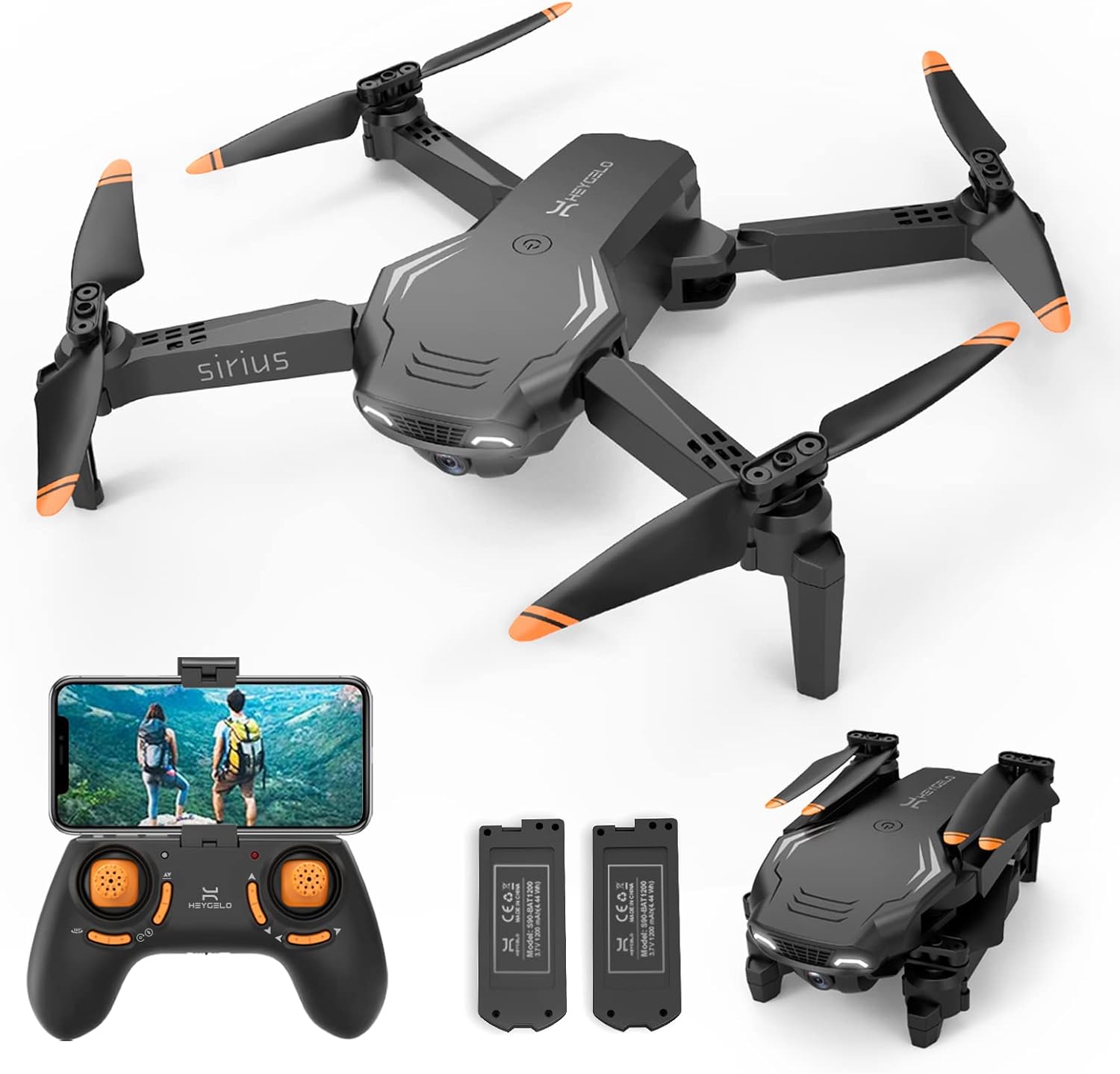
Figure 2: heygelo S90 Drone and Accessories
Key Features:
- 1080P HD FPV WiFi Camera: Real-time live video streaming to your smartphone via the app. The camera is manually adjustable by 45 degrees.
- Multiple Control Modes: Control via Remote, APP, Voice, or Gravity Sensor.
- Intelligent Flight Functions: Includes 360° flip, high-speed rotation, Circle Flight, and Trajectory Flight.
- Stable Flight: Altitude Hold for stable hovering and 3 adjustable speeds for different skill levels.
- Full Protection: Propeller guards protect blades during practice and minor impacts.
- Long Flight Time & Portable Design: Two modular batteries provide up to 26 minutes of flight time. Foldable design for easy transport.
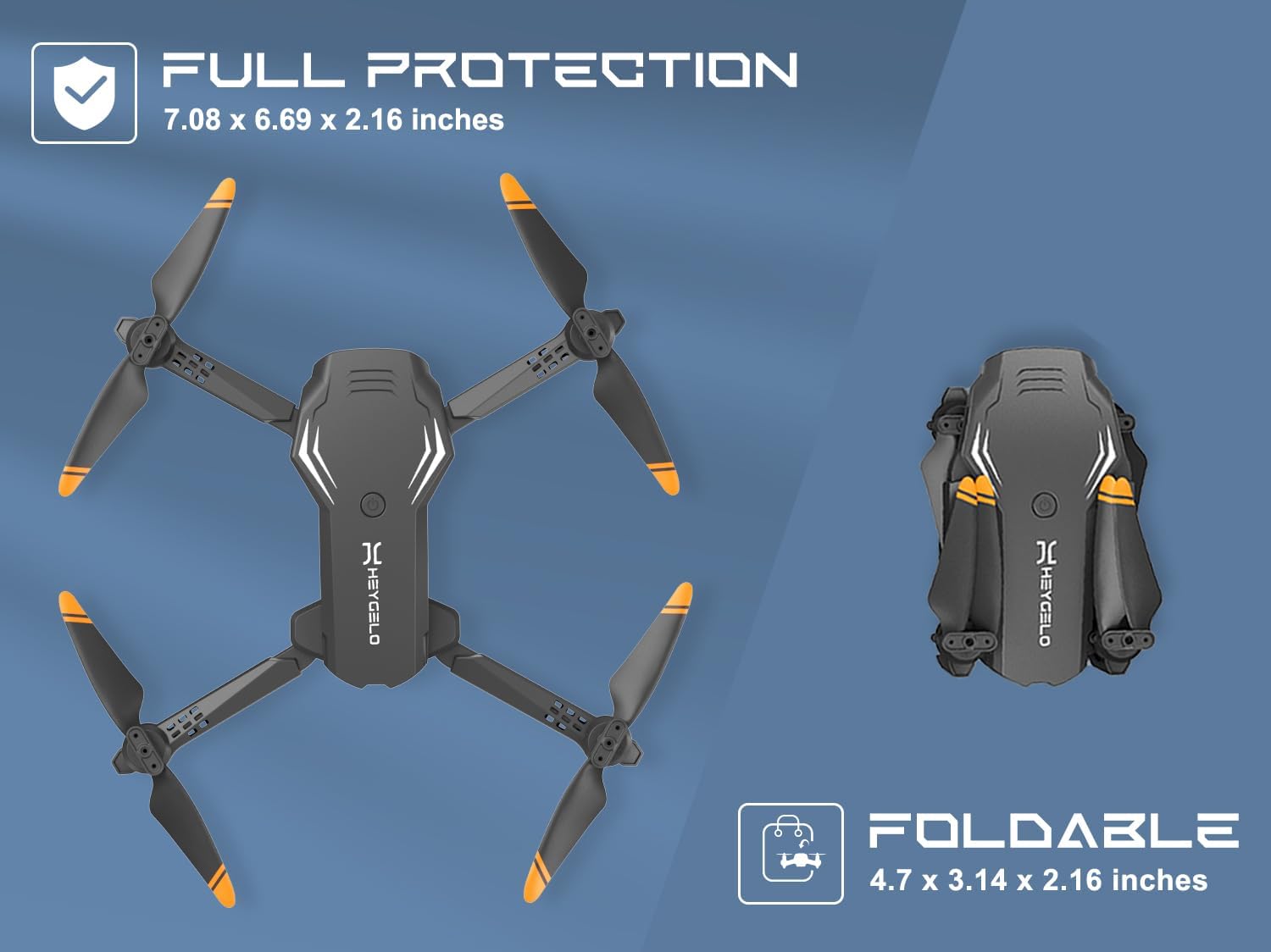
Figure 3: Foldable Design for Portability
Setup
1. Drone Preparation
- Unfold the Drone Arms: Gently unfold all four arms of the drone until they click into place.
- Install Propeller Guards: Attach the protective guards to each motor arm to prevent damage to the propellers during flight.
- Install Drone Battery: Insert a fully charged modular battery into the battery compartment on the back of the drone until it clicks securely.
2. Remote Control Setup
- Install Batteries: Open the battery compartment on the back of the remote control and insert 3 x AAA batteries (not included), ensuring correct polarity. Close the compartment.
- Attach Phone Holder: If using the app, extend the phone holder on the remote control and securely place your smartphone.

Figure 4: Remote Control Design
3. App Installation and Connection
- Download App: Scan the QR code in the Quick Start Guide or search for the "HEYGELO" app in your smartphone's app store (iOS/Android).
- Connect to Drone WiFi:
- Power on the drone. The indicator lights will flash.
- Go to your phone's Wi-Fi settings and connect to the Wi-Fi network named "HEYGELO-S90-XXXXXX".
- Open the HEYGELO app. The app should automatically connect to the drone, and you will see the live camera feed.
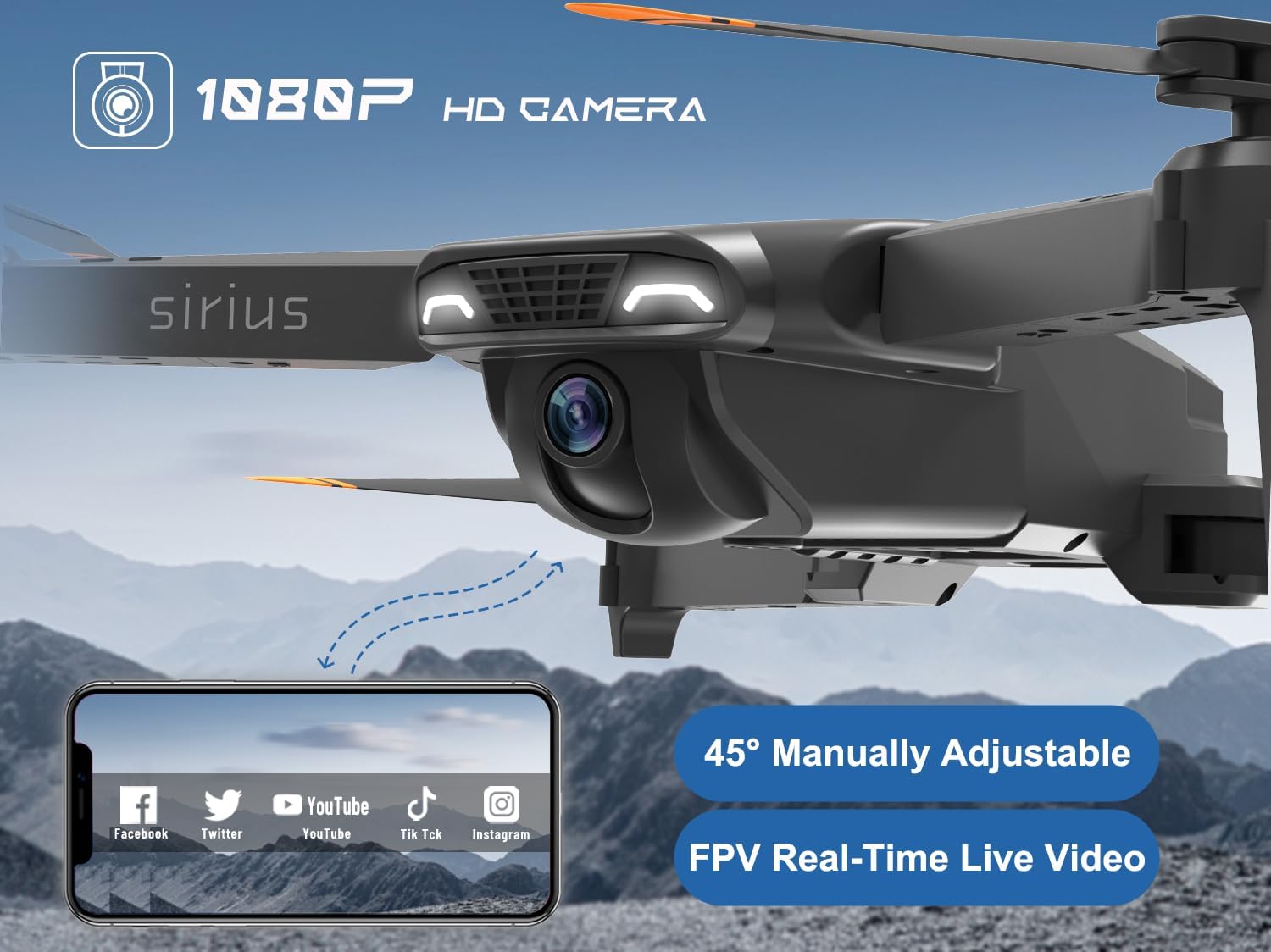
Figure 5: 1080P HD FPV Camera and App Interface
Operating Instructions
1. Pairing and Calibration
- Power On: Turn on the drone and then the remote control. The drone's indicator lights will flash.
- Pairing: Push the left joystick (throttle) all the way up and then all the way down. The drone lights will stop flashing and become solid, indicating successful pairing.
- Calibration: Place the drone on a flat, level surface. Push both joysticks down and to the right simultaneously. The drone lights will flash rapidly and then become solid, indicating successful gyroscope calibration.
2. Take-off and Landing
- One Key Take-off: Press the One Key Take-off/Landing button on the remote control (or in the app). The drone will automatically lift off and hover at a stable altitude.
- Manual Take-off: After pairing and calibration, slowly push the left joystick (throttle) upwards to make the drone ascend.
- One Key Landing: Press the One Key Take-off/Landing button again. The drone will automatically descend and land gently.
- Manual Landing: Slowly pull the left joystick (throttle) downwards until the drone lands.
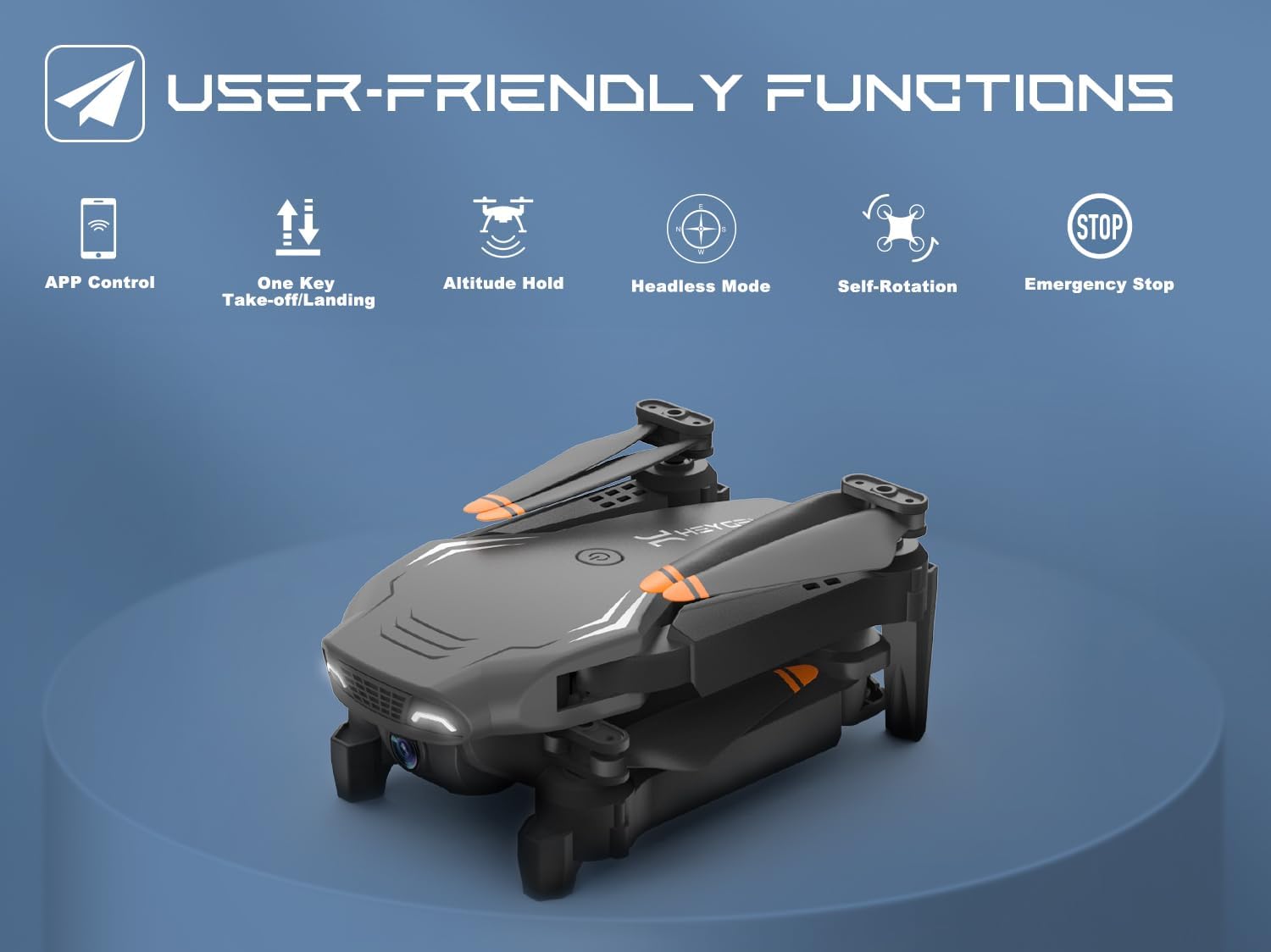
Figure 6: User-Friendly Functions
3. Flight Controls
- Altitude Hold: The drone maintains a stable altitude automatically, making it easier to control and capture clear photos/videos.
- 3 Speeds: Press the speed switch button on the remote to cycle through low, medium, and high speeds, suitable for beginners to advanced pilots.
- Headless Mode: In Headless Mode, the drone's orientation is relative to the pilot, eliminating the need to adjust its position before flying. Activate by pressing the Headless Mode button.
4. Special Flight Functions
- 360° Flips: Press the 360° Flip button and then move the right joystick in the desired direction to perform an aerial flip.
- Voice Control: Use simple voice commands (e.g., "Take off", "Land") through the app to control the drone.
- Gesture Control: Perform specific hand gestures in front of the camera to trigger photo or video recording. A "Victory" sign for photos, a "Palm" for video.
- Gravity Control: Tilt your smartphone to control the drone's flight direction.
- Trajectory Flight: Draw a flight path on your smartphone screen, and the drone will automatically follow the designated route.
- Circle Flight: The drone will fly in a circular path around a designated point.
- High-Speed Rotation: The drone will perform a rapid rotation in place.

Figure 7: Advanced Flight Modes
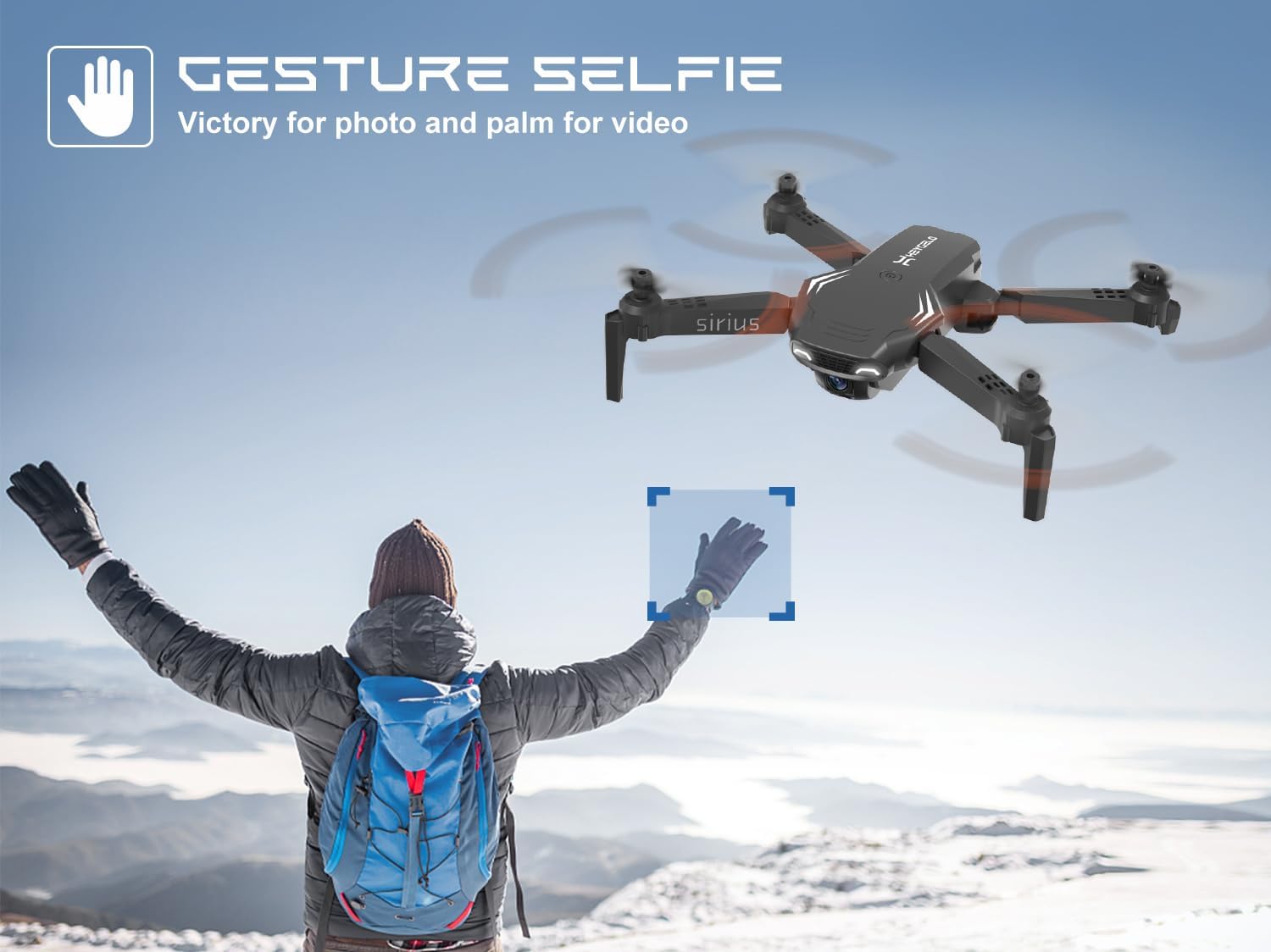
Figure 8: Gesture Selfie Function
5. Camera Operation
- Photo/Video Capture: Use the dedicated buttons on the remote control or the app interface to take photos or start/stop video recording.
- Manual Camera Adjustment: The camera angle can be manually adjusted by 45 degrees before flight to capture different perspectives.
- Storage: Photos and videos are stored directly on your connected smartphone via the app.
Maintenance
1. Battery Care
- Charging: Use only the provided USB charger. Do not overcharge the batteries. The modular batteries are designed for easy replacement and safe charging.
- Storage: Store batteries in a cool, dry place away from direct sunlight and extreme temperatures.
- Disposal: Dispose of old batteries responsibly according to local regulations.
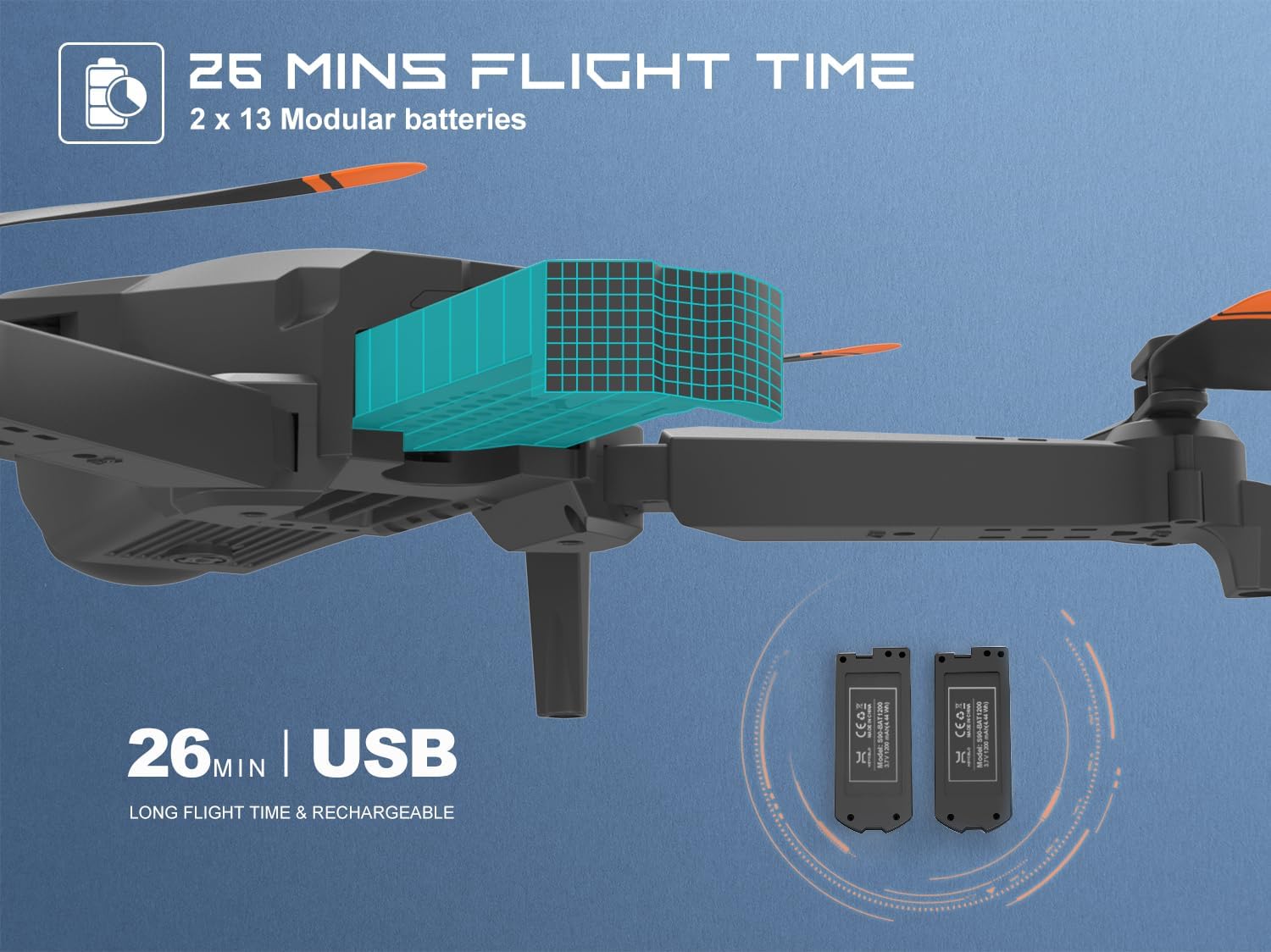
Figure 9: Modular Batteries for Extended Flight
2. Propeller Care
- Inspection: Regularly inspect propellers for any signs of damage (cracks, bends). Replace damaged propellers immediately using the spare blades provided.
- Cleaning: Keep propellers free from dust and debris.

Figure 10: Propeller Guards for Enhanced Protection
3. Cleaning
- Wipe the drone body with a clean, dry cloth. Do not use liquid cleaners or solvents.
- Ensure no dust or debris enters the motor or camera lens.
Troubleshooting
| Problem | Possible Cause | Solution |
|---|---|---|
| Drone does not respond to remote control. | Not paired correctly; low battery on drone or remote. | Re-pair the drone and remote. Charge/replace batteries. |
| Drone drifts during flight. | Not calibrated; windy conditions. | Perform gyroscope calibration. Fly in calm conditions. |
| App does not show live video feed. | Not connected to drone's Wi-Fi; app permissions. | Ensure phone is connected to drone's Wi-Fi. Check app permissions (microphone, location, media). Restart app/drone. |
| Short flight time. | Battery not fully charged; old battery. | Fully charge battery before use. Consider replacing old batteries. |
| Drone crashes frequently. | Lack of practice; flying in confined spaces. | Practice in open areas. Start with low speed settings. |
Specifications
| Feature | Detail |
|---|---|
| Brand | heygelo |
| Model Name | S90 |
| Age Range (Description) | Adult, Kid |
| Color | Black |
| Video Capture Resolution | 1080p |
| Connectivity Technology | Wi-Fi |
| Skill Level | Beginner |
| Item Weight | 105 Grams (3.7 ounces) |
| Battery Capacity | 1200 Milliamp Hours |
| Video Capture Format | MP4 |
| Control Type | Remote Control |
| Material | Plastic |
| Battery Cell Composition | Lithium Ion |
| Product Dimensions (Unfolded) | 7.08"L x 6.69"W x 2.16"H |
| Product Dimensions (Folded) | 4.7"L x 3.14"W x 2.16"H |
Warranty and Support
For warranty information, technical support, or any inquiries regarding your heygelo S90 Drone, please contact heygelo customer support.
- Official Website: www.heygelo.com
- Email Support: usa@heygelo.com
- Brand Store: Visit the official heygelo store on Amazon for more products and information: heygelo Amazon Store
- User Guide (PDF): A downloadable PDF version of the user guide is available here.