
MikroTik CubeG-5ac60adpair
MikroTik Wireless Wire Cube Pro Kit User Manual
Model: CubeG-5ac60adpair
1. Product Overview
The MikroTik Wireless Wire Cube Pro kit provides a pre-configured, high-speed 60 GHz wireless bridge solution designed for reliable point-to-point connectivity. This kit includes two Cube 60Pro ac devices, enabling a robust wireless link over significant distances, ideal for extending network access where traditional cabling is impractical.
2. What's in the Box
Your MikroTik Wireless Wire Cube Pro kit contains the following components:
- Two (2) MikroTik Cube 60Pro ac devices
- Two (2) Pole Mounting Brackets
- Two (2) Hose Clamps for mounting
- Two (2) Gigabit Passive PoE Injectors
- Two (2) AC/DC Power Adapters

Image: Included AC/DC Power Adapter. This adapter provides power to the PoE injector.

Image: Included Hose Clamp. Used for securely attaching the device to a pole.

Image: Included Gigabit Passive PoE Injector. This device delivers power and data over a single Ethernet cable to the Cube Pro unit.
3. Setup and Installation
The Wireless Wire Cube Pro kit is pre-configured for ease of use. Installation primarily involves mounting the devices and ensuring proper alignment for optimal signal strength.
3.1 Mounting the Devices
Each Cube Pro device comes with a robust metal base and an easy mounting mechanism, designed for pole installation. Ensure the mounting location provides a clear line of sight between the two devices.
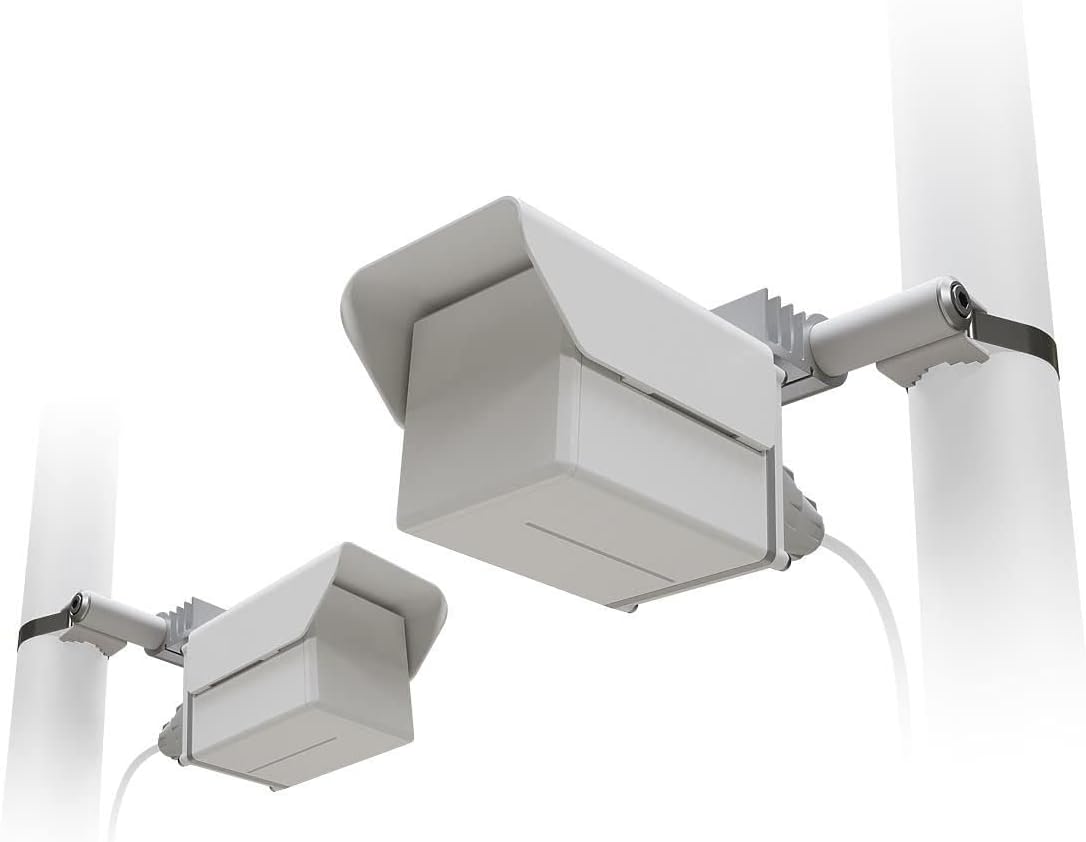
Image: Two Cube Pro devices installed on poles, demonstrating typical deployment.
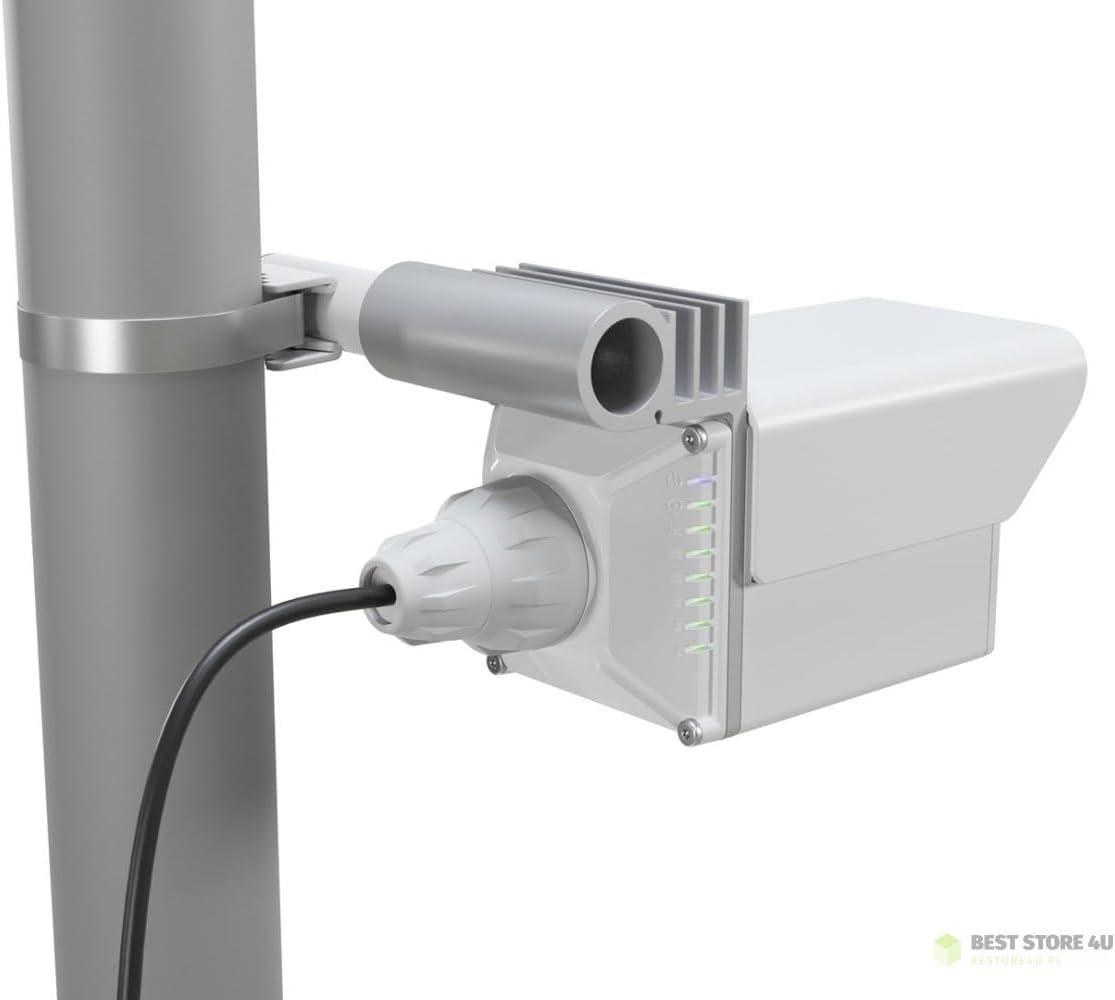
Image: Side view of a mounted Cube Pro device, showing the connection port and indicator lights.
3.2 Powering On and Connectivity
Connect the included Gigabit Passive PoE Injector to the Cube Pro device using an Ethernet cable. Then, connect the AC/DC power adapter to the PoE injector. The other end of the PoE injector connects to your network device (e.g., router, switch).
3.3 Alignment for Optimal Performance
For the best performance, ensure a clear line of sight between the two Cube Pro devices. The 60 GHz frequency band requires precise alignment. The devices are designed to establish a reliable connection over distances up to 2.4 km (1.5 miles).
Video: An overview of the MikroTik Wireless Wire Cube Pro kit, demonstrating its features, mounting, and the reliable connection it provides over distance.
4. Operating the Devices
Once powered on and properly aligned, the Cube Pro devices will automatically establish a wireless link. Indicator lights on the device will provide status information regarding power, link quality, and activity. Refer to the official MikroTik documentation for detailed LED indicator meanings.
5. Maintenance
The MikroTik Cube Pro devices are designed for outdoor use with an IP67 international protection rating, indicating high resistance to dust and water. Regular maintenance is minimal but includes:
- Periodically inspect the mounting hardware to ensure it remains secure.
- Keep the front of the devices clear of obstructions (e.g., leaves, snow, ice) that could interfere with the 60 GHz signal.
- Check cable connections for any signs of wear or damage.
6. Troubleshooting
If you experience issues with your Wireless Wire Cube Pro kit, consider the following troubleshooting steps:
- No Power: Ensure the PoE injector is properly connected to the device and the power adapter is plugged into a working electrical outlet. Check the power indicator light on the PoE injector.
- No Link/Poor Performance:
- Verify clear line of sight between both devices. Even small obstructions can significantly impact 60 GHz signals.
- Re-check the alignment of both units. Slight adjustments can improve signal strength.
- Inspect Ethernet cables for damage or improper connection.
- Environmental factors like heavy rain or snow can temporarily degrade 60 GHz performance.
- Network Connectivity Issues: Confirm that your network devices (router, switch) connected to the PoE injectors are functioning correctly.
For more advanced troubleshooting or technical support, please refer to the official MikroTik documentation or contact MikroTik support directly.
7. Specifications
| Feature | Detail |
|---|---|
| Model Number | CubeG-5ac60adpair |
| Frequency Range | 60 GHz (802.11ay) |
| Maximum Talking Range | 1 Kilometers (0.62 miles) - Reliable connection over 2.4 km (1.5 mi) as per video |
| CPU | Quad-core |
| Ethernet Port | Gigabit Ethernet |
| RAM | 256MB |
| Product Dimensions (each unit) | 7.87 x 7.87 x 4.72 inches |
| Item Weight (kit) | 5.07 pounds |
| International Protection Rating | IP67 |
| Manufacturer | MikroTik |
| Color | White |
| Number of Channels | 2 |
| Tuner Technology | HF |
| Impedance | 4 Ohm |
8. Warranty and Support
For detailed warranty information and technical support, please refer to the official MikroTik website or contact your product reseller. Keep your proof of purchase for warranty claims.
Official MikroTik Website: mikrotik.com
Ask a question about this manual
Ask about setup, troubleshooting, compatibility, parts, safety, or missing instructions. Manuals+ will review the question and use this page’s manual context to help answer it.