
MAKO AIRTEK DD310 Compressed Air Filter Instruction Manual
Model: DD310
1. Introduction
This manual provides essential information for the proper installation, operation, and maintenance of your MAKO AIRTEK DD310 Compressed Air Filter. This filter is designed as a direct replacement and compatible with Atlas Copco DD310 systems, ensuring high-quality air filtration for various industrial applications. Adhering to these instructions will help maintain the efficiency and longevity of your compressed air system.
The MAKO AIRTEK DD310 filter is manufactured using high-quality raw materials, designed to meet original manufacturing standards, and aims to reduce maintenance costs by providing reliable performance.

Image 1.1: Various MAKO AIRTEK compressed air filter elements. These filters are designed to remove contaminants from compressed air lines.
2. Setup and Installation
Proper installation is crucial for the optimal performance of your compressed air filter. Always ensure the compressed air system is depressurized and locked out before beginning any installation or maintenance procedures.
2.1 Safety Precautions
- Ensure the compressed air system is completely shut down and depressurized.
- Wear appropriate personal protective equipment (PPE), including safety glasses and gloves.
- Refer to your compressed air system's manual for specific safety guidelines.
2.2 Installation Steps
- Depressurize System: Turn off the air compressor and vent all pressure from the air lines where the filter will be installed.
- Remove Old Filter (if applicable): Carefully disconnect and remove the existing filter housing or element.
- Inspect Housing: Clean the filter housing thoroughly, ensuring no debris or old gasket material remains.
- Install New Filter Element: Insert the MAKO AIRTEK DD310 filter element into the housing, ensuring it seats correctly. The filter is designed for direct replacement.
- Secure Housing: Reassemble the filter housing, ensuring all connections are tight and secure. Use new gaskets or O-rings if provided.
- Pressurize System: Slowly re-pressurize the compressed air system and check for any leaks using a leak detection solution.
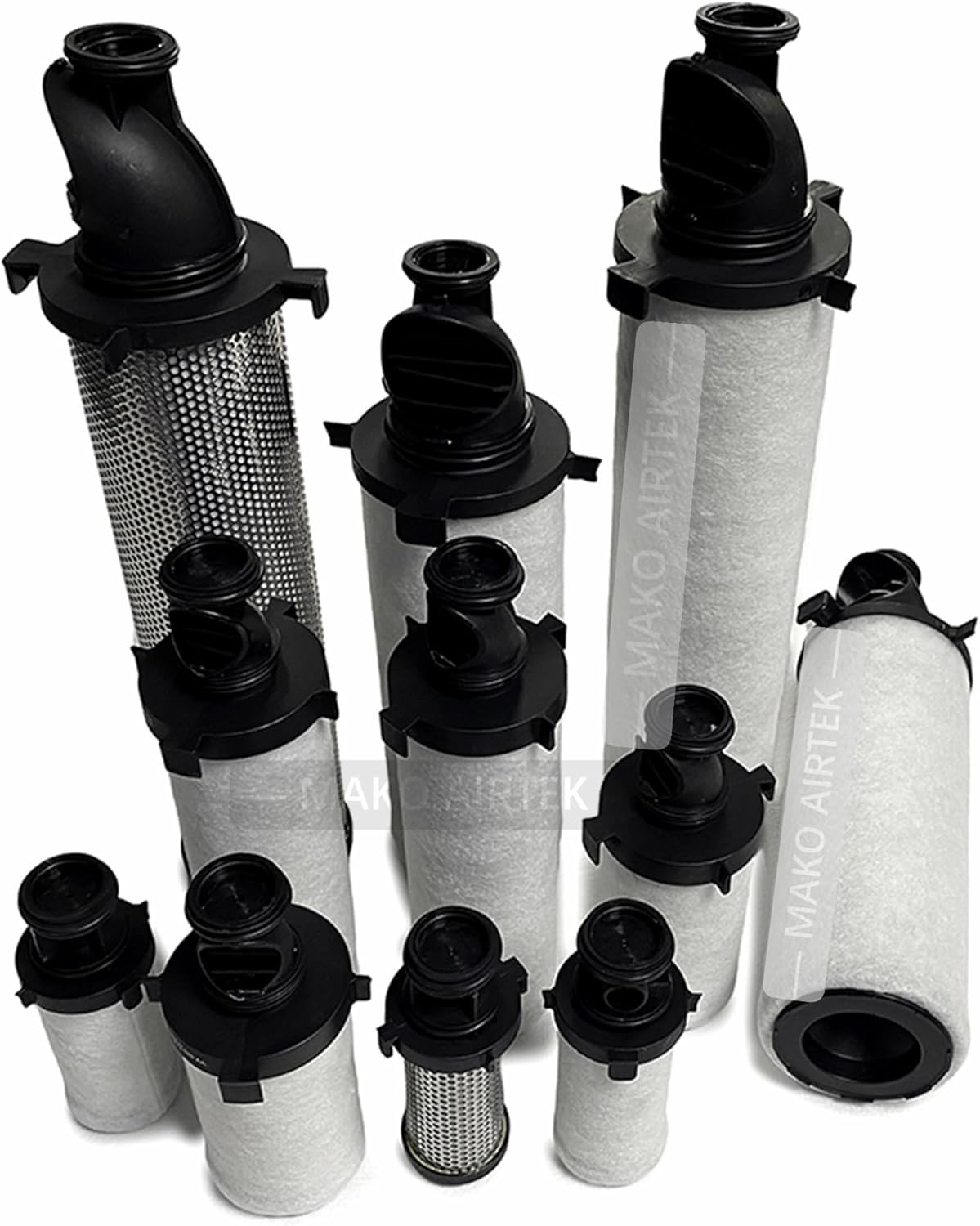
Image 2.1: Different sizes and types of MAKO AIRTEK filter elements. Ensure you select the correct size for your system.
3. Operating Instructions
Once properly installed, the MAKO AIRTEK DD310 Compressed Air Filter operates continuously as part of your compressed air system. Its primary function is to remove solid particles, water, oil aerosols, and other contaminants from the air stream, protecting downstream equipment and processes.
- Continuous Filtration: The filter will automatically clean the compressed air as it passes through the element.
- Pressure Drop Monitoring: Regularly monitor the pressure differential across the filter. An increasing pressure drop indicates a clogged filter element that requires replacement.
- Drain Operation: If your filter housing includes an automatic or manual drain, ensure it is functioning correctly to remove accumulated condensate.
4. Maintenance
Regular maintenance, particularly filter element replacement, is essential to ensure the continued efficiency and effectiveness of your compressed air filtration system.
4.1 Filter Element Replacement
The lifespan of a filter element depends on the quality of the incoming air and the operating conditions. It is generally recommended to replace filter elements every 6 to 12 months, or sooner if a significant pressure drop is observed.
- Depressurize System: Follow the safety precautions outlined in Section 2.1.
- Open Housing: Carefully open the filter housing according to the manufacturer's instructions.
- Remove Old Element: Extract the used filter element. Dispose of it responsibly according to local regulations.
- Clean Housing: Wipe down the inside of the filter housing to remove any accumulated contaminants.
- Install New Element: Insert the new MAKO AIRTEK DD310 filter element, ensuring it is correctly seated and sealed.
- Reassemble and Test: Close the housing, tighten all connections, and slowly re-pressurize the system, checking for leaks.

Image 4.1: Example of MAKO AIRTEK filter elements ready for replacement. Regular replacement ensures optimal air quality.
5. Troubleshooting
If you experience issues with your compressed air system's filtration, consider the following common problems and solutions:
| Problem | Possible Cause | Solution |
|---|---|---|
| Reduced Airflow / High Pressure Drop | Clogged filter element | Replace the filter element (refer to Section 4.1). |
| Poor Air Quality (e.g., oil, water, particles) | Damaged or incorrect filter element; bypass flow; drain malfunction | Inspect and replace filter element; check for proper installation and seals; verify drain operation. |
| Air Leaks Around Housing | Loose connections; damaged O-rings/gaskets | Tighten connections; replace O-rings/gaskets. |
6. Specifications
Key specifications for the MAKO AIRTEK DD310 Compressed Air Filter:
- Model Number: DD310
- Manufacturer: MAKO AIRTEK
- Compatibility: Direct replacement for Atlas Copco DD310
- Package Dimensions: Approximately 15 x 15 x 15 cm (5.9 x 5.9 x 5.9 inches)
- Country of Origin: China
7. Warranty and Support
For any issues or inquiries regarding your MAKO AIRTEK DD310 Compressed Air Filter, please contact our support team. We are committed to providing assistance and ensuring your satisfaction.
- Return Policy: This product is eligible for a 30-day refund or replacement policy. Please refer to your purchase documentation for full details.
- Contact Information: For support, please contact us. We aim to respond within 1 business day (excluding holidays). Our working hours are Monday to Friday.