
SIGN24-R
Aresign Solar Powered LED Flashing Stop Sign
Model: SIGN24-R
Introduction
Thank you for choosing the Aresign Solar Powered LED Flashing Stop Sign. This product is designed to enhance road safety by providing a highly visible, energy-efficient stop signal. Utilizing solar power, it offers a sustainable and reliable solution for traffic control and pedestrian safety. This manual provides essential information for the proper installation, operation, and maintenance of your new stop sign.
Safety Information
- Do not disassemble this product without manufacturer permission. Unauthorized disassembly may void the warranty and cause damage.
- Ensure the sign is installed securely to prevent falling, especially in windy conditions.
- Handle the solar panel with care to avoid damage.
- Keep the product away from open flames or extreme heat sources.
Setup
Unpacking
Carefully remove all components from the packaging. Verify that all parts are present and undamaged. The package should include the LED flashing stop sign, solar panel, and U-shape hoop mount hardware.
Initial Check
Before permanent installation, perform a quick functional check:
- Locate the power switch (green button). Press it to the '1' position to turn the sign ON.
- Cover the solar panel completely to simulate nighttime conditions. The LED lights on the sign should begin flashing.
- Uncover the solar panel. The LED lights should turn off (or stop flashing if set to 24/7 mode, depending on the model's specific light sensor).
If the LEDs do not flash, ensure the switch is in the 'ON' position and the battery has some charge. If the issue persists, refer to the Troubleshooting section.
Installation Location
Select an installation site that receives direct sunlight for the majority of the day. Avoid areas with significant shade from trees, buildings, or other obstructions, as this will severely impact the solar panel's charging efficiency.
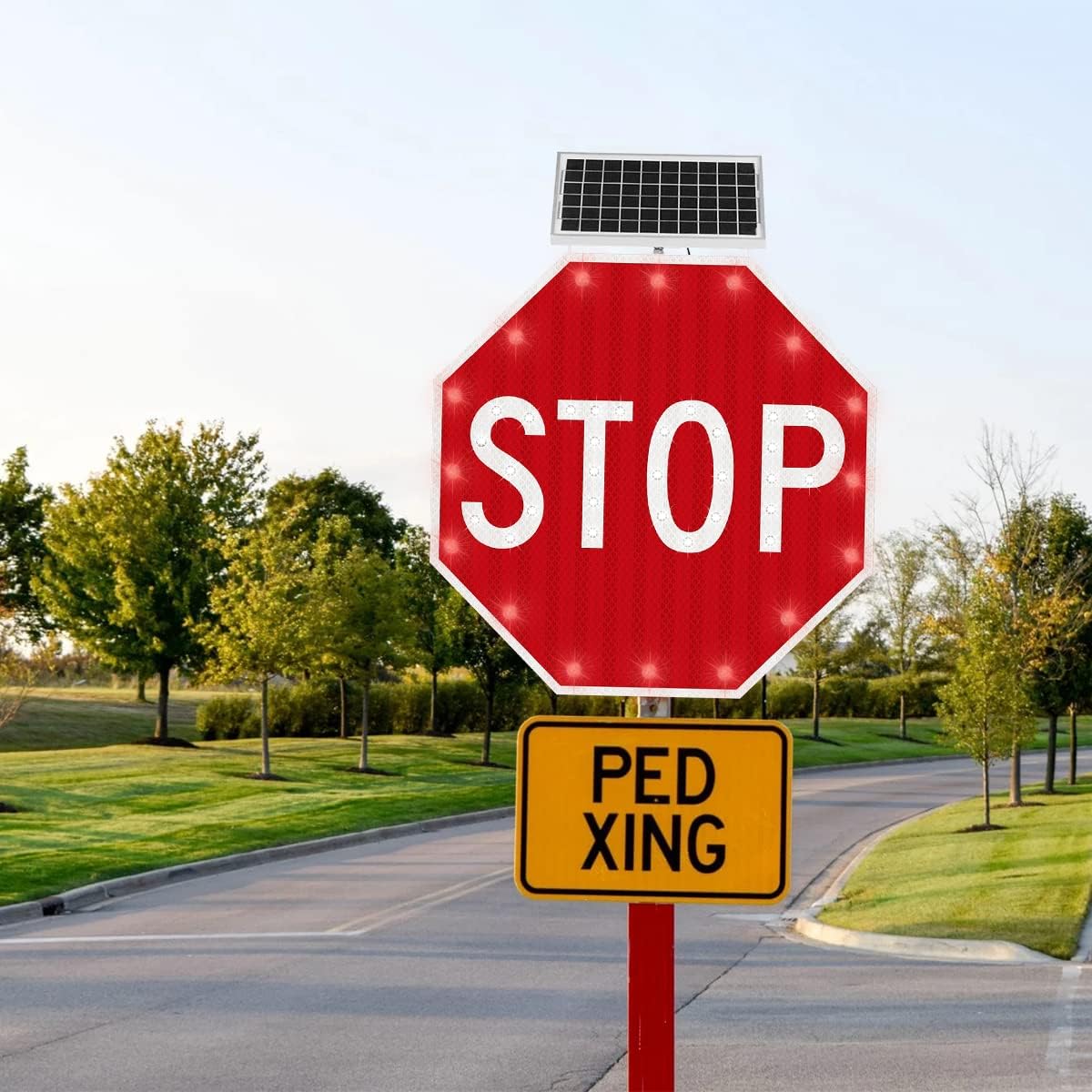
Image: The Aresign Solar Powered LED Flashing Stop Sign mounted on a pole beside a paved road, demonstrating a typical installation scenario.
Mounting
The sign is designed for easy installation using a U-shape hoop mount (customizable). Securely attach the sign to a suitable pole or post using the provided hardware. Ensure the sign is level and facing the intended direction for optimal visibility.

Image: A diagram illustrating the 24 x 24 inch dimensions of the octagonal stop sign, including the solar panel mounted above it.
Solar Panel Orientation
Calibrate the direction of the solar panel during installation. The best angle is the one that allows the panel to receive the longest direct sunlight exposure throughout the day. This maximizes charging efficiency and ensures consistent operation.
Operating Instructions
The Aresign Solar Powered LED Flashing Stop Sign operates automatically once installed and the power switch is turned ON. It features a 24/7 or dusk-to-dawn flashing LED mode, depending on the specific configuration. The LED flicker frequency is typically 40-60 flashes per minute, which can be customized.
For continuous operation and to ensure the battery maintains sufficient power, it is recommended to keep the light switch (green button) in the 'ON' (position 1) state, unless the sign is being stored for an extended period.

Image: A detailed front view of the Aresign Solar Powered LED Flashing Stop Sign, highlighting the 'STOP' text and the integrated solar panel at the top.
Maintenance
Solar Panel Cleaning
To ensure optimal electricity generation, it is crucial to clean any dust, dirt, or debris from the surface of the solar panel every 3 months. Use a soft, damp cloth to gently wipe the panel. Do not use abrasive cleaners or harsh chemicals.
Battery Care
If the sign will not be in use for a long period, turn off the power switch to prevent the battery from completely draining. Before resuming normal use after extended storage, charge the sign in full sunshine for at least 3 days to ensure the battery is fully replenished.
Troubleshooting
- LED lamp not working normally: Ensure the power switch is in the 'ON' position. Cover the solar panel to simulate night; the LEDs should flash. If not, the battery might be depleted or there could be an internal issue.
- Insufficient charging/Short run time: Verify that the solar panel is installed in an area with direct, unobstructed sunlight. Clean the solar panel surface every 3 months to remove accumulated dust or dirt that can hinder charging efficiency.
- Battery draining quickly during storage: Always turn off the power switch if the sign is not going to be used for an extended period. Recharge the sign in full sunshine for 3 days before normal use after long storage.
Specifications
| Feature | Detail |
|---|---|
| Sign Dimensions | 24 x 24 inches (Octagon) |
| Overall Product Dimensions | 2.5 x 24 x 24 inches (Depth x Width x Height) |
| Weight | 19.86 pounds |
| Material | Aluminum Plate (1.5mm thickness) |
| LEDs | 16 high power red LEDs, 30 high power white LEDs |
| Reflective Film | Engineer grade reflective Film |
| LED Luminance | >6000mcd |
| LED Working Life | 10,000 hours |
| LED Flicker Frequency | 40-60 flashes/min (Customizable) |
| Visual Distance | 0.5 mile |
| Solar Panel Output | 12 volts, 5 watts |
| Battery Capacity | 12V/7AH Lithium Polymer |
| Battery Service Life | 2 years |
| Charging Time | 6-8 hours (full sunshine) |
| Full Charge Run Time | 96-120 hours |
| Duration on Rainy Days (Fully Charged) | 5 days |
| Mounting | U-shape Hoop mount (Customizable) |
| Working Temperature | 40°F to 140°F (4.4°C to 60°C) |
| Working Humidity | 5% - 93% |

Image: A visual breakdown highlighting the engineering-grade reflective sheet for high visibility and the high-efficiency solar panel for reliable power generation.
Warranty and Support
For warranty information, technical support, or any inquiries regarding your Aresign Solar Powered LED Flashing Stop Sign, please contact the manufacturer directly. Refer to the product packaging or the point of purchase for contact details.
Related Documents - SIGN24-R
 |
Filipino Driver's Manual - Volume 1, 2nd Edition: Your Guide to Philippine Road Safety Official Filipino Driver's Manual (Volume 1, 2nd Edition) from the Land Transportation Office (LTO) of the Philippines. Master Philippine traffic laws, licensing requirements, road signs, and safe driving practices. Essential for all aspiring motorists. |
 |
Holophane Magellan MEX Die-Cast LED Exit Sign - Specifications and Features Detailed specifications, features, ordering information, and mounting details for the Holophane Magellan MEX Die-Cast LED Exit Sign, designed for superior illumination and low energy consumption. |
 |
RAB ECOMBO Exit Sign Combo - Technical Specifications and Features Detailed specifications, features, performance data, and ordering information for the RAB ECOMBO Exit Sign Combo, a thermoplastic emergency exit light with color switching and battery backup. |
 |
Wimmera Plains Wind Farm Stage 1 Traffic Management Plan This Traffic Management Plan (TMP) for Stage 1 of the Wimmera Plains Wind Farm construction project, prepared by Amber Organisation Pty Ltd for Wimmera Plains Energy Facility Pty Ltd, details traffic management strategies, road upgrades, safety protocols, and responsibilities to ensure safe vehicle movement and minimize disruptions during development. |
 |
Custom Dynamics Low Profile BAGZ™ Saddlebag LED Lights Installation Guide Detailed installation instructions for Custom Dynamics Low Profile BAGZ™ Saddlebag LED Lights (Model CD-LP-BCM-R, CD-LP-BCM-S) for compatible Harley-Davidson motorcycles. Includes wiring diagrams and safety precautions. |
 |
Hikvision YJP7681-188-R(L) Radar Speed Sign LED Display Datasheet Technical specifications and features of the Hikvision YJP7681-188-R(L) Radar Speed Sign LED Display, including radar capabilities, network connectivity, physical dimensions, and application scenarios. |
Ask a question about this manual
Ask about setup, troubleshooting, compatibility, parts, safety, or missing instructions. Manuals+ will review the question and use this page’s manual context to help answer it.