
1. Introduction
The ZIYOULANG K3 Mechanical Gaming Keyboard and Mouse Combo offers a high-performance solution for gaming and productivity. This combo features a compact 98-key mechanical keyboard with RGB backlighting and responsive blue switches, paired with an ultra-light honeycomb shell mouse with adjustable DPI. Designed for durability and compatibility, this manual will guide you through the setup, operation, and maintenance of your new peripheral set.
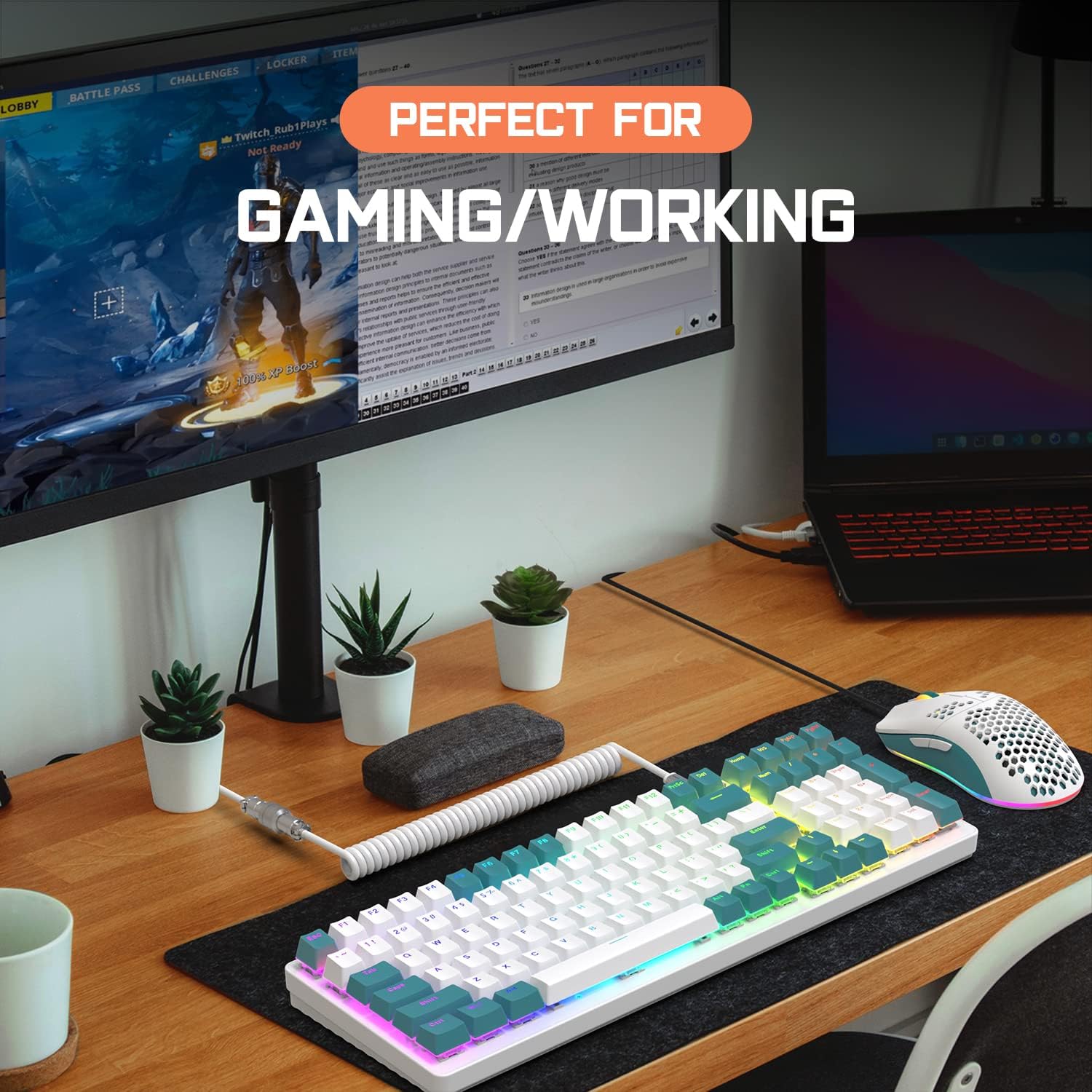
Image 1.1: The ZIYOULANG K3 keyboard and mouse combo integrated into a typical gaming and working environment.
2. Package Contents
Please verify that all items are present in your package:
- 1x ZIYOULANG K3 Mechanical Keyboard
- 1x ZIYOULANG Honeycomb Gaming Mouse
- 1x Type-C to USB-A Coiled Cable
- 1x English User Manual (this document)
3. Setup Instructions
Follow these steps to connect your ZIYOULANG K3 keyboard and mouse to your computer.
3.1 Connecting the Keyboard and Mouse
- Locate the Type-C end of the coiled cable. Connect this end to the Type-C port on the ZIYOULANG K3 mechanical keyboard.
- Locate the USB-A end of the coiled cable. Connect this end to an available USB-A port on your PC, Mac, or Windows computer.
- The keyboard will automatically be recognized by your operating system.
- The gaming mouse is also wired. Connect its USB-A connector to another available USB-A port on your computer.
- The mouse will also be automatically recognized and ready for use.
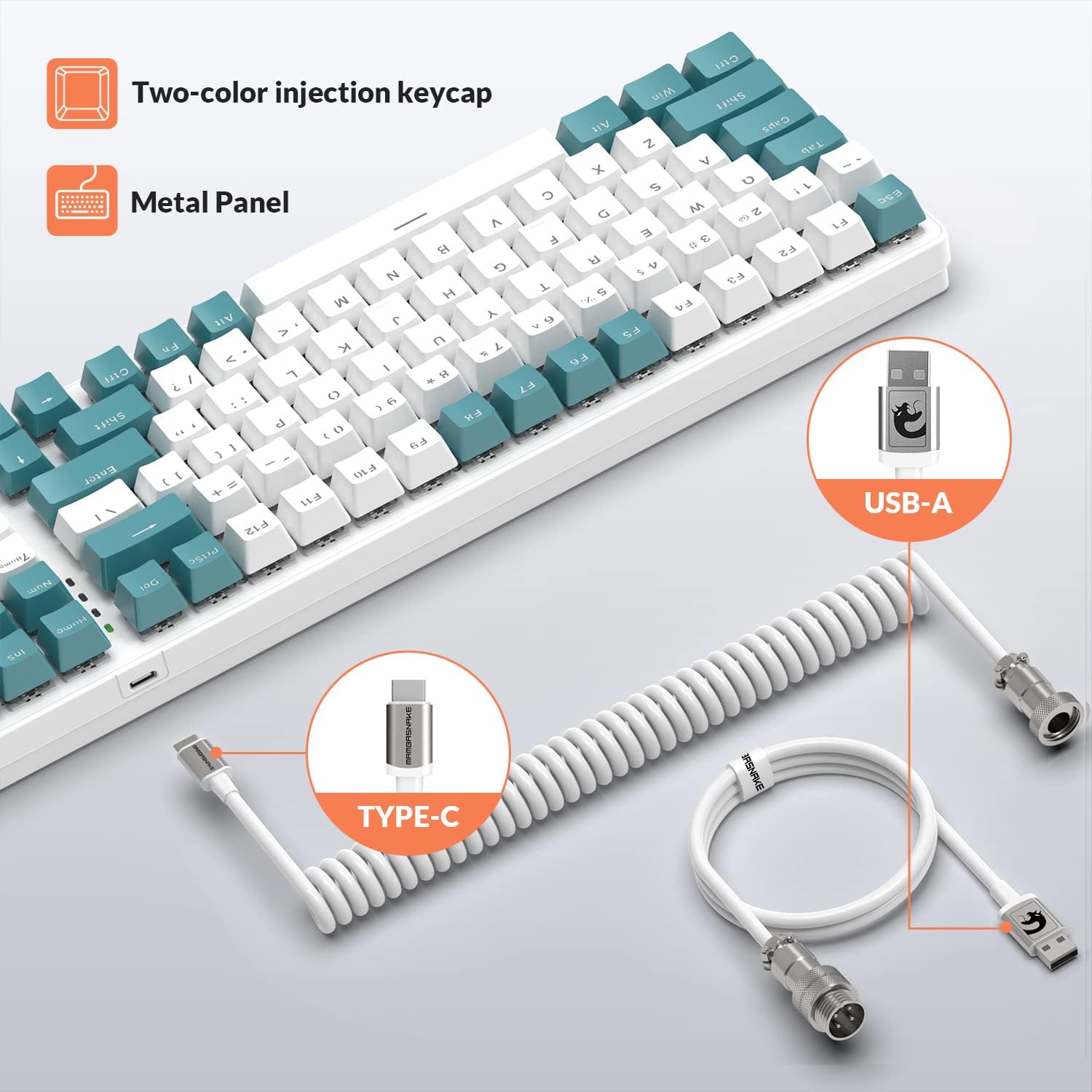
Image 3.1: Visual representation of the coiled USB-C cable connecting the keyboard to a USB-A port on a computer. The image also highlights the two-color injection keycaps and metal panel construction.
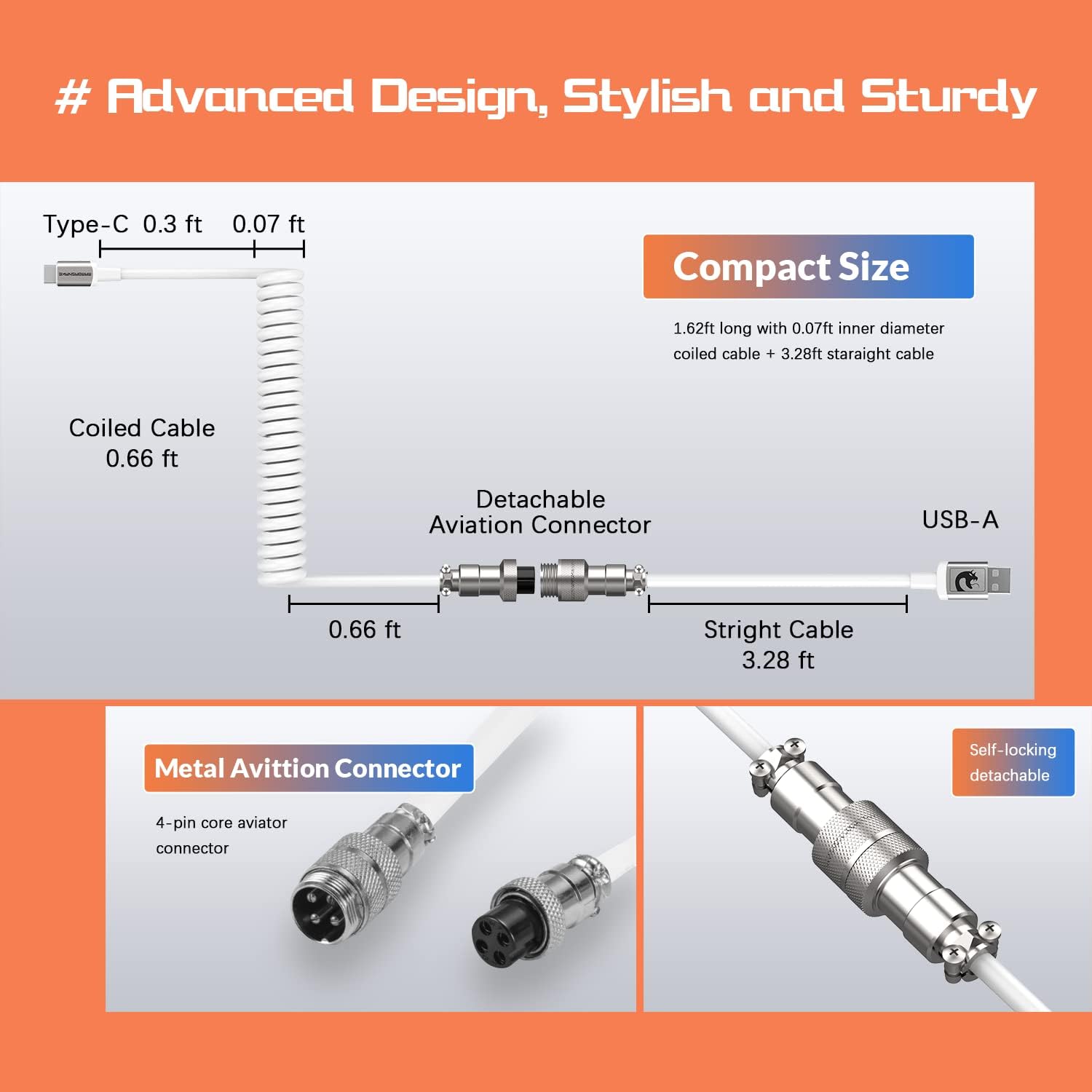
Image 3.2: A detailed view of the coiled cable, illustrating its Type-C connector, coiled section, detachable aviation connector, and the USB-A end for connection to the computer.
4. Operating Instructions
4.1 Keyboard Functions
The ZIYOULANG K3 keyboard features a 98-key layout with mechanical blue switches and customizable RGB backlighting.
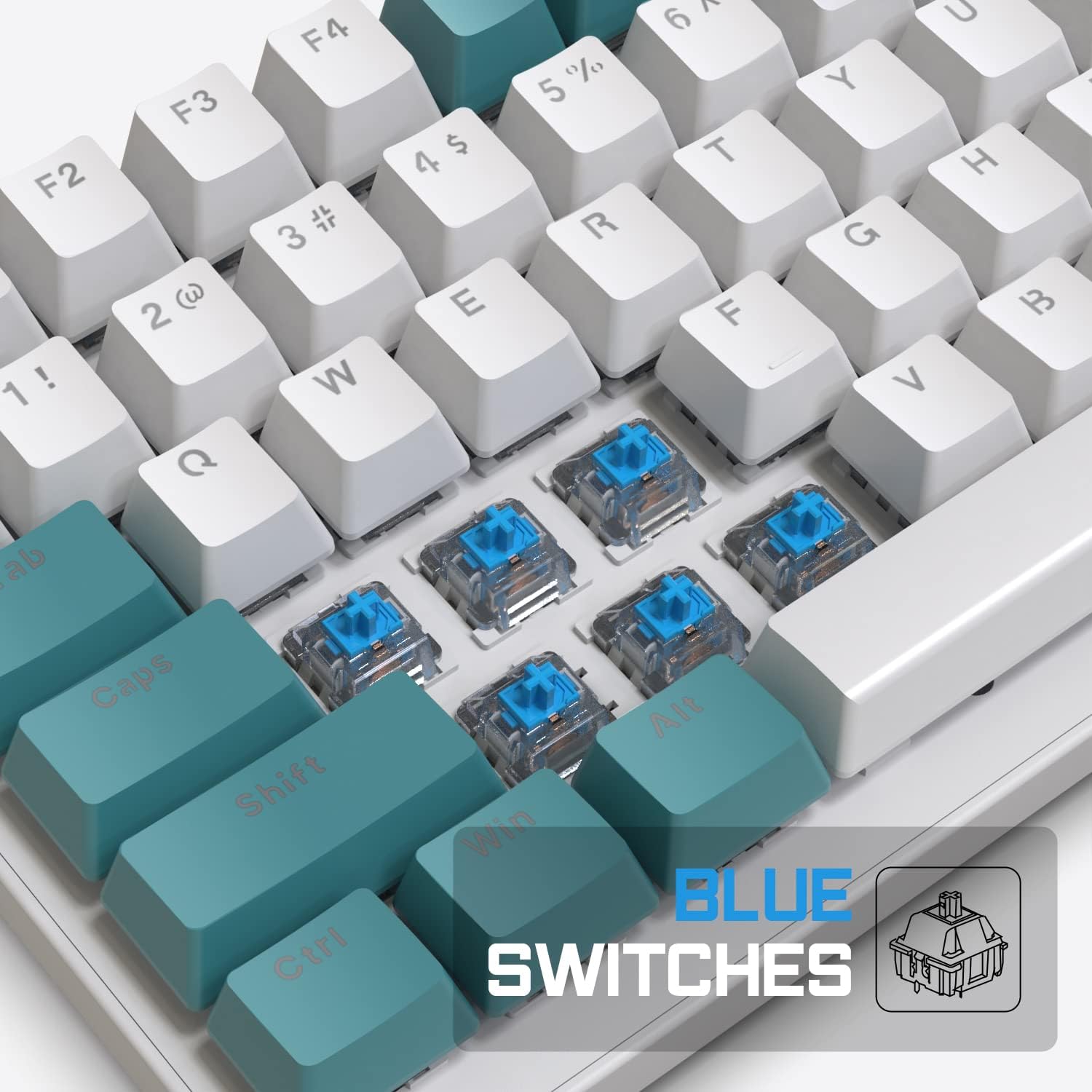
Image 4.1: A close-up view of the blue mechanical switches, known for their tactile feedback and audible click, which are featured in the ZIYOULANG K3 keyboard.
Backlight Modes
- FN + INS: Adjusts between 10 different backlight modes. Press repeatedly to cycle through available lighting effects.
- FN + ↑ / ↓ (Up/Down Arrow Keys): Adjusts the speed of the current backlight effect.
Special Key Functions
- FN + W: Swaps the functionality of the WASD keys with the arrow keys. This is useful for certain gaming preferences.
- FN + Windows Key: Locks the Windows key to prevent accidental presses during gaming.
- FN + F12: Locks the entire keyboard. Press again to unlock.

Image 4.2: This image highlights the durable ABS two-color injection keycaps and the adjustable footrest on the underside of the keyboard, designed for ergonomic comfort.
4.2 Mouse Operation
The ZIYOULANG K3 combo includes an ultra-light honeycomb gaming mouse with adjustable DPI settings.
DPI Adjustment
The mouse features 6 adjustable DPI presets, allowing you to change sensitivity on the fly. Use the DPI button, typically located behind the scroll wheel, to cycle through the settings (800-6400 DPI).
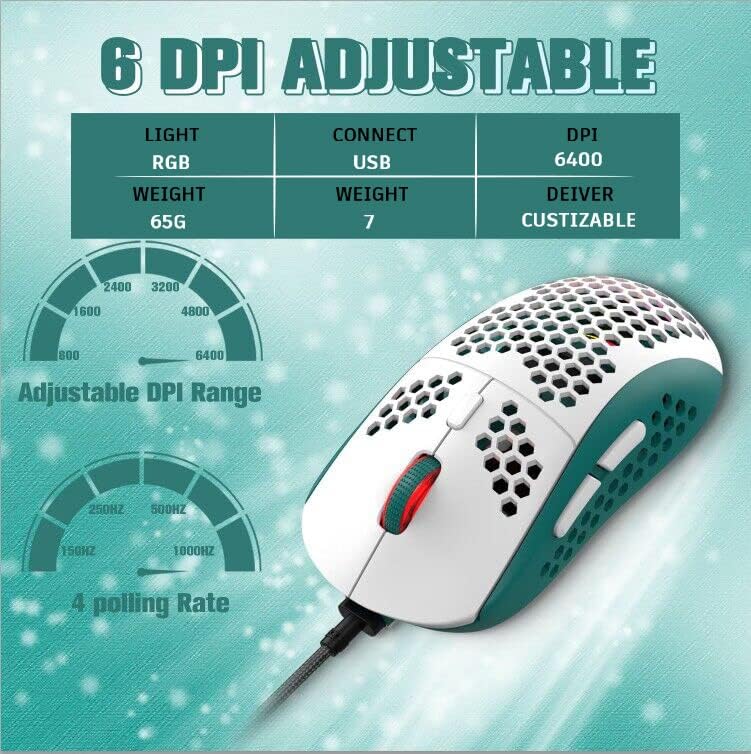
Image 4.3: A visual guide to the mouse's adjustable DPI settings (800-6400) and polling rates (150Hz-1000Hz), demonstrating the flexibility for different user preferences.
5. Maintenance
Proper maintenance ensures the longevity and optimal performance of your ZIYOULANG K3 combo.
5.1 Cleaning
- Keyboard: The keyboard features a waterproof design. For general cleaning, use a soft, damp cloth to wipe down the keycaps and frame. For deeper cleaning, you may carefully remove keycaps (using a keycap puller, not included) and use compressed air to clear debris from beneath. Ensure the keyboard is disconnected before cleaning.
- Mouse: Use a soft, dry cloth to clean the mouse surface. For the honeycomb shell, compressed air can help remove dust. Avoid using harsh chemicals or abrasive materials.
5.2 Cable Care
The coiled cable is designed for durability. Avoid excessive stretching or sharp bends to prevent internal damage. Store the cable neatly when not in use.

Image 5.1: An exploded view of the coiled cable, detailing its internal construction with high-quality copper wire, precision insulation, aluminum shielding, and TPU material for durability and safe data transfer.
6. Troubleshooting
If you encounter issues with your ZIYOULANG K3 combo, please refer to the following common solutions:
- Keyboard/Mouse Not Responding:
- Ensure the USB cables are securely connected to both the devices and the computer's USB ports.
- Try connecting to a different USB port on your computer.
- Restart your computer.
- Check if the keyboard lock function (FN + F12) is accidentally activated.
- Backlighting Not Working/Incorrect:
- Press FN + INS to cycle through backlight modes.
- Ensure the keyboard is properly powered via the USB connection.
- Keys Not Registering or Double Typing:
- This can sometimes be caused by debris under the keycap. Refer to the cleaning section for maintenance.
- Ensure the keyboard is connected directly to the computer and not through a faulty USB hub.
- Mouse Cursor Jumps or is Erratic:
- Clean the optical sensor on the underside of the mouse.
- Ensure you are using the mouse on a suitable surface (e.g., a mouse pad).
- Adjust the DPI settings using the DPI button.
If these steps do not resolve your issue, please contact customer support.
7. Specifications
| Feature | Specification |
|---|---|
| Keyboard Layout | 98-Key (Compact 100%) |
| Switch Type | Mechanical Blue Switches |
| Key Durability | Up to 50 million clicks |
| Anti-Ghosting | 100% Anti-Ghosting, N-Key Rollover |
| Backlighting | RGB, 10 adjustable modes |
| Keyboard Material | ABS Keycaps, Metal Panel |
| Keyboard Dimensions | Approx. 379.8 x 132.2 x 41.5 mm (15"L x 5.2"W x 1.6"H) |
| Keyboard Weight | 850g ± 15g (Approx. 2.53 pounds) |
| Mouse Design | Ultra-Light Honeycomb Shell |
| Mouse DPI | 6 adjustable presets (800-6400 DPI) |
| Mouse Weight | 69g ± 5g |
| Connectivity | Wired USB-C (Keyboard), Wired USB-A (Mouse) |
| Cable Type | Coiled Type-C to USB-A (Keyboard) |
| Compatibility | Windows ME/NT/XP/Vista/7/8/10, Mac OS, PS5 |
8. Warranty and Support
ZIYOU LANG is committed to providing high-quality products. If you experience any quality problems with your ZIYOULANG K3 Mechanical Gaming Keyboard and Mouse Combo, please contact the seller or ZIYOU LANG customer support directly. They will assist you with troubleshooting and potential solutions.
Please retain your proof of purchase for warranty claims.