
1. Product Overview
The LcFun Arc Plasma Waterproof Lighter is a versatile and durable tool designed for outdoor enthusiasts. It features a flameless dual-arc ignition, a multi-mode flashlight, and a robust waterproof and dustproof design. This manual provides instructions for safe and effective use.
- IP56 Waterproof and Dustproof: Engineered to withstand harsh outdoor conditions.
- Dual Arc Windproof Lighter: Provides reliable ignition in windy environments.
- USB Type-C Rechargeable: Convenient and efficient charging.
- 3-Mode Flashlight: High, Low, and Strobe modes for various lighting needs.
- Survival Lanyard: Integrated paracord lanyard for emergency situations.
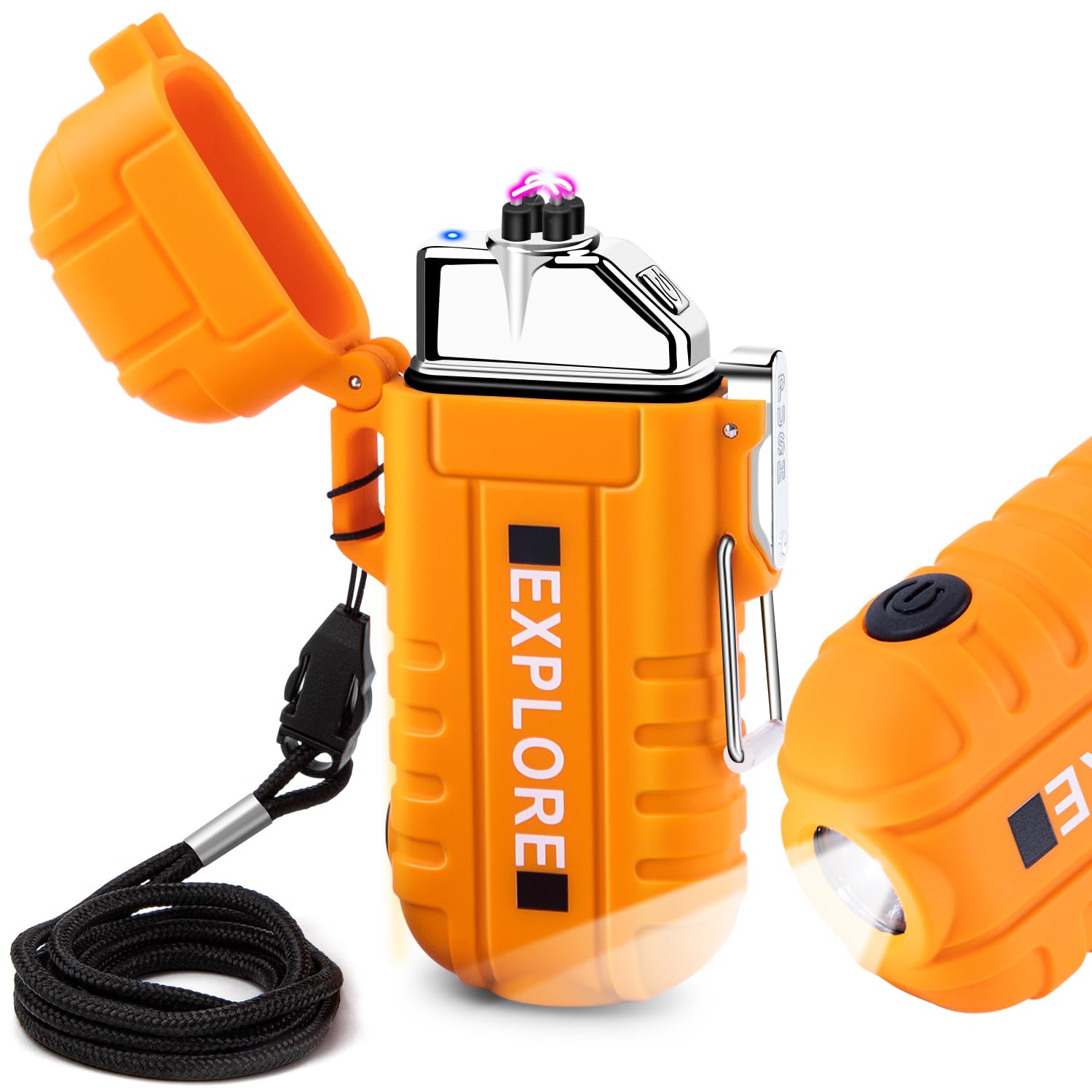
Figure 1: LcFun Arc Plasma Waterproof Lighter (Orange model shown).
2. Getting Started
2.1 Charging the Lighter
Before first use, fully charge the lighter. The device uses a Type-C charging port for convenience.
- Locate the Type-C charging port on the lighter.
- Connect the provided USB-A to USB-C charging cable to the lighter and a compatible USB power source (e.g., computer, 5V/1A charger, power bank, car charger).
- During charging, an indicator light will illuminate (typically blue).
- Charging is complete when the indicator light turns off. A full charge takes approximately 1.5 hours.

Figure 2: Connecting the LcFun Lighter for Type-C charging. The indicator light shows charging status.
3. Operation
3.1 Using the Arc Lighter Function
The dual-arc ignition system provides a flameless, windproof light source.
- Open the Buckle: First, open the metal buckle downwards to unlock the lid.
- Open the Lid: Press the lock button to release and open the lighter's lid.
- Activate Arc: Press the ignition button located on the side to activate the dual plasma arcs.
- Ignite: Bring the item to be lit into contact with the plasma arcs.
- Close Lid: Release the ignition button and close the lid firmly until it clicks to ensure waterproofing and safety.

Figure 3: Steps for operating the arc lighter function.
The windproof design ensures reliable ignition even in challenging weather conditions.
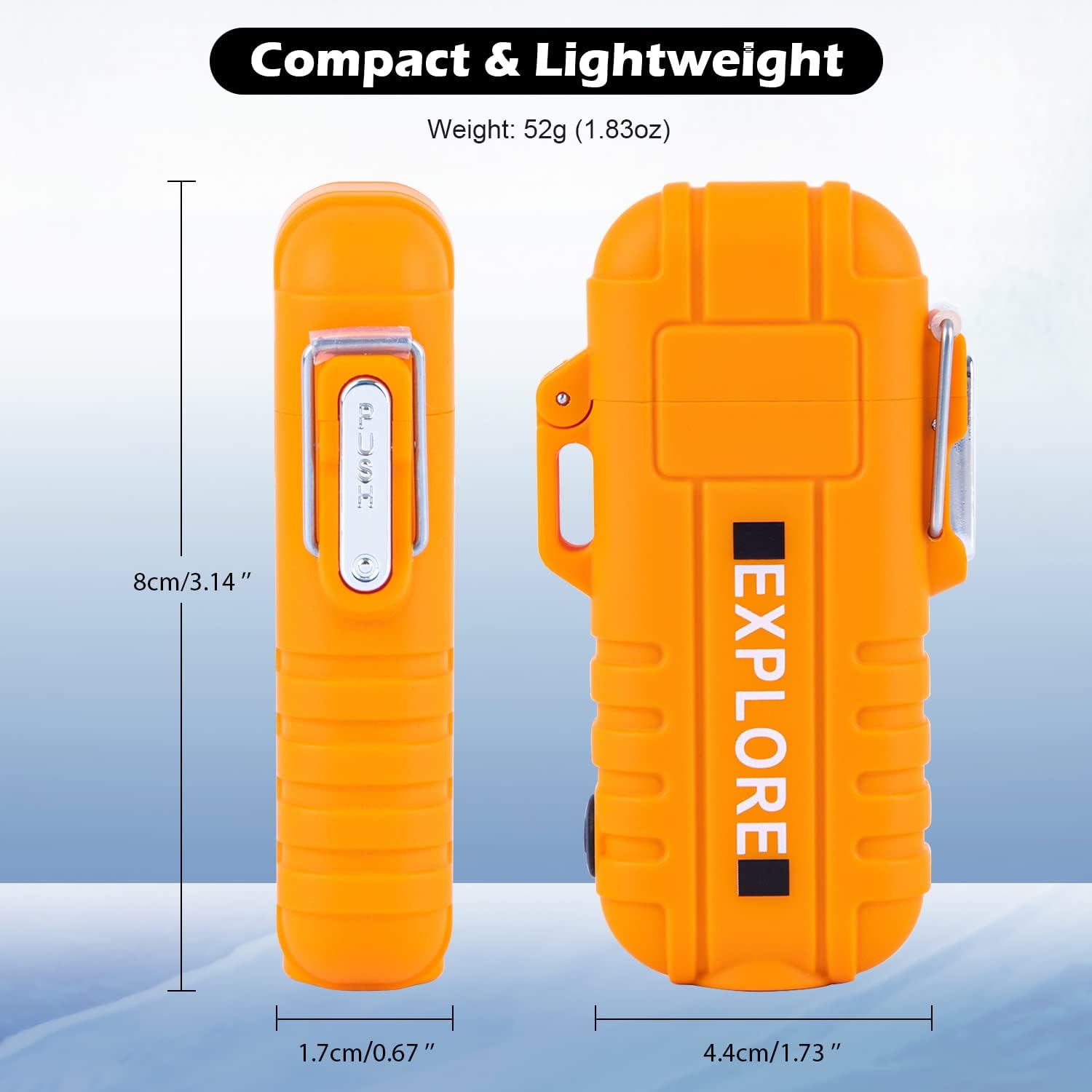
Figure 4: The LcFun lighter demonstrates superior wind resistance compared to traditional lighters.
3.2 Using the Flashlight Function
The integrated flashlight offers three modes for various illumination needs.
- Activating the Flashlight: Ensure the lighter's lid is closed. Press the side button (separate from the ignition button) to turn the flashlight on.
- Changing Modes: Press the side button repeatedly to cycle through the modes: High Light (80lm, approx. 1 hour runtime), Low Light (50lm, approx. 2 hours runtime), and Strobe Mode.
- Turning Off: Continue pressing the side button until the flashlight turns off, or press and hold the button for a few seconds.

Figure 5: The flashlight offers High, Low, and Strobe modes for different lighting requirements.
3.3 Waterproof Feature
The LcFun lighter is rated IP56 for dust and water resistance. To maintain its waterproof integrity, ensure the buckle is securely locked before exposing the lighter to water.

Figure 6: Lighters submerged in water, highlighting the IP56 waterproof feature. Ensure the buckle is locked.
4. Maintenance
Proper maintenance ensures the longevity and optimal performance of your LcFun lighter.
- Cleaning the Electrodes: Periodically clean the plasma arc electrodes with a soft, dry cloth or cotton swab to remove any residue. Do not use metal objects.
- Battery Care: Recharge the lighter regularly, especially if it has not been used for an extended period, to maintain battery health. Avoid fully depleting the battery frequently.
- Storage: Store the lighter in a cool, dry place away from direct sunlight and extreme temperatures. Ensure the lid is securely closed and the buckle is locked.
- Water Exposure: After exposure to water, dry the exterior thoroughly before opening the lid or charging.
5. Troubleshooting
| Problem | Possible Cause | Solution |
|---|---|---|
| Lighter does not ignite. | Low battery; lid not fully open; ignition button not pressed correctly; electrodes are dirty. | Recharge the lighter; ensure the lid is fully open; press the ignition button firmly; clean the electrodes. |
| Flashlight does not turn on. | Low battery; flashlight button not pressed correctly. | Recharge the lighter; press the flashlight button firmly. |
| Lighter not charging. | Cable or adapter issue; charging port obstruction. | Try a different USB-C cable or power adapter; ensure the charging port is clean and free of debris. |
6. Specifications
| Feature | Detail |
|---|---|
| Brand | LcFun |
| Model Number | SEW-054 |
| Material | Stainless Steel |
| Item Weight | 1.55 Ounces (approx. 44g) |
| Product Dimensions | 3.14"L x 0.67"W x 1.73"Th (8cm x 1.7cm x 4.4cm) |
| Fuel Type | Electric (Flameless Arc) |
| Battery | 220mAH Lithium Battery (built-in) |
| Charging Time | Approx. 1.5 hours (Type-C) |
| Flashlight Brightness (High) | 80lm (0.9W), approx. 1 hour runtime |
| Flashlight Brightness (Low) | 50lm (0.45W), approx. 2 hours runtime |
| Waterproof Rating | IP56 |

Figure 7: Product dimensions for the LcFun Arc Plasma Lighter.
7. Safety Information
- Warning: Do not use the lighter with metal products or allow metal objects to contact the plasma arcs. This can cause electric shock or damage to the device.
- Keep out of reach of children. The latch is easy to open, so adult supervision is required.
- Do not touch the plasma arcs directly.
- Do not expose to temperatures above 50°C (122°F).
- Do not puncture or incinerate the lighter.
- Avoid prolonged exposure to direct sunlight.
- Use only the provided charging cable or a certified Type-C cable.
8. Product Demonstration Video
Watch this video for a visual guide on the features and operation of the LcFun Arc Plasma Waterproof Lighter.
Video 1: Demonstration of the LcFun Arc Plasma Waterproof Lighter's features and functionality.
9. Warranty and Support
LcFun provides a 60-day guarantee for this product. If you encounter any issues or have questions regarding your LcFun Arc Plasma Waterproof Lighter, please do not hesitate to contact our customer support team. We are committed to providing a satisfactory solution.
For support, please visit the LcFun Store on Amazon or refer to your purchase documentation for specific contact details.