
FOCBYE T25
FOCBYE FM Transmitter for Car Bluetooth 5.0 - User Manual
Model: T25
Introduction
Thank you for choosing the FOCBYE FM Transmitter. This device is designed to enhance your in-car audio experience by providing seamless Bluetooth connectivity, fast charging capabilities, and hands-free calling. Please read this manual carefully before use to ensure proper operation and to maximize the product's performance.
Safety Information
- Do not expose the device to extreme temperatures, direct sunlight, or humid environments.
- Avoid dropping or subjecting the device to strong impacts.
- Do not disassemble, repair, or modify the device yourself. Refer to qualified personnel for service.
- Keep out of reach of children.
- Ensure the car's cigarette lighter socket is clean and free of debris before inserting the transmitter.
- Always pay attention to the road while driving. Adjusting the device should only be done when it is safe to do so.
Package Contents
Please check the package for the following items:
- 1 x FOCBYE FM Transmitter (Model: T25)
- 1 x User Manual

Image: The FOCBYE FM Transmitter shown next to its product packaging, indicating the contents of the box.
Product Overview
Familiarize yourself with the different parts of your FOCBYE FM Transmitter:

Image: A detailed view of the FOCBYE FM Transmitter, highlighting its main components including the central multi-function button, track skip buttons, LED display, USB-C PD 30W port, and standard USB-A port.
- Multi-function Button (MFB): Rotate to adjust FM frequency/volume, press to play/pause, answer/end calls.
- Previous Track Button: Press to go to the previous song.
- Next Track Button: Press to go to the next song.
- LED Display: Shows FM frequency and car battery voltage.
- USB-C PD 30W Port: For fast charging compatible devices.
- USB-A Port (5V/1A): For standard charging and USB disk playback.
- Ambient Ring Light: Illuminates the device for visibility and aesthetic.
- Microphone: For hands-free calling.
Setup
Follow these simple steps to set up your FM Transmitter:
- Insert into Car Cigarette Lighter: Plug the FOCBYE FM Transmitter into your car's 12V/24V cigarette lighter socket. The LED display will light up and show the car battery voltage for a few seconds, then switch to the FM frequency.
- Find an Unused FM Frequency: Tune your car's FM radio to an empty frequency (one with no static or existing radio station). Frequencies between 87.5 MHz and 108.0 MHz are available.
- Match Transmitter Frequency:
- Press and hold the Multi-function Button (MFB) until the FM frequency on the transmitter's LED display starts flashing.
- Rotate the MFB left or right to adjust the transmitter's frequency to match the empty frequency you found on your car radio.
- Once matched, the display will stop flashing after a few seconds, indicating the frequency is set.
- Pair with Bluetooth:
- On your smartphone or Bluetooth-enabled device, enable Bluetooth.
- Search for available devices and select "T25C" (or similar, check device display if different) from the list.
- Once paired, you will hear a confirmation tone, and the device will be ready to stream audio.
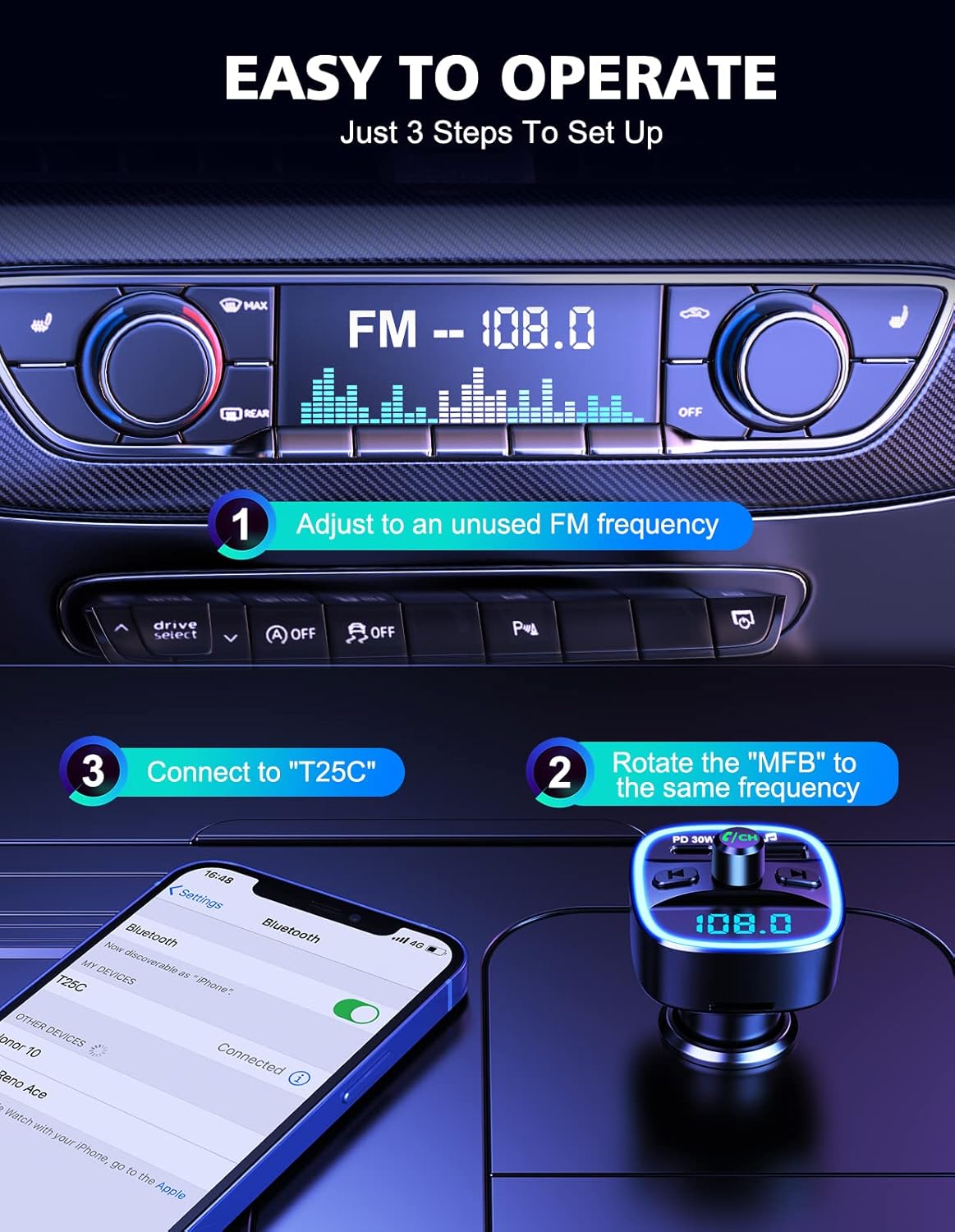
Image: A visual guide demonstrating the three simple steps to set up the FOCBYE FM Transmitter: adjusting the car's FM frequency, rotating the MFB to match, and connecting via Bluetooth on a smartphone.
Operating Instructions
Music Playback
The FOCBYE FM Transmitter supports three music playback modes:
- Bluetooth Streaming: After successful Bluetooth pairing, open your music app on your phone. Audio will be streamed wirelessly to your car's speakers via the FM frequency.
- USB Disk Playback: Insert a USB flash drive (up to 32GB) containing MP3, WAV, WMA, FLAC, or APE audio files into the USB-A port. The device will automatically detect and play music from the USB disk.
- TF Card Playback: (Note: The product description indicates TF card support, but physical inspection of the device images does not show a TF card slot. Please verify your specific model. If a slot is present, insert a TF card up to 32GB with supported audio files.)

Image: An illustration showing the three music playback options: Bluetooth V5.0, TF Card (up to 32GB), and USB Flash Drive (up to 32GB), emphasizing lossless tone quality.
- Play/Pause: Press the MFB once.
- Next Track: Press the "Next Track" button.
- Previous Track: Press the "Previous Track" button.
- Volume Adjustment: Rotate the MFB clockwise to increase volume, counter-clockwise to decrease volume.
Hands-Free Calling
The built-in microphone with CVC noise suppression technology ensures clear calls.

Image: A person driving, demonstrating the hands-free calling feature of the FOCBYE FM Transmitter, with an illustration of a phone call interface and icons for answer, hang up, and decline calls.
- Answer Call: Press the MFB once when an incoming call rings.
- End Call: Press the MFB once during a call.
- Reject Call: Press and hold the MFB for 2 seconds when an incoming call rings.
- Redial Last Number: Double-press the MFB.
Charging Functions
The transmitter features two charging ports:

Image: An illustration highlighting the PD 30W Type-C charging port and the standard 5V/1A USB-A charging port on the FOCBYE FM Transmitter, emphasizing fast charging capabilities.
- USB-C PD 30W Port: Connect your compatible device using a USB-C to USB-C cable (or USB-C to Lightning) for rapid charging. This port delivers up to 30W Power Delivery.
- USB-A Port (5V/1A): Use this port for standard charging of devices or for connecting a USB flash drive for music playback.
Voice Assistant (Siri/Google Assistant)
Activate your phone's voice assistant directly through the transmitter.

Image: A hand interacting with a smartphone displaying a voice assistant interface, with the FOCBYE FM Transmitter in the car's console, illustrating the voice navigation feature.
- Activate Voice Assistant: Press and hold the MFB for approximately 2 seconds until you hear a prompt from your phone's voice assistant (Siri or Google Assistant). You can then issue commands through the transmitter's microphone.
Ambient Light & Car Battery Voltage Detection
- The device features an ambient blue LED ring light for improved visibility in the dark and to enhance your car's interior.
- Upon plugging in, the device will display your car's battery voltage, allowing you to monitor its health.
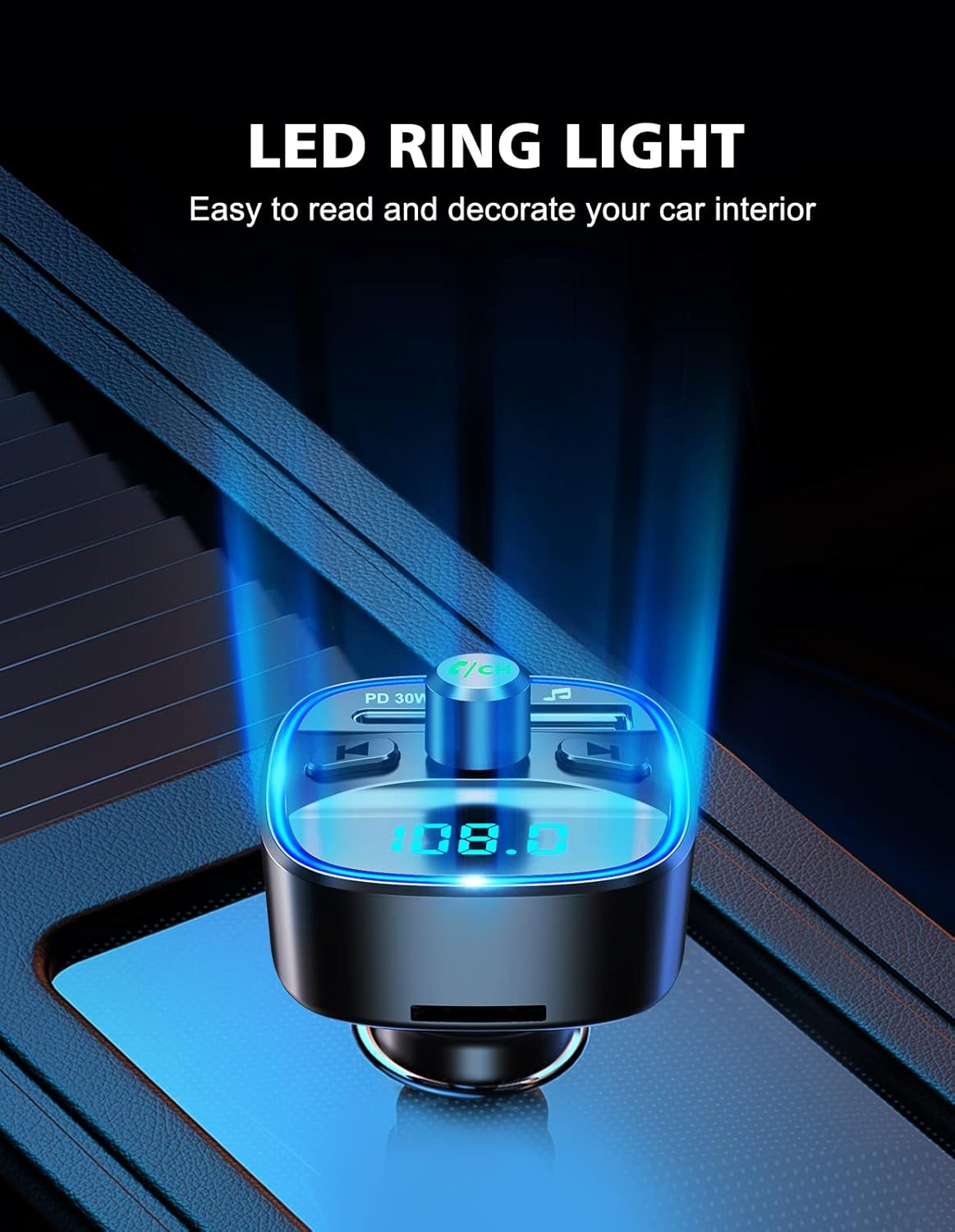
Image: A close-up of the FOCBYE FM Transmitter in a car's console, showcasing its blue LED ring light and digital display, highlighting its aesthetic and functional benefits.
Maintenance
- Clean the device with a soft, dry cloth. Do not use abrasive cleaners or solvents.
- Keep the device away from dust and moisture.
- When not in use for extended periods, unplug the device from the car's cigarette lighter socket.
Troubleshooting
| Problem | Possible Cause | Solution |
|---|---|---|
| No power/display off | Loose connection; car socket issue; blown fuse. | Ensure the transmitter is firmly plugged in. Check car's cigarette lighter fuse. Try in another vehicle if possible. |
| Static/Poor audio quality | FM frequency interference; volume too low; phone volume too low. | Find a new, unused FM frequency on your car radio and match it on the transmitter. Increase volume on both the transmitter and your phone. Avoid strong radio stations. |
| Cannot pair via Bluetooth | Bluetooth not enabled; device not in pairing mode; incorrect device selected. | Ensure Bluetooth is enabled on your phone. Unplug and replug the transmitter to reset. Forget "T25C" from your phone's Bluetooth list and try pairing again. |
| Charging is slow or not working | Cable issue; device not compatible with fast charging; port issue. | Use a certified charging cable. Ensure your device supports PD 30W for fast charging. Try a different port or cable. |
| Voice assistant not responding | Incorrect activation; phone settings. | Ensure you press and hold the MFB for 2 seconds. Check your phone's voice assistant settings. |
Specifications
| Model | T25 |
| Brand | FOCBYE |
| Bluetooth Version | Bluetooth 5.0 |
| FM Frequency Range | 87.5 - 108.0 MHz |
| Input Voltage | 12V-24V |
| USB-C PD Output | 30W Max |
| USB-A Output | 5V/1A |
| Supported Audio Formats | MP3, WAV, WMA, FLAC, APE |
| Microphone | Built-in with CVC Noise Suppression |
| Dimensions | 4.6 x 4.2 x 8.5 cm |
| Weight | 38 g |
Warranty and Support
FOCBYE products come with a commitment to quality and customer satisfaction. While specific warranty details are not provided in this manual, please refer to your purchase documentation or the official FOCBYE website for the most up-to-date warranty information.
For technical support, troubleshooting assistance, or any inquiries regarding your FOCBYE FM Transmitter, please contact FOCBYE customer service through the contact information provided on the product packaging or the official brand website. Please have your model number (T25) and purchase details ready when contacting support.
- Customer Service: Refer to FOCBYE official channels.
- Technical Support: Available for product assistance.
- Returns/Replacements: Check retailer's policy and FOCBYE's warranty terms.
Ask a question about this manual
Ask about setup, troubleshooting, compatibility, parts, safety, or missing instructions. Manuals+ will review the question and use this page’s manual context to help answer it.