
DELTACO GAMING DC440L
DELTACO GAMING DC440L Gaming Chair User Manual
Model: DC440L | Brand: DELTACO GAMING
Introduction
Thank you for choosing the DELTACO GAMING DC440L Gaming Chair. This manual provides detailed instructions for assembly, operation, maintenance, and troubleshooting to ensure you get the most out of your new gaming chair. Designed for comfort and durability, the DC440L features a soft Alcantara-like fabric, ergonomic design, and multiple adjustment options to support long gaming sessions or work hours.

Figure 1: Front view of the DELTACO GAMING DC440L Gaming Chair.
Safety Information
- Ensure all components are present and undamaged before assembly. Do not use if any parts are missing or broken.
- Follow all assembly steps carefully. Incorrect assembly can lead to instability and injury.
- Do not stand on the chair.
- Do not use the chair for purposes other than its intended use (sitting).
- Keep children and pets away from the chair during assembly. Small parts can be a choking hazard.
- Do not exceed the recommended maximum weight capacity of 90 kg (198 lbs).
- Avoid exposing the chair to direct sunlight or extreme temperatures to prevent material degradation.
Package Contents
Please verify that all the following components are included in your package:
- Backrest
- Seat Base
- Armrests (2x)
- Star Base (5-point aluminum)
- Casters (5x)
- Gas Lift (Class 3, 100mm)
- Gas Lift Cover
- Mechanism Plate
- Head Cushion
- Lumbar Cushion
- Assembly Hardware (screws, washers, Allen key)
Note: The arm pads and cushions are explicitly mentioned in the "whats_in_the_box" section of the product data.
Setup and Assembly
Follow these steps to assemble your DELTACO GAMING DC440L Gaming Chair. It is recommended to have a second person assist with some steps.
- Attach Casters to Star Base: Insert each of the five casters into the holes at the end of each leg of the star base. Push firmly until they click into place.
- Install Gas Lift: Place the gas lift cylinder into the center hole of the assembled star base. Cover the gas lift with the telescopic plastic cover.
- Attach Mechanism Plate to Seat Base: Align the mechanism plate with the pre-drilled holes on the underside of the seat base. Ensure the front of the mechanism plate faces the front of the seat. Secure with the provided screws and tighten with the Allen key.
- Connect Seat Base to Gas Lift: Carefully place the assembled seat base onto the gas lift cylinder, ensuring the tapered end of the gas lift fits securely into the mechanism plate.
- Attach Backrest to Seat Base: Align the backrest's mounting brackets with the corresponding holes on the sides of the seat base. Secure with the provided screws. Do not fully tighten until both sides are loosely attached.

Figure 2: Illustration of the chair's main components during assembly.
- Install Armrests: Attach the armrests to the sides of the seat base using the designated screws. Ensure they are oriented correctly (left and right).

Figure 3: Detail of the armrest attachment point.
- Attach Cushions: The head cushion and lumbar cushion can be attached using their integrated straps. Adjust their positions for optimal comfort.
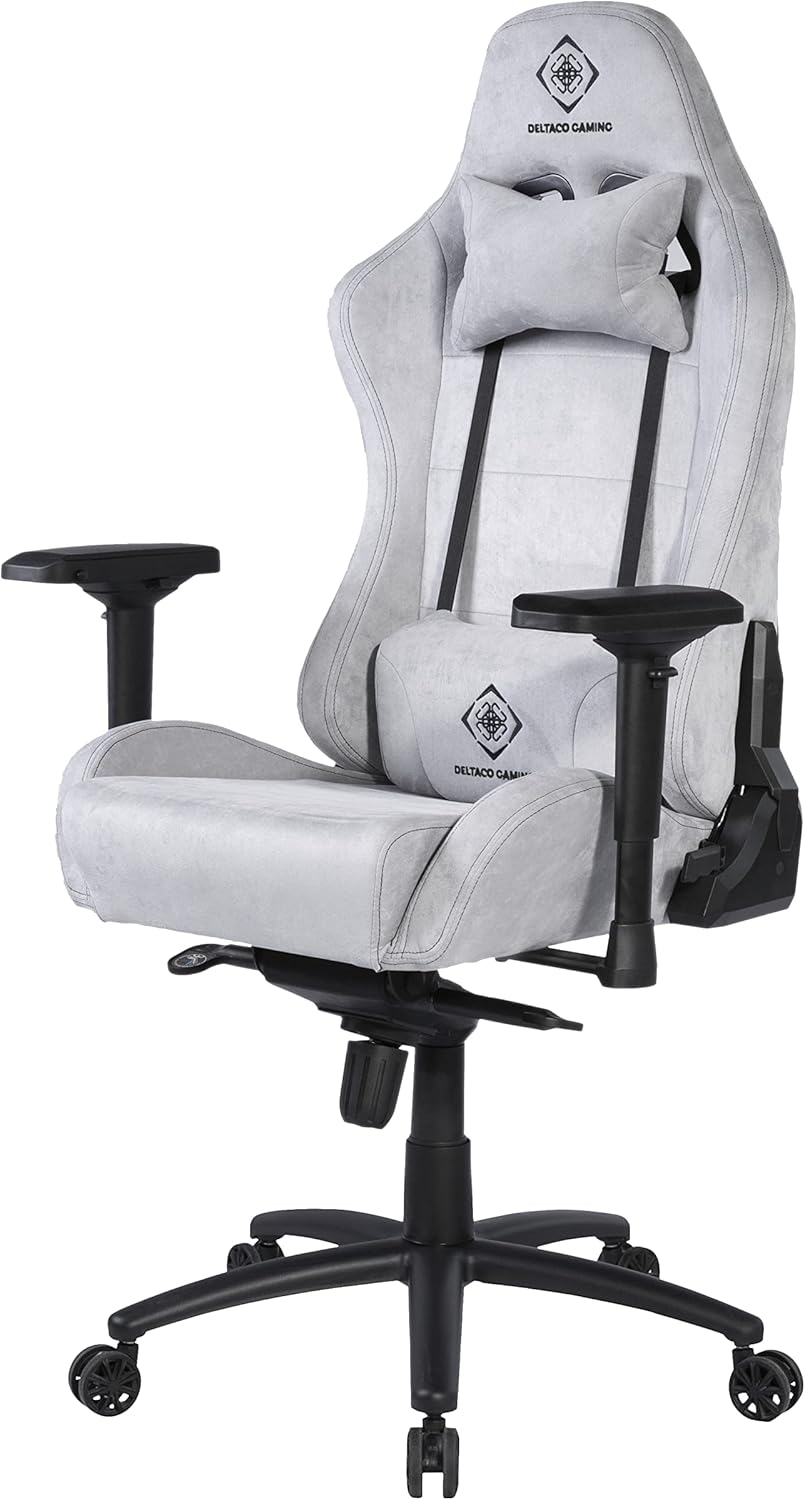
Figure 4: Chair with head and lumbar cushions in place.
- Final Tightening: Once all components are in place, go back and securely tighten all screws. Do not overtighten.
Operating Instructions
The DELTACO GAMING DC440L Gaming Chair offers several adjustment features to customize your seating experience:
- Height Adjustment: Locate the lever on the right side, under the seat. Pull the lever up to raise the chair (when no weight is applied) or lower it (when seated). Release the lever at your desired height.
- Backrest Recline: Use the lever on the right side of the chair, near the seat base, to adjust the backrest angle. Pull the lever up to unlock, recline to your desired position, and release the lever to lock.
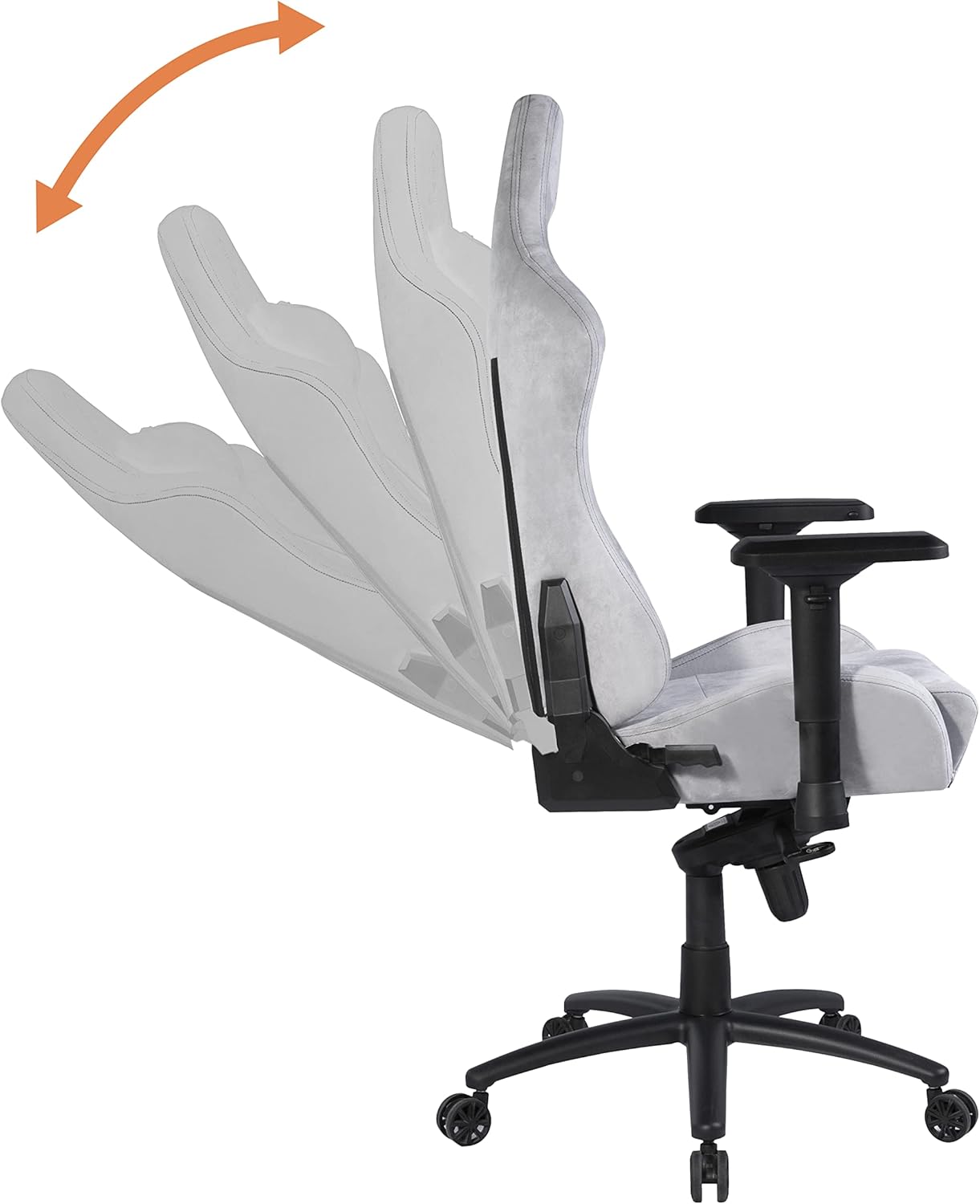
Figure 5: Demonstrates the recline function of the backrest.
- Armrest Adjustment: The armrests are height-adjustable. Locate the button or lever on the side of each armrest support. Press or lift it to unlock, move the armrest up or down, and release to lock at the desired height.

Figure 6: Illustrates the multi-directional adjustment capabilities of the armrests.
- Tilt Lock/Tension: The chair features a tilt mechanism. A knob under the seat (usually at the front) controls the tilt tension, allowing you to adjust the resistance when rocking. A lever (often combined with the height adjustment lever) can lock the chair in an upright position or allow it to tilt freely.
Maintenance
Proper care will extend the life of your gaming chair:
- Cleaning: For general cleaning, wipe the chair with a soft, damp cloth. For stubborn stains on the Alcantara-like fabric, use a mild fabric cleaner and test on an inconspicuous area first. Do not use abrasive cleaners or solvents.
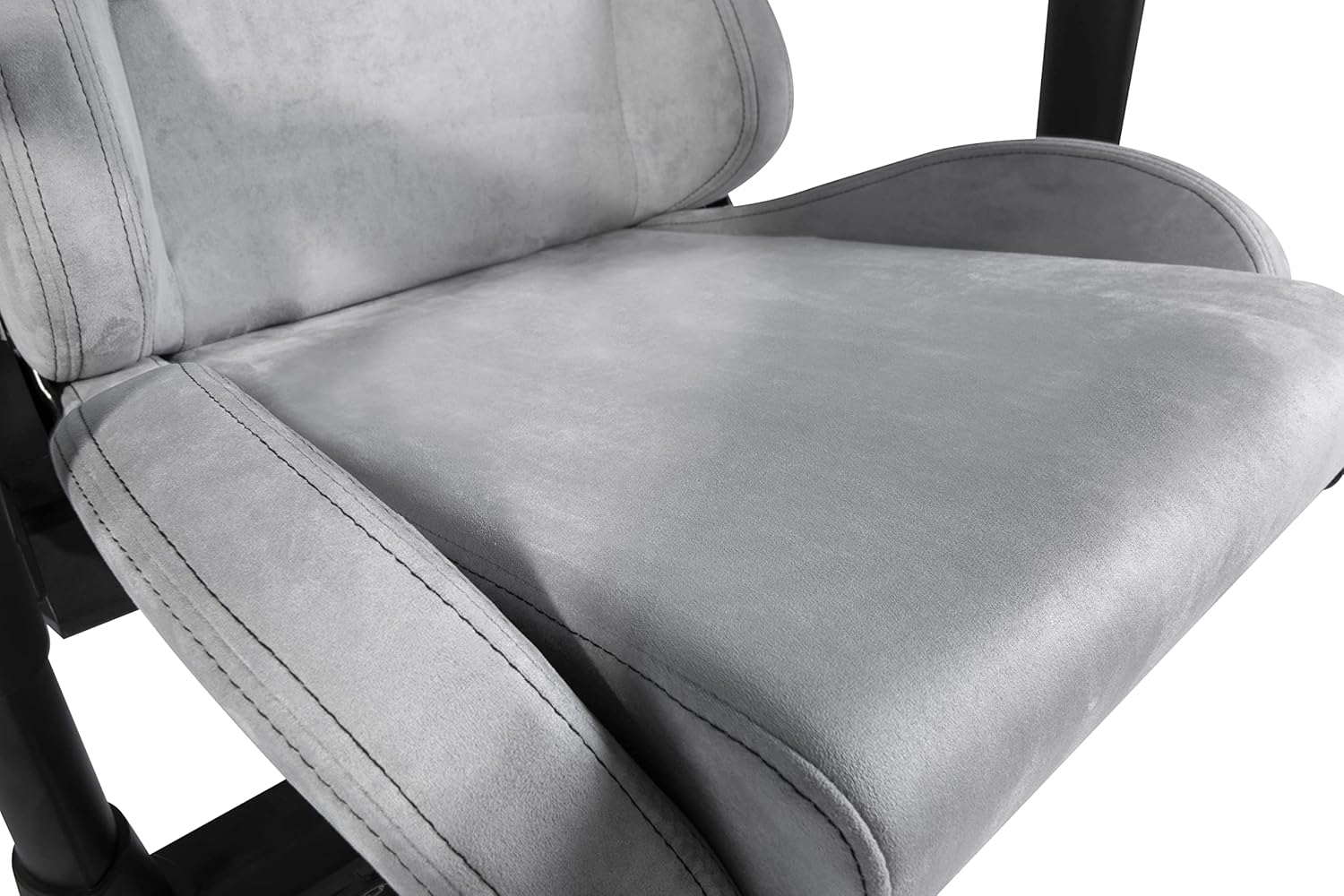
Figure 7: Detail of the soft Alcantara-like fabric on the seat.
- Hardware Check: Periodically check all screws and bolts to ensure they are tight. Retighten if necessary to maintain stability.
- Caster Care: Clean casters regularly to remove dust, hair, and debris that can impede smooth rolling.
- Avoid Overloading: Do not place excessive weight on the chair or its components.
Troubleshooting
| Problem | Possible Cause | Solution |
|---|---|---|
| Chair wobbles or is unstable. | Loose screws; uneven floor; damaged base. | Check and tighten all assembly screws. Ensure the chair is on a flat surface. Inspect the base for damage. |
| Chair does not adjust height. | Gas lift malfunction; lever mechanism stuck. | Ensure the height adjustment lever is fully engaged. If the issue persists, the gas lift may need replacement. Contact support. |
| Casters do not roll smoothly. | Debris in casters; damaged casters. | Remove any hair or debris from the caster wheels. If damaged, casters can be replaced. |
| Backrest does not recline or lock. | Recline mechanism stuck or damaged. | Ensure the recline lever is fully engaged. Check for obstructions. If damaged, contact support. |
Specifications
- Model: DC440L
- Material: Soft Alcantara-like fabric
- Color: Light Grey
- Gas Lift: Class 3, 100 mm
- Base: 5-point aluminum wheel base
- Seat Cushion Dimensions: 55 cm x 50 cm (approx. 21.7 in x 19.7 in)
- Backrest Dimensions: 58 cm x 80 cm (approx. 22.8 in x 31.5 in)
- Max Seat Height: 53 cm (approx. 20.9 in)
- Min Seat Height: 45 cm (approx. 17.7 in)
- Max Armrest Height: 37.5 cm (approx. 14.8 in)
- Min Armrest Height: 30.5 cm (approx. 12.0 in)
- Recommended Max Weight: 90 kg (approx. 198 lbs)
- Recommended Max Height: 175 cm (approx. 5 ft 9 in)
- Chair Weight: Approx. 20 kg (approx. 44 lbs)
- Product Dimensions: 50 x 50 x 28 cm (packaging/shipping dimensions)
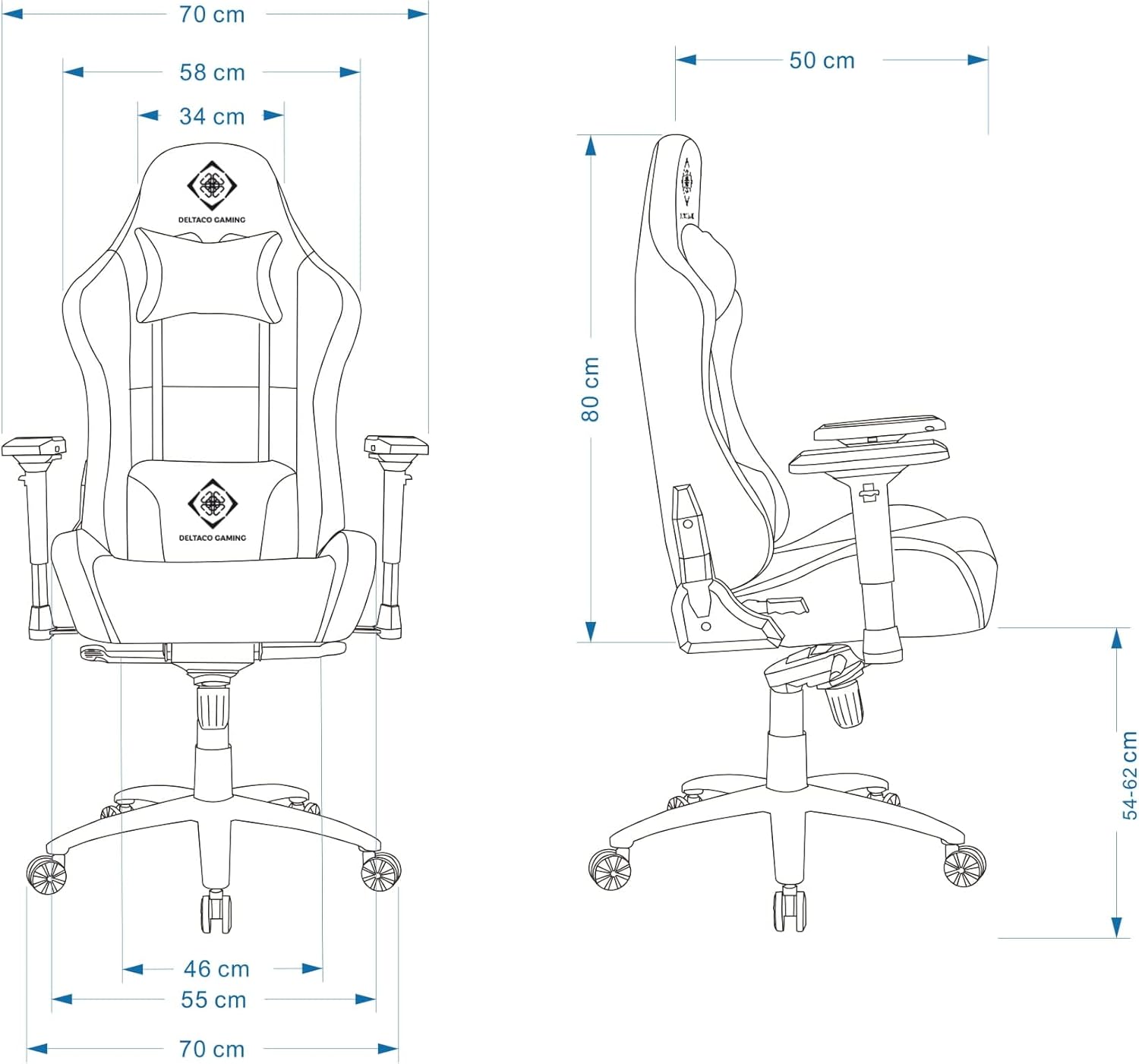
Figure 8: Detailed dimensions of the DELTACO GAMING DC440L Gaming Chair.
Warranty and Support
For warranty information and technical support, please refer to the official DELTACO GAMING website or contact your local retailer. Keep your proof of purchase for any warranty claims.
Online Resources:
Related documentsDC440L


Ask a question about this manual
Ask about setup, troubleshooting, compatibility, parts, safety, or missing instructions. Manuals+ will review the question and use this page’s manual context to help answer it.