
Hinine PAD2
Hinine 7-inch HD Portable Car Stereo User Manual
Model: PAD2
1. Introduction
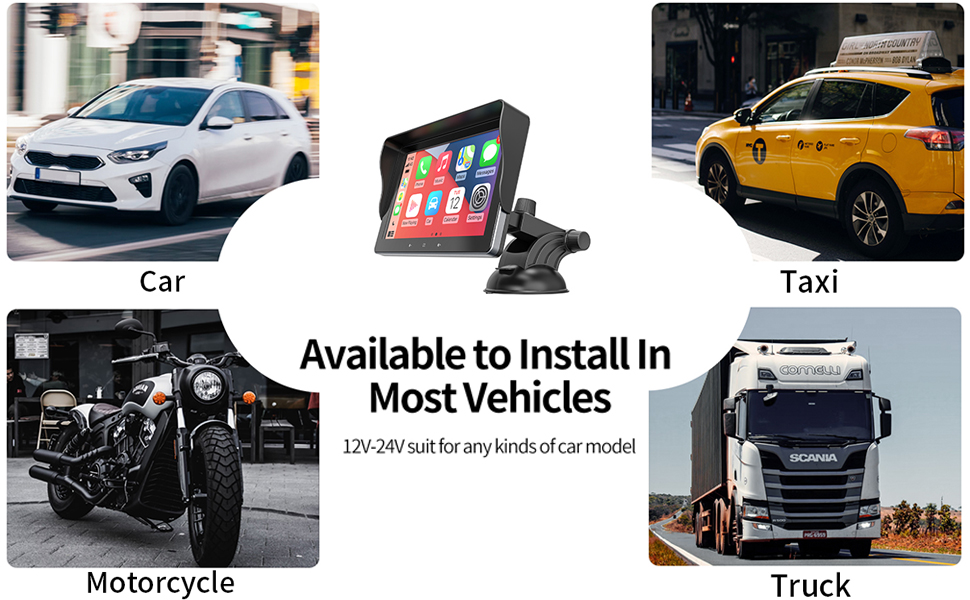
This manual provides detailed instructions for the Hinine 7-inch HD Portable Car Stereo, Model PAD2. This device offers a seamless integration of wireless Apple CarPlay and Android Auto, enhancing your driving experience with smart navigation, communication, and entertainment features. Its plug-and-play design ensures easy installation across a wide range of vehicles.
Key features include:
- Wireless Apple CarPlay and Android Auto
- 7-inch HD Touch Screen Display
- Phone Mirror Link for iOS and Android devices
- Multiple Audio Output Options (FM Transmitter, AUX)
- Bluetooth 5.1 for hands-free calling
- Voice Control compatibility (Siri/Google Assistant)
- Support for HD Backup Camera Input
2. Safety Information
Please read all safety instructions before using the device to ensure safe operation and prevent damage. Keep this manual for future reference.
- Do not operate the device in a manner that distracts you from driving. Always prioritize road safety.
- Ensure the device is securely mounted and does not obstruct your view or interfere with vehicle controls.
- Avoid exposing the device to extreme temperatures, direct sunlight for prolonged periods, or excessive moisture.
- Do not attempt to disassemble or modify the device. Refer all servicing to qualified personnel.
- Use only the provided power adapter to prevent damage to the device or vehicle electrical system.
3. Package Contents
Please verify that all items are present in your package. Refer to the product packaging for a complete list of included accessories.
- Hinine 7-inch Portable Car Stereo (Model PAD2)
- Dashboard/Windshield Mount with Suction Cup
- Car Charger (Cigarette Lighter Adapter)
- AUX Cable
- User Manual
4. Setup and Installation
The Hinine PAD2 is designed for quick and easy installation without complex wiring. Follow these steps to set up your device.
4.1 Mounting the Device
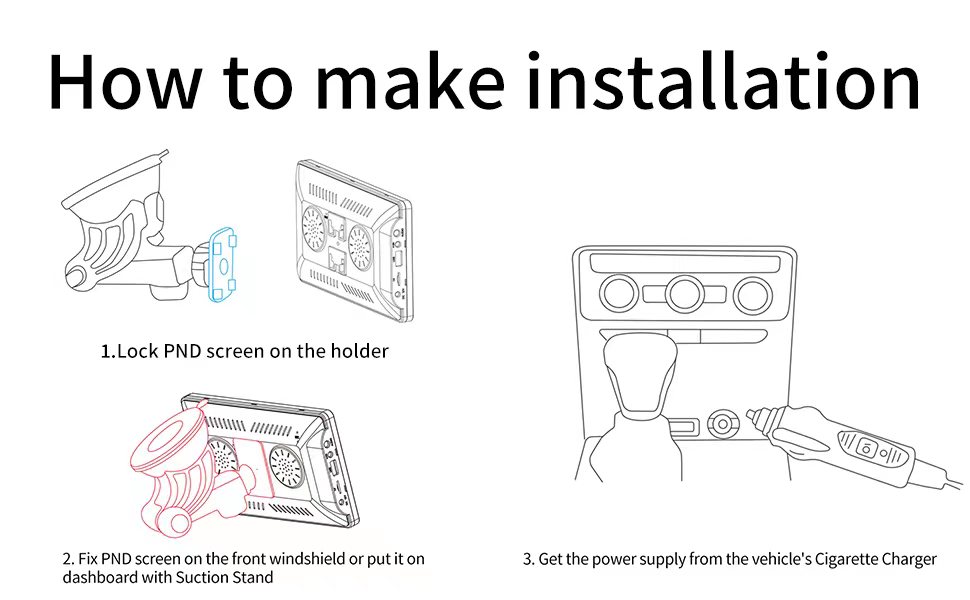
The device can be mounted on your dashboard or windshield using the provided suction cup mount.
- Assemble the mount by locking the PND screen onto the holder.
- Choose a suitable location on your dashboard or windshield that does not obstruct your view or vehicle controls.
- Clean the mounting surface thoroughly to ensure strong adhesion.
- Press the suction cup firmly against the surface and engage the locking lever to secure it.
- Adjust the angle of the screen for optimal viewing.
4.2 Power Connection
Connect the device to your vehicle's power supply using the provided car charger.
- Plug the car charger into your vehicle's cigarette lighter socket.
- Connect the other end of the charger cable to the power input port on the Hinine PAD2.
- The device will power on automatically or can be turned on using the power button.

5. Operating Instructions
5.1 Wireless Apple CarPlay / Android Auto
Connect your smartphone wirelessly to access navigation, music, calls, and more through the device's interface.
- Ensure Bluetooth and Wi-Fi are enabled on your smartphone.
- On the Hinine PAD2, select the 'CarPlay' or 'Android Auto' icon.
- Follow the on-screen prompts to pair your phone via Bluetooth. Once paired, the system will automatically establish a Wi-Fi connection for CarPlay/Android Auto.
- Your phone's compatible apps will appear on the device screen.


5.2 Phone Mirror Link
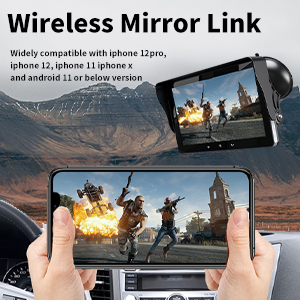
Mirror Link allows you to display your smartphone's screen directly onto the PAD2. This feature supports iOS (iPhone 6 or above) and Android (Android 10.0 or above).
- Select the 'Mirror Link' option on the device.
- Follow the on-screen instructions to connect your smartphone. This typically involves scanning a QR code or connecting via Wi-Fi.
- Once connected, your phone's display will be mirrored on the PAD2 screen.

5.3 Audio Output Options
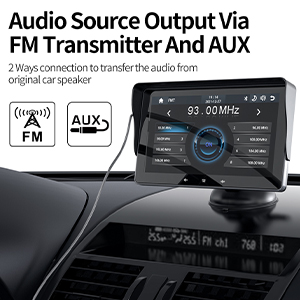
The PAD2 offers two ways to transfer audio to your car's speakers:
- FM Transmitter: Tune your car's FM radio to an unused frequency, then set the PAD2 to transmit audio on the same frequency.
- AUX Output: Connect the provided AUX cable from the PAD2's AUX output to your car's AUX input port.
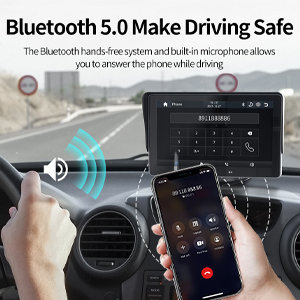
5.4 Bluetooth 5.1 Connectivity
The built-in Bluetooth 5.1 module allows for hands-free calling and audio streaming.
- Ensure Bluetooth is enabled on your smartphone.
- On the PAD2, navigate to the Bluetooth settings and search for available devices.
- Select 'Hinine PAD2' from your phone's Bluetooth list and confirm pairing.
- Once connected, you can make and receive calls using the device's built-in microphone and speakers, or stream audio.
5.5 Voice Control
Utilize Siri or Google Assistant for voice commands, allowing you to control navigation, music, and calls without taking your hands off the wheel.
- Activate your phone's voice assistant (e.g., by saying "Hey Siri" or "Hey Google").
- Speak your commands clearly into the device's microphone.

5.6 Navigation
When connected to Apple CarPlay or Android Auto, the device uses your smartphone's GPS data to provide real-time navigation through popular mapping apps like Google Maps and Waze.
- Open your preferred navigation app from the CarPlay/Android Auto interface.
- Enter your destination using the touchscreen or voice commands.
- Follow the on-screen directions and voice prompts for safe travel.
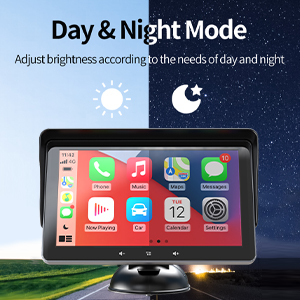
5.7 Day & Night Mode
The device automatically adjusts screen brightness based on ambient light conditions, ensuring optimal visibility during both day and night driving.
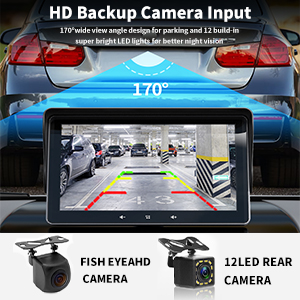
5.8 HD Backup Camera Input
The PAD2 supports an HD backup camera (sold separately) for enhanced parking safety. It features a 170° wide-view angle and built-in LED lights for improved night vision.
- Connect a compatible backup camera to the designated input port on the device.
- When your vehicle is shifted into reverse, the screen will automatically display the camera feed.
6. Maintenance
Proper maintenance ensures the longevity and optimal performance of your Hinine PAD2.
- Cleaning the Screen: Use a soft, lint-free cloth to gently wipe the screen. For stubborn smudges, slightly dampen the cloth with water or a screen-cleaning solution. Avoid harsh chemicals or abrasive materials.
- General Care: Keep the device free from dust and debris. Avoid placing heavy objects on it or exposing it to direct impacts.
- Temperature: Do not leave the device in extreme hot or cold conditions for extended periods, as this can affect its performance and lifespan.
7. Troubleshooting
If you encounter issues with your Hinine PAD2, refer to the following common problems and solutions.
| Problem | Possible Cause | Solution |
|---|---|---|
| Device does not power on | Loose power connection, faulty car charger, vehicle's cigarette lighter not supplying power. | Check if the car charger is securely plugged into both the device and the cigarette lighter. Test the cigarette lighter with another device. Ensure the vehicle's ignition is on. |
| Wireless CarPlay/Android Auto disconnects frequently | Outdated smartphone OS, interference, weak Wi-Fi/Bluetooth signal, device overheating. | Ensure your smartphone's operating system is up to date. Try restarting both the phone and the PAD2. Minimize other wireless devices nearby. Ensure adequate ventilation around the PAD2. |
| Poor audio quality (static, low volume) via FM Transmitter | Interference from other radio stations, incorrect frequency selection, weak signal. | Try a different, unused FM frequency. Ensure the PAD2 and your car radio are tuned to the exact same frequency. Reduce volume on the PAD2 and increase on car stereo for better clarity. |
| Device becomes hot during use | Normal operation, prolonged use, poor ventilation. | It is normal for electronic devices to generate some heat. Ensure the device is not covered and has adequate airflow. If it becomes excessively hot or shuts down, contact support. |
| Instructions in manual do not match device settings | Firmware update, regional variations, manual revision discrepancy. | Check the manufacturer's website for the latest version of the manual or firmware updates. Contact Hinine customer support for clarification. |
8. Specifications
| Feature | Detail |
|---|---|
| Model Number | PAD2 |
| Display Size | 7 Inches |
| Display Resolution | 1024 x 600 |
| Product Dimensions | 7.08 x 4.33 x 0.78 inches |
| Item Weight | 1.98 pounds |
| Connectivity Technology | USB, Bluetooth 5.1 |
| Audio Output Mode | Stereo (via FM Transmitter, AUX) |
| Mounting Type | Dashboard Mount |
| Special Feature | Portable, Touchscreen, Voice Command |
| Vehicle Service Type | Car (12V-24V compatible) |
| Mirror Link Support | iOS (iPhone 6+), Android (10.0+) |
9. Warranty and Support
Hinine is committed to providing quality products and customer satisfaction.
- Warranty: This product includes a 1-year replacement warranty from the date of purchase.
- Technical Support: Lifelong technical support is provided for the Hinine PAD2. Our professional technical team aims to respond to inquiries within 24 hours.
- Contact Us: If you encounter any problems or have questions regarding your device, please contact Hinine customer service through the platform where you purchased the product.
Ask a question about this manual
Ask about setup, troubleshooting, compatibility, parts, safety, or missing instructions. Manuals+ will review the question and use this page’s manual context to help answer it.