
Introduction
Thank you for choosing the Primy Ergonomic Office Chair. This manual provides essential information for the assembly, operation, maintenance, and troubleshooting of your new chair. Designed for comfort and support, this chair is suitable for various environments including home offices, study areas, and conference rooms.
At Primy, we believe in combining user practicality with ergonomic and aesthetic design principles to create high-quality products that enhance your daily life.
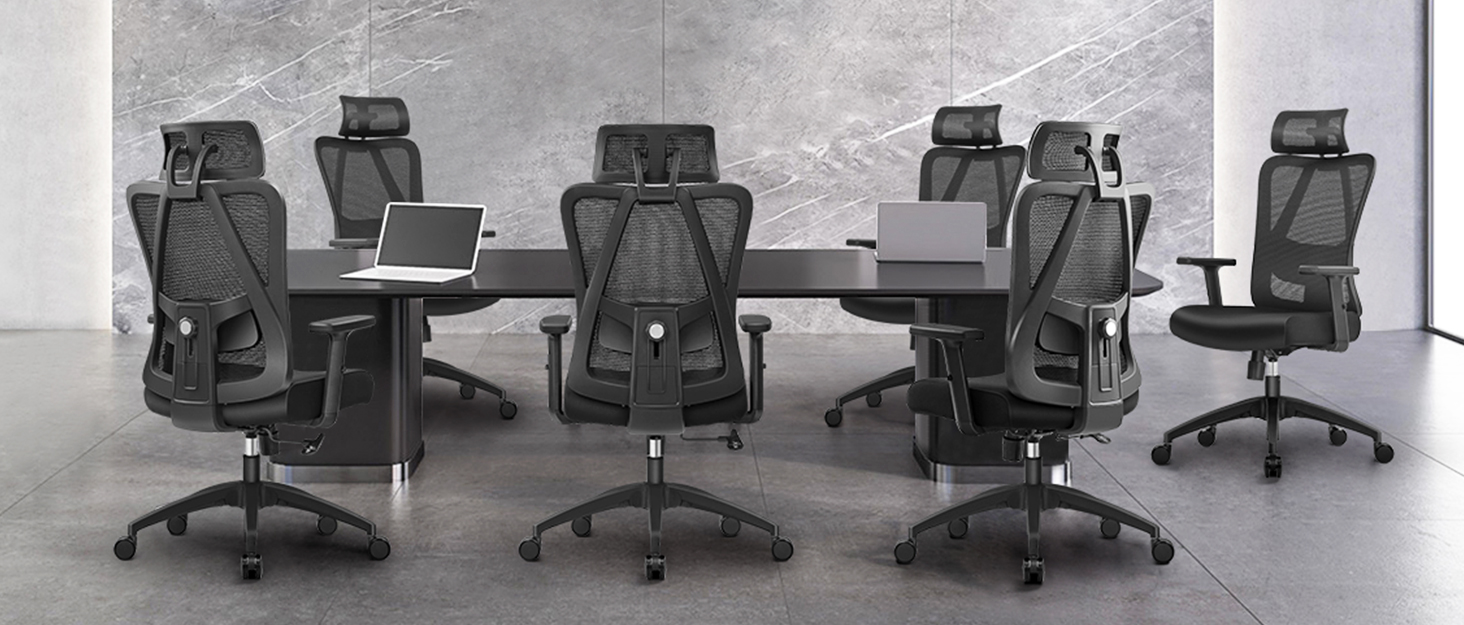
Image: Primy Office Chair in a modern office setting, highlighting its contemporary design.
Product Features
The Primy Ergonomic Office Chair is engineered with several features to provide optimal comfort and functionality:
- Adjustable and Space Saving: The chair's height can be adjusted, and the backrest reclines up to 120 degrees. The 90-degree flip-up armrests allow for easy storage and space-saving, making it versatile for different room layouts.
- Ergonomic Design: Features a curved backrest that conforms to your body's natural curve. An adjustable lumbar support is integrated to protect your spine and alleviate back pain during extended periods of sitting. The cushion edge design helps relieve leg pressure and promote blood circulation.
- Soft and Breathable: Equipped with a breathable mesh back and a 3-inch thick, streamlined seat cushion. The high-density sponge filling and mesh structure ensure excellent air circulation, preventing stuffiness, especially in warmer climates.
- Reliable Mobility: 360° rotating capabilities facilitate easy communication and movement. Smooth-rolling casters allow effortless navigation across your workspace. The five-claw base ensures stability and minimizes noise during movement.
- Durable Construction: The chair frame is made of FSC-Certified wood, and the strong iron base supports a maximum weight of 250 lbs (113 kg).

Image: Detailed view of the ergonomic backrest and adjustable lumbar support.

Image: Chair demonstrating its 120-degree tilt and flip-up armrest functionality.

Image: Visual representation of the chair's 360-degree swivel, 90-degree flip-up armrests, and height adjustment.

Image: Close-up of the chair's height adjustment lever and mechanism.
Video: An official overview of the Primy PR 934 office chair, demonstrating its key features and functionality.
Setup and Assembly
Your Primy Office Chair is designed for easy assembly with no additional tools required. For detailed step-by-step instructions, please refer to the official Installation Manual PDF provided with your purchase or accessible online:
Download Installation Manual (PDF)
The assembly process typically involves attaching the base, gas lift, seat, and backrest. All necessary screws and components are included.

Image: Illustrated guide for the easy installation of the office chair.
Operating Instructions
Familiarize yourself with the chair's adjustment mechanisms to customize your seating experience:
- Height Adjustment: Locate the lever under the right side of the seat. To raise the chair, lift the lever while standing. To lower the chair, lift the lever while seated. Release the lever at your desired height.
- Tilt Function: The chair's backrest can tilt back up to 120 degrees. Use the same lever as the height adjustment. Pull the lever outwards to unlock the tilt function, allowing the chair to recline. Push the lever inwards to lock the backrest in an upright position.
- Adjustable Lumbar Support: The lumbar support can be adjusted to provide optimal comfort for your lower back. Gently push or pull the lumbar support mechanism on the backrest to find your preferred position.
- Flip-up Armrests: The armrests can be flipped up by rotating them upwards. This feature allows you to push the chair closer to your desk for space-saving or to accommodate different seating preferences.
Video: A brief demonstration of the Primy office chair's adjustable features, including height and lumbar support.
Maintenance
To ensure the longevity and optimal performance of your Primy Office Chair, follow these simple maintenance guidelines:
- Cleaning: Wipe clean with a damp cloth. For mesh and fabric areas, use a mild soap solution if necessary, and blot dry. Avoid harsh chemicals or abrasive cleaners.
- Regular Checks: Periodically check all screws and bolts to ensure they are tight. Re-tighten if necessary to maintain stability and prevent wobbling.
- Caster Care: Keep the casters free of hair and debris to ensure smooth rolling. You can periodically remove the casters and clean them.
- Avoid Overloading: Do not exceed the maximum weight recommendation of 136 kilograms (250 lbs).
Troubleshooting
Here are solutions to common issues you might encounter:
| Problem | Possible Cause | Solution |
|---|---|---|
| Chair squeaks when moving or rocking. | Loose connections, lack of lubrication. | Check and tighten all assembly bolts. Apply a small amount of silicone lubricant to moving parts, especially where metal components meet. |
| Chair leans forward or does not recline properly. | Tilt mechanism locked, incorrect assembly of backrest/seat. | Ensure the tilt lock lever is disengaged. Verify that the backrest and seat are correctly assembled and securely fastened according to the installation manual. |
| Casters do not roll smoothly. | Debris caught in casters, worn casters. | Remove any hair or debris from the caster wheels. If casters are worn, consider replacing them. |
| Chair height adjustment is not working. | Gas lift issue, lever mechanism problem. | Ensure the lever is fully engaged. If the issue persists, the gas lift may need replacement. Contact customer support. |
Specifications
| Feature | Detail |
|---|---|
| Brand | Primy |
| Model Name | PR-934-BLACK |
| Color | Black |
| Product Dimensions | 25.2"D x 25.2"W x 39.8"H |
| Back Style | Ergonomic backrest |
| Special Feature | Adjustable Lumbar |
| Maximum Weight Recommendation | 136 Kilograms (250 lbs) |
| Fill Material | Sponge |
| Furniture Base Movement | Swivel |
| Reclining Position Count | 2 (Upright and 120-degree tilt) |
| Product Care Instructions | Wipe Clean |
Warranty and Support
Primy provides a period of coverage for repairs and replacements for one year from the date of purchase. This warranty covers manufacturing defects and issues arising from normal use.
If you have any questions, require assistance with assembly, or need to address a warranty claim, please do not hesitate to get in touch with Primy customer service. You can also visit the official Primy Store for more information and products:

