
1. Introduction
This Stellar Mounts Ultra Slim Tilt TV Wall Mount is designed for secure installation of LCD and Plasma flat-panel TVs ranging from 32" to 102" with a maximum weight capacity of 165 lbs. It features a low-profile design, positioning the TV approximately 1.7 inches from the wall, and offers a tilt adjustment range of 0° to 12° for optimal viewing angles. The sliding bracket design allows for horizontal adjustment of the screen even after initial installation.

Figure 1: Main components of the Stellar Mounts Ultra Slim Tilt TV Wall Mount, including the wall plate and the two TV brackets.
2. Important Safety Information
Please read all instructions carefully before installation. If you do not understand these instructions or have doubts about the safety of the installation, consult a qualified installer. Improper installation may cause serious injury or damage.
- Ensure the mounting surface can safely support the combined weight of the equipment and all attached hardware.
- Do not exceed the maximum weight capacity of 165 lbs (75 kg).
- This product is designed for installation on solid concrete walls, brick walls, or wood stud walls. Do not install on drywall alone.
- Use the provided screws and hardware. If you are unsure about the appropriate hardware for your installation, consult a professional.
- Always have at least two people for installation to prevent injury or damage.
- Keep children and pets away during installation.
3. Package Contents
Verify that all components are present and undamaged before beginning installation. If any parts are missing or defective, contact Stellar Mounts customer support.
- TV Wall Mount (Wall Plate and TV Brackets)
- Hardware Kit (various screws, washers, anchors)
- Bubble Level
- Instruction Manual
4. Specifications
| Feature | Specification |
|---|---|
| Brand | Stellar Mounts |
| Material | Alloy Steel |
| Movement Type | Tilt |
| Mounting Type | Wall Mount |
| Maximum Tilt Angle | 12 Degrees (downward) |
| Weight Capacity | 165 lbs (75 kg) |
| VESA Compatibility | Up to 600x400 mm |
| Profile from Wall | 1.7 inches (4.3 cm) |
| Compatible TV Sizes | 32" to 102" |
| Item Weight | 6.78 pounds (3.07 kg) |
| Package Dimensions | 27 x 8.6 x 2.2 inches (68.6 x 21.8 x 5.6 cm) |
5. Setup and Installation
Follow these steps for a safe and secure installation. It is highly recommended to watch the instructional video provided below for a visual guide.
Video 1: Official instructional video from Stellar Mounts for installing the heavy-duty tilting TV wall mount, covering each step from mounting the wall plate to securing the television.
Installation Steps:
- Attach Wall Plate to Wall:
Carefully determine the desired mounting location. Use the included bubble level to ensure the wall plate is perfectly horizontal. Mark the drilling points, drill pilot holes, and securely fasten the wall plate to the wall using the appropriate hardware for your wall type (wood studs, concrete, or brick).

Figure 2: The wall plate of the TV mount securely attached to a wall, demonstrating the initial installation step.

Figure 3: A close-up view of the bubble level, an essential tool for ensuring the wall mount is installed perfectly straight.
- Attach Brackets to TV:
Align the two TV brackets with the VESA mounting holes on the back of your television. Use the appropriate screws and washers from the hardware kit to securely attach the brackets to the TV. Ensure the brackets are oriented correctly and tightened firmly.
- Attach TV to Wall Plate:
With assistance, carefully lift the television and hook the attached TV brackets onto the wall plate. Ensure both brackets are properly seated on the wall plate. Once the TV is hanging, use the safety screws or locking mechanisms on the brackets to secure the TV to the wall plate, preventing accidental dislodgement. This step also involves adjusting the tilt mechanism.

Figure 4: A detailed view of the mount's mechanism, showing how the TV brackets connect to the wall plate and the screw for securing the TV or adjusting the tilt.
6. Operating the Tilt Feature
The Stellar Mounts Ultra Slim Tilt TV Wall Mount allows for easy adjustment of your TV's vertical viewing angle.
- Adjusting Tilt: The mount provides a tilt range of 0° to 12° downwards. To adjust the tilt, loosen the tilt locking knobs or screws located on the TV brackets (refer to Figure 4). Carefully tilt the TV to your desired angle.
- Securing Tilt: Once the desired tilt angle is achieved, firmly tighten the tilt locking knobs or screws to secure the TV in position.
- Horizontal Adjustment: The sliding bracket design allows for minor horizontal adjustments of the TV along the wall plate even after installation, helping you center your screen perfectly.
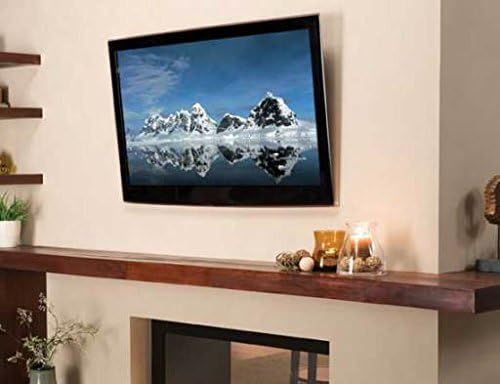
Figure 5: A television demonstrating the downward tilt capability of the mount for improved viewing angles.
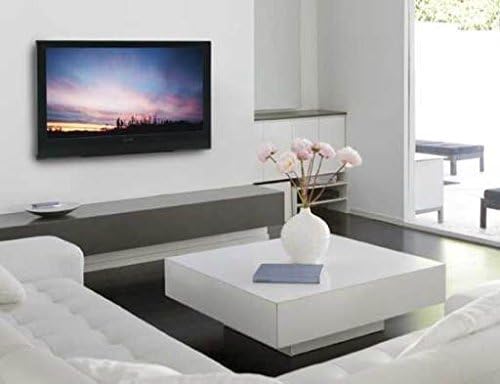
Figure 6: A television mounted flush against a living room wall, highlighting the low-profile design of the mount when not tilted.
7. Maintenance
Regular maintenance helps ensure the longevity and safety of your TV wall mount.
- Cleaning: Dust the mount periodically with a soft, dry cloth. Avoid using abrasive cleaners or solvents that could damage the finish.
- Inspection: Annually, or if you notice any changes, inspect all mounting screws and connections to ensure they remain tight and secure. Check for any signs of wear, corrosion, or damage.
- Weight Limit: Never exceed the maximum weight capacity of the mount.
8. Troubleshooting
If you encounter any issues during or after installation, refer to the following common solutions:
- TV is not level: Ensure the wall plate was installed level using the bubble level. If the wall plate is level, check if the TV brackets are securely and evenly attached to the TV. Minor adjustments can sometimes be made by slightly loosening and re-tightening the TV bracket screws.
- Difficulty tilting the TV: Ensure the tilt locking knobs or screws are sufficiently loosened before attempting to adjust the angle. If the TV is too heavy or the mechanism feels stiff, apply gentle, even pressure.
- Mount feels loose: Immediately remove the TV from the mount. Re-inspect all wall mounting screws and TV bracket screws to ensure they are fully tightened. Verify that the wall structure is sound and capable of supporting the weight. If issues persist, consult a professional installer.
- Missing parts: Refer to the 'Package Contents' section. If any parts are missing, contact Stellar Mounts customer support for assistance.
9. Warranty and Support
For warranty information or technical support, please contact Stellar Mounts customer service. Details regarding specific warranty periods and terms are typically provided with your purchase documentation or on the manufacturer's official website.
For further assistance, please visit the Stellar Mounts website or contact their support team directly.