1. Introduction
Thank you for choosing the CARESMITH Neo Water Flosser. This manual provides essential information for the safe and effective use of your device. Please read it thoroughly before operation and retain it for future reference.
The CARESMITH Neo Water Flosser is designed for advanced oral hygiene, offering a powerful and customizable cleaning experience. Key features include:
- 24 Pressure Settings: Choose from 5 modes and 6 intensity levels (30 PSI to 100 PSI).
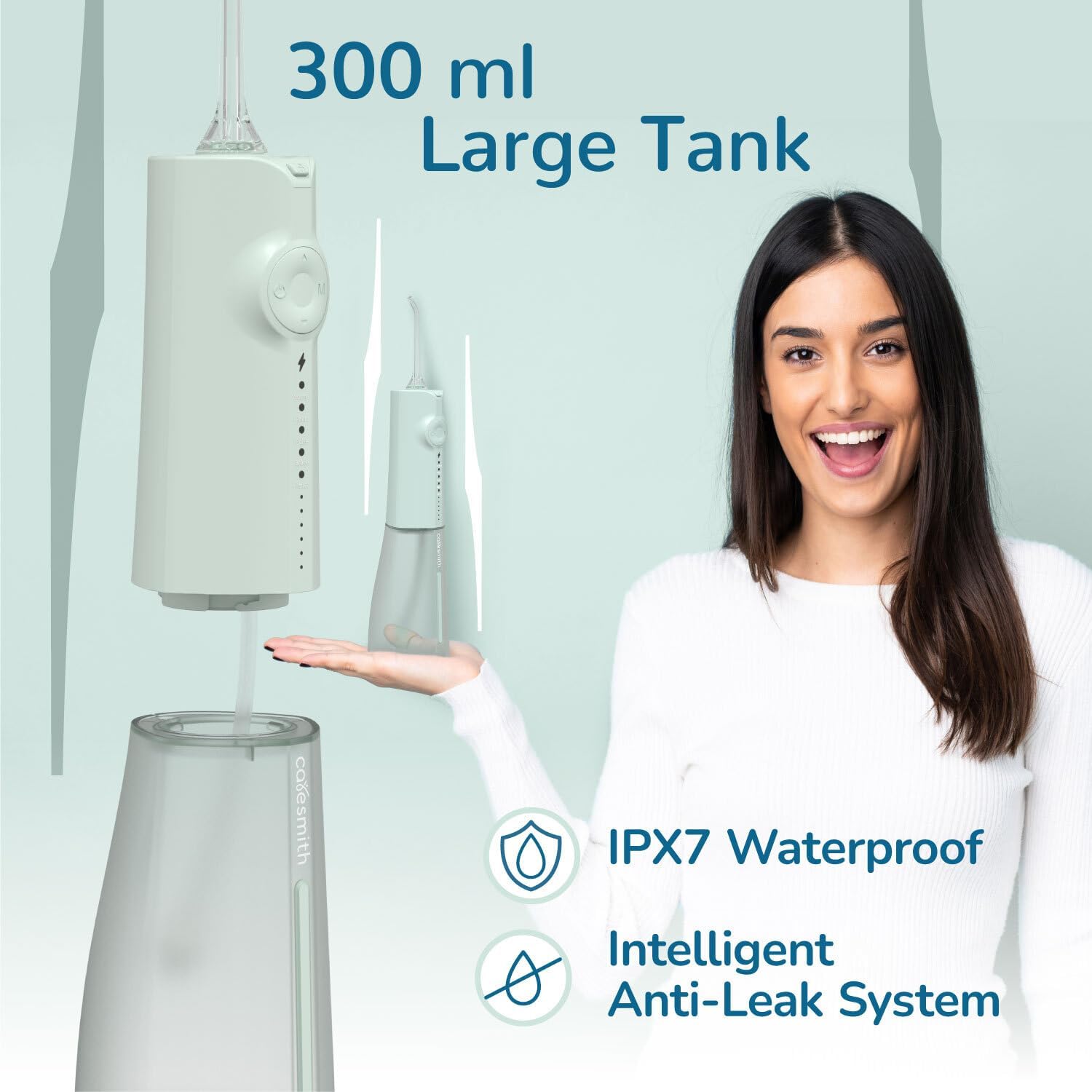
- 300 ml Water Tank: Large capacity for continuous flossing.
- Cordless Design: Portable and easy to handle.
- IPX7 Waterproof: Dual internal and external protection.
- 360° Rotatable Jet Tip: For comprehensive cleaning.

2. Important Safety Information
Please observe the following safety precautions to prevent injury or damage to the device:
- Always keep the device away from water when not in use.
- Do not use the device if you have any dental injuries, implants, or other dental conditions without consulting a dental professional.
- Keep the device away from children.
- Always follow the manufacturer's guidelines for cleaning and maintenance to prevent bacterial growth and ensure optimal performance.
- Always charge the device on a dry surface and avoid exposing the charging port to water.
- Do not put essential oils or other non-water-based solutions into the water tank, as this may damage the device.
3. What's in the Box
Upon unpacking, ensure all items are present and in good condition:
- CARESMITH Neo Water Flosser Unit
- 2 Standard Jet Tips
- USB-C Charging Cable
- Travel Pouch
- User Manual (this document)

4. Product Overview
Familiarize yourself with the components of your water flosser:
- Jet Tip: Directs the water stream.
- Tip Release Button: For detaching the jet tip.
- Power Button: Turns the device on/off.
- Mode Button (M): Cycles through operating modes.
- Intensity Adjustment Buttons (Up/Down): Adjusts water pressure within each mode.
- Mode Indicators: Lights indicating the selected mode (Normal, Point, Pulse, Brace, Pause).
- Intensity Indicators: Lights indicating the selected intensity level (Low to High).
- Water Tank: Holds 300 ml of water.
- Charging Port: USB-C port for charging.
5. Setup and Charging
5.1 Charging the Device
Before first use, fully charge the water flosser.
- Locate the USB-C charging port, usually covered by a silicone flap, at the bottom or side of the unit.
- Open the flap and insert the provided USB-C cable.
- Connect the other end of the cable to a compatible USB power adapter (not included) or a USB port.
- The charging indicator lights will illuminate, typically blinking during charging and solid when fully charged.
- A full charge provides approximately 20 days of battery life based on typical usage.

5.2 Filling the Water Tank
- Detach the water tank from the main unit by twisting or pulling it down, depending on the model's design.
- Fill the 300 ml tank with lukewarm water. For best results, use distilled or filtered water to prevent mineral buildup.
- Reattach the water tank securely to the main unit.
5.3 Attaching the Jet Tip
- Insert a jet tip into the opening at the top of the flosser handle until it clicks into place.
- To remove, press the tip release button and pull the tip out.
6. Operation
6.1 Powering On/Off
Press the Power Button to turn the device on or off.
6.2 Selecting Modes and Intensities
The Neo Water Flosser offers 5 modes, each with 6 intensity levels:
- Normal: Steady water pressure for daily cleaning.
- Point: Ideal for cleaning food residue between teeth.
- Pulse: Suitable for massaging gums.
- Brace: Designed for cleaning around braces.
- Pause: Temporarily stops the water flow to prevent accidental spillage while repositioning the flosser.
To select a mode, press the Mode Button (M). The corresponding indicator light will illuminate. To adjust the intensity within the selected mode, use the Up/Down buttons. The intensity indicator lights will show the current level.

6.3 Flossing Technique
- Lean over a sink and place the jet tip in your mouth, aiming the stream at your gumline at a 90-degree angle.
- Close your lips slightly to prevent splashing, but allow water to flow from your mouth into the sink.
- Start with your back teeth and work your way forward, pausing briefly between teeth.
- Follow the gumline and clean both the front and back surfaces of your teeth.
- The 360° rotatable jet tip allows for easy access to all areas of your mouth.
- Continue until you have cleaned all areas or the water tank is empty (approximately 75 seconds of continuous use).
7. Maintenance
Regular cleaning and maintenance ensure optimal performance and hygiene.
7.1 Cleaning the Water Tank
The removable full-opening design of the 300 ml water tank allows for thorough cleaning.
- Detach the water tank from the main unit.
- Rinse the tank thoroughly with warm water after each use.
- For deeper cleaning, use a mild soap and water, then rinse completely.
- Allow the tank to air dry completely before reattaching to prevent bacterial growth and limescale deposits.

7.2 General Cleaning
- Wipe the exterior of the main unit with a soft, damp cloth. Do not immerse the main unit in water.
- Ensure the charging port cover is securely closed when cleaning or not charging.
7.3 Nozzle Care
- Rinse jet tips under running water after each use.
- Replace jet tips every 3-6 months, or sooner if they become damaged or worn.
8. Troubleshooting
If you encounter issues with your CARESMITH Neo Water Flosser, refer to the following common problems and solutions:
- No water flow: Ensure the water tank is filled and securely attached. Check if the jet tip is properly inserted. Verify the device is powered on and not in 'Pause' mode.
- Weak water pressure: Check the selected intensity level and adjust it using the Up/Down buttons. Ensure the water tank is not nearly empty.
- Device not turning on: Ensure the device is fully charged. If the battery is low, connect it to the charger.
- Leaking: Ensure the water tank is correctly attached and the charging port cover is sealed.
- Unusual noise: If the device makes an unusual noise, turn it off immediately and contact customer support.
If the problem persists after attempting these solutions, please contact CARESMITH customer support.
9. Specifications
| Feature | Specification |
|---|---|
| Model Number | CS027 |
| Product Dimensions | 9.45 x 3.15 x 2.83 inches |
| Weight | 8.47 ounces |
| Water Tank Capacity | 300 ml |
| Pressure Settings | 24 (5 Modes, 6 Intensities) |
| Pressure Range | 30 PSI to 100 PSI |
| Battery Type | 1 Lithium Ion battery (included) |
| Wattage | 5 watts |
| Waterproof Rating | IPX7 |
| Power Source | Battery Powered |
10. Warranty and Support
10.1 Warranty Information
For detailed warranty information, please refer to the warranty card included with your product or visit the official CARESMITH website. Keep your purchase receipt as proof of purchase for any warranty claims.
10.2 Customer Support
If you have any questions, require assistance, or need to report an issue with your CARESMITH Neo Water Flosser, please contact CARESMITH customer support through their official website or the contact information provided in your product packaging.