
1. Introduction
This manual provides detailed instructions for the installation, operation, and maintenance of your podofo Automatic Flip Out Single DIN Car Stereo. Please read this manual thoroughly before using the product to ensure proper function and safety. This multimedia player features a 7-inch touchscreen, Apple CarPlay, Android Auto, Bluetooth, FM Radio, and supports a rear view camera.
2. Product Features
- Apple CarPlay & Android Auto: Supports wired Apple CarPlay and Android Auto via USB cable for navigation, music, and other smartphone functions.
- Automatic Flip Out Touch Screen: Features a 7-inch 1080P HD touchscreen that automatically retracts and can be adjusted up to 95 degrees for optimal viewing.
- Bluetooth and FM Radio Receiver: Built-in Bluetooth for hands-free calling and music streaming. FM radio with 18 preset stations for real-time traffic, news, and weather.
- Multiple Inputs & Outputs: Supports TF card, USB, AUX-in, RCA audio output, and reversing camera input. Includes a rear view camera for enhanced safety.
- Steering Wheel Control: Compatible with original vehicle steering wheel controls for convenient operation.
- Seven-Color Key Backlights: Customizable key backlighting to match your vehicle's interior.
3. Package Contents
Verify that all items are present in the package:
- podofo Single DIN Car Stereo Unit
- Power Cable Harness
- External Microphone
- User Manual
- Mounting Brackets
- Remote Control
- Rear View Camera with Cables

Image: Overview of the car stereo unit, its dimensions, and all included accessories.
4. Setup & Installation
4.1 General Installation
The installation size of this Single DIN unit is 178mm (7 inches) x 50mm (1.97 inches). Some vehicles may require a specific wiring kit and mounting kit for a perfect fit. Professional installation is recommended.
4.2 Wiring Diagram
Refer to the following diagram for proper wiring connections. Ensure all connections are secure to prevent malfunctions.

Image: Comprehensive wiring diagram illustrating connections for power, audio outputs, and control wires.
4.3 Reversing Camera Connection
Connect the rear view camera as shown in the diagram. The camera's power cable should be connected to the vehicle's reversing light power supply. The video signal cable connects to the 'CAMIN' input on the stereo. Ensure the trigger wire (labeled 'BACK' or 'REVERSE') from the stereo's wiring harness is connected to the reversing light positive wire.

Image: Diagram detailing the connection process for the reversing camera, including power and video signal lines.
5. Operating Instructions
5.1 Automatic Screen Operation
The 7-inch screen automatically extends when the unit is powered on and retracts when powered off. The screen angle can be manually adjusted up to 95 degrees for optimal viewing by pressing the 'Auto telescopic button' or adjusting it via the settings menu.
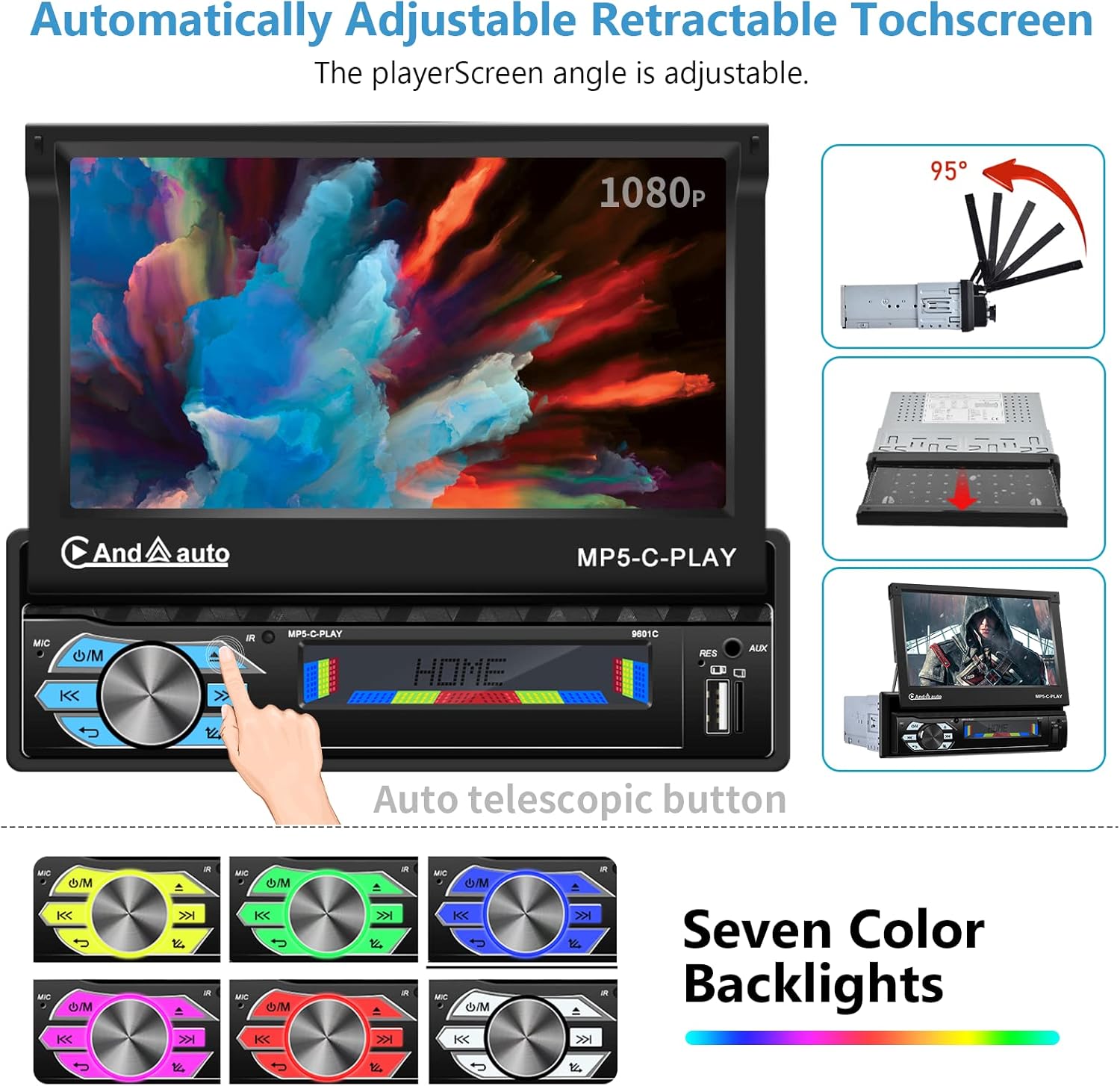
Image: The retractable touchscreen in various positions, demonstrating its automatic movement and angle adjustment. Also shows the customizable key backlights.
5.2 Apple CarPlay & Android Auto
To use Apple CarPlay or Android Auto, connect your smartphone to the stereo using a USB cable. The system will automatically detect and launch the respective interface, allowing you to access navigation, music, calls, and other compatible apps directly from the stereo's touchscreen.

Image: The car stereo displaying the Apple CarPlay interface, demonstrating smartphone integration for navigation, music, and communication.
5.3 Mirror Link
Mirror Link allows you to display your smartphone's screen directly on the car stereo. Connect your phone via USB and follow the on-screen prompts to activate Mirror Link. This feature enables you to control your phone's functions through the stereo's touchscreen.
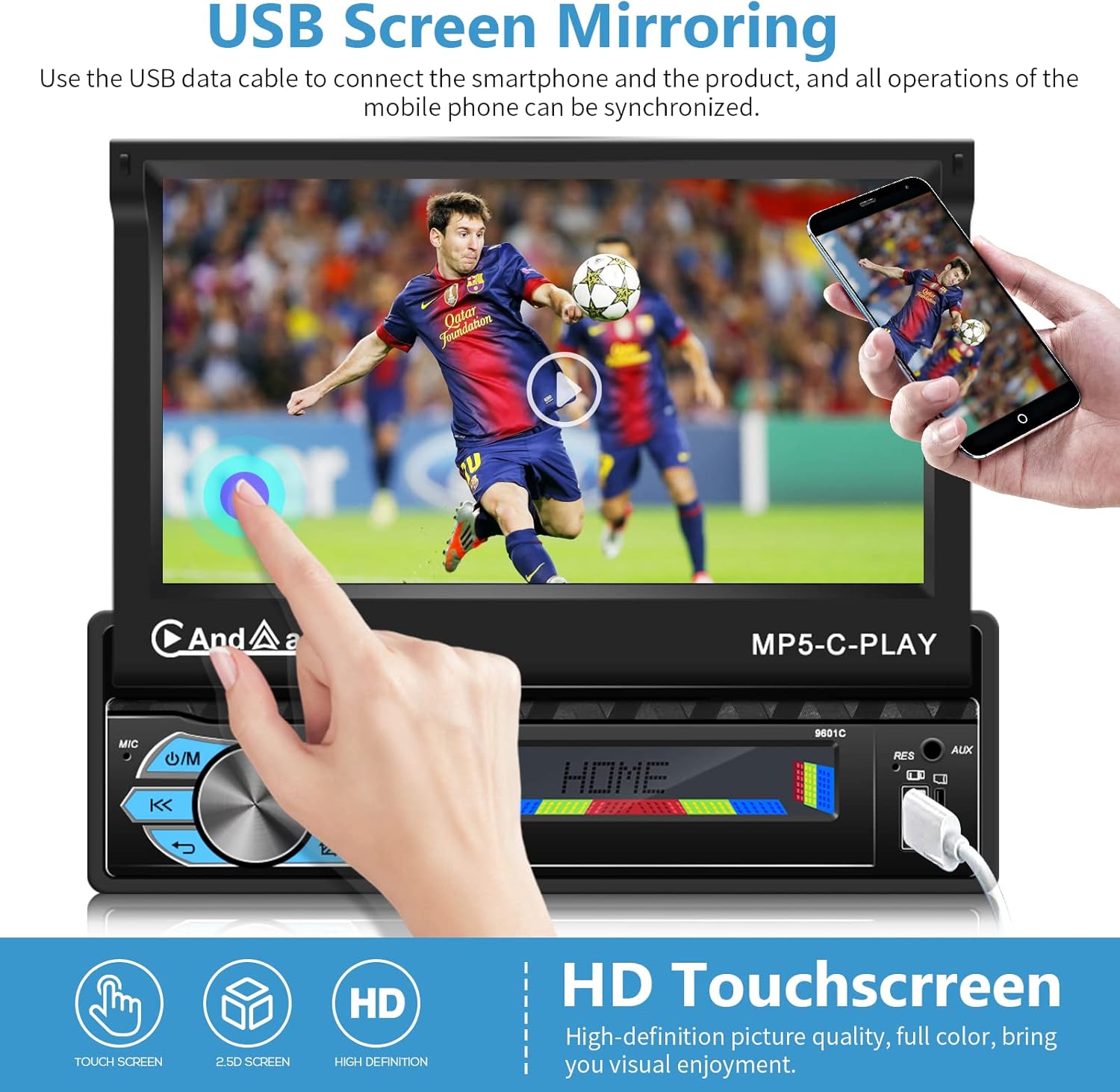
Image: The car stereo displaying a mirrored smartphone screen, highlighting the USB Screen Mirroring functionality and the HD touchscreen quality.
5.4 Bluetooth Connectivity
Pair your smartphone with the car stereo via Bluetooth for hands-free calling and wireless audio streaming. Access the Bluetooth menu on the stereo, enable Bluetooth on your phone, and select the stereo from the list of available devices. The built-in microphone ensures clear call quality.

Image: The car stereo displaying the Bluetooth hands-free calling interface and the FM radio tuning screen.
5.5 FM Radio Operation
Select the FM Radio function from the main menu. Use the touchscreen controls to scan for stations, save presets, or manually tune to a specific frequency. The unit supports FM radio with 18 preset stations.
5.6 Steering Wheel Control
If your vehicle supports steering wheel controls, connect the appropriate wires from the stereo harness to your vehicle's wiring. This allows you to control basic functions like volume, track changes, and mode selection directly from your steering wheel.

Image: The car stereo displaying EQ sound effect settings and an illustration of steering wheel control functionality.
5.7 Key Light Settings
Navigate to the 'Settings' menu on the stereo. Locate the 'Backlight' option to customize the color of the physical buttons on the unit. You can choose from seven different colors or set it to 'Auto' for a rotating color display.
6. Maintenance
To ensure the longevity and optimal performance of your car stereo, follow these maintenance guidelines:
- Cleaning: Use a soft, dry cloth to clean the screen and unit. Avoid abrasive cleaners or solvents.
- Temperature: Avoid exposing the unit to extreme temperatures, both hot and cold.
- Power: Ensure the vehicle's electrical system is stable. Fluctuations can damage the unit.
- Software Updates: Check the manufacturer's website periodically for any available software updates.
7. Troubleshooting
If you encounter issues with your car stereo, refer to the following common problems and solutions:
| Problem | Possible Cause | Solution |
|---|---|---|
| Unit does not power on | Incorrect wiring, blown fuse, insufficient power supply. | Check power connections (ACC, B+), inspect fuses, ensure adequate power. |
| No sound | Speaker wires disconnected, volume too low, incorrect audio settings. | Verify speaker connections, increase volume, check audio output settings. |
| CarPlay/Android Auto not connecting | Faulty USB cable, phone not compatible, app issues. | Use a high-quality USB data cable, ensure phone OS is updated, restart phone and stereo. |
| Rear view camera not displaying | Incorrect camera wiring, trigger wire not connected, camera malfunction. | Check camera power and video connections, ensure trigger wire is correctly connected to reverse light. |
| Touchscreen unresponsive | Software glitch, temporary freeze. | Restart the unit. If issue persists, contact customer support. |
If these solutions do not resolve the issue, please contact podofo customer support for further assistance.
8. Specifications
| Feature | Specification |
|---|---|
| Brand | podofo |
| Model | B0B3WTSDVH |
| Screen Size | 7 inches |
| Screen Resolution | 1080P HD |
| Connectivity Technology | Auxiliary, Bluetooth, RCA, USB |
| Controller Type | Android (for Android Auto functionality) |
| Special Feature | Touchscreen, Automatic Flip Out |
| Compatible Devices | Smartphone |
| Audio Output Mode | Stereo |
| Output Power | 45 Watts (per channel) |
| Total Wattage | 180 Watts |
| Number of Channels | 4 |
| Supported Internet Services | Internet Radio (via connected smartphone) |
| Control Method | Touch, Voice (via connected smartphone) |
| Audio Output Type | Speakers |
| Supported Formats | AVI, WAV, WMA |
| Wireless Technology | Bluetooth, IR (for remote control) |
| Installation Size | 178*50mm / 7*1.97in (Single DIN) |
9. Warranty & Support
podofo is committed to providing quality products and excellent customer service.
- 30-Day Refund: Enjoy a 30-day refund policy from the date of purchase.
- 2-Year Warranty: This product is covered by a 2-year warranty against manufacturing defects.
- Attentive After-sales Services: Our professional technical team is available to assist you with any questions or issues.
For support, please contact our customer service team. We are dedicated to resolving any problems you may encounter.