
1. Introduction
The Hetyue Kids Walkie Talkies Model Q81 are designed for clear and secure communication, offering a fun and safe way for children to interact. These devices feature a compact design, long-range transmission, and user-friendly controls, making them suitable for various outdoor and indoor activities.
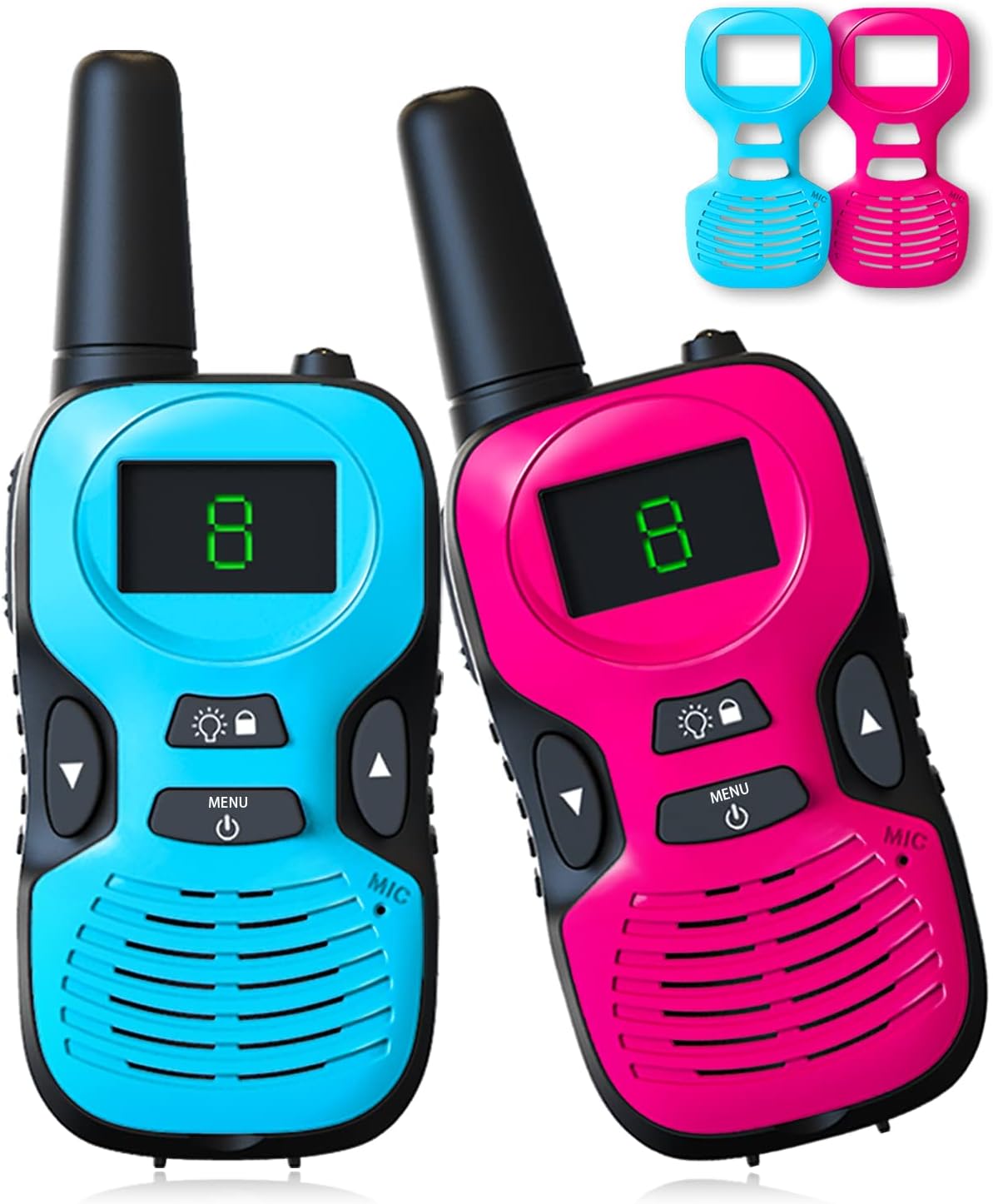
Image 1.1: Hetyue Kids Walkie Talkies (Blue and Pink)
Key features include a 10-channel radio system, adjustable volume, voice-activated transmission (VOX), automatic squelch, and a built-in flashlight. The walkie talkies are designed with safety in mind, ensuring communication only occurs between compatible Hetyue devices.

Image 1.2: Diverse Use Environments for Walkie Talkies
2. What's in the Box
Upon unpacking, please ensure all items listed below are present:
- Walkie Talkies × 2
- Replaceable Shell × 2
- Sling × 2
- Instructions × 1
3. Product Overview
Familiarize yourself with the components and controls of your Hetyue Walkie Talkie:
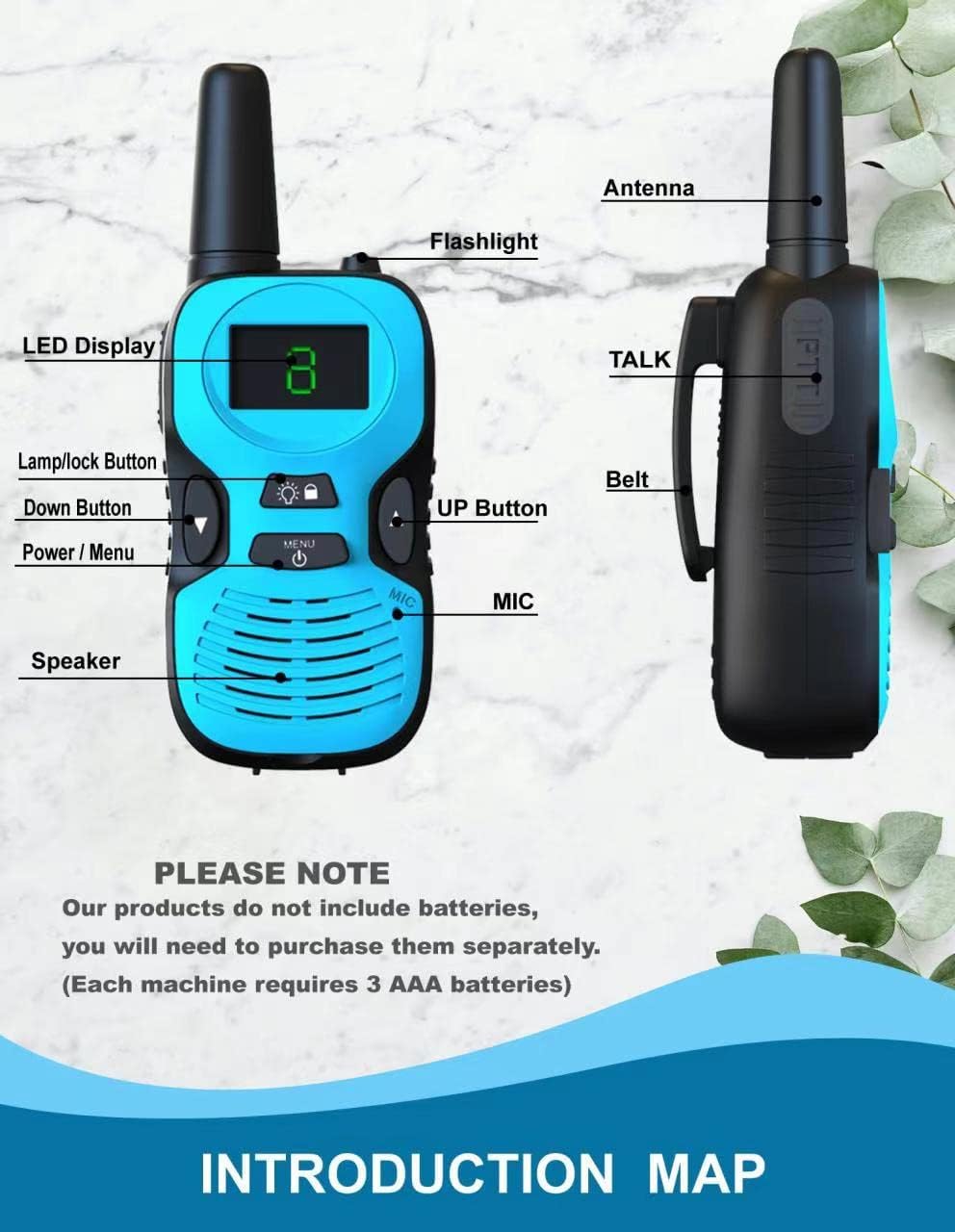
Image 3.1: Walkie Talkie Components and Controls
- LED Display: Shows channel number, battery status, and other indicators.
- Lamp/Lock Button: Activates the flashlight or locks the keypad.
- Down Button: Decreases channel number or adjusts settings.
- Power/Menu Button: Turns the device on/off and accesses menu options.
- Speaker: Outputs audio.
- MIC (Microphone): Captures your voice for transmission.
- Flashlight: Provides illumination.
- Antenna: For signal transmission and reception.
- TALK Button (PTT): Press and hold to transmit your voice.
- Belt Clip: Attaches the walkie talkie to clothing or a belt.
4. Setup
4.1 Battery Installation
Each walkie talkie requires 3 AAA batteries (not included). For optimal performance, use new alkaline AAA batteries or rechargeable AAA batteries.
- Press the belt buckle upward in the direction of the arrow to remove it.
- Follow the direction of the arrow to remove the battery cover downward.
- Insert three AAA batteries, ensuring correct positive (+) and negative (-) polarity.
- Replace the battery cover and belt buckle.
4.2 Changing Decorative Shells
The walkie talkies come with replaceable shells, allowing for customization.
- From the position below the machine, gently pry up the decorative parts.
- Remove the existing decorative parts.
- Install the new colored shell you prefer.

Image 4.1: Battery Installation and Shell Replacement
5. Operating Instructions
5.1 Power On/Off
Press and hold the Power/Menu button for approximately 3 seconds to turn the walkie talkie on or off.
5.2 Channel Selection
The walkie talkies feature 10 channels. To communicate, both devices must be set to the same channel.
- Press the Power/Menu button once to enter channel selection mode. The current channel number will flash on the LED display.
- Use the Up or Down buttons to select the desired channel (1-10).
- Press the Power/Menu button again to confirm the channel selection, or wait a few seconds for it to automatically set.
5.3 Transmitting and Receiving
To speak, press and hold the TALK button located on the side of the walkie talkie. Speak clearly into the microphone. Release the TALK button to listen for a response.
5.4 Volume Adjustment
The volume can be adjusted to three levels: high, medium, and low. Use the Up or Down buttons when not in menu mode to cycle through volume levels.
5.5 Flashlight Function
Press the Lamp/Lock button once to turn the built-in flashlight on or off.

Image 5.1: Using the Flashlight Function
5.6 Key Lock Function
To prevent accidental button presses, press and hold the Lamp/Lock button for approximately 3 seconds to activate or deactivate the key lock function. A lock icon may appear on the display when activated.
5.7 Voice Activated Transmission (VOX)
The VOX function allows for hands-free operation. When activated, the walkie talkie will automatically transmit when it detects your voice. Refer to the full instruction manual for detailed steps on enabling and adjusting VOX sensitivity.
6. Safety Information
- Hetyue kids walkie talkies are designed to communicate only with other Hetyue kids walkie talkies, ensuring a private and safer communication environment for children.
- Do not attempt to open or modify the device. Unauthorized modifications may void the warranty and pose safety risks.
- Keep the walkie talkies away from water and moisture. These devices are not water-resistant.
- Dispose of batteries responsibly according to local regulations.
7. Maintenance
- Clean the walkie talkie with a soft, dry cloth. Do not use abrasive cleaners or solvents.
- If the device will not be used for an extended period, remove the batteries to prevent leakage.
- Store the walkie talkies in a cool, dry place away from direct sunlight and extreme temperatures.
7.1 Charging Port Information
The walkie talkies are equipped with a charging port. Please note that a data cable (micro USB) and rechargeable batteries (AAA rechargeable) are not included and must be purchased separately if you wish to use rechargeable batteries.

Image 7.1: Charging Port Location
8. Troubleshooting
| Problem | Possible Cause | Solution |
|---|---|---|
| No power/Device won't turn on | Batteries are dead or incorrectly installed. | Replace with new AAA batteries or ensure correct polarity. |
| Cannot communicate with another walkie talkie | Devices are on different channels. Out of range. | Ensure both walkie talkies are set to the same channel. Move closer to the other device. |
| Sound is unclear or staticy | Weak signal, interference, or low battery. | Move to an open area. Change channels to avoid interference. Replace batteries. |
| Buttons are unresponsive | Key lock function is activated. | Press and hold the Lamp/Lock button for 3 seconds to deactivate key lock. |
| Short battery life | Using old or low-quality batteries. Frequent use of flashlight. | Use fresh, high-quality alkaline batteries or fully charged rechargeable batteries. Limit flashlight use. |
9. Specifications
- Model Number: Q81
- Item Weight: 𠃢.1 ounces
- Product Dimensions: 𠃡.2 x 1.77 x 4.72 inches
- Batteries Required: 𠃣 AAA batteries (not included)
- Number of Channels: 10
- Frequency Range: 400-470 MHz
- Talking Range Maximum: Up to 3 Miles (in open conditions)
- Voltage: 4.5 Volts
- Water Resistance Level: Not Water Resistant
- Manufacturer: Shenzhen Freetalker Industry Co., Ltd
10. Warranty and Support
This product comes with a 1-year manufacturer warranty.
For warranty claims, technical support, or any inquiries regarding your Hetyue Kids Walkie Talkies, please contact the seller or the manufacturer, Shenzhen Freetalker Industry Co., Ltd, through your purchase platform.


