
1. Product Overview
The imuto 14001 is a compact and versatile portable power station designed to provide reliable power for various electronic devices. It features multiple output ports, including USB-C, USB-A, and an AC outlet, making it suitable for charging laptops, smartphones, tablets, and other small appliances. Its lightweight and portable design ensures power is available wherever you need it.

The imuto 14001 Portable Power Station is designed for portability, fitting comfortably in one hand. Its integrated display shows battery status and output.
2. Package Contents
Please check the package for the following items:
- imuto 14001 Portable Power Station
- User Manual
- Charging Cable (USB-C to USB-C)
Note: The AC adapter is sold separately.
3. Product Features and Ports
The imuto 14001 is equipped with various ports and features for versatile power delivery:

This diagram illustrates the various output ports available on the imuto 14001, including DC, USB-C, USB-A, and AC outlets, designed to meet diverse charging needs. Note: AC adapter is sold separately.
- USB-C1 (Input/Output): PD 100W for fast charging compatible devices or recharging the power station.
- USB-A1/A2 (Output): 5V 4.8A for standard USB device charging.
- USB-C2 (Output): PD 20W for charging compatible devices.
- AC Output: 200W (110V/60Hz) for small appliances.
- DC2/3 Output: 12V 10A for DC-powered devices.
- DC1 Input: 12V 24A for recharging the power station.
- LED Display: Shows battery percentage, input/output wattage, and operational status.
- LED Light: Integrated light for illumination.
- Power Button: To turn the unit on/off and activate specific outputs.
4. Setup and Charging
4.1 Initial Charge
Before first use, fully charge the imuto 14001. Connect the provided USB-C to USB-C cable to the USB-C1 port and to a compatible PD 100W wall charger (sold separately). The LED display will show the charging progress.
4.2 Recharging the Power Station
The power station can be recharged via:
- USB-C1 Port: Use a PD compatible charger (up to 100W).
- DC1 Input Port: Use a 12V 24A DC adapter.
During charging, the display will indicate the input wattage and battery percentage. Charging time varies depending on the input power source.
5. Operating Instructions
5.1 Turning On/Off
Press and hold the Power button for 3 seconds to turn the power station on or off. The LED display will illuminate when the unit is on.
5.2 Using USB Outputs (USB-C, USB-A)
Connect your device to the desired USB-C or USB-A port. The power station will automatically detect and begin charging. The display will show the output wattage.
5.3 Using AC Output
To use the AC outlet, ensure the power station is on. Press the AC button (if available, or the main power button if it controls all outputs) to activate the AC output. Plug your appliance into the AC outlet. The display will show the AC output wattage.
The imuto 14001 can power various devices, including laptops, cameras, and drones:
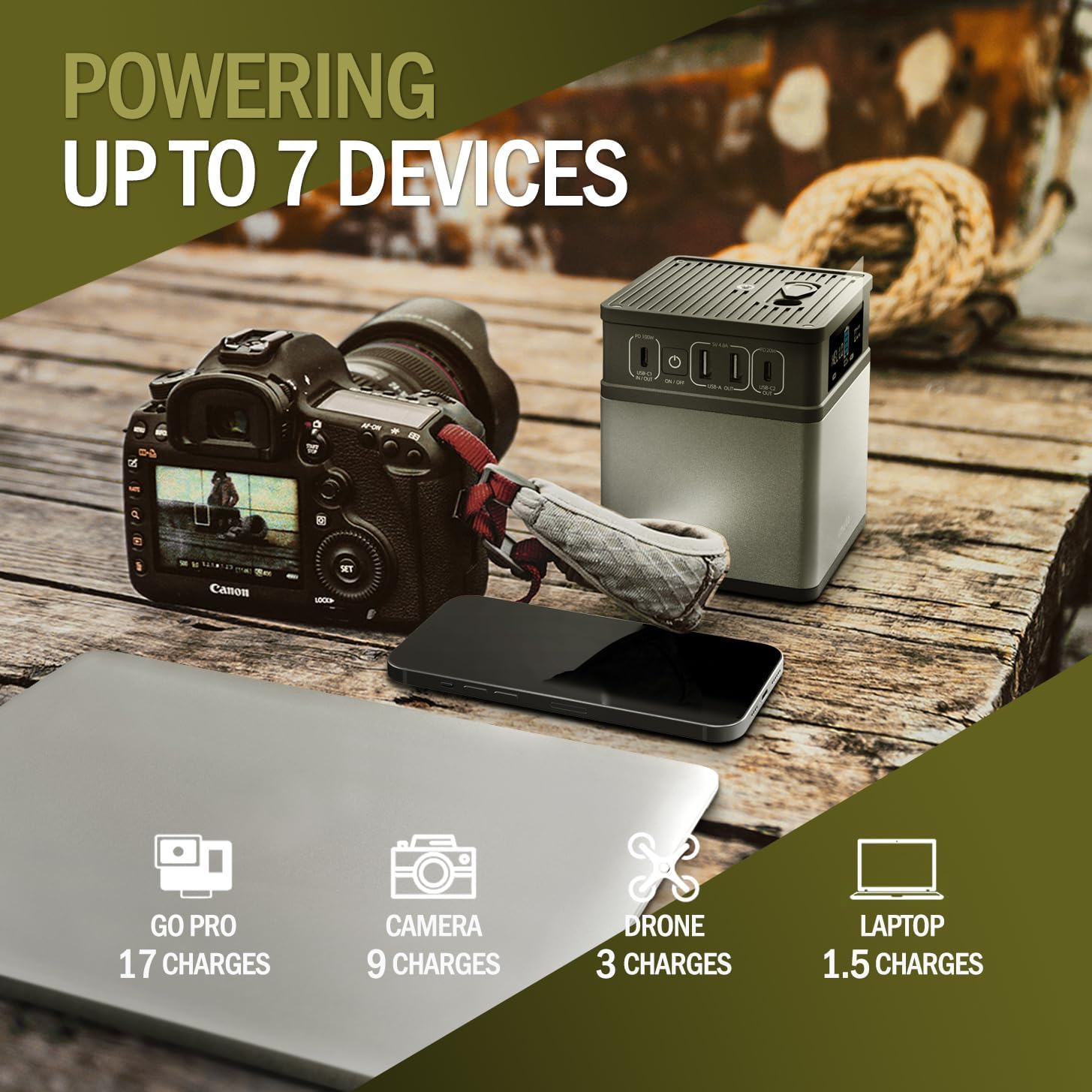
The power station can charge multiple devices, including a GoPro (17 charges), camera (9 charges), drone (3 charges), and laptop (1.5 charges).
5.4 Using the LED Light
Press the dedicated LED light button (if available, or a short press of the power button) to turn the LED light on or off. Some models may have multiple brightness settings or an SOS mode.

The imuto 14001 can serve as a home backup power source, capable of powering essential devices like a lamp (12W for 10H), Wi-Fi router (10W for 11H), and charging a phone (3950mAh for 8 charges).
6. Maintenance and Storage
6.1 Cleaning
Wipe the exterior with a soft, dry cloth. Do not use abrasive cleaners or immerse the unit in water.
6.2 Storage
Store the power station in a cool, dry place away from direct sunlight and extreme temperatures. For long-term storage, it is recommended to charge the unit to approximately 50-80% every 3-6 months to maintain battery health.
7. Safety Information
The imuto 14001 is designed with multiple safety features:
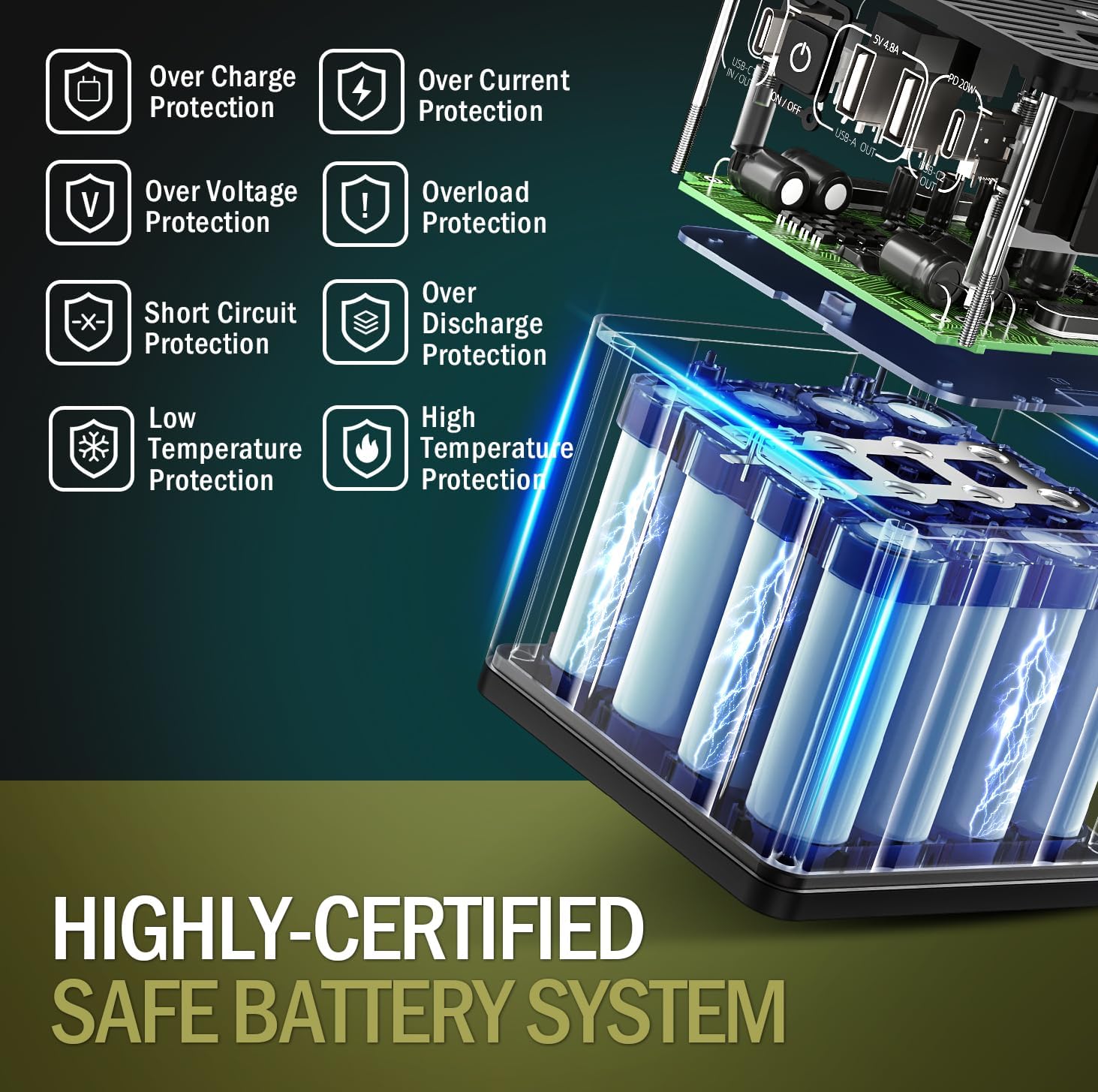
The imuto 14001 incorporates a highly-certified safe battery system with multiple protection features, including over-charge, over-current, over-voltage, overload, short circuit, low temperature, and high temperature protection.
- Over Charge Protection: Prevents battery damage from excessive charging.
- Over Current Protection: Safeguards against excessive current flow.
- Over Voltage Protection: Protects against voltage surges.
- Overload Protection: Prevents damage from drawing too much power.
- Short Circuit Protection: Automatically shuts off in case of a short circuit.
- Low Temperature Protection: Ensures safe operation in cold conditions.
- High Temperature Protection: Prevents overheating.
Always use the product in a well-ventilated area. Do not disassemble, puncture, or expose the unit to fire or water. Keep out of reach of children.
8. Troubleshooting
8.1 Unit Not Turning On
- Ensure the battery is charged. Connect to a power source and allow it to charge for at least 30 minutes.
- Press and hold the power button for 3-5 seconds.
8.2 Devices Not Charging
- Check if the power station is turned on.
- Verify that the correct output port is activated (e.g., AC output button pressed for AC devices).
- Ensure the charging cables are securely connected to both the power station and your device.
- Check if your device's power requirements exceed the power station's output capacity.
8.3 Slow Charging
- Ensure you are using a compatible fast-charging cable and adapter for your device and the power station.
- Some devices may limit charging speed when the power station's battery is low.
9. Specifications
| Feature | Detail |
|---|---|
| Model Number | 14001 |
| Dimensions | 9.98 x 9.98 x 12.07 cm (3.93 x 3.93 x 4.76 inches) |
| Weight | 1.2 kg (2.64 lbs) |
| Battery Type | Lithium Ion (12 cells) |
| USB-C1 Input/Output | PD 100W Max |
| USB-A1/A2 Output | 5V 4.8A Max |
| USB-C2 Output | PD 20W Max |
| AC Output | 200W (60 Hz) |
| DC2/3 Output | 12V 10A |
| DC1 Input | 12V 24A |
| Special Features | LED Light, Digital Display |
| Compatible Devices | Tablets, Laptops, Smartphones, Drones, Cameras |
10. Warranty and Support
imuto products come with a standard warranty. For detailed warranty information, product support, or technical assistance, please refer to the warranty card included with your purchase or visit the official imuto website. Please have your model number (14001) and purchase date ready when contacting support.