
1. Introduction
The ONAMOR Ozone Generator 80000mg is designed for high-efficiency odor removal in various environments. This device produces ozone to neutralize unpleasant odors caused by smoke, pets, cooking, and other sources, restoring freshness to your space. It is suitable for use in homes, offices, basements, cars, and other unoccupied areas.
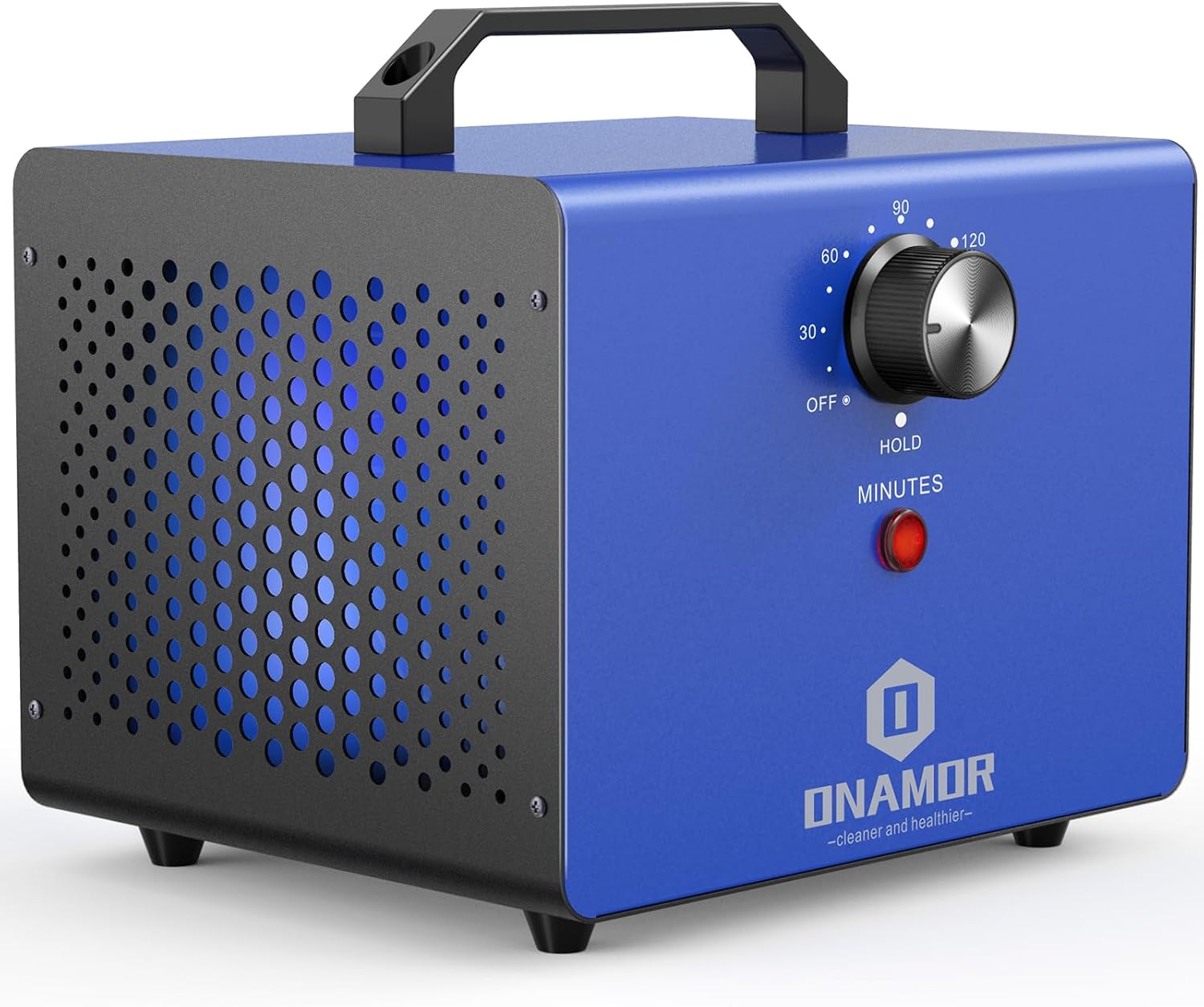
Image 1.1: ONAMOR Ozone Generator 80000mg.
This manual provides essential information for the safe and effective operation, maintenance, and troubleshooting of your ONAMOR Ozone Generator. Please read it thoroughly before first use and retain it for future reference.
2. Important Safety Information
Ozone is a powerful oxidant and can be harmful if inhaled directly. Adherence to the following safety guidelines is critical:
- Occupancy Restriction: Ensure that NO HUMANS OR PETS are present in the treatment area during operation. This includes plants.
- Ventilation: After treatment, allow the area to air out thoroughly for at least 30-60 minutes before re-entry. Open windows and doors to facilitate ventilation.
- Direct Exposure: Do not direct the ozone output towards yourself or others. The unit features a lateral ozone output design to minimize direct exposure risks.
- Electrical Safety: Only operate the unit with the specified voltage (AC 110-120V). Do not use if the power cord or unit is damaged.
- Storage: Store the unit in a cool, dry place away from direct sunlight and moisture.
- Children: Keep out of reach of children.
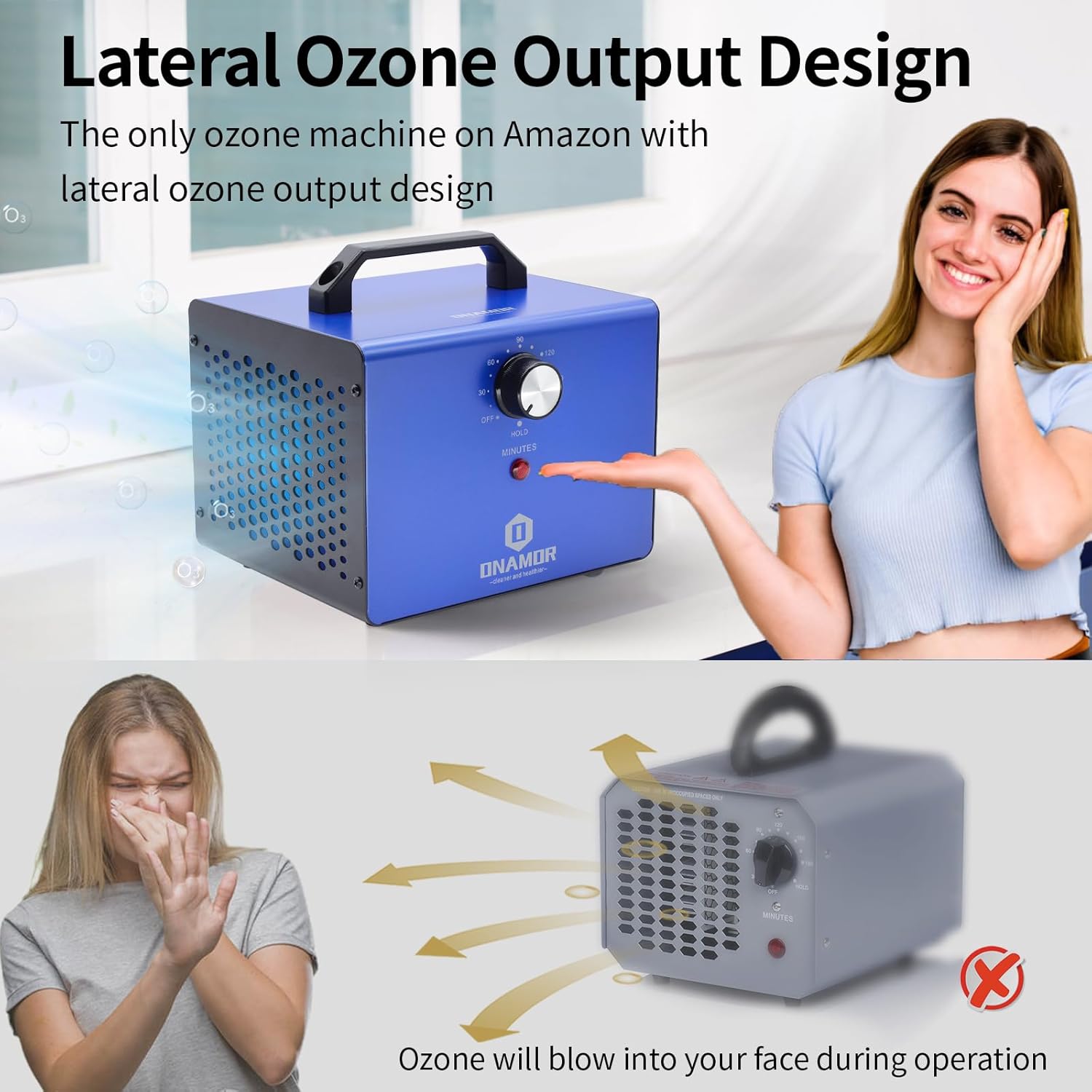
Image 2.1: Lateral Ozone Output Design for safety.
3. Product Components
The ONAMOR Ozone Generator 80000mg is constructed with durable materials and features an efficient ozone module.
- Metal Casing: Provides durability and protection.
- Metal Handle: For easy portability.
- Timer Knob: Adjustable from 10 to 180 minutes, with a 'HOLD' setting for continuous operation.
- Red Indicator Light: Illuminates when the unit is operating.
- Ceramic Ozone Plate: The core component for ozone generation, designed for long life and easy cleaning.
- High-Speed Fan: Ensures efficient ozone distribution and is detachable for cleaning.

Image 3.1: Internal components including the ceramic ozone plate.
4. Setup
Before operating the ozone generator, ensure the area is prepared correctly.
- Remove Occupants: Confirm that all humans, pets, and plants have been removed from the room or area to be treated.
- Identify Odor Source: If possible, clean or remove the primary source of the odor before treatment for best results.
- Placement: Place the ozone generator in a central location within the treatment area, preferably elevated, to allow for optimal ozone distribution. Ensure the lateral output is not directed towards sensitive materials or electronics.
- Close Doors and Windows: Seal the treatment area by closing all doors and windows. Turn off any HVAC systems that might circulate air outside the treatment zone.
- Power Connection: Plug the unit into a standard AC 110-120V electrical outlet.
5. Operating Instructions
Follow these steps to operate your ONAMOR Ozone Generator safely and effectively.
- Set Timer: Rotate the timer knob to the desired treatment duration. The timer can be set from 10 to 180 minutes. For continuous operation, select the 'HOLD' setting.
- Start Operation: The red indicator light will illuminate, signifying that the unit is generating ozone.
- Evacuate Area: Immediately leave the treatment area once the unit begins operation.
- Treatment Completion: The unit will automatically shut off when the timer expires. If using the 'HOLD' setting, manually turn the knob to 'OFF' after the desired treatment time.
- Air Out: After the treatment cycle is complete, wait at least 30-60 minutes before re-entering the area. Open windows and doors to ventilate the space thoroughly. The ozone smell should dissipate.
Recommended Operating Times
The optimal treatment time varies based on the size of the space and the intensity of the odor. Refer to the table below for general guidelines:
| Area (sq. ft.) | Time (minutes) |
|---|---|
| 100 | 7 |
| 200 | 15 |
| 300 | 30 |
| 500 | 60 |
| 1000 | 90 |
| 1500 | 120 |
| 2000 | 150 |
| 3000 | 180 |
| 6000 | HOLD |
Note: These are general recommendations. Adjust as needed based on specific conditions. Always ensure the space is unoccupied during operation.
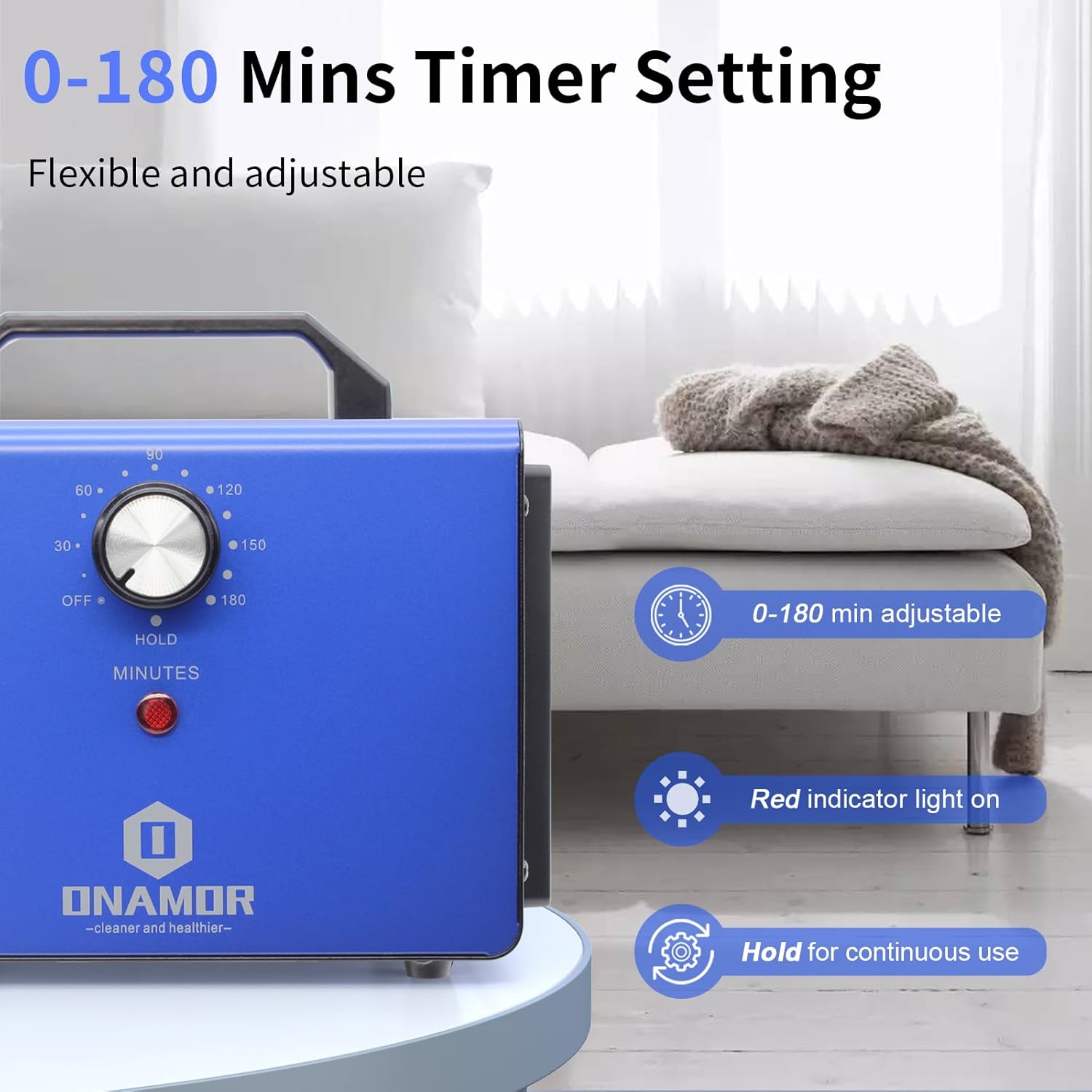
Image 5.1: Timer setting on the ONAMOR Ozone Generator.

Image 5.2: Simplified four-step operation guide.
6. Maintenance
Regular maintenance ensures the longevity and efficiency of your ozone generator.
Cleaning the Ozone Plate
The ceramic ozone plate may accumulate dust and debris over time, reducing efficiency. It is recommended to clean it periodically.
- Disconnect Power: Always unplug the unit from the power outlet before any maintenance.
- Access Plate: Refer to the unit's design to locate and carefully remove the ozone plate.
- Clean Plate: Use a dry, soft brush or a cotton swab to gently wipe away any dust or residue from the ceramic plate. Do not use water or liquid cleaners.
- Reassemble: Carefully reinsert the cleaned ozone plate and secure it in place.
Cleaning the Fan
The high-speed fan is designed for easy disassembly to facilitate cleaning.
- Disconnect Power: Ensure the unit is unplugged.
- Remove Fan Cover: Unscrew or unclip the fan cover.
- Clean Fan Blades: Use a soft cloth or brush to remove dust and debris from the fan blades. The fan may be detachable and washable; if so, ensure it is completely dry before reassembly.
- Reassemble: Securely reattach the fan cover.

Image 6.1: Detachable fan for easy cleaning.
7. Troubleshooting
If you encounter issues with your ONAMOR Ozone Generator, refer to the following common problems and solutions.
- Unit Not Turning On:
- Check if the power cord is securely plugged into a working outlet.
- Ensure the timer knob is set to a duration or 'HOLD' and not 'OFF'.
- Verify the power outlet is functional by plugging in another device.
- Weak Ozone Output:
- The ceramic ozone plate may be dirty. Refer to Section 6 for cleaning instructions.
- Ensure the fan is operating correctly and not obstructed.
- Unpleasant Odor Persists After Treatment:
- The treatment time may have been insufficient for the space or odor intensity. Increase the duration for subsequent treatments.
- The original odor source may still be present and require physical cleaning or removal.
- Ensure adequate ventilation after treatment to allow residual ozone to dissipate.
For issues not covered here, please contact ONAMOR customer support.
8. Specifications
Detailed technical specifications for the ONAMOR Ozone Generator 80000mg.
- Model Number: ONAMOR_AIR_PURIFIER_36000
- Ozone Production: 80000mg/h (Max)
- Coverage Area: Up to 6000 square feet
- Power Supply: AC 110-120V
- Power Consumption: 80-120W
- Air Flow Volume: Max 106 CFM
- Noise Level: <45dB Max
- Timer: 0-180 minutes with HOLD function
- Product Dimensions: 7"D x 6"W x 5"H (17.8cm D x 15.2cm W x 12.7cm H)
- Product Weight: 4.8 Pounds (2.18 kg)

Image 8.1: Product dimensions and parameters.
9. Warranty and Support
ONAMOR is committed to providing reliable products and excellent customer service.
- Warranty: The ONAMOR Ozone Generator comes with a 1-year extended warranty from the date of purchase. This warranty covers defects in materials and workmanship under normal use.
- Customer Support: For any questions, concerns, or warranty claims, please contact ONAMOR customer service. We offer 24-hour online service to provide satisfactory solutions within 24 hours.
- Contact Information: Refer to your purchase documentation or the ONAMOR official website for the most current customer support contact details.

