
ZOEYEC LS123
Linshang LS123 UV Power Meter User Manual
Model: LS123
Introduction
The Linshang LS123 Portable Pocket UV Power Meter is a versatile instrument designed for measuring UV light intensity and the UV blocking rate of various materials. It is particularly useful for evaluating the performance of solar films, explosion-proof films, and insulating glass. This manual provides detailed instructions for the proper setup, operation, and maintenance of your LS123 meter.
Safety Information
Please read and understand all safety precautions before operating the device. Failure to do so may result in injury or damage to the instrument.
- Do not expose the device to extreme temperatures, humidity, or corrosive environments.
- Avoid dropping or subjecting the device to strong impacts.
- Do not attempt to disassemble or modify the device. Refer all servicing to qualified personnel.
- Keep the device away from strong magnetic fields.
- Dispose of batteries according to local regulations.
Package Contents
Upon opening the package, please verify that all items listed below are present and in good condition.
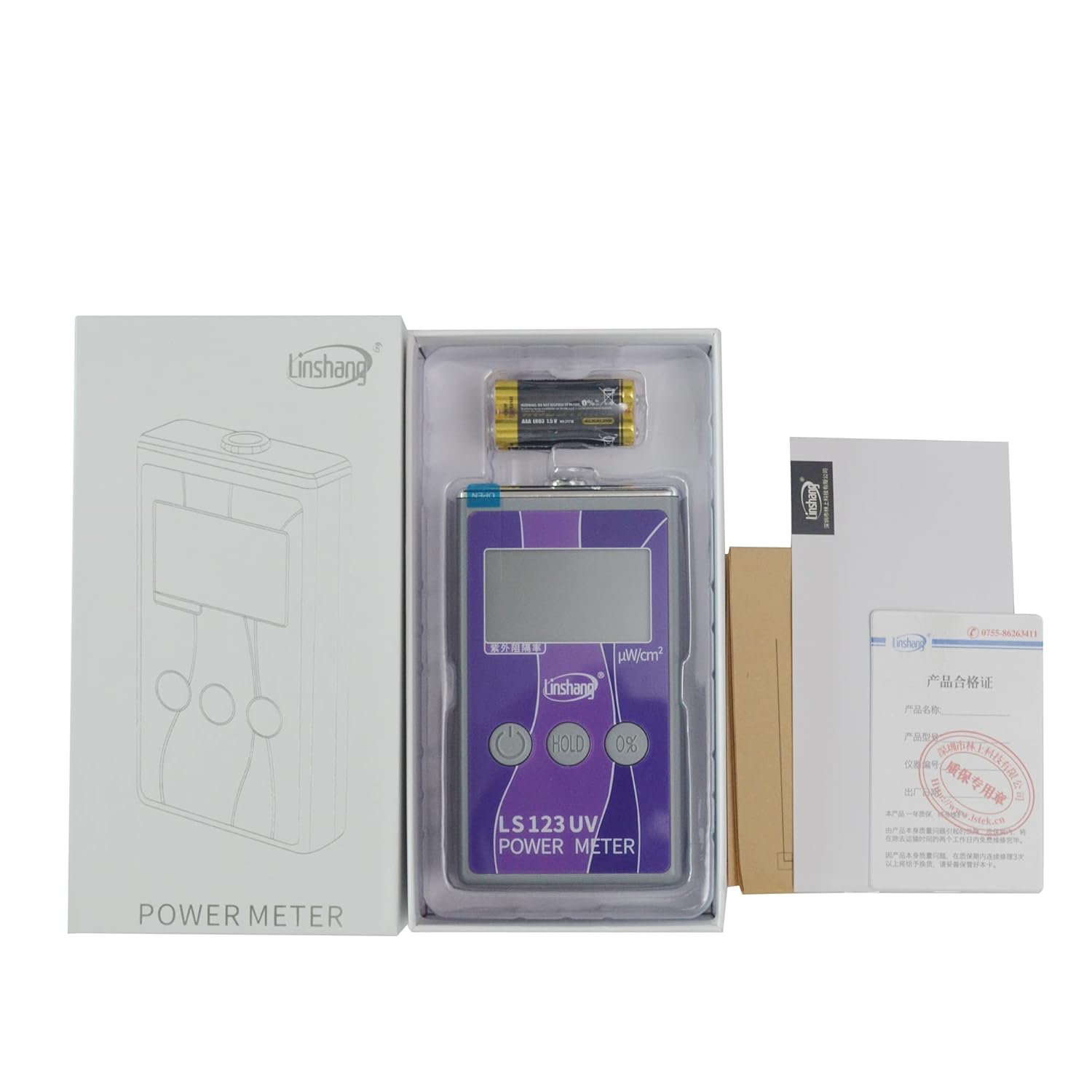
Image: The Linshang LS123 UV Power Meter, its protective case, and included accessories such as batteries and user manual, neatly arranged in its retail packaging.
- Linshang LS123 UV Power Meter
- User Manual
- Protective Pouch (may vary)
- AAA Alkaline Dry Batteries (not included in some packages)
Product Overview
Familiarize yourself with the components of the Linshang LS123 UV Power Meter.

Image: Front view of the Linshang LS123 UV Power Meter, highlighting its digital display, the Linshang logo, and three control buttons: Power, HOLD, and 0%.
- Display Screen: Shows UV power value, UV blocking rate, and battery indicator.
- Photosensitive Aperture: Located at the top of the device, this is the sensor for UV light.
- Power Button (⏻): Turns the device On/Off.
- HOLD Button: Locks or unlocks the displayed data.
- 0% Button: Used to set the baseline for UV blocking rate measurement.
Setup
Battery Installation
The Linshang LS123 requires 4 AAA alkaline dry batteries for operation.
- Locate the battery compartment cover on the back of the device.
- Slide or unclip the cover to open the compartment.
- Insert 4 AAA batteries, ensuring correct polarity (+/-) as indicated inside the compartment.
- Close the battery compartment cover securely.
Operating Instructions
Measuring UV Power
This function measures the radiant energy power density in microwatts per square centimeter (uW/cm²).

Image: The Linshang LS123 UV Power Meter displaying a UV power reading of 2383 µW/cm² and a UV blocking rate of 81.1%, indicating its capability to show both measurements simultaneously.
- Press the Power button (⏻) to turn on the device.
- Point the photosensitive aperture (sensor) directly towards the UV light source you wish to measure.
- The instrument will display the UV power value in real-time on the screen in µW/cm².
Measuring UV Blocking Rate
This function determines the percentage of UV light blocked by a material.
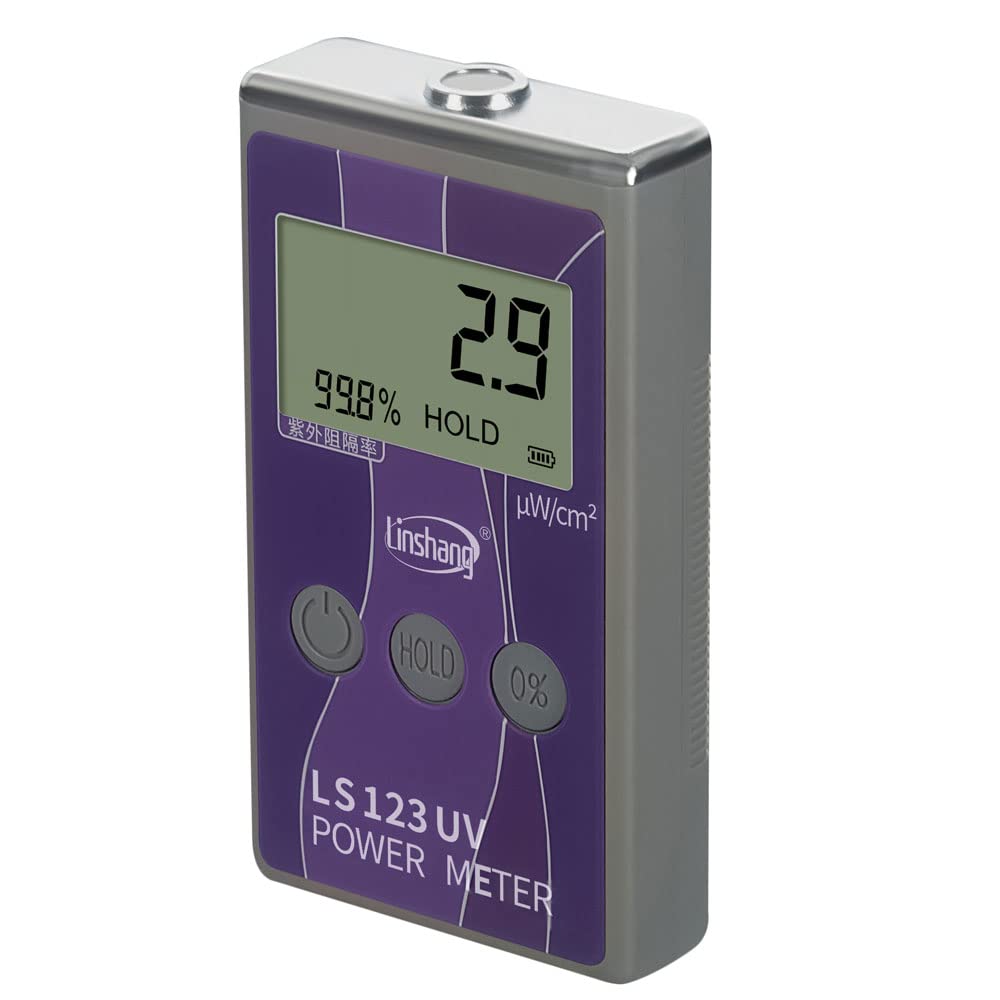
Image: The Linshang LS123 UV Power Meter displaying a UV blocking rate of 99.8% with the 'HOLD' indicator, demonstrating its ability to measure and hold the blocking performance of materials.
- First, measure the UV power of the light source without any material, as described in "Measuring UV Power" above.
- While the light source and the instrument's position remain unchanged, place the material (e.g., solar film) between the UV light source and the photosensitive aperture of the meter.
- Press the 0% button. The instrument will then display the UV blocking rate of the material as a percentage.
Locking Data
To hold the current measurement on the display:
- During any measurement, press the HOLD button. The displayed data will be locked.
- To unlock the data and resume real-time measurement, press the HOLD button again.
Specifications
Technical specifications for the Linshang LS123 UV Power Meter:
| Parameter | Value |
|---|---|
| Power Range | 0-40000 µW/cm² |
| Measurement Accuracy | ± 10% |
| Ultraviolet Rejection Rate | -999% to 100% |
| Spectral Response | 260nm-380nm, λp=365nm |
| Photosensitive Aperture | 10mm |
| Dimensions (L×W×H) | 125mm × 69mm × 24.5mm |
| Weight | Approx. 140 g (without batteries) |
| Working Temperature | -20°C to 70°C |
| Power Supply | 4 x AAA alkaline dry batteries |
Maintenance
Proper maintenance ensures the longevity and accuracy of your device.
- Cleaning: Use a soft, dry cloth to clean the exterior of the meter. Do not use abrasive cleaners or solvents. Keep the photosensitive aperture clean and free of dust or smudges.
- Storage: When not in use for extended periods, remove the batteries to prevent leakage. Store the meter in its protective pouch in a cool, dry place, away from direct sunlight and extreme temperatures.
Troubleshooting
If you encounter issues with your Linshang LS123, refer to the table below for common problems and solutions.
| Problem | Possible Cause | Solution |
|---|---|---|
| Device does not turn on | Low or dead batteries; Incorrect battery installation | Replace batteries; Check battery polarity |
| Inaccurate readings | Dirty sensor; External interference; Device malfunction | Clean photosensitive aperture; Move away from strong electromagnetic fields; Contact support if problem persists |
| Display is dim or flickering | Low battery power | Replace batteries |
| 0% button does not work | No UV light detected for baseline; Button malfunction | Ensure UV light source is active; Contact support |
Warranty and Support
The Linshang LS123 UV Power Meter is manufactured under strict quality control standards. For information regarding warranty coverage, technical support, or service, please refer to the warranty card included with your product or contact the manufacturer/seller directly. Please have your product model and purchase details ready when seeking support.