
DEWENWILS WT101 + OR102
DEWENWILS Outdoor Wireless Remote Control Dual 3-Prong Outlet
Model: WT101 + OR102
User Instruction Manual
1. Introduction
Thank you for choosing the DEWENWILS Outdoor Wireless Remote Control Dual 3-Prong Outlet. This device provides a convenient and safe way to control your outdoor and indoor electrical appliances remotely. With its weatherproof design and long-range wireless capabilities, it is ideal for managing string lights, holiday decorations, landscape lighting, and more. This manual provides essential information for the proper setup, operation, and maintenance of your new remote control outlet.

Image 1.1: The DEWENWILS outdoor wireless remote control outlet and its accompanying remote.
2. Safety Information
Please read and understand all safety instructions before using this product. Failure to follow these instructions may result in electric shock, fire, or serious injury.
- ETL and FCC Certified: This product is ETL and FCC certified, ensuring it meets recognized safety and quality standards.
- Proper Outdoor Installation: When used outdoors, ensure the outlet is installed vertically and at least 2 feet (0.6 meters) above the ground to prevent water accumulation and ensure proper drainage.
- Water Exposure: The unit is weatherproof but not submersible. Do not fully immerse the outlet in water. Avoid direct water streams from hoses or pressure washers.
- Overload Protection: Do not exceed the maximum electrical rating of 15A/1875W. Overloading can cause overheating and fire hazards.
- Cord Integrity: The 7-inch SJTW 14/3C heavy gauge thick extension cord is designed for durability. Inspect the cord and plug for any damage before each use. Do not use if damaged.
- Grounding: The product features a 3-prong flat plug for proper grounding. Always plug into a grounded outlet.
- Children and Pets: Keep the device and its cords out of reach of children and pets.
- Intended Use: Use this product only for its intended purpose as described in this manual.
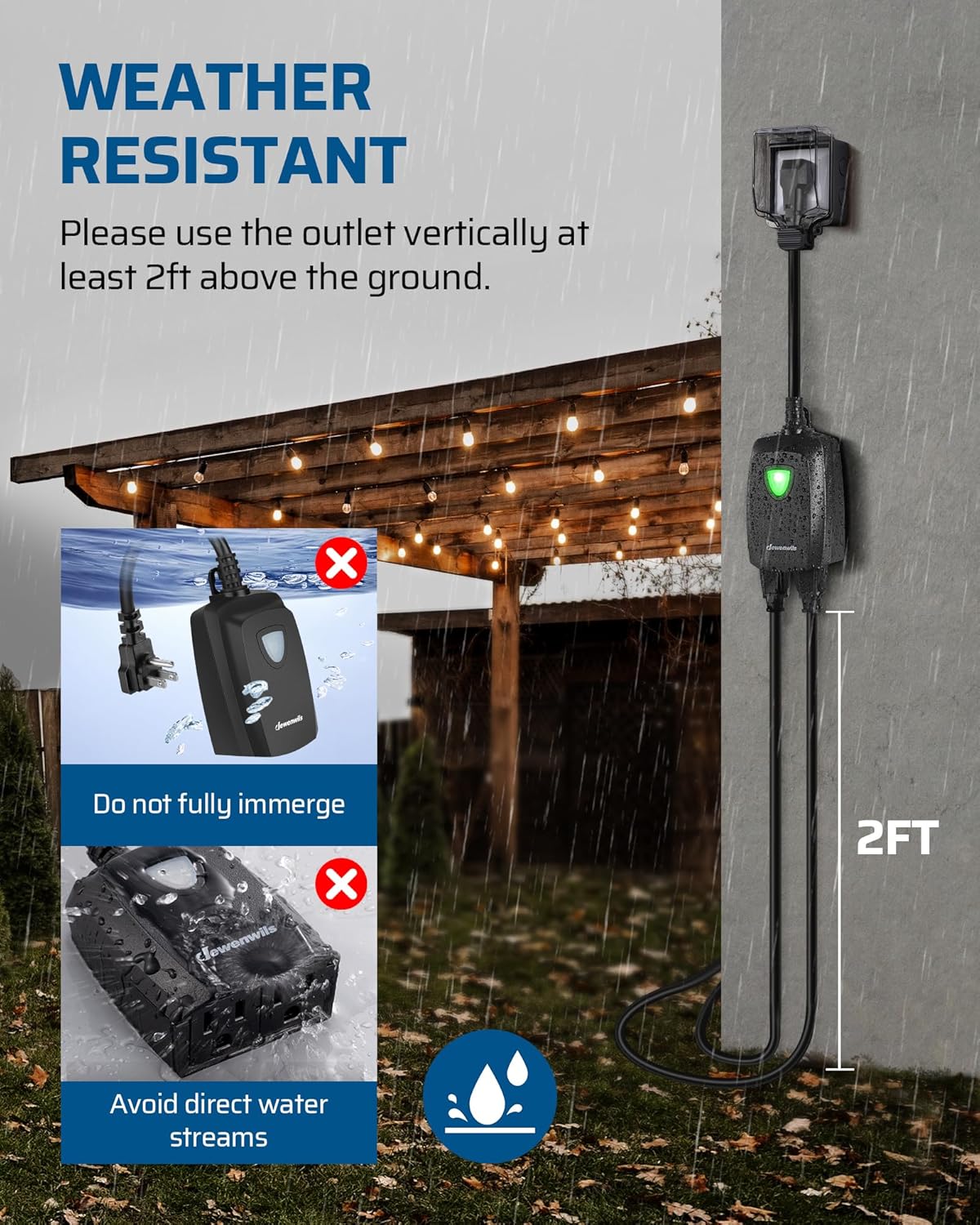
Image 2.1: Important safety guidelines for weather resistance and proper outdoor installation.

Image 2.2: The outlet is designed to be waterproof and withstand outdoor conditions.
3. Setup
The DEWENWILS wireless remote control outlet is designed for quick and tool-free setup. It operates on a plug-and-play principle, meaning no complex pairing, Wi-Fi, or apps are required for basic functionality.
3.1 Unpacking and Inspection
- Carefully remove all components from the packaging.
- Inspect the outdoor outlet and the remote control for any signs of damage. Do not use if any damage is observed.
3.2 Installing the Outdoor Outlet
- Choose a suitable location for the outdoor outlet. For outdoor use, ensure it is installed vertically and at least 2 feet (0.6 meters) above the ground.
- Plug the outdoor outlet into a grounded 3-prong electrical receptacle.
- Connect your desired electrical appliances (e.g., string lights, landscape lighting) to the two grounded AC outlets on the DEWENWILS unit.

Image 3.1: The system is designed for immediate use without complex setup.
3.3 Positioning the Remote Control
The remote control offers versatile placement options:
- Handheld Use: The remote is compact and can be used as a portable handheld device.
- Wall-Mounted: The remote comes with a base that can be mounted on a wall. The remote itself has magnets, allowing it to securely attach to the base or any other metal surface. This provides a convenient and accessible switch location.
The remote control comes with a pre-installed Lithium Metal battery. If replacement is needed, refer to the Maintenance section.

Image 3.2: The remote can be used handheld, wall-mounted, or magnetically attached.
4. Operation
Operating your DEWENWILS wireless remote control outlet is straightforward.
4.1 Turning Appliances On/Off
- Simply press the ON button on the remote control to turn on the connected appliances.
- Press the OFF button on the remote control to turn off the connected appliances.
- The remote controls both outlets simultaneously.

Image 4.1: Easily control your devices with a single button press.
4.2 Wireless Range and Signal
The system utilizes a strong RF (Radio Frequency) signal, providing a reliable control range:
- 100 Feet Control Range: The remote can operate the outlet from up to 100 feet (approximately 30 meters) in open areas.
- Through Walls and Doors: The RF signal is designed to work effectively through walls and doors, eliminating the need for a direct line of sight between the remote and the receiver.
- Non-Interference: Multiple DEWENWILS outlet sets can be used in your home without interference between units or with other existing RF remote systems. This ensures your neighbors' devices are not affected.

Image 4.2: Enjoy extended control range without line-of-sight limitations.

Image 4.3: The remote signal penetrates walls, offering convenience from indoors.
5. Maintenance
Proper maintenance ensures the longevity and optimal performance of your DEWENWILS remote control outlet.
5.1 Cleaning
- Disconnect the outdoor outlet from the power source before cleaning.
- Wipe the unit and remote with a soft, damp cloth. Do not use harsh chemicals or abrasive cleaners.
- Ensure the unit is completely dry before reconnecting to power.
5.2 Remote Battery Replacement
The remote control is powered by 1 Lithium Metal battery. If the remote's performance degrades or it stops responding, the battery may need replacement.
- Carefully open the battery compartment on the remote control.
- Remove the old battery and dispose of it according to local regulations.
- Insert a new Lithium Metal battery, ensuring correct polarity (+/-).
- Close the battery compartment securely.
6. Troubleshooting
If you encounter issues with your DEWENWILS remote control outlet, refer to the following common problems and solutions:
| Problem | Possible Cause | Solution |
|---|---|---|
| Outlet does not turn on/off with remote. | No power to the outlet. Remote battery is dead. Outlet is overloaded. | Ensure the outlet is securely plugged into a live receptacle. Replace the remote battery. Check if connected appliances exceed the 15A/1875W rating; reduce load if necessary. |
| Reduced remote control range. | Obstructions (thick walls, metal structures). Interference from other RF devices. Low remote battery. | Try moving closer to the outlet. While designed to work through walls, extreme obstructions can reduce range. Replace the remote battery. |
| Outlet is on but connected appliance is not working. | Appliance is not plugged in correctly. Appliance is faulty. | Ensure the appliance is securely plugged into the DEWENWILS outlet. Test the appliance by plugging it directly into a standard wall outlet. |
| Green LED indicator on outlet is off when it should be on. | No power to the outlet. Internal fault. | Check the power source. If power is present and the unit still does not function, contact customer support. |
If the problem persists after attempting these solutions, please contact DEWENWILS customer support for further assistance.
7. Specifications
Detailed technical specifications for the DEWENWILS Outdoor Wireless Remote Control Dual 3-Prong Outlet:
| Feature | Specification |
|---|---|
| Product Dimensions | 5.76 x 4.13 x 2.32 inches; 8.78 ounces |
| Item Model Number | WT101 + OR102 |
| Batteries (Remote) | 1 Lithium Metal battery (included) |
| Operation Mode | ON-OFF-ON |
| Current Rating | 15 Amps |
| Operating Voltage | 125 Volts |
| Connector Type | Wireless |
| Control Range | Up to 100 feet (open area) |
| Certifications | ETL, FCC |
| Cord Length | 7-inch SJTW 14/3C heavy gauge |
| Outlets | Dual 3-Prong Grounded AC Outlets |
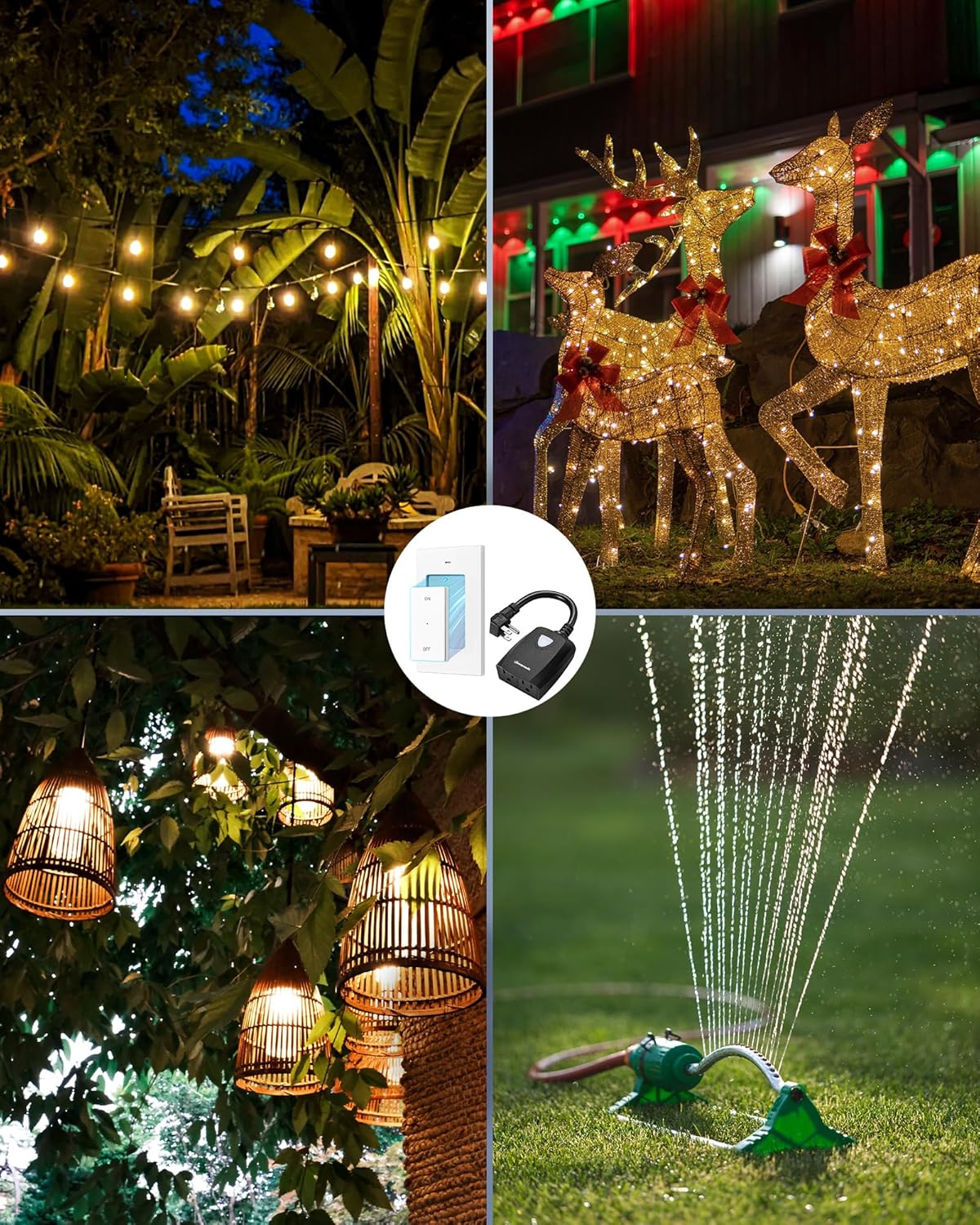
Image 7.1: Product dimensions for the remote and outlet.
8. Warranty and Support
DEWENWILS is committed to providing high-quality products and customer satisfaction.
8.1 Warranty Information
For specific warranty details, including coverage period and terms, please refer to the warranty card included with your product or visit the official DEWENWILS website. Keep your purchase receipt as proof of purchase for warranty claims.
8.2 Customer Support
If you have any questions, require technical assistance, or need to report an issue with your product, please contact DEWENWILS customer support. Contact information can typically be found on the product packaging, the official DEWENWILS website, or through your retailer.
You can visit the DEWENWILS store for more information: DEWENWILS Store
Ask a question about this manual
Ask about setup, troubleshooting, compatibility, parts, safety, or missing instructions. Manuals+ will review the question and use this page’s manual context to help answer it.