
1. Introduction
The EnhanBili EG25-G Mini PCIe is an advanced LTE Category 4 module designed for reliable and high-speed data transmission. Conforming to the 3GPP Release 11 standard, this module delivers maximum downlink rates of 150Mbps and uplink rates of 50Mbps, making it suitable for applications requiring efficient data handling, such as LED screen communication systems. Its backward compatibility with existing EDGE and GSM/GPRS networks ensures connectivity even in areas without 3G or 4G coverage. The integration of Multiple-Input Multiple-Output (MIMO) technology further enhances data rates and link reliability, providing a robust solution for various industrial and commercial uses.
2. Safety Information
Please read and understand all safety precautions before installing or operating the EG25-G module. Failure to follow these guidelines may result in damage to the device, personal injury, or improper operation.
- Electrostatic Discharge (ESD) Precautions: Always handle the module by its edges and use an anti-static wrist strap or mat when installing or removing it to prevent damage from static electricity.
- Power Supply: Ensure the host device provides a stable and appropriate power supply as specified in the module's technical documentation. Incorrect voltage can damage the module.
- Operating Environment: Do not expose the module to extreme temperatures, humidity, or direct sunlight. Operate within the specified temperature and humidity ranges.
- Ventilation: Ensure adequate ventilation around the module and host device to prevent overheating.
- Modifications: Do not attempt to modify or disassemble the module. Unauthorized modifications will void the warranty and may cause damage.
- Disposal: Dispose of the module and its components according to local environmental regulations. Do not dispose of with general household waste.
3. Package Contents
Verify that all items listed below are present in your package. If any items are missing or damaged, please contact your vendor immediately.

Figure 3.1: Contents of the EG25-G module package, including the module, antenna, and associated documentation.
- 1 x EG25-G Quectel 4G Module
- 1 x 4G Antenna
- 1 x Antenna Cable
- 1 x SIM Card Socket (or adapter)
- 1 x Certificate of Approval
4. Product Overview
The EG25-G module is designed in a standard Mini PCIe form factor, ensuring compatibility with a wide range of host devices. Below are detailed views of the module's front and back, highlighting key components and identifiers.
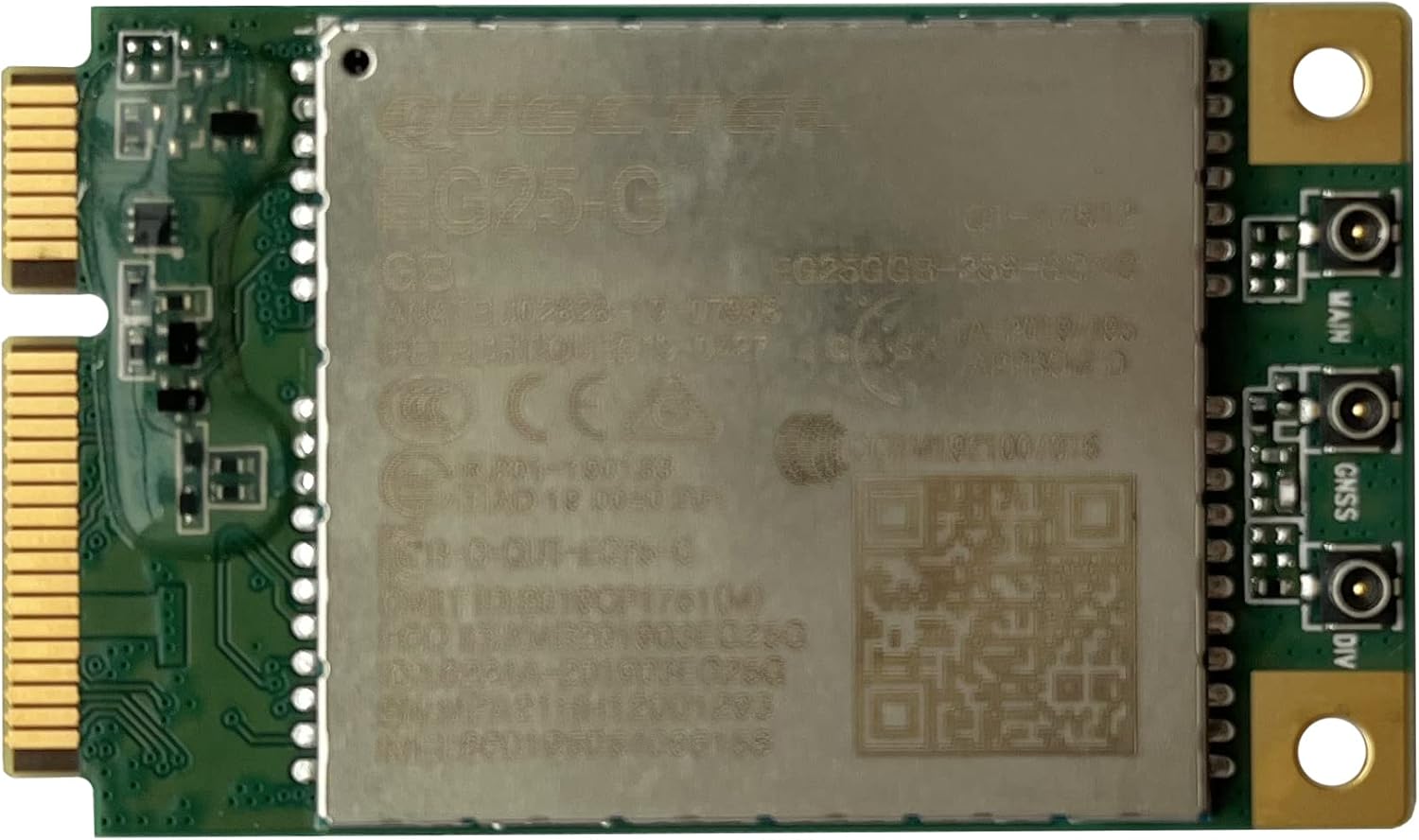
Figure 4.1: Front view of the EG25-G module, displaying the Quectel branding, model number, and various certifications.

Figure 4.2: Back view of the EG25-G module, revealing the circuit board and a label with the serial number MPA21HL1E000161.
Key features of the EG25-G module include:
- Certification: CE, FCC, RoHS compliant, ensuring adherence to international standards.
- Form Factor: Standard Mini PCIe, compatible with a wide range of embedded systems.
- Data Rates: Up to 150Mbps downlink and 50Mbps uplink.
- Dimensions: Compact size of 51.0mm x 30.0mm x 4.9mm.
5. Setup and Installation
Follow these steps to properly install the EG25-G module into your host device.
- Prepare the Host Device: Power off your computer or host device and disconnect it from the power source. Open the casing to access the Mini PCIe slot.
- Handle with Care: Wear an anti-static wrist strap or touch a grounded metal object before handling the module to prevent ESD damage.
- Insert the Module: Align the EG25-G module with the Mini PCIe slot. Gently push the module into the slot at a 45-degree angle until it is fully seated.
- Secure the Module: Press the module down until it clicks into place or secure it with the provided screws, depending on your host device's design.
- Install SIM Card: If your application requires cellular connectivity, insert a valid Nano-SIM card into the SIM card slot on the module or the host device's SIM card holder. Ensure it is inserted correctly according to the diagram on the module or holder.
- Connect Antennas: Connect the provided 4G antenna cable to the "MAIN" connector on the EG25-G module. If your application utilizes diversity or GNSS, connect additional antennas to the "DIV" and "GNSS" connectors respectively. Ensure connections are finger-tight.
- Close Casing: Carefully close the casing of your host device.
- Power On: Reconnect the power source and power on your host device.
6. Operating Instructions
Once the EG25-G module is physically installed, follow these steps to ensure proper operation and network connectivity.
- Driver Installation: Upon first boot, your operating system may automatically detect and install necessary drivers. If not, download the latest drivers for the Quectel EG25-G module from the official Quectel website or your device manufacturer's support page. Follow the on-screen instructions for installation.
- Network Configuration:
- Windows: Go to Network & Internet settings, then Cellular. Configure your APN (Access Point Name) settings provided by your mobile network operator.
- Linux: Use network management tools like NetworkManager or wvdial to configure the cellular connection and APN settings.
- Embedded Systems: Refer to your embedded system's documentation for specific commands or APIs to configure the cellular module.
- Connect to Network: Once configured, activate the cellular connection. The module will attempt to register with the available 4G/3G/2G network.
- Verify Connectivity: Check the network status indicator on your operating system or device. You should be able to access the internet or perform data transfers.
- Data Transfer: The module supports data transfer rates of up to 150 Mbps downlink and 50 Mbps uplink, depending on network conditions and signal strength.
7. Maintenance
The EG25-G module is designed for long-term reliability with minimal maintenance. However, following these simple guidelines can help ensure optimal performance and longevity.
- Keep Clean: Periodically inspect the module and its connectors for dust or debris. Use a soft, dry, anti-static brush or compressed air to gently clean. Do not use liquid cleaners.
- Firmware Updates: Check the Quectel official website or your device manufacturer's support page for any available firmware updates. Keeping the firmware updated can improve performance and resolve potential issues.
- Environmental Control: Ensure the operating environment remains within the specified temperature and humidity ranges to prevent component degradation.
- Secure Connections: Periodically check that all antenna and module connections are secure and free from physical damage.
8. Troubleshooting
This section provides solutions to common issues you might encounter with the EG25-G module.
| Problem | Possible Cause | Solution |
|---|---|---|
| Module not detected by OS. |
|
|
| No network signal or weak signal. |
|
|
| Slow data speeds. |
|
|
9. Specifications
Detailed technical specifications for the EnhanBili EG25-G Quectel 4G Module.
| Feature | Detail |
|---|---|
| Model Number | EG25-G |
| Form Factor | Mini PCIe |
| LTE Category | Category 4 |
| Downlink Data Rate | Up to 150 Mbps |
| Uplink Data Rate | Up to 50 Mbps |
| Dimensions (L x W x H) | 51.0mm x 30.0mm x 4.9mm (2.17 x 1.18 x 0.2 inches) |
| Item Weight | 3.52 ounces (0.1 Kg Net Weight) |
| Overall Consumption | 15W |
| Hardware Interface | PCI |
| Compatible Devices | Desktop (and other Mini PCIe compatible systems) |
| Certifications | CE, FCC, RoHS |
| Country of Origin | China |
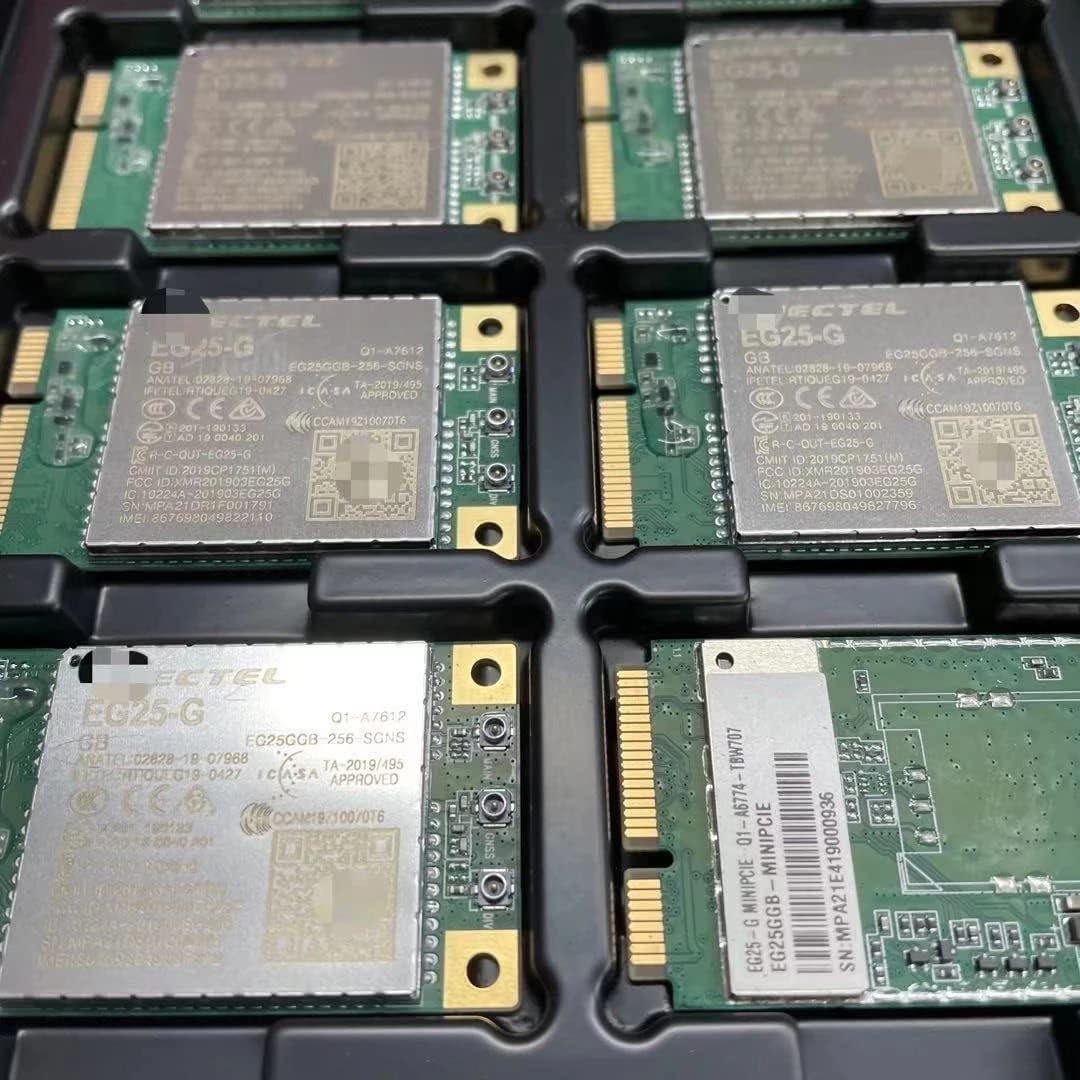
Figure 9.1: Multiple EG25-G modules in a production tray, demonstrating manufacturing quality and consistency.
10. Warranty and Support
EnhanBili products are manufactured to the highest quality standards. This EG25-G module comes with a standard manufacturer's warranty against defects in materials and workmanship. Please refer to your purchase documentation for specific warranty terms and duration.
For technical support, troubleshooting assistance, or warranty claims, please contact EnhanBili customer service or visit our official website. When contacting support, please have your product model (EG25-G) and serial number (e.g., MPA21HL1E000161) ready for faster service.
Online Resources:
- Official EnhanBili Website: EnhanBili Brand Page on Amazon (for general product information)
- Quectel Support: For detailed technical documentation and driver downloads, visit the official Quectel website.