
1. Introduction
This manual provides detailed instructions for the Hanatora Drone Night Flight Light, designed to enhance visibility and functionality for night drone operations. Please read this manual thoroughly before use to ensure proper installation and operation.
2. Package Contents
The following items are included in your Hanatora Drone Night Flight Light package:
- 1x Searchlight
- 1x Adapter
- 1x Expansion Mount
- 1x Charging Cable

3. Compatible Drones
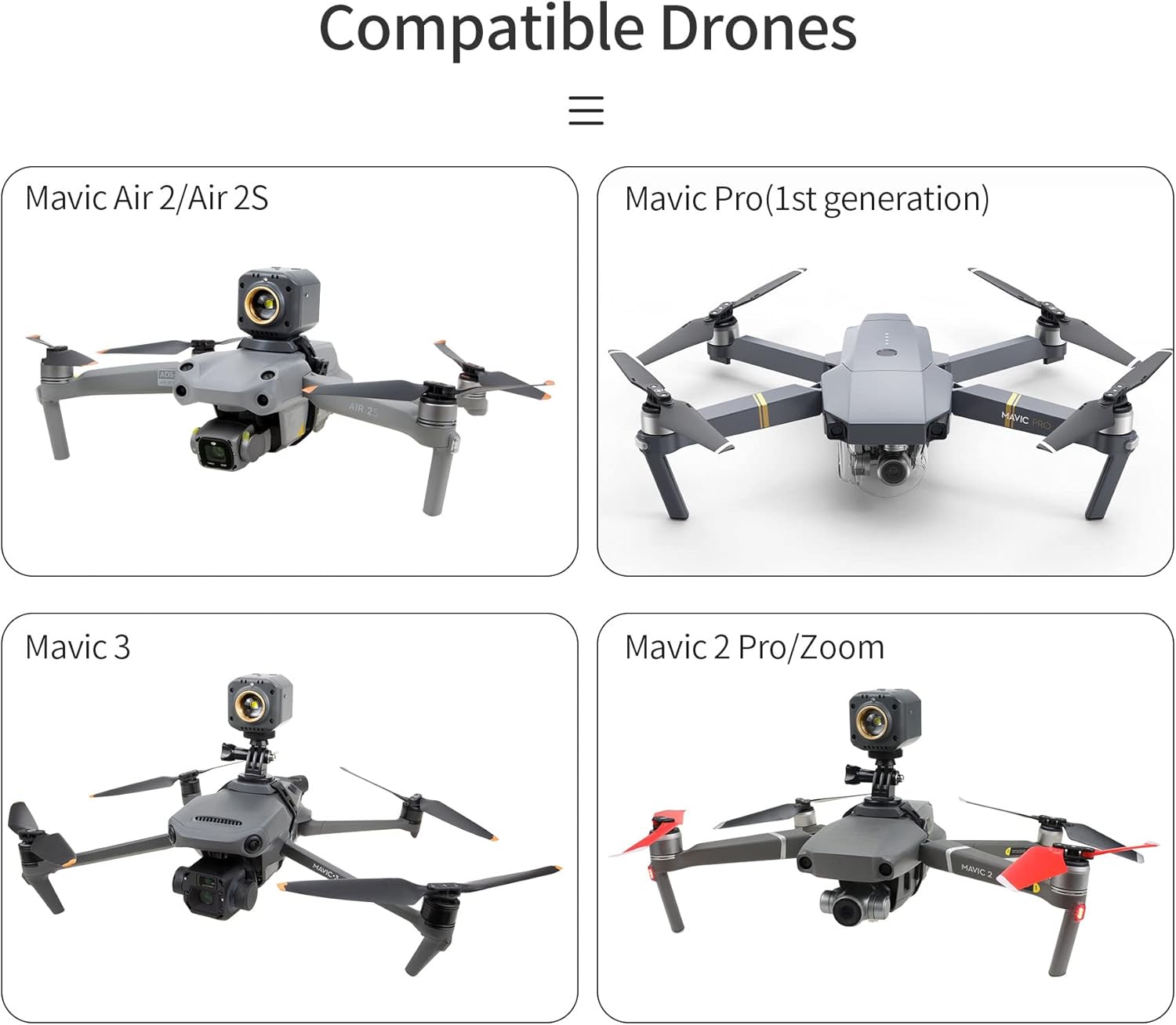
This night flight light is specifically designed for use with the following DJI drone models:
- DJI Air 3S
- DJI Air 3
- DJI Air 2S
- DJI Mavic Air 2
- DJI Mavic 3
- DJI Mavic 3 Classic
- DJI Mavic 3 Cine
- DJI Mavic 2 Pro
- DJI Mavic 2 Zoom
- DJI Mavic Pro (1st generation)
4. Product Specifications
| Parameter | Value |
|---|---|
| Brand | Hanatora |
| Model Number | YX-T-001 |
| Built-in Battery Capacity | 800mAh |
| Self-charging Time | 150 minutes |
| Luminous Flux | 300LM |
| Working Time per Charge | 1.5~2 hours |
| Item Weight | 120 Grams |
| Material | Rubber |
| Color | Black |

5. Setup and Installation
The Hanatora Drone Night Flight Light offers two primary installation modes, utilizing either the expansion mount directly or with an additional adapter for adjustable positioning.
5.1 Mode 1: Light + Expansion Mount (Direct Attachment)
This mode is suitable for drones where direct attachment to the top or bottom is preferred.
- Attach the searchlight to the expansion mount.
- Secure the expansion mount to the drone using the rubber strap. Ensure the strap is fastened tightly to prevent shaking during flight.
- Verify that the light does not obstruct any sensors or the drone's power button.

5.2 Mode 2: Light + Adapter + Expansion Mount (Adjustable Attachment)
This mode allows for 180° forward and backward adjustment of the searchlight.
- Attach the adapter to the expansion mount, ensuring the screw is tightened securely.
- Mount the searchlight onto the adapter.
- Secure the entire assembly to the drone using the rubber strap. Ensure the strap is fastened tightly to prevent shaking during flight.
- Adjust the light's angle as needed.
- Verify that the light does not obstruct any sensors or the drone's power button.

5.3 Installation Video Guide
6. Operating Instructions
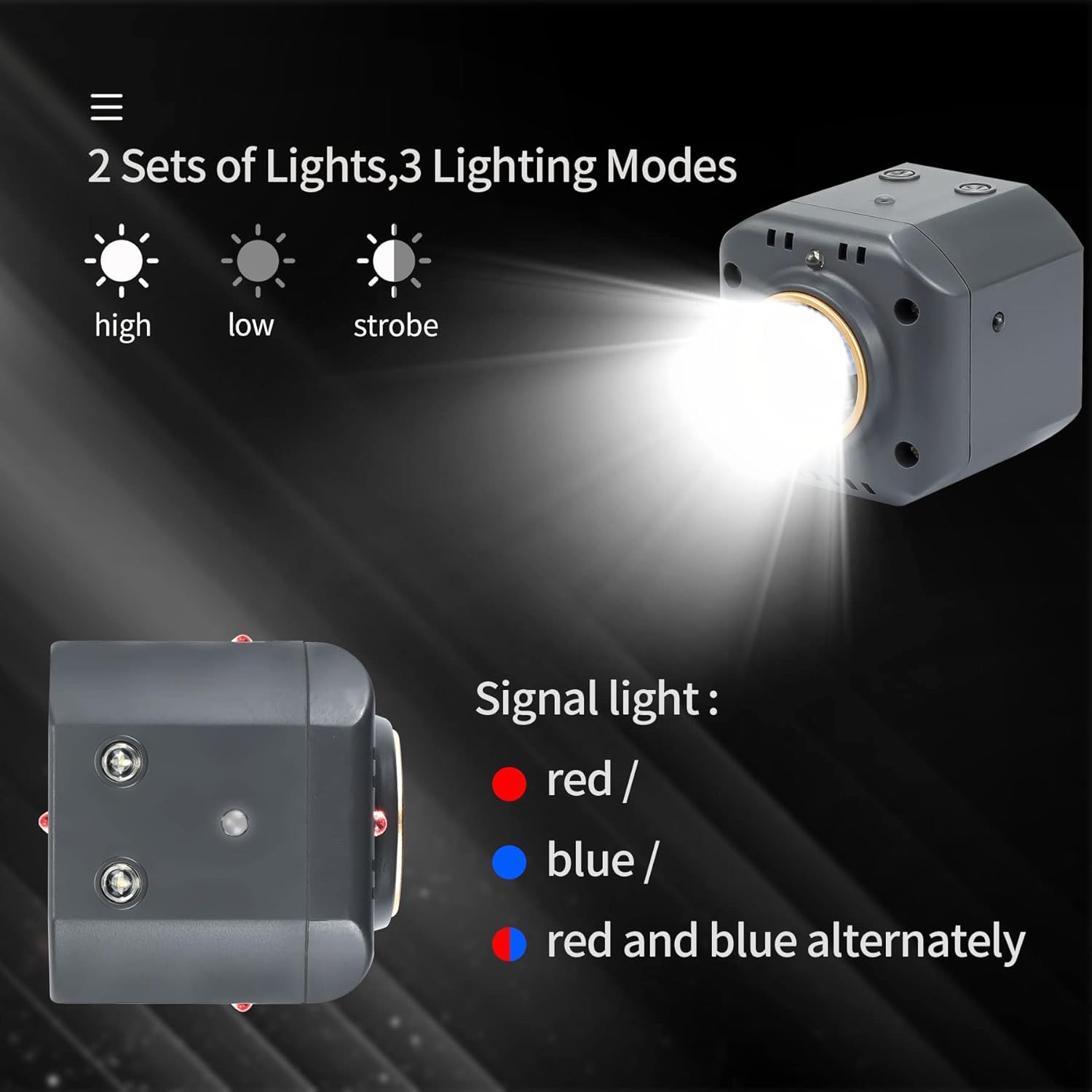
The Hanatora Night Flight Light features both a main searchlight and signal lights with multiple modes.
6.1 Main Searchlight Modes
The main searchlight has three adjustable brightness modes:
- Strong Light: Provides maximum illumination for clear visibility.
- Medium Light: Offers balanced illumination for general use.
- Strobe: Flashing light for signaling or increased attention.
To cycle through these modes, press the main light button located on the device.
6.2 Signal Light Modes
The signal lights feature three modes for different indications:
- Red: Constant red light.
- Blue: Constant blue light.
- Red and Blue Alternately: Flashing red and blue lights for emergency or warning signals.
To cycle through these modes, press the signal light button located on the device.
6.3 Operation Demonstration Video
7. Charging
The device has a built-in 800mAh battery. Use the provided USB-C charging cable to charge the light. A full charge takes approximately 150 minutes and provides 1.5 to 2 hours of working time. The charging port is located on the side of the searchlight, as shown in Figure 4.1.
8. Maintenance
To ensure the longevity and optimal performance of your Hanatora Drone Night Flight Light, follow these maintenance guidelines:
- Cleaning: Wipe the light and mount with a soft, dry cloth. Avoid using harsh chemicals or abrasive materials.
- Storage: Store the device in a cool, dry place away from direct sunlight and extreme temperatures when not in use.
- Battery Care: For extended storage, charge the battery to approximately 50% every three months to maintain battery health.
9. Troubleshooting
If you encounter issues with your night flight light, refer to the following common solutions:
9.1 Light Not Turning On
- Possible Cause: Low battery.
- Solution: Charge the device fully using the provided USB-C cable.
9.2 Light Flickering
- Possible Cause: Loose connection or low battery.
- Solution: Ensure the light is securely attached to the mount. Recharge the battery if necessary.
9.3 Light Shaking During Flight
- Possible Cause: Insufficiently tightened rubber strap.
- Solution: Re-fasten the rubber strap tightly around the drone to secure the mount.
10. Warranty and Support
For warranty information or technical support, please refer to the product packaging or contact Hanatora customer service directly. Keep your purchase receipt for warranty claims.