
H2263D
User Manual: Havit H2263D Metal Decoration Single Port Headphone 3.5mm - White
Model: H2263D
1. Introduction
Thank you for purchasing the Havit H2263D Metal Decoration Single Port Headphone. This manual provides essential information for the proper setup, operation, and maintenance of your new headphones. Please read this manual thoroughly before use to ensure optimal performance and longevity of the product.
2. Safety Information
- Avoid prolonged listening at high volume levels to prevent hearing damage.
- Do not use the headphones while driving, cycling, or in situations where you need to hear ambient sounds.
- Keep the headphones away from water, moisture, and extreme temperatures.
- Do not attempt to disassemble or modify the headphones. This will void the warranty and may cause damage.
- Clean the headphones with a soft, dry cloth only.
3. Package Contents
Please check the package contents upon opening. If any items are missing or damaged, contact your retailer.
- Havit H2263D Headphones (1 unit)
- Integrated 3.5mm Audio Cable (1 unit)
- User Manual (this document)

Image: Havit H2263D headphones showing the integrated 3.5mm audio cable and inline control.
4. Product Overview
The Havit H2263D headphones feature a comfortable over-ear design with metal decoration. They are equipped with a single 3.5mm audio jack for universal compatibility.
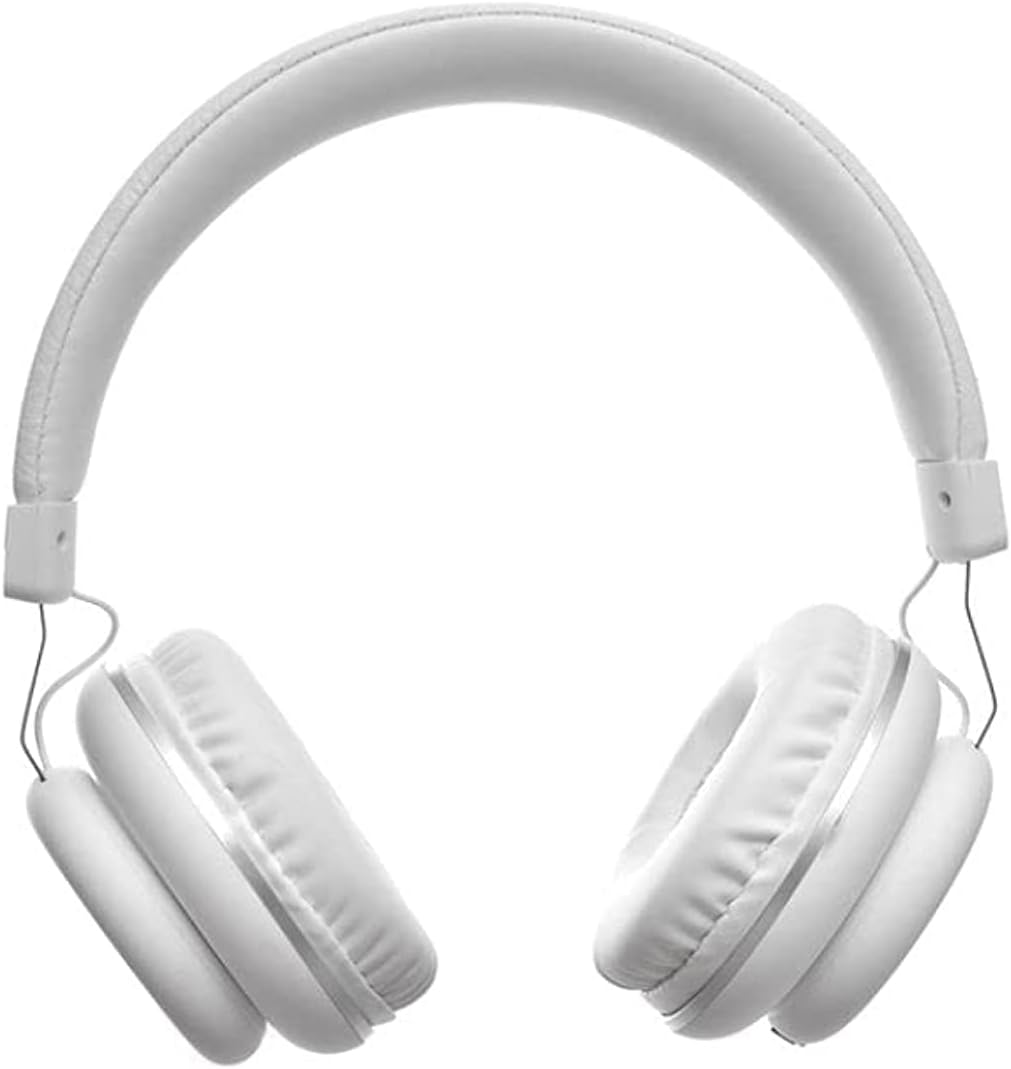
Image: Front view of the Havit H2263D headphones, highlighting the adjustable headband and earcups.
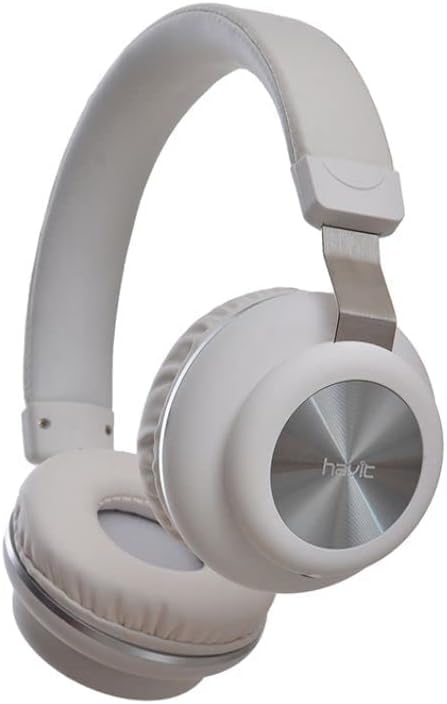
Image: Side view of the Havit H2263D headphones, showing the "havit" branding on the earcup and the metal decorative element.
Key Features:
- Over-ear design for comfortable listening.
- Durable metal decoration.
- Universal 3.5mm audio jack compatibility.
- Integrated cable with inline controls.
5. Setup
Setting up your Havit H2263D headphones is straightforward:
- Identify the Audio Port: Locate the 3.5mm audio jack on your audio source device (e.g., smartphone, tablet, computer, gaming console).
- Connect the Headphones: Insert the 3.5mm plug of the headphone cable firmly into the audio jack of your device.
- Adjust Fit: Place the headphones over your ears. Adjust the headband to ensure a comfortable and secure fit. The earcups should fully cover your ears for optimal sound isolation and comfort.
6. Operating
Once connected, your headphones are ready for use.
Audio Playback:
- Start playing audio from your connected device.
- Adjust the volume using the volume controls on your audio source device.
- The inline control on the cable may offer basic functions like play/pause or track skipping depending on your device's compatibility. Refer to your device's manual for specific inline control functionality.
Microphone:
The Havit H2263D headphones include an integrated microphone for hands-free calls and voice commands. Ensure your device recognizes the headphone's microphone input.
7. Maintenance
Proper maintenance will extend the life of your headphones:
- Cleaning: Use a soft, dry, lint-free cloth to wipe the earcups and headband. Do not use liquid cleaners or abrasive materials.
- Storage: When not in use, store the headphones in a clean, dry place, away from direct sunlight and extreme temperatures. Avoid tangling the cable.
- Cable Care: Do not pull on the cable to disconnect the headphones. Always grasp the plug. Avoid sharp bends or kinks in the cable.
8. Troubleshooting
If you encounter issues with your headphones, refer to the following common problems and solutions:
| Problem | Possible Cause | Solution |
|---|---|---|
| No sound or low volume |
|
|
| Sound distortion or crackling |
|
|
| Microphone not working |
|
|
9. Specifications
| Feature | Detail |
|---|---|
| Model | H2263D |
| Brand | Generic (Havit) |
| Connectivity Technology | Wired |
| Headphones Jack | 3.5 mm Jack |
| Headphones Form Factor | Over-Ear |
| Color | White |
| Material | Metal |
| Specific Uses For Product | Gaming Headset |
| Package Dimensions | 20.8 x 18.2 x 9.3 cm |
| Item Weight | 300 g |
10. Warranty and Support
This product comes with a standard manufacturer's warranty. For detailed warranty terms and conditions, please refer to the documentation provided at the time of purchase or contact your retailer. For technical support or service inquiries, please reach out to the point of purchase or the brand's official support channels.
Please retain your proof of purchase for warranty claims.
Related Documents - H2263D
 |
HAVIT Wireless Headphones and Headsets Declaration of Conformity Official Declaration of Conformity for HAVIT wireless headphones and headsets, issued by AVAKS LLC, confirming compliance with Eurasian Economic Union technical regulations regarding hazardous substances in electrical and electronic equipment. |
Ask a question about this manual
Ask about setup, troubleshooting, compatibility, parts, safety, or missing instructions. Manuals+ will review the question and use this page’s manual context to help answer it.