
Pursonic TBUSB200-12
Pursonic Whitening USB Rechargeable Sonic Toothbrush User Manual
Model: TBUSB200-12
Brand: Pursonic
Introduction
Thank you for choosing the Pursonic Whitening USB Rechargeable Sonic Toothbrush. This manual provides important information on the safe and effective use, maintenance, and care of your new sonic toothbrush. Please read it thoroughly before first use and keep it for future reference.

Image: The Pursonic Sonic Toothbrush, its packaging, and the included 12 brush heads.
Safety Information
Important Safety Precautions:
- Do not use for children.
- Be gentle with the soft bristles to avoid injury.
- Do not immerse the charging base in water.
- Consult your dentist before use if you have severe gum disease or oral surgery.
Product Features
- 38,000 Strokes Per Minute: Powerful sonic vibrations for effective cleaning.
- 3 Brushing Modes: Normal, Super, and Gumcare, catering to various oral care needs.
- 2-Minute Auto Timer: Ensures dentist-recommended brushing time.
- 30-Second Interval Alert System: Guides you to brush each quadrant of your mouth evenly.
- Long-Lasting Battery: One 6-hour charge provides up to 25 days of use (based on brushing twice a day for 2 minutes each time).
- Smart LED Indicator: Provides power shortage reminders and power-off protection.
- 12 Brush Heads Included: A 3-year supply of Dupont nylon bristles for safe and comfortable brushing.

Image: Key technology features of the Pursonic Sonic Toothbrush, including timer, LED indicator, stroke count, and battery life.

Image: Explanation of the three brushing modes: Normal for regular cleaning, Super for stain elimination, and Gumcare for massage.
Setup and Initial Use
- Charge the Toothbrush: Before first use, fully charge the toothbrush for approximately 6 hours. The LED indicator will show charging status.
- Attach Brush Head: Align the brush head with the metal shaft on the toothbrush handle and push it down firmly until it clicks into place.
- Apply Toothpaste: Apply a small amount of toothpaste to the bristles.
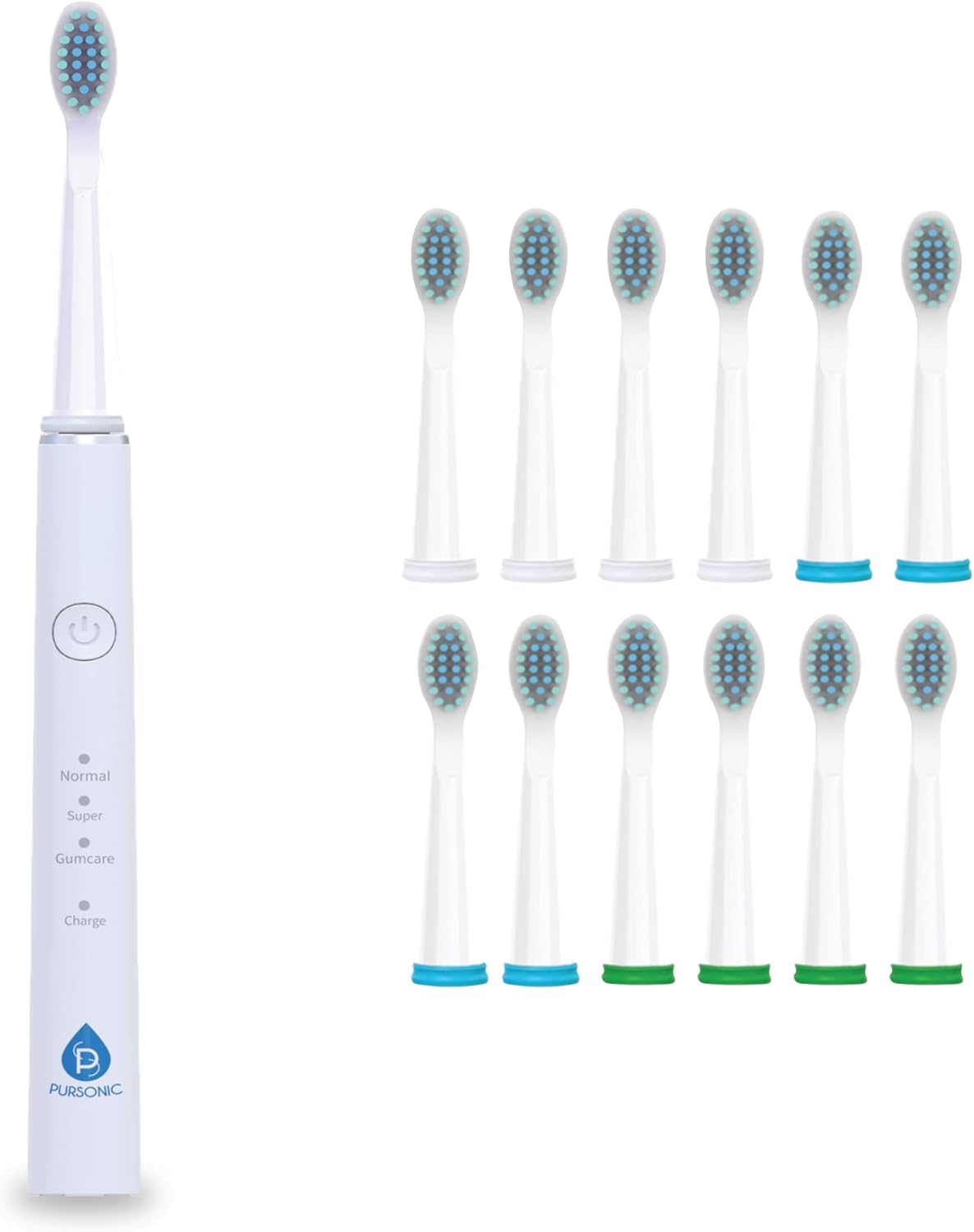
Image: The toothbrush handle alongside the included 12 brush heads, ready for attachment.
Operating Instructions
- Power On/Off: Press the power button to turn the toothbrush on or off.
- Select Brushing Mode: Press the power button repeatedly to cycle through the three brushing modes: Normal, Super, and Gumcare. The indicator light next to the selected mode will illuminate.
- Brush Your Teeth: Place the bristles against your teeth at a slight angle towards the gumline. Move the brush slowly across your teeth, allowing the sonic vibrations to do the work.
- Follow the Timer: The toothbrush will pause briefly every 30 seconds to indicate when to move to the next quadrant of your mouth. After 2 minutes, the toothbrush will automatically turn off.

Image: A user demonstrating the proper way to hold and use the sonic toothbrush.
Maintenance and Care
- After Each Use: Rinse the brush head thoroughly under running water. Wipe the handle with a damp cloth.
- Deep Cleaning: Periodically remove the brush head and rinse both the brush head and the handle connection area.
- Brush Head Replacement: Replace the brush head every 3 months, or sooner if the bristles become frayed. The included 12 brush heads provide a 3-year supply.
- Charging: Recharge the toothbrush when the charge indicator light signals low battery.

Image: A visual representation of the 12 brush heads included, emphasizing the long-term supply.
Troubleshooting
| Problem | Possible Cause | Solution |
|---|---|---|
| Toothbrush does not turn on. | Battery is depleted. | Charge the toothbrush for 6 hours. |
| Weak vibration. | Low battery or brush head not properly attached. | Recharge the toothbrush. Ensure brush head is firmly attached. |
| Brush head falls off during use. | Brush head not securely attached. | Push the brush head down firmly until it clicks into place. |
Specifications
- Model Number: TBUSB200-12
- Strokes Per Minute: 38,000
- Brushing Modes: Normal, Super, Gumcare
- Timer: 2-minute auto-timer with 30-second interval alerts
- Power Source: Battery Powered (USB Rechargeable)
- Battery Life: Up to 25 days on a single charge
- Bristle Firmness: Soft
- Included: 1 Pursonic Sonic Toothbrush, 12 Brush Heads, USB Charging Cable
Warranty and Support
For warranty information or technical support, please refer to the contact details provided with your product packaging or visit the official Pursonic website. Keep your purchase receipt for warranty claims.
Legal Disclaimer
Statements regarding dietary supplements have not been evaluated by the FDA and are not intended to diagnose, treat, cure, or prevent any disease or health condition.
Related Documents - TBUSB200-12
 |
Rtauys Electric Toothbrush FAQ Frequently asked questions about the Rtauys Electric Toothbrush, covering returns, replacement brush heads, modes, charging, and bracket installation. |
 |
DeepKlean 30422-7 Sonic Electric Toothbrush User Manual User manual for the DeepKlean 30422-7 Sonic Electric Toothbrush. Learn about installation, operation, charging, features like 6 modes and 8 brush heads, and specifications. Includes travel case information. |
 |
Dada-Tech DT-22 Sonic Electric Toothbrush User Manual User manual for the Dada-Tech DT-22 sonic electric toothbrush, detailing its features, modes, operation, and care instructions for optimal oral hygiene. |
 |
PHYLIAN HH06007 Sonic Electric Toothbrush User Manual User manual for the PHYLIAN HH06007 Sonic Electric Toothbrush, detailing its features, brushing modes, charging instructions, usage guidelines, and warranty information. |
 |
Beconfident Sonic Whitening Toothbrush User Manual User manual for the Beconfident Sonic Whitening Toothbrush, detailing features, usage, important safeguards, specifications, warranty, and maintenance. Learn how to achieve whiter teeth and healthier gums. |
 |
usmile Sonic Electric Toothbrush P1 User Manual | Safety, Modes, Charging, Troubleshooting Comprehensive user manual for the usmile Sonic Electric Toothbrush P1, covering safety precautions, product features, brushing procedures, charging, modes, cleaning, storage, and troubleshooting for this rechargeable sonic toothbrush. |
Ask a question about this manual
Ask about setup, troubleshooting, compatibility, parts, safety, or missing instructions. Manuals+ will review the question and use this page’s manual context to help answer it.