Introduction
Thank you for choosing the Hisense WFQP7012EVM Front Load Washing Machine. This appliance is designed to provide efficient and reliable laundry care with its 7 kg capacity, 1200 RPM spin speed, and durable Inverter Motor. This manual provides essential information for the safe and effective operation, installation, and maintenance of your new washing machine. Please read it thoroughly before use and keep it for future reference.

Figure 1: Front view of the Hisense WFQP7012EVM Washing Machine.
Safety Information
Always follow basic safety precautions when using electrical appliances to reduce the risk of fire, electric shock, and injury to persons. This appliance is for household use only.
- Ensure the washing machine is properly grounded.
- Do not operate the machine if the power cord or plug is damaged.
- Keep children and pets away from the appliance during operation.
- Do not wash items that are soiled with flammable substances.
- Always unplug the machine before cleaning or performing maintenance.
- Do not open the detergent dispenser or door during a wash cycle, especially when the water level is high or temperature is hot.
Setup
Unpacking
Carefully remove all packaging materials. Inspect the machine for any damage. Remove all transit bolts from the rear of the machine before installation. Failure to do so will cause severe vibration and damage.
Placement
Place the washing machine on a firm, level surface. Ensure there is adequate space around the machine for ventilation and access. The dimensions are approximately 85 cm (Height) x 59.5 cm (Width) x 39 cm (Depth).
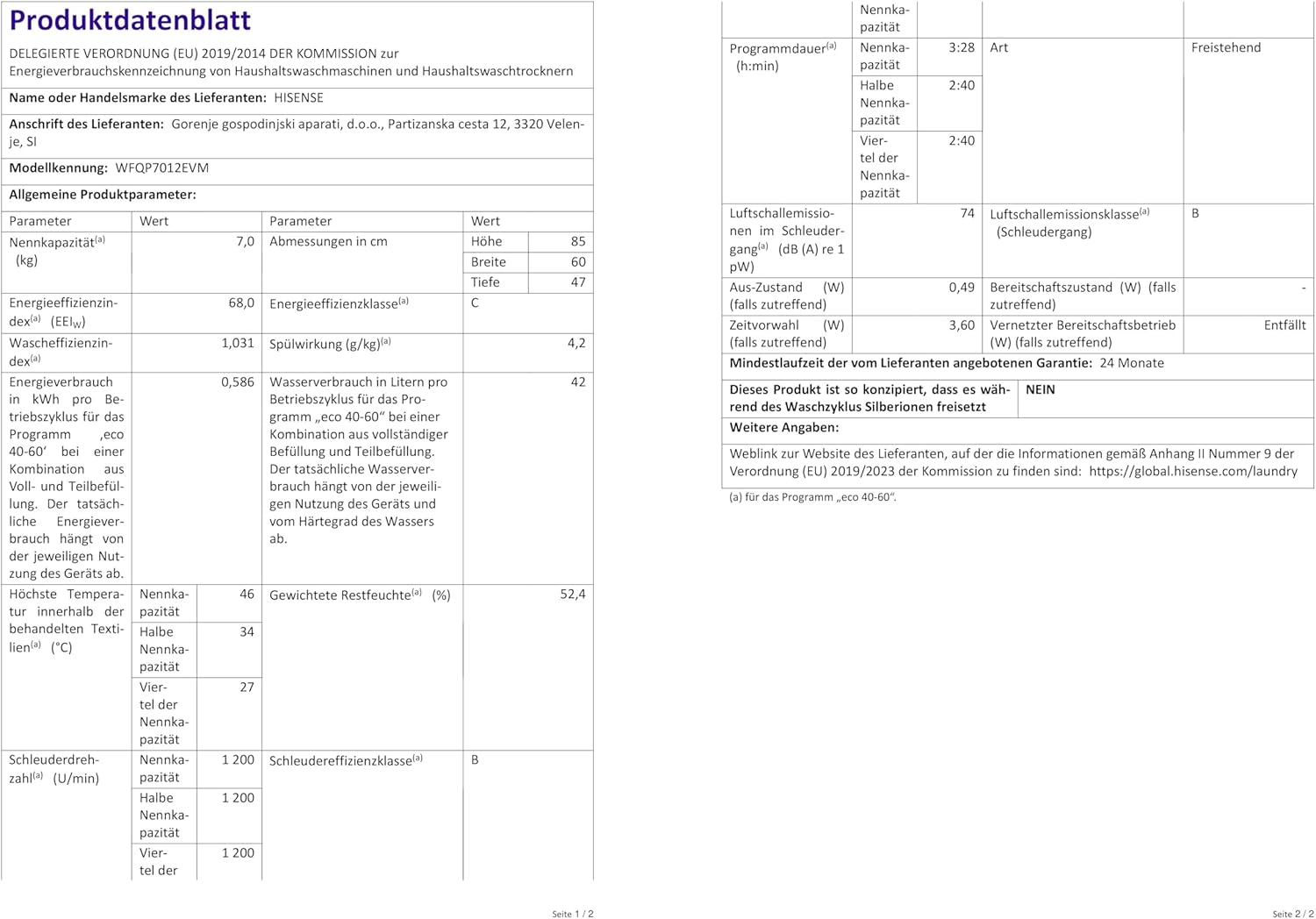
Figure 2: Washing machine dimensions for proper placement.
Connections
- Water Supply: Connect the inlet hose to a cold water tap with a 3/4-inch thread. Ensure all connections are tight to prevent leaks.
- Drainage: Position the drain hose into a standpipe or over the edge of a sink, ensuring it is securely fastened to prevent dislodging during operation.
- Power Supply: Plug the machine into a grounded 220V electrical outlet. Do not use extension cords or adapters.
Initial Use
Before the first wash, run a drum clean cycle without laundry or detergent to remove any manufacturing residues.
Operating Instructions
Control Panel Overview
The control panel features a program selector dial, an LED display, and various function buttons for program customization.

Figure 3: Angled view highlighting the control panel and detergent drawer.
Loading Laundry
Open the door and load laundry loosely into the drum. Do not overload the machine; refer to the program's maximum load capacity. Close the door firmly.

Figure 4: Washing machine with the door open, ready for loading.
Adding Detergent
Add appropriate amounts of detergent and fabric softener to the respective compartments in the detergent drawer. Consult your detergent packaging for recommended dosages.
Program Selection
Turn the program selector dial to choose one of the 15 available programs. The LED display will show the default settings for the selected program.
- Quick Wash (15 mins): Ideal for lightly soiled clothes or small loads up to 1kg when you are in a hurry.
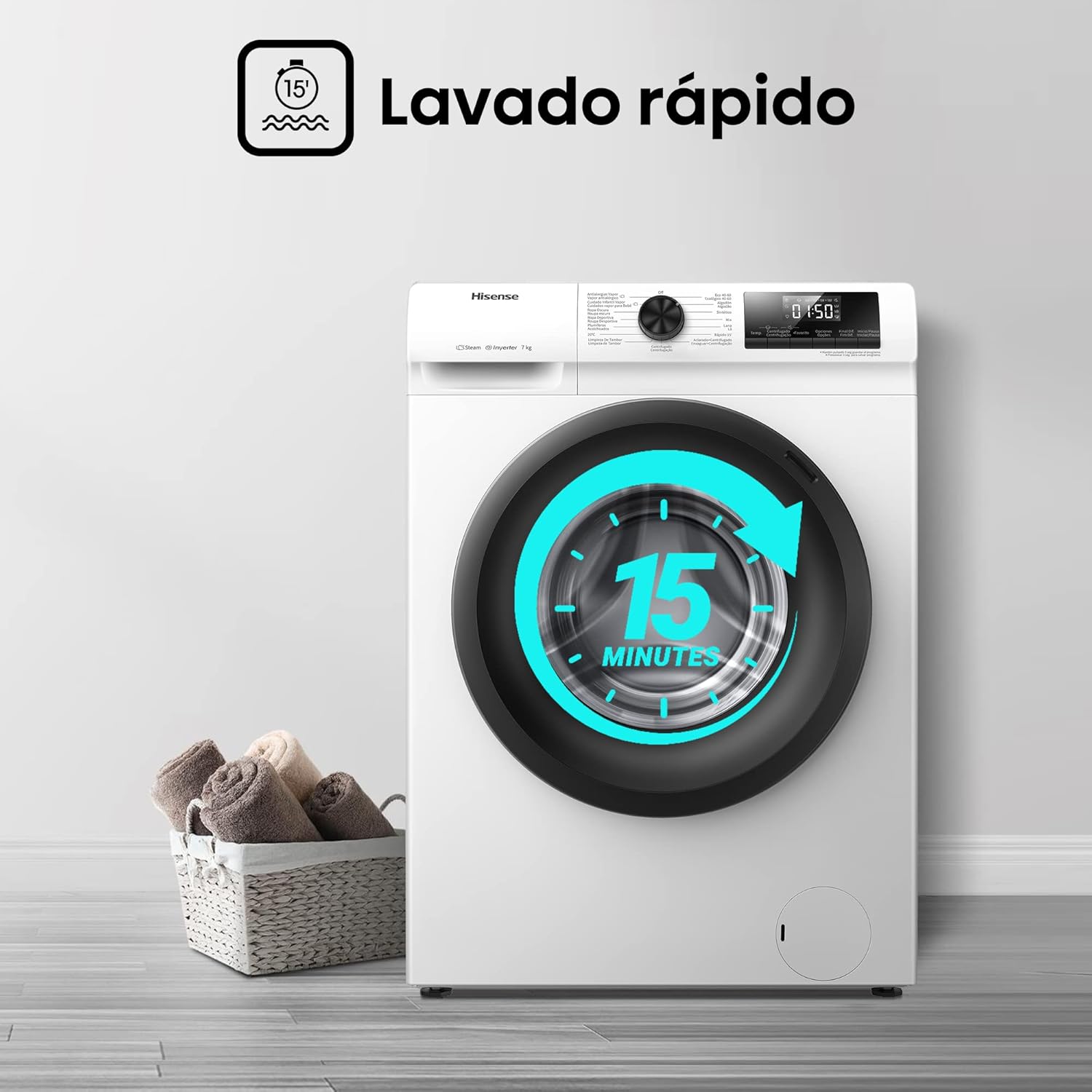
Figure 5: Illustration of the Quick Wash feature.
- Allergy Steam Care: Utilizes high-temperature steam to eliminate 99.9% of common bacteria like Escherichia coli and Staphylococcus aureus, providing a hygienic clean.
- Baby Steam Care: A specialized program for baby clothes, also using steam for thorough sanitization.
- Durable Inverter Motor: The brushless inverter motor ensures efficient, quiet operation and enhanced durability.

Figure 6: The Inverter Motor ensures quiet operation, as depicted by sleeping pets.
Customizing Programs
- Pause & Add: Allows you to pause a cycle and add forgotten items (if the water level and temperature permit).
- Delay Timer: Set a delayed start time for your wash cycle, up to 24 hours.
- Child Lock: Activates to prevent accidental changes to settings during operation.
- Favourite Button: Save your most used program settings for quick access.
Starting a Cycle
Press the Start/Pause button to begin the selected wash cycle.
Maintenance
Drum Cleaning Program
The Hisense Drum Clean program performs a 95°C deep clean of the drum, helping to maintain hygiene and prevent odors. It is recommended to run this cycle regularly.

Figure 7: Illustration of the drum cleaning process.
General Cleaning
- Wipe the exterior of the machine with a soft, damp cloth.
- Clean the detergent dispenser drawer regularly to prevent residue buildup.
- Check and clean the drain pump filter periodically to ensure proper drainage.
Troubleshooting
This section provides solutions to common issues you might encounter. For more complex problems, contact Hisense customer support.
| Problem | Possible Cause | Solution |
|---|---|---|
| Machine does not start. | Power cord not plugged in; door not closed properly; program not selected. | Check power connection; ensure door is latched; select a program and press Start. |
| Excessive noise during spin cycle. | Transit bolts not removed; machine not level; small items caught in drum. | Ensure transit bolts are removed; adjust leveling feet; check drum for foreign objects. |
| Water not draining. | Drain hose kinked or blocked; drain pump filter clogged. | Straighten drain hose; clean drain pump filter. |
The machine features an auto-diagnostic system to help identify issues.
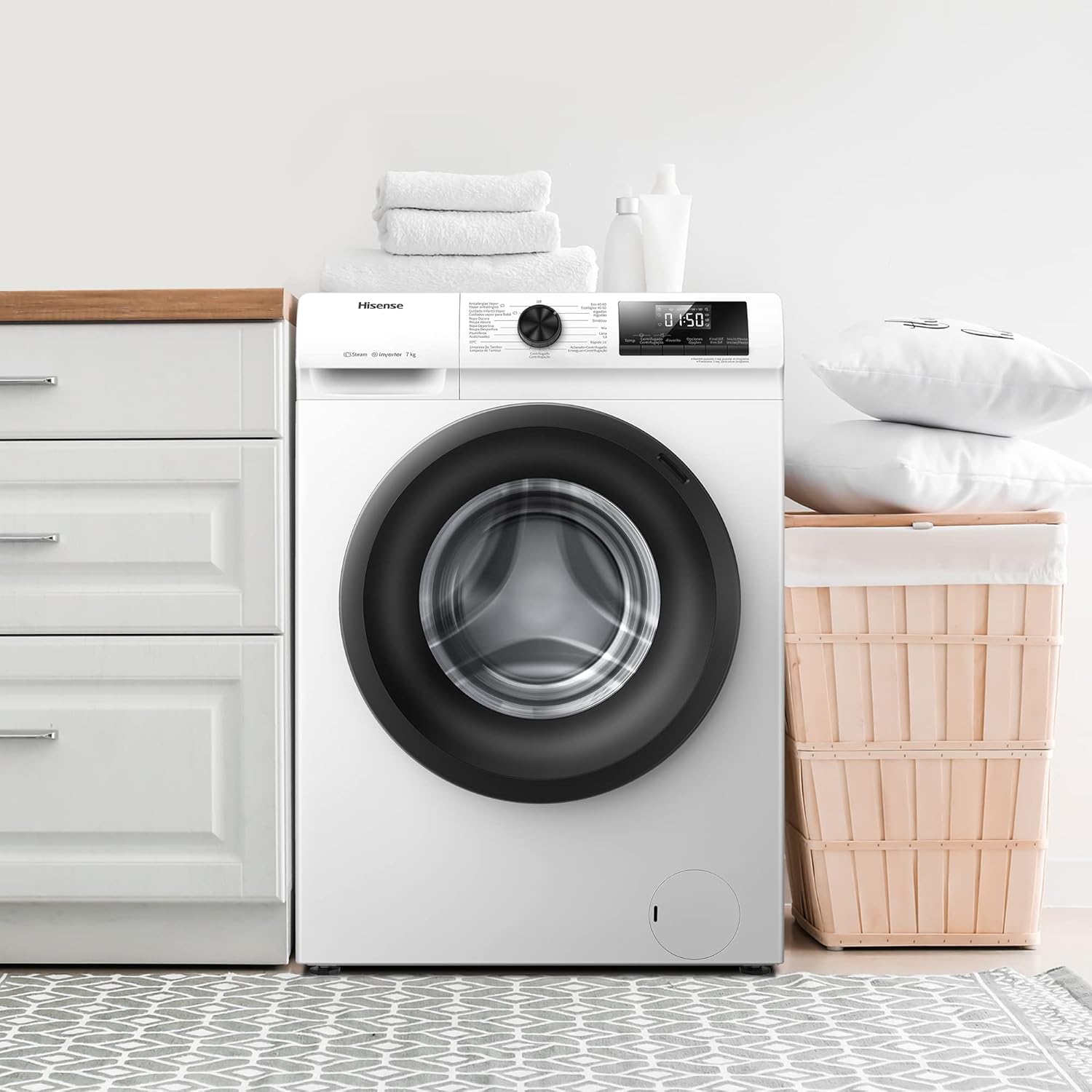
Figure 8: The auto-diagnostic feature assists in identifying operational issues.
Specifications
| Feature | Specification |
|---|---|
| Brand Name | Hisense |
| Model Info | WFQP7012EVM |
| Capacity | 7 Kilograms |
| Max Spin Speed | 1200 RPM |
| Noise Level (Spin) | 74 dB |
| Product Dimensions (D x W x H) | 39 x 59.5 x 85 cm |
| Item Weight | 54 Kilograms |
| Installation Type | Freestanding |
| Control Console | Push Button |
| Access Location | Front Load |
| Special Features | Inverter Motor, LED Display, Child Lock, Delay Timer, 15 Programs, Favourite Button, Pause & Add, Stainless Steel Drum, 15 mins Quick Wash, Allergy Steam Care, Baby Steam Care |
For detailed energy efficiency information, please refer to the official product information sheet and energy label:
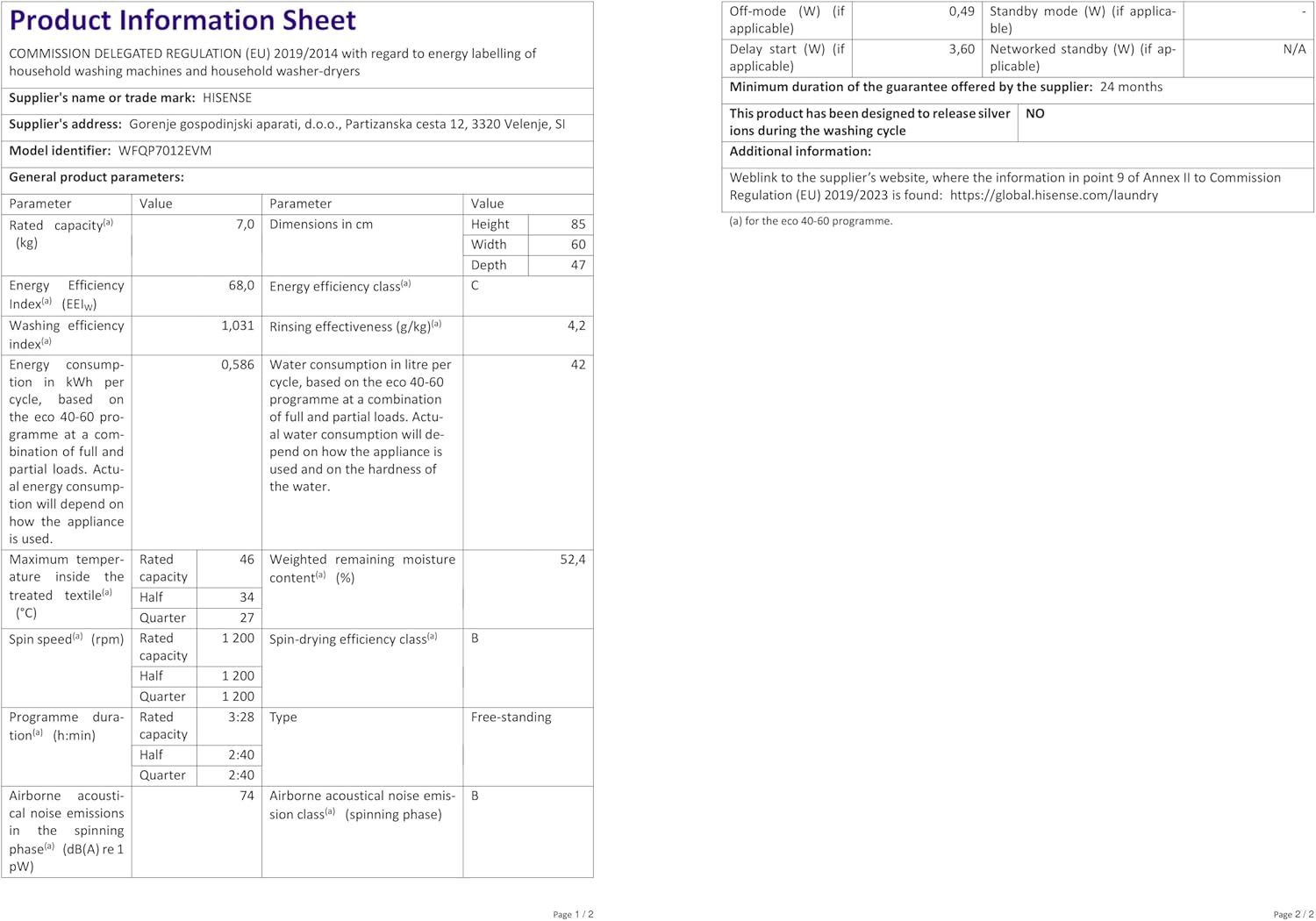
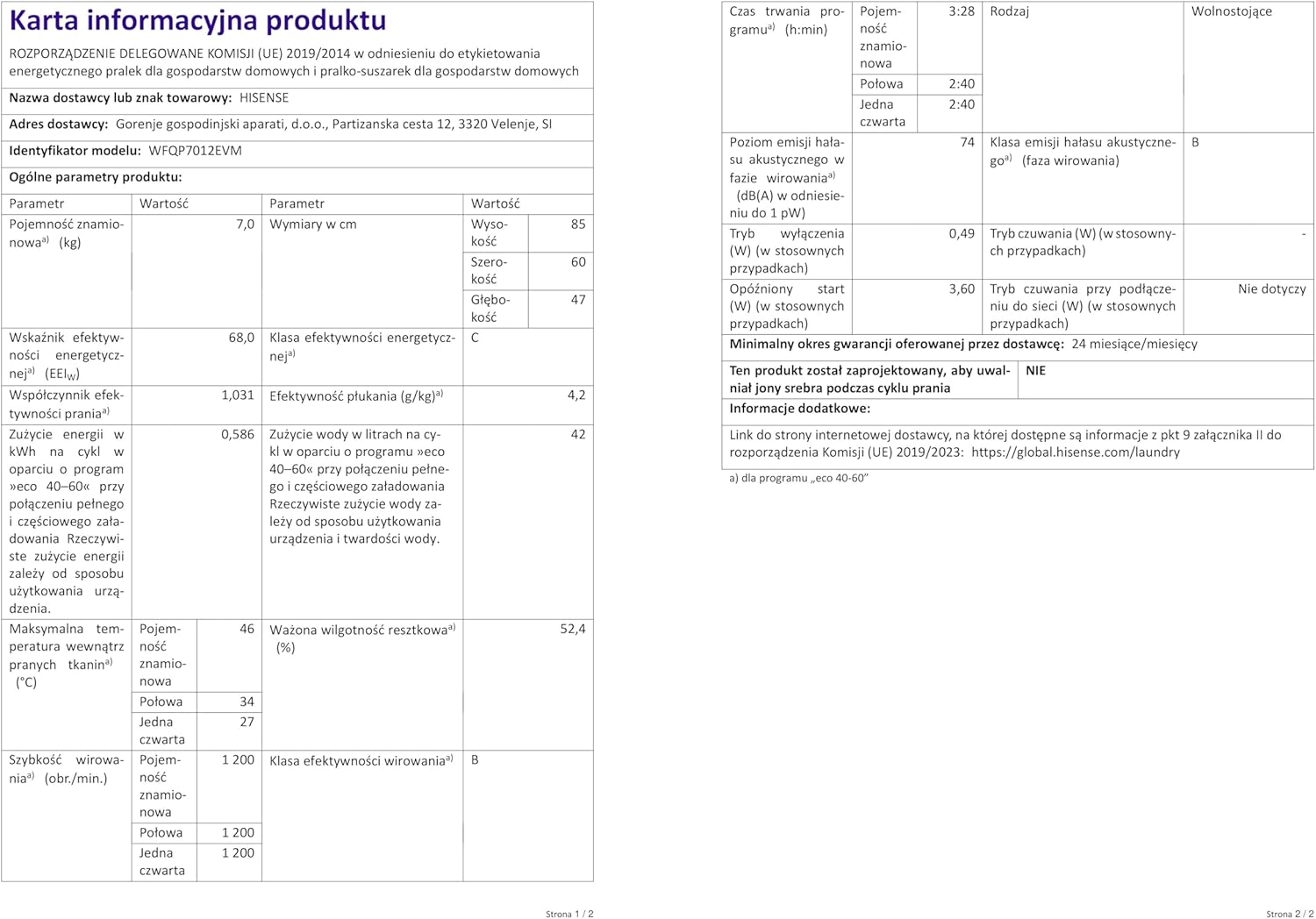
Figure 9: Energy Label and Product Information Sheet for WFQP7012EVM.
Additional information can be found on the EPREL database: https://eprel.ec.europa.eu/qr/1155792
Warranty and Support
Your Hisense WFQP7012EVM Washing Machine comes with a 24-month (2-year) manufacturer's warranty from the date of purchase. This warranty covers manufacturing defects and ensures reliable operation under normal household use.
For warranty claims, technical support, or service inquiries, please contact Hisense customer service. The user manual is included with the product for your convenience.
You can find more information and support on the official Hisense website: global.hisense.com/laundry


