
1. Product Overview
This manual provides instructions for the Generic replacement remote control, designed for use with various AKAI AKTV series LCD LED HDTV models. This remote control is pre-programmed and requires no additional setup beyond battery installation.

Figure 1: Front view of the Generic replacement remote control. This image displays the full layout of the remote control, including all buttons for various functions such as power, channel selection, volume control, and navigation.
2. Setup and Battery Installation
The remote control operates using two AAA alkaline batteries (not included). No programming is required; the remote will function immediately after battery installation.
2.1. Installing Batteries
- Locate the battery compartment on the back of the remote control.
- Slide the battery compartment cover downwards or press the latch and lift to open.
- Insert two new AAA alkaline batteries, ensuring the positive (+) and negative (-) terminals align correctly with the markings inside the compartment.
- Replace the battery compartment cover by sliding it back into place until it clicks securely.
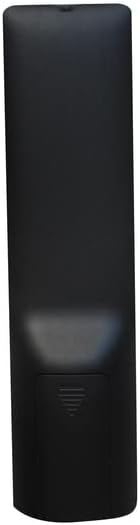
Figure 2: Back view of the remote control showing the battery compartment cover. This image illustrates the location of the battery cover on the rear of the remote control, indicating where to open it for battery access.
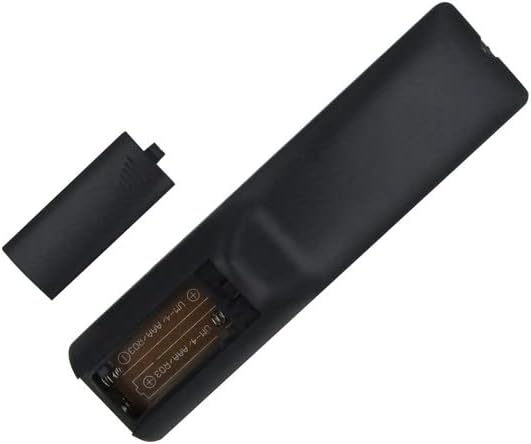
Figure 3: Battery compartment with batteries inserted. This image shows the interior of the battery compartment with two AAA batteries correctly placed, demonstrating the proper orientation for installation.
3. Operating Instructions
Once batteries are installed, the remote control is ready for immediate use with your compatible AKAI AKTV series television. Point the remote control directly at the television's infrared receiver.
- Power Button: Press to turn the television on or off.
- Channel Buttons: Use the number buttons to select channels directly, or the CH+/CH- buttons to cycle through channels.
- Volume Buttons: Press VOL+ to increase volume and VOL- to decrease volume.
- Mute Button: Press to mute or unmute the television's audio.
- Navigation Buttons: Use the arrow keys (Up, Down, Left, Right) and OK/Enter button to navigate menus and confirm selections.
- Source/Input Button: Press to change the input source (e.g., HDMI 1, AV, USB).
Refer to your television's user manual for specific functions and menu navigation details.
4. Maintenance
4.1. Cleaning
To clean the remote control, gently wipe its surface with a soft, dry cloth. For stubborn dirt, slightly dampen the cloth with water. Avoid using harsh chemicals, abrasive cleaners, or excessive moisture, as these can damage the remote.
4.2. Battery Replacement
Replace batteries when the remote control's response becomes sluggish or stops working. Always replace both batteries at the same time with new AAA alkaline batteries. Do not mix old and new batteries, or different types of batteries.
5. Troubleshooting
| Problem | Possible Cause | Solution |
|---|---|---|
| Remote control is not working. |
|
|
| Some buttons are not responding. |
|
|
6. Specifications
| Feature | Detail |
|---|---|
| Brand | Generic |
| Compatible Devices | AKAI AKTV Series Televisions (e.g., AKTV5534, AKTV4028, CTV5584, AKTV5534UHDS, AKTV3224T) |
| Connectivity Technology | Infrared (IR) |
| Controller Type | Button Control |
| Special Feature | No Programming Required |
| Number of Batteries | 2 |
| Battery Type | AAA Alkaline |
7. Warranty and Support
No specific warranty information is provided for this product. For any issues or inquiries, please refer to the seller or retailer from whom the product was purchased.