
MuveAcoustics MA-3050SB
MuveAcoustics Link True Wireless Earbuds Instruction Manual
Model: MA-3050SB
Welcome to your MuveAcoustics Link True Wireless Earbuds. This manual provides detailed instructions for setting up, operating, maintaining, and troubleshooting your earbuds to ensure optimal performance and longevity.
1. Package Contents
Before you begin, please ensure all items are present in your package:
- MuveAcoustics Link True Wireless Earbuds (Left and Right)
- Charging Case
- USB-C Charging Cable
- Multiple sizes of ear tips for a comfortable fit

Image: MuveAcoustics Link Earbuds packaging and accessories.
2. Setup
2.1 Charging the Earbuds and Case
For first-time use, fully charge the earbuds and charging case. The charging case features a digital power display to show the battery level.
- USB-C Charging: Connect the provided USB-C cable to the charging port on the case and a power source.
- Wireless Charging: Place the charging case on a Qi-standard wireless charging pad. Ensure the center of the charging case aligns with the center of the charging pad for optimal charging.
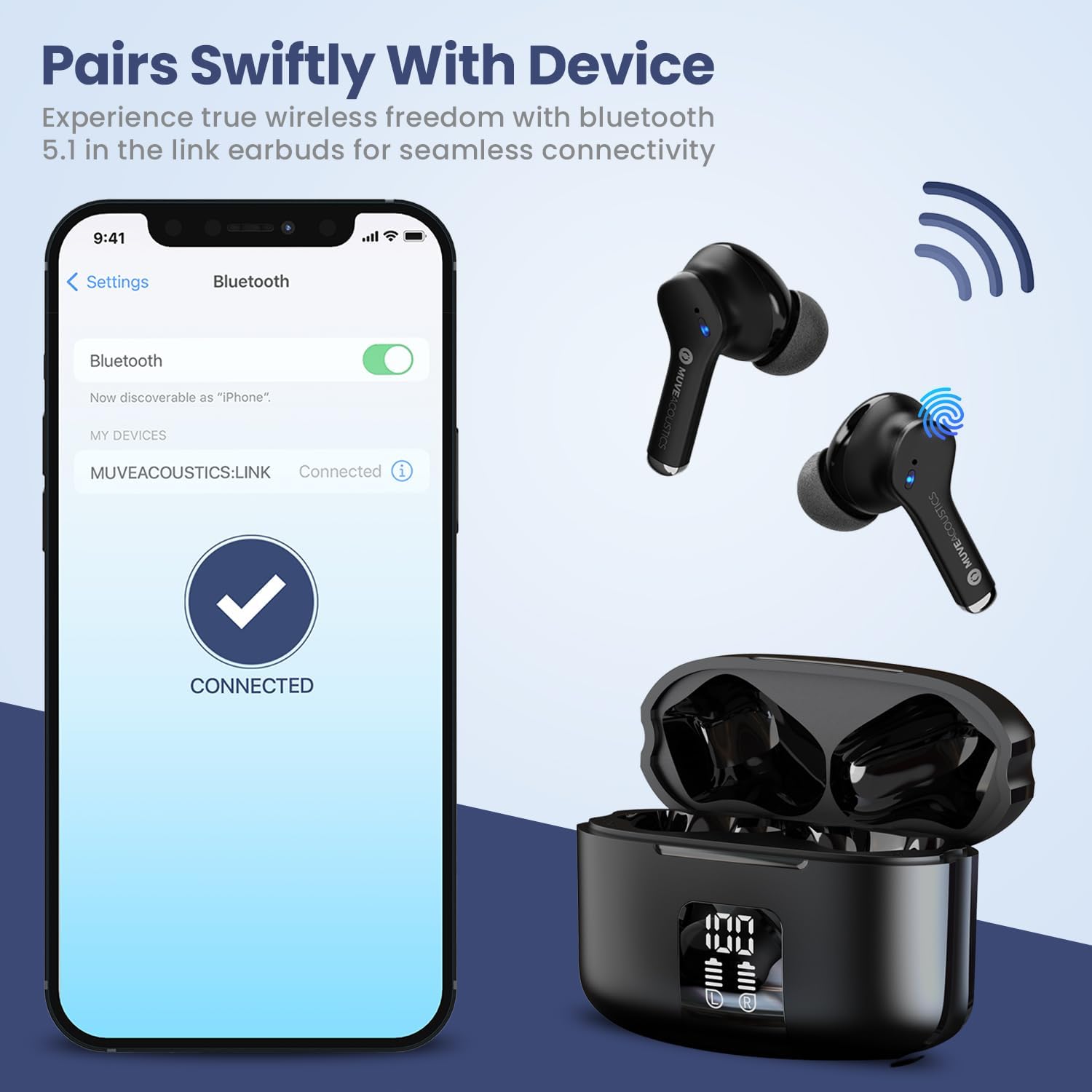
Image: Charging case with digital battery display.

Image: Diagram illustrating charging and controls.
2.2 Power On/Off
- Power On: The earbuds automatically power on when removed from the charging case.
- Power Off: Place the earbuds back into the charging case and close the lid. They will automatically power off and begin charging.
2.3 Bluetooth Pairing
Follow these steps to pair your earbuds with a Bluetooth-enabled device:
- Ensure Bluetooth is enabled on your audio source device (e.g., smartphone, tablet).
- Take the MuveAcoustics Link True Wireless Earbuds out of the charging box. They will automatically enter pairing mode.
- On your device, search for Bluetooth devices and select "MUVEACOUSTICS:LINK" from the list of available connections.
- Once connected, you will hear an audio prompt, and the earbuds will be ready for use.

Image: Bluetooth pairing process.
3. Operating Your Earbuds
3.1 Touch Controls
The MuveAcoustics Link earbuds feature intuitive touch controls on each earbud. Tap the touch control area to perform various functions:
| Function | Action |
|---|---|
| Play/Pause Music | Tap either earbud once |
| Volume Up | Tap the left earbud twice |
| Volume Down | Tap the right earbud twice |
| Next Track | Tap the right earbud three times |
| Previous Track | Tap the left earbud three times |
| Answer/End Call | Tap either earbud twice |
| Refuse Call | Press and hold either earbud for 2 seconds |
| Activate Voice Assistant | Press and hold either earbud for 2 seconds (depends on connected device) |
3.2 Environmental Noise Canceling (ENC)
The earbuds feature Environmental Noise Canceling (ENC) technology, which helps reduce ambient noise during calls, ensuring clearer communication.
3.3 IPX5 Water Resistance
The MuveAcoustics Link earbuds are IPX5 rated, providing protection against splashes and sweat. This makes them suitable for workouts and outdoor activities. Avoid submerging the earbuds in water.

Image: Earbuds demonstrating IPX5 water resistance.
3.4 Official Instruction Video
Watch this official video for a visual guide on how to use your MuveAcoustics Link True Wireless Earbuds, covering charging, power, pairing, and touch controls.
Video: How To Use: MuveAcoustics Link True Wireless Earbuds. This video demonstrates the charging process, powering on/off, Bluetooth pairing, and various touch control functions for music playback and call management.
4. Maintenance
Proper maintenance ensures the longevity and performance of your earbuds.
- Cleaning: Regularly clean the earbuds and charging case with a soft, dry, lint-free cloth. Avoid using abrasive materials or harsh chemicals. Gently clean ear tips with a damp cloth and allow them to dry completely before reattaching.
- Storage: When not in use, store the earbuds in their charging case to protect them from dust and damage. Store the case in a cool, dry place away from extreme temperatures.
5. Troubleshooting
If you encounter issues with your earbuds, try the following solutions:
- Earbuds not pairing: Ensure both earbuds are fully charged and removed from the case. Turn off and on your device's Bluetooth, then try pairing again. If issues persist, try resetting the earbuds (refer to manufacturer's website for specific reset instructions if not covered here).
- No sound or low volume: Check the volume levels on both your device and the earbuds. Ensure the earbuds are properly seated in your ears and that the ear tips provide a good seal.
- Charging issues: Verify that the USB-C cable is securely connected to both the case and the power source. For wireless charging, ensure the case is correctly aligned on the charging pad. Clean the charging contacts on both the earbuds and the case if necessary.
- Intermittent connection: Ensure your device is within the Bluetooth range (up to 33 feet/10 meters) and there are no significant obstructions between the earbuds and your device.
6. Specifications
| Feature | Detail |
|---|---|
| Model Name | MuveAcoustics Link True Wireless Bluetooth Headphones |
| Item Model Number | MA-3050SB |
| Connectivity Technology | Wireless (Bluetooth) |
| Wireless Communication Technology | Bluetooth |
| Bluetooth Range | 10 Meters (33 feet) |
| Ear Placement | In Ear |
| Form Factor | In Ear |
| Noise Control | Hybrid Noise Cancellation (ENC for calls) |
| Water Resistance Level | IPX5 (Water Repellent) |
| Special Features | Built-In Voice Assistant, Lightweight, Microphone Included, Sweatproof, Wireless Charging |
| Item Weight | 0.053 ounces (1.5 Grams) |
| Product Dimensions | 1.97 x 1.97 x 1.18 inches |
| Manufacturer | Zeeva International |
7. Warranty and Support
MuveAcoustics products are designed for quality and reliability. For warranty information or technical support, please refer to the warranty card included in your product packaging or visit the official MuveAcoustics website.
Ask a question about this manual
Ask about setup, troubleshooting, compatibility, parts, safety, or missing instructions. Manuals+ will review the question and use this page’s manual context to help answer it.