
Introduction
Thank you for choosing the YATWIN Flybuds F18 Wireless Bluetooth 5.3 Earbuds. These earbuds are designed to provide a high-quality audio experience with advanced features such as Active Noise Cancellation (ANC), clear High-Definition Environmental Noise Cancellation (ENC) for calls, and convenient wireless charging. Please read this manual carefully to ensure proper use and optimal performance of your device.
Package Contents
Please check the package for the following items:
- YATWIN Flybuds F18 Wireless Earbuds (Left and Right)
- Charging Case
- USB Type-C Charging Cable
- Eartips of different sizes (S, M, L)
- User Manual
Product Overview
Familiarize yourself with the components of your YATWIN Flybuds F18 earbuds and charging case.

Image: The YATWIN Flybuds F18 earbuds in their open charging case, showcasing the pink color and design. The earbuds are shown with a touch control area indicated by a fingerprint icon.
The earbuds feature touch control areas for various functions, LED indicators for status, and multiple microphones for call clarity and noise cancellation. The charging case protects the earbuds and provides additional battery life.

Image: A close-up diagram showing the internal components of an earbud, highlighting the speaker driver and microphone placement for noise cancellation.
Setup and First Use
Follow these steps to set up your earbuds for the first time:
- Initial Charge: Before first use, remove the protective film from the charging contacts on the earbuds. Place both earbuds back into the charging case and close the lid. Charge the case and earbuds for at least 10 minutes using the provided USB Type-C cable or a wireless charger. The LED indicator on the case will show charging status.
- Power On: Open the charging case. The earbuds will automatically power on and enter pairing mode.
- Pairing:
- Open the charging case.
- Go to the Bluetooth settings on your device (smartphone, tablet, laptop).
- Search for available devices and select "YATWIN Flybuds F18" to connect.
- Once connected, you will hear a confirmation tone, and the earbud LEDs will turn off.
- Automatic Reconnection: After the initial pairing, the earbuds will automatically connect to the last paired device when removed from the charging case, provided Bluetooth is enabled on your device.

Image: A diagram illustrating the initial setup process, including removing protective film, charging, and Bluetooth pairing steps. It also shows touch control gestures.

Image: A visual representation of the fast pairing process, showing a smartphone's Bluetooth settings screen with "YATWIN Flybuds F18" available for connection, alongside the earbuds and charging case.
Operating Instructions
The YATWIN Flybuds F18 feature intuitive touch controls on each earbud. Refer to the diagram below for a quick overview of the functions.

Image: A graphic detailing the touch controls for music playback, call management, volume adjustment, and voice assistant activation on the earbuds.
Music Control:
- Play/Pause: Single tap on either earbud.
- Next Track: Double tap the right earbud.
- Previous Track: Double tap the left earbud.
- Volume Up: Single tap the right earbud (after play/pause).
- Volume Down: Single tap the left earbud (after play/pause).
Call Control:
- Answer/End Call: Single tap on either earbud.
- Reject Call: Press and hold either earbud for 2 seconds.
Noise Control Modes:
The earbuds offer Active Noise Cancellation (ANC) and Transparency Mode.
- Activate ANC: Press and hold the left earbud for 2 seconds.
- Activate Transparency Mode: Press and hold the left earbud for 2 seconds (to cycle through modes).
- Deactivate ANC/Transparency: Press and hold the left earbud for 2 seconds (to cycle through modes).
Voice Assistant:
- Activate Voice Assistant (Siri, Google Assistant, Alexa): Triple tap the right earbud.

Image: A graphic showing compatibility with popular voice assistants like Siri, Google Assistant, and Amazon Alexa, activated via the earbuds.
Charging Your Earbuds and Case
The YATWIN Flybuds F18 charging case supports both USB Type-C wired charging and wireless charging.
Charging the Case:
- Wired Charging: Connect the provided USB Type-C cable to the charging port on the case and to a USB power adapter (not included). The LED indicator on the case will show charging status.
- Wireless Charging: Place the charging case on a compatible wireless charging pad. Ensure the case is properly aligned for charging to begin. The LED indicator will show charging status.
Charging the Earbuds:
Place the earbuds into the charging case. They will automatically begin charging. The case's battery will recharge the earbuds multiple times.

Image: An illustration showing the charging case being charged via both a USB Type-C cable and wirelessly on a charging pad, next to a laptop and notebook.
Battery Life:
Each earbud provides up to 8 hours of listening time on a single charge. The charging case extends the total listening time to approximately 32 hours.
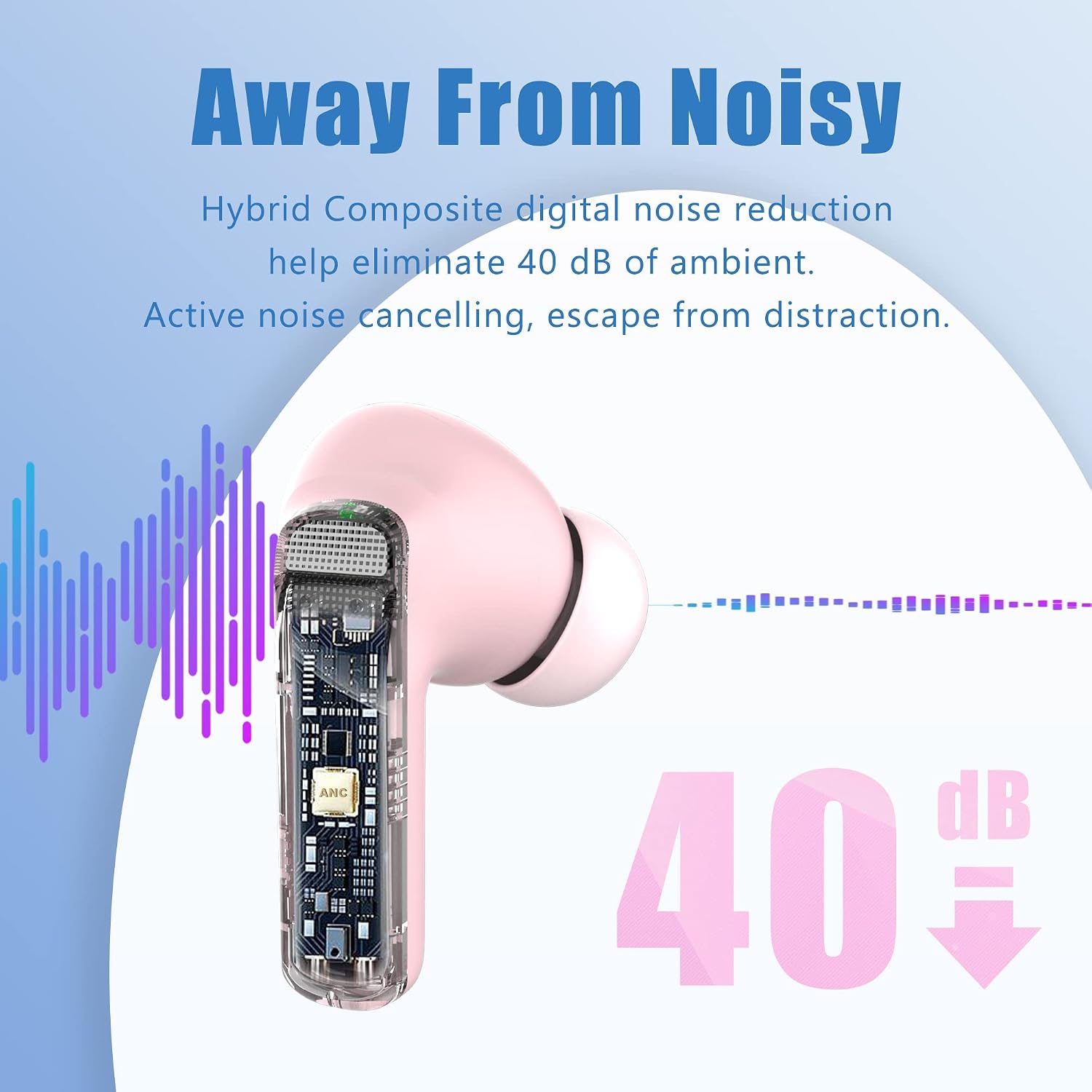
Image: A graphic highlighting the battery life of the earbuds, showing 8 hours per earbud and up to 32 hours total with the charging case.
Care and Maintenance
- Cleaning: Regularly clean the earbuds, especially the eartips and charging contacts, with a soft, dry, lint-free cloth. Do not use harsh chemicals or abrasive materials.
- Water Resistance: The earbuds are IPX7 waterproof, meaning they are protected against splashes and sweat. However, they are not designed for swimming or prolonged submersion. Ensure they are dry before placing them back in the charging case.
- Storage: When not in use, store the earbuds in their charging case to protect them and keep them charged.
- Temperature: Avoid exposing the earbuds to extreme temperatures (hot or cold) or high humidity.

Image: A visual representation of the earbuds' IPX7 waterproof rating, showing them resistant to water splashes.
Troubleshooting
| Problem | Solution |
|---|---|
| Earbuds not pairing/connecting |
|
| Only one earbud working |
|
| Poor sound quality |
|
| ANC not working effectively |
|
Specifications
| Feature | Detail |
|---|---|
| Brand | YATWIN |
| Model Number | Flybuds F18 |
| Connectivity Technology | Wireless (Bluetooth 5.3) |
| Noise Cancellation | Active Noise Cancellation (ANC) up to 40dB, Environmental Noise Cancellation (ENC) for calls |
| Microphones | 6 professional microphones (3 per earbud) |
| Battery Life (Earbuds) | Up to 8 hours per charge |
| Total Battery Life (with Case) | Up to 32 hours |
| Charging | USB Type-C, Wireless Charging |
| Water Resistance | IPX7 (splash-proof) |
| Frequency Range | 20 Hz - 48 kHz |
| Compatible Devices | Bluetooth-enabled devices (iOS, Android, etc.) |
| Control Type | Touch Control |
| Ear Placement | In-Ear |
| Battery Composition | Lithium-polymer |
Warranty and Support
YATWIN offers 18 months of customer support and after-sales service via email for the Flybuds F18 earbuds. For any issues or inquiries, please contact YATWIN customer service. Please retain your proof of purchase for warranty claims.
For further assistance, please visit the official YATWIN website or contact their support team directly.