Introduction
This manual provides instructions for the Hotsmtbang replacement remote control. This remote is designed to be compatible with various Skyworth Smart LED LCD HDTV models, including 32E380I, 40E380I, 43E380I, 49E380I, 50E3000, 55E3300, 32E200A, and 32E2000D. It is pre-programmed and requires no additional setup or coding.
Setup
To begin using your replacement remote control, follow these simple steps for battery installation:
- Locate the battery compartment on the back of the remote control.
- Slide the battery compartment cover downwards or press the latch and lift to open it.
- Insert two (2) AAA batteries, ensuring the positive (+) and negative (-) terminals align correctly with the markings inside the compartment.
- Replace the battery compartment cover by sliding it back into place until it clicks securely.

Image: Back of the remote control with the battery cover removed, illustrating the battery insertion process.
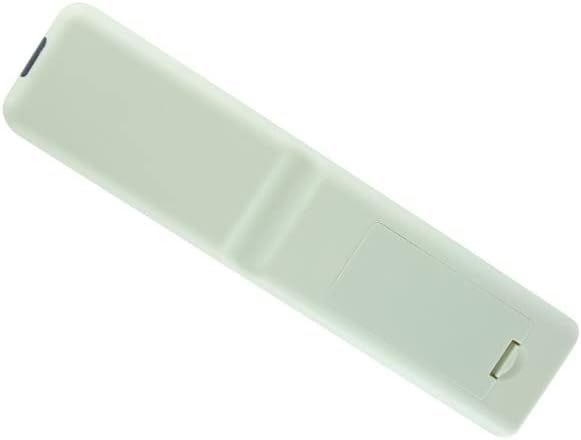
Image: Back of the remote control with the battery cover securely in place.
Operating Instructions
This Hotsmtbang replacement remote control is pre-programmed and requires no additional setup or coding. Once batteries are correctly installed, it will function immediately with compatible Skyworth TV models.
- Power On/Off: Press the Power button to turn your TV on or off.
- Channel Selection: Use the number buttons to directly enter channel numbers or the CH+/CH- buttons to cycle through channels.
- Volume Control: Adjust the volume using the VOL+/VOL- buttons.
- Mute: Press the Mute button to silence the TV audio.
- Input Selection: Use the Input or Source button to switch between different video inputs (e.g., HDMI, AV).
- Navigation: Use the directional arrow buttons (Up, Down, Left, Right) and the OK/Enter button to navigate menus and make selections.
Ensure there is a clear line of sight between the remote control and the TV's infrared sensor for optimal performance.
Maintenance
To ensure the longevity and proper functioning of your remote control, please observe the following maintenance guidelines:
- Cleaning: Wipe the remote control periodically with a soft, dry cloth. Avoid using liquid cleaners, aerosols, or harsh chemicals, as these can damage the remote's surface or internal components.
- Battery Replacement: Replace batteries promptly when the remote's performance degrades. Always replace both batteries at the same time with new ones of the same type (AAA).
- Storage: Store the remote control in a cool, dry place away from direct sunlight, extreme temperatures, and high humidity.
- Avoid Drops: Protect the remote from physical impact, as drops can cause internal damage.
Troubleshooting
If you encounter issues with your remote control, please refer to the following troubleshooting steps:
- Remote Not Responding:
- Check if the batteries are inserted correctly with the correct polarity (+/-).
- Replace old batteries with new AAA batteries.
- Ensure there are no obstructions between the remote control and the TV's infrared sensor.
- Confirm you are within the effective operating range of the TV.
- Intermittent Functionality:
- This may indicate low battery power. Replace batteries.
- Ensure no strong light sources (like direct sunlight or bright fluorescent lights) are interfering with the remote's signal.
- Specific Buttons Not Working:
- Clean the remote control surface, especially around the buttons, to remove any dirt or debris that might be obstructing button presses.
- If only specific buttons fail, and other troubleshooting steps do not resolve the issue, the remote may be faulty.
If problems persist after attempting these steps, please contact the seller for further assistance.
Specifications
| Feature | Detail |
|---|---|
| Product Type | Replacement Remote Control |
| Brand | Generic (Hotsmtbang) |
| Compatibility | Skyworth 32E380I, 40E380I, 43E380I, 49E380I, 50E3000, 55E3300, 32E200A, 32E2000D Smart LED LCD HDTV TVs |
| Batteries Required | 2 x AAA (not included) |
| Programming | No programming required |
| ASIN | B0B2P2B753 |
| First Available | May 30, 2022 |
Warranty and Support
This product is typically covered by the seller's return policy. For specific warranty information, returns, or technical support, please refer to the purchase platform or contact the seller directly. Keep your purchase receipt for any warranty claims.