
usikey UYXCJT044
usikey Large Vanity with Mirror and Light (Model UYXCJT044) Instruction Manual
Your guide to assembly, operation, and care.
1. Product Overview
This manual provides detailed instructions for the usikey Large Vanity with Mirror and Light, Model UYXCJT044. This dressing table set features a large mirror with 10 LED bulbs, three drawers, two cabinets, and a comfortable stool, designed to enhance your daily routine.
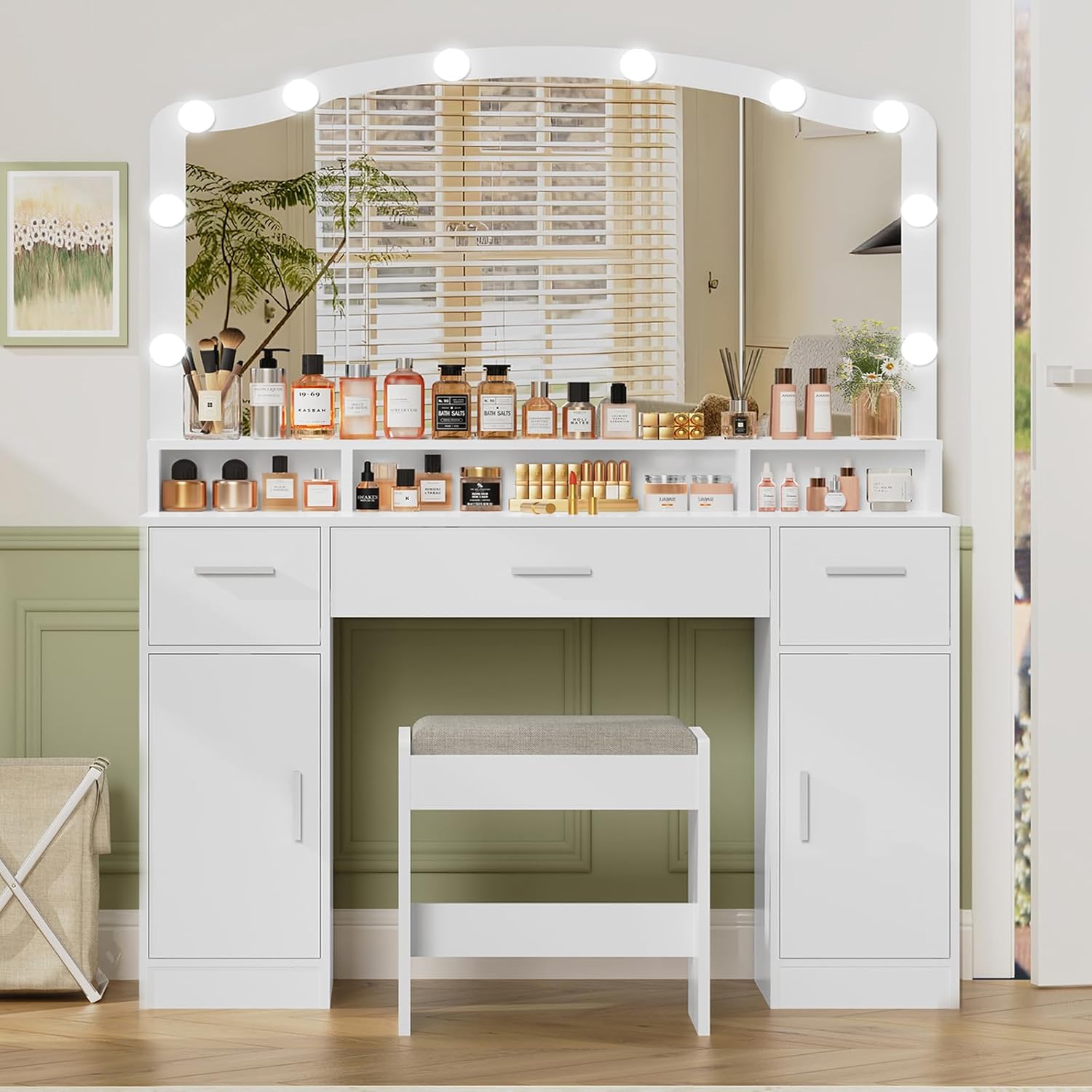
Image 1.1: Fully assembled usikey Large Vanity with Mirror and Light.
2. Important Safety Information
Please read all safety warnings before assembly and use.
- This product includes sharp edges and pinch points. Exercise caution during assembly and handling to prevent injury.
- Do not exceed the maximum weight limit of the vanity. Improper use may lead to damage or personal injury.
- Handle electrical components, lighting, and cords with care. Ensure the vanity is unplugged when not in use or during maintenance.
- Always follow the assembly instructions precisely. If any parts are damaged or missing, do not proceed with assembly. Contact customer support immediately.
3. Package Contents
Verify that all components are present before beginning assembly. Refer to the included parts list in your packaging for specific item identification. Typical components include:
- Vanity table panels (desktop, side panels, drawer components, cabinet doors)
- Mirror with pre-installed LED bulbs
- Stool components
- Hardware pack (screws, dowels, cam locks, drawer slides, handles)
- LED light power adapter and controller
4. Setup and Assembly
Assembly typically requires 2-4 hours. It is recommended to have two people for certain steps. Tools required include a #2 Phillips screwdriver, and a drill may expedite the process. A stubby screwdriver or right-angle drill may be useful for tight spaces.
4.1 Assembly Steps Overview
- Unpack and Organize: Carefully unpack all components and hardware. Lay them out on a clean, soft surface to prevent scratches.
- Assemble the Base: Follow the numerical sequence in the provided instruction booklet to assemble the main vanity frame, including the side cabinets and central desk area.
- Install Drawers and Cabinets: Assemble the drawers and cabinet doors according to the instructions. Ensure drawer slides are correctly oriented for smooth operation. For drawers without tracks, insert the provided faux wood pegs after inserting the drawers to prevent them from falling out.
- Attach the Mirror: Securely attach the mirror unit to the vanity desktop. Ensure all fasteners are tightened.
- Connect LED Lights: Insert the 10 LED bulbs into their designated holes around the mirror. Connect the wiring to the power adapter and controller. Ensure wires are neatly secured. If bulbs feel loose, a small amount of adhesive can be used on the back to secure them.
- Assemble the Stool: Put together the stool components.
- Final Checks: Verify all screws and connections are tight. Place the vanity in its desired location.
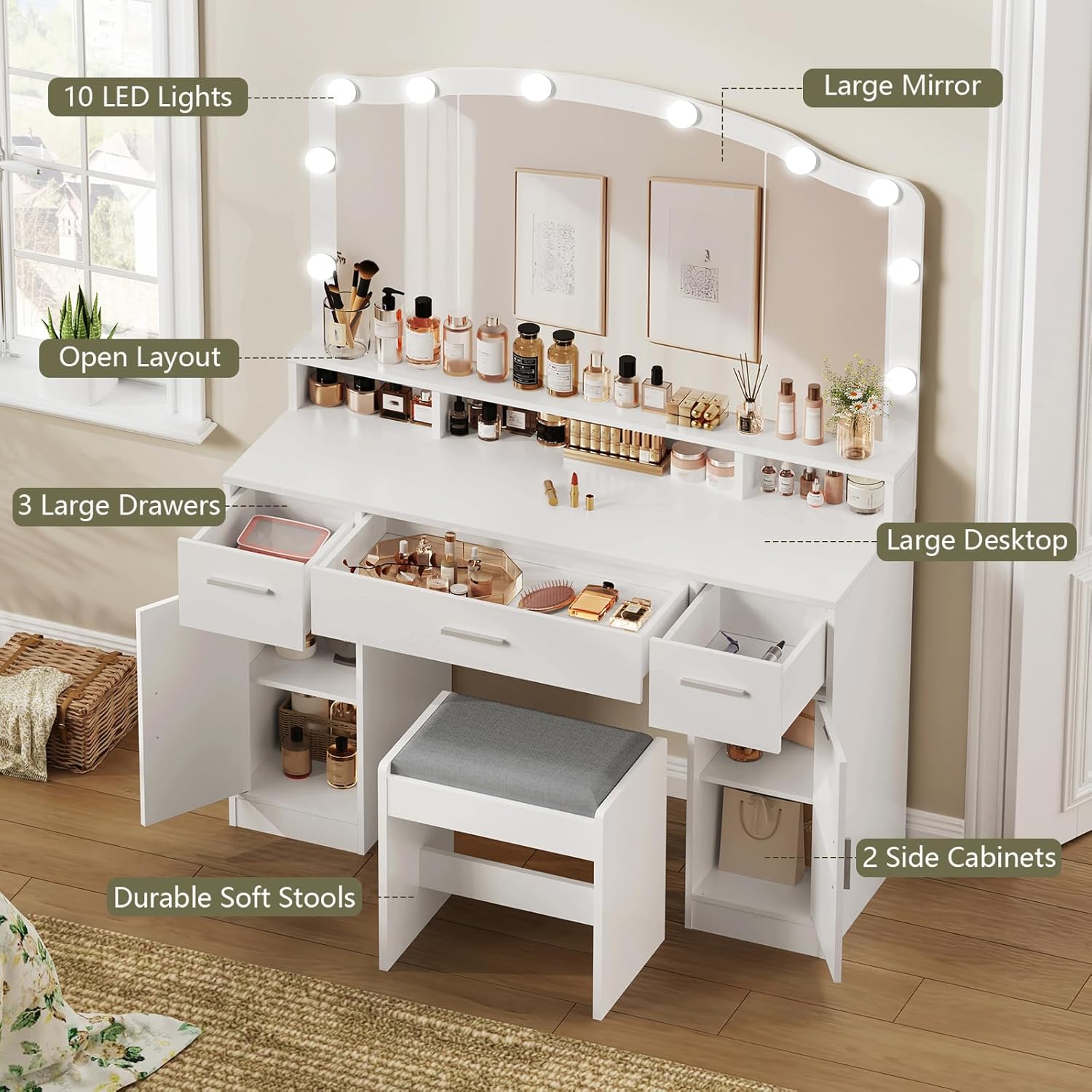
Image 4.1: Key features and components of the vanity.

Image 4.2: Side cabinet with adjustable shelf for customized storage.
5. Operating Instructions
5.1 LED Mirror Lights
The vanity mirror is equipped with 10 LED bulbs offering adjustable brightness and three lighting effects (Cold White, Warm White, Warm Yellow).
- Power On/Off: Press the power button on the light controller to turn the lights on or off.
- Adjust Brightness: Long press the switch button to increase or decrease the brightness level.
- Change Light Color: Short press the switch button to cycle through the three color modes: Cold White (6500K), Warm White (4500K), and Warm Yellow (3500K).

Image 5.1: LED light color and brightness adjustment options.

Image 5.2: User utilizing the lighted mirror for makeup application.
5.2 Storage Features
- Drawers: The three large drawers provide concealed storage for jewelry, accessories, and other personal items.
- Cabinets: The two side cabinets offer deeper storage, suitable for larger items like hair dryers, curling irons, or bags. Adjustable shelves allow for flexible organization.
- Open Shelves: The open shelf above the desktop is ideal for displaying frequently used cosmetics, brushes, or decorative items.
6. Maintenance
6.1 Cleaning
- Surface Cleaning: Wipe the vanity surfaces with a soft, damp cloth. Avoid abrasive cleaners or harsh chemicals that could damage the finish.
- Mirror Cleaning: Use a glass cleaner and a lint-free cloth for the mirror. Spray cleaner onto the cloth, not directly onto the mirror, to prevent liquid from seeping into the edges.
- LED Bulbs: Gently wipe the LED bulbs with a dry, soft cloth when the vanity is unplugged.
6.2 General Care
- Periodically check all screws and fasteners to ensure they remain tight. Retighten as necessary.
- Avoid placing hot items directly on the vanity surface. Use coasters or protective pads.
- Keep the vanity away from direct sunlight and excessive moisture to prevent warping or discoloration.
7. Troubleshooting
- LED Lights Not Working: Ensure the power adapter is securely plugged into both the vanity and a working electrical outlet. Check the connections of the LED bulbs to the controller.
- LED Bulbs Pop Out: If bulbs become loose, gently push them back into their holes. For a more secure fit, a small dab of non-corrosive adhesive on the back of the bulb housing can be used.
- Drawers Stick or Don't Close Properly: Check that the drawer components are assembled correctly and that any faux wood pegs are properly inserted to prevent over-extension. Ensure no items are obstructing the drawer's path.
- Missing or Damaged Parts: If you receive a damaged product or find parts missing during assembly, do not attempt to force assembly. Contact usikey customer support for assistance and replacement parts.
8. Specifications
| Feature | Specification |
|---|---|
| Model Number | UYXCJT044 |
| Product Dimensions (L x W x H) | 43.3" x 15.7" x 59.1" (110 cm x 40 cm x 150 cm) |
| Item Weight | 103 pounds (46.7 kg) |
| Frame Material | Wood (Particle Board) |
| Furniture Finish | White |
| LED Bulbs | 10 (Adjustable Brightness, 3 Color Modes: 3500K, 4500K, 6500K) |
| Storage | 3 Drawers, 2 Cabinets with adjustable shelves, Open Desktop Shelves |
| Stool Seat Height | 19.3 Inches |

Image 8.1: Product dimensions.
9. Warranty and Support
usikey is committed to providing quality products. If you encounter any issues, such as damaged parts, missing components, or require assistance with assembly or operation, please contact usikey customer support. Our professional customer service team will provide prompt assistance and solutions.
For further support, please visit the official usikey store or contact us through your purchase platform.
Ask a question about this manual
Ask about setup, troubleshooting, compatibility, parts, safety, or missing instructions. Manuals+ will review the question and use this page’s manual context to help answer it.