
1. Introduction
The Wengart WG607 WiFi Smart Thermostat is designed for weekly programmable control of underfloor heating systems with dry contact. It offers a comfortable and energy-efficient living environment, featuring easy installation and convenient operation. This touch-sensitive thermostat is specifically for heating applications and includes a large LCD screen for clear visibility.
Key features include:
- App Remote Control: Manage your thermostat from anywhere using the Smart Life or TuyaSmart app on your phone or tablet. Requires a 2.4 GHz Wi-Fi network; no hub is needed.
- Voice Control: Compatible with Amazon Alexa and Google Assistant for convenient voice commands to adjust temperature or turn the thermostat on/off.
- Programmable Schedule: Set up custom heating schedules with 6+1, 5+2, or 7-day programming options, allowing for up to 8 time periods per day to suit your lifestyle.
- Clock and Calibration: The thermostat maintains accurate time even during power outages and allows for temperature calibration.
- Memory Function: All settings are saved in case of a sudden power failure, eliminating the need for re-configuration upon power restoration.
2. Safety Information
Please read this manual carefully before installation and operation. Improper installation or use can lead to electric shock, fire, or damage to the product. Always disconnect power at the circuit breaker before performing any wiring.
- Installation must be performed by a qualified electrician.
- Ensure the power supply is disconnected before wiring.
- Do not install in areas with excessive moisture or direct sunlight.
- Adhere to local electrical codes and regulations.
3. Installation
The thermostat is designed for wall-mounted installation and fits standard 86x86 mm or European 60 mm round boxes.
3.1 Wiring Diagram
Refer to the diagram below for correct wiring connections. Ensure all connections are secure and comply with electrical standards.

Figure 1: Wiring Diagram. Terminals 1 and 2 are for the heating load, 3 and 4 for AC90-240V power supply (N and L), and 5 and 6 for dry contact.
Wiring Terminal specifications: A single terminal can connect a maximum of 2 x 1.5 mm² or 1 x 2.5 mm² wire.
3.2 Mounting the Thermostat
- Disconnect power to the heating system at the main circuit breaker.
- Separate the front panel of the thermostat from the backplate.
- Connect the wires according to the wiring diagram (Figure 1).
- Mount the backplate into the wall box using the provided screws. The installation hole distance is 60mm.
- Carefully attach the front panel to the backplate, ensuring it clicks securely into place.
- Restore power to the heating system.

Figure 2: Thermostat components for installation.
3.3 App Connection (Wi-Fi Setup)
To control your thermostat remotely, download the "Smart Life" or "TuyaSmart" app from your smartphone's app store (iOS or Android).
- Ensure your Wi-Fi network is 2.4 GHz. The thermostat does not support 5 GHz networks.
- Open the app and register an account if you don't have one.
- Add a new device by selecting "Thermostat" or "Heater" from the device list.
- Follow the in-app instructions to put the thermostat into pairing mode (usually by pressing and holding a specific button on the thermostat until the Wi-Fi icon flashes).
- Enter your Wi-Fi network name and password in the app.
- Once connected, you can control the thermostat via the app.

Figure 3: Thermostat connected to a smartphone app and Google Home.
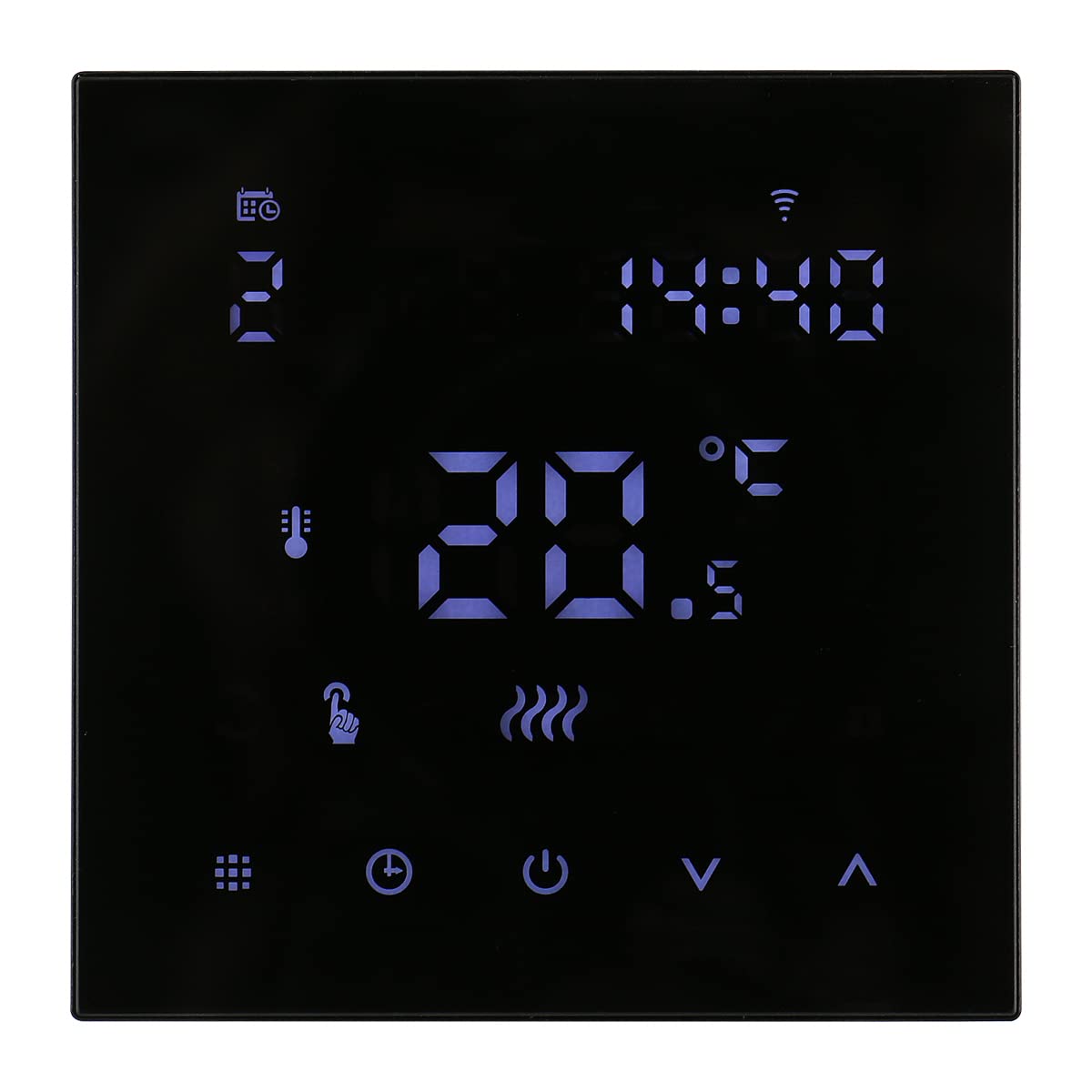
Figure 4: Device sharing feature in the app.
4. Operation
4.1 Display Symbols
Familiarize yourself with the symbols on the thermostat's display:

Figure 5: Thermostat Display Symbols.
- Clock: Displays current time.
- WiFi: Indicates Wi-Fi connection status.
- SET: Indicates the set temperature.
- Room Temp: Displays the current room temperature.
- EXT: Indicates external NTC sensor temperature (if connected).
- Programming Mode: Indicates the thermostat is operating on a set schedule.
- Manual Mode: Indicates manual temperature control.
- Heating Icon: Appears when the heating system is active. Disappears when heating stops.
- Activate Window Function: Indicates open window detection (if supported and enabled).
- Holiday Mode: Allows setting a specific temperature for a holiday period.
- Child Lock: Activates to prevent unauthorized changes to settings.
4.2 Modes of Operation
The thermostat supports both Manual Mode and Program Mode.
- Manual Mode: Allows you to set a desired temperature that the thermostat will maintain until changed.
- Program Mode: Follows a pre-set schedule of temperatures and times throughout the day and week.
Switch between modes using the appropriate button on the thermostat or via the app.
4.3 Programming Schedules
You can customize your heating schedule for maximum comfort and energy saving. The thermostat supports 6+1 (Monday-Friday, Saturday, Sunday), 5+2 (Monday-Friday, Saturday-Sunday), and 7-day programming, with up to 8 time periods per day.
Detailed programming instructions are typically found within the Smart Life or TuyaSmart app interface. Generally, you will:
- Access the schedule settings in the app or on the thermostat.
- Select the day(s) you wish to program.
- Set the start time and desired temperature for each period (e.g., Wake Up, Leave Home, Return Home, Sleep).
- Save your changes.
4.4 Voice Control
Integrate your Wengart WG607 thermostat with Amazon Alexa or Google Assistant for hands-free control.
- Ensure your thermostat is connected to the Smart Life/TuyaSmart app and your voice assistant device (Alexa Echo/Google Home) is set up.
- Enable the "Smart Life" or "TuyaSmart" skill/action in your Alexa or Google Home app.
- Discover devices. Your thermostat should appear.
- You can now use voice commands such as:
- "Alexa, set [Thermostat Name] to 22 degrees."
- "Hey Google, what's the temperature of [Thermostat Name]?"
- "Alexa, turn on [Thermostat Name]."
4.5 Child Lock Function
To prevent accidental changes to settings, activate the child lock. This feature is typically engaged by pressing and holding a specific button combination on the thermostat (refer to the device's on-screen prompts or app for exact instructions) or through the app settings.
5. Maintenance
The Wengart WG607 Smart Thermostat requires minimal maintenance.
- Cleaning: Wipe the display and casing with a soft, dry cloth. Do not use abrasive cleaners, solvents, or wet cloths, as these can damage the device.
- Avoid Moisture: Ensure the thermostat is not exposed to water or excessive humidity.
- Software Updates: Periodically check the Smart Life/TuyaSmart app for any available firmware updates for your thermostat to ensure optimal performance and security.
6. Troubleshooting
If you encounter issues with your Wengart WG607 Smart Thermostat, refer to the following common problems and solutions:
| Problem | Possible Cause | Solution |
|---|---|---|
| Thermostat not powering on. | No power supply; incorrect wiring; circuit breaker tripped. | Check circuit breaker. Verify wiring connections (refer to Section 3.1). Consult a qualified electrician if unsure. |
| Wi-Fi connection failure. | Incorrect Wi-Fi password; 5 GHz network used; router too far; thermostat not in pairing mode. | Ensure 2.4 GHz Wi-Fi. Re-enter password. Move router closer or use a Wi-Fi extender. Put thermostat into pairing mode (refer to Section 3.3). |
| Heating not turning on/off. | Incorrect temperature setting; thermostat in wrong mode (e.g., Manual instead of Program); wiring issue. | Check set temperature. Verify operating mode. Inspect wiring for loose connections. |
| Inaccurate temperature reading. | Thermostat exposed to drafts or direct sunlight; calibration needed. | Relocate thermostat if possible. Use the temperature calibration feature in the app or thermostat settings. |
| Voice control not working. | Voice assistant not linked to Smart Life/TuyaSmart; incorrect device name; internet connectivity issue. | Ensure skill/action is enabled and devices are discovered. Use the correct device name. Check internet connection. |
7. Specifications
Below are the technical specifications for the Wengart WG607 Smart Thermostat:

Figure 6: Product Dimensions.
| Parameter | Value |
|---|---|
| Working Voltage | AC90~240V 50/60Hz |
| Power Consumption | 2W |
| Setting Temperature Range | 5 ~ 70°C (adjustable to 20-70°C) |
| Switch Differential | 0.5 ~ 5°C adjustable (factory default ±1°C) |
| Ambient Temperature Range | -5 ~ 50°C |
| Temperature Display Accuracy | ±0.5°C |
| Temperature Control Accuracy | ±0.5°C |
| Measured Temperature Range | 1 ~ 70°C |
| Button Type | Capacitive Touch Button |
| Internal Sensor | NTC 10k @ 25°C |
| Protection Housing | IP20 |
| Housing Material | Flame-retardant PC |
| Wiring Terminal Capacity | Max 2 x 1.5 mm² or 1 x 2.5 mm² wire |
| Dimensions (L x W x H) | 86mm × 86mm × 27mm |
| Installation Hole Distance | 60mm |
| Installation Method | Wall-mounted |
| Output | Relay Switch |
| Weight | 260g |
8. Warranty and Support
For warranty information, please refer to the documentation provided at the time of purchase or contact your retailer. WENGART products typically come with a manufacturer's warranty covering defects in materials and workmanship.
For technical support, troubleshooting assistance, or further inquiries, please contact WENGART customer service or refer to the support section within the Smart Life/TuyaSmart application.
Please retain your proof of purchase for warranty claims.