
kamapulo X5-B
User Manual: kamapulo X5 Rechargeable & Portable FM Radio Headphones
Model: X5-B | Brand: kamapulo
Introduction
Thank you for choosing the kamapulo X5 Rechargeable & Portable FM Radio Headphones. This manual provides essential information for the safe and efficient operation, maintenance, and troubleshooting of your new device. Please read this manual thoroughly before use and retain it for future reference.

Image: The kamapulo X5 FM Radio Headphones, black in color, featuring an LED display on the earcup showing the frequency 106.8 FM.
Safety Information
- Do not expose the headphones to extreme temperatures, humidity, or corrosive substances.
- Avoid dropping or subjecting the headphones to strong impacts.
- Do not disassemble, repair, or modify the device yourself. Refer to qualified service personnel.
- Clean the headphones with a soft, dry cloth. Do not use liquid cleaners or aerosols.
- Listen at moderate volume levels to prevent hearing damage.
- Keep out of reach of children.
Package Contents
Please check the package for the following items:
- kamapulo X5 FM Radio Headphones
- Quick Start Guide
- 3.5mm AUX-in Cable
- Charging Cable (USB)
Product Overview
Familiarize yourself with the components of your X5 headphones.
- Earcups: Soft memory foam earcups for comfort and sound isolation.
- Headband: Adjustable headband with protein cushion for a secure and comfortable fit.
- LED Display: Integrated on the earcup, showing FM frequency and other indicators.
- Control Buttons: Power, Volume, Tuning, and Mode (M) buttons.
- AUX Port: 3.5mm jack for wired audio connection.
- Charging Port: USB port for recharging the internal battery.

Image: Diagram illustrating the 360-degree all-inclusive earmuffs for perfect fit and lossless sound, comparing X5's sound performance to others.

Image: A person wearing the headphones, highlighting features like protein cushion, adjustable headband, and soft earmuffs for comfort.

Image: The headphones in a folded position, demonstrating their compact and travel-ready design for storage in tight spaces.
Setup
Charging the Headphones
The X5 headphones are equipped with a built-in rechargeable lithium battery. Before first use, fully charge the headphones.
- Connect the provided charging cable to the charging port on the headphones.
- Connect the other end of the charging cable to a USB power source (e.g., computer USB port, USB wall adapter).
- The LED display will indicate charging status. A full charge takes approximately 2.5 hours.
- Once fully charged, disconnect the charging cable. The headphones provide up to 24 hours of playing time on a single charge.
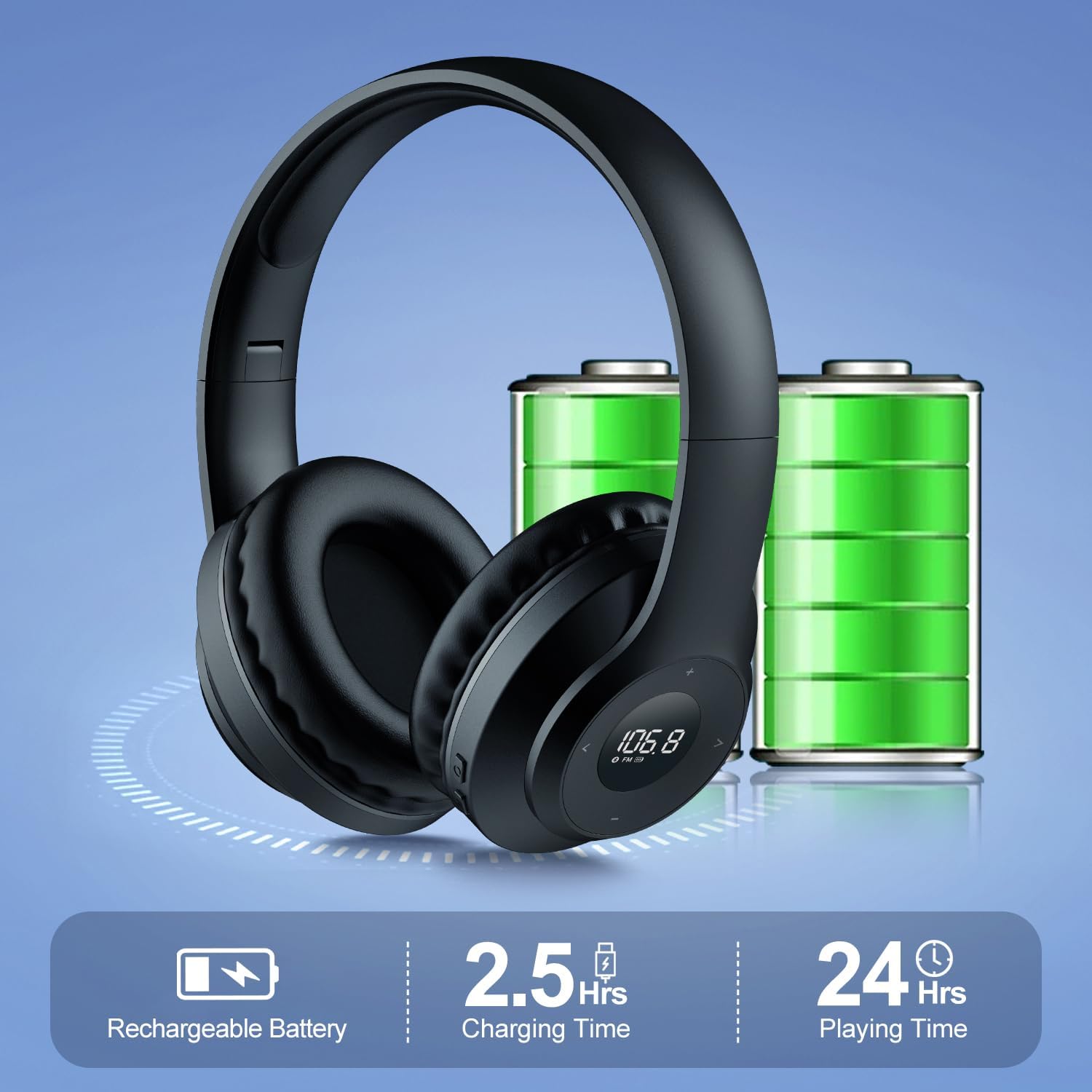
Image: Visual representation of the rechargeable battery, indicating 2.5 hours charging time and 24 hours playing time.
Initial Power On
Press and hold the Power button until the LED display illuminates.
Operating Instructions
Power On/Off
- To Power On: Press and hold the Power button (usually marked with a power symbol) for a few seconds until the LED display lights up.
- To Power Off: Press and hold the Power button again for a few seconds until the LED display turns off.
FM Radio Operation
The X5 headphones feature a built-in FM radio with high reception sensitivity.
- Automatic Scan: When powered on for the first time, the headphones may automatically scan and save available FM stations. If not, press and hold the "Play/Pause" or "Scan" button (refer to specific button markings on your device) to initiate an automatic scan.
- Manual Tuning: Use the "Next Track" (>) and "Previous Track" (<) buttons to manually adjust the frequency in small increments.
- Volume Control: Use the Volume Up (+) and Volume Down (-) buttons to adjust the listening volume.
- Preset Favorite Channel: The headphones allow you to preset a favorite channel. Tune to your desired station, then press and hold the 'M' (Mode/Memory) button to save it. Once saved, you can quickly access this channel by pressing the 'M' button.
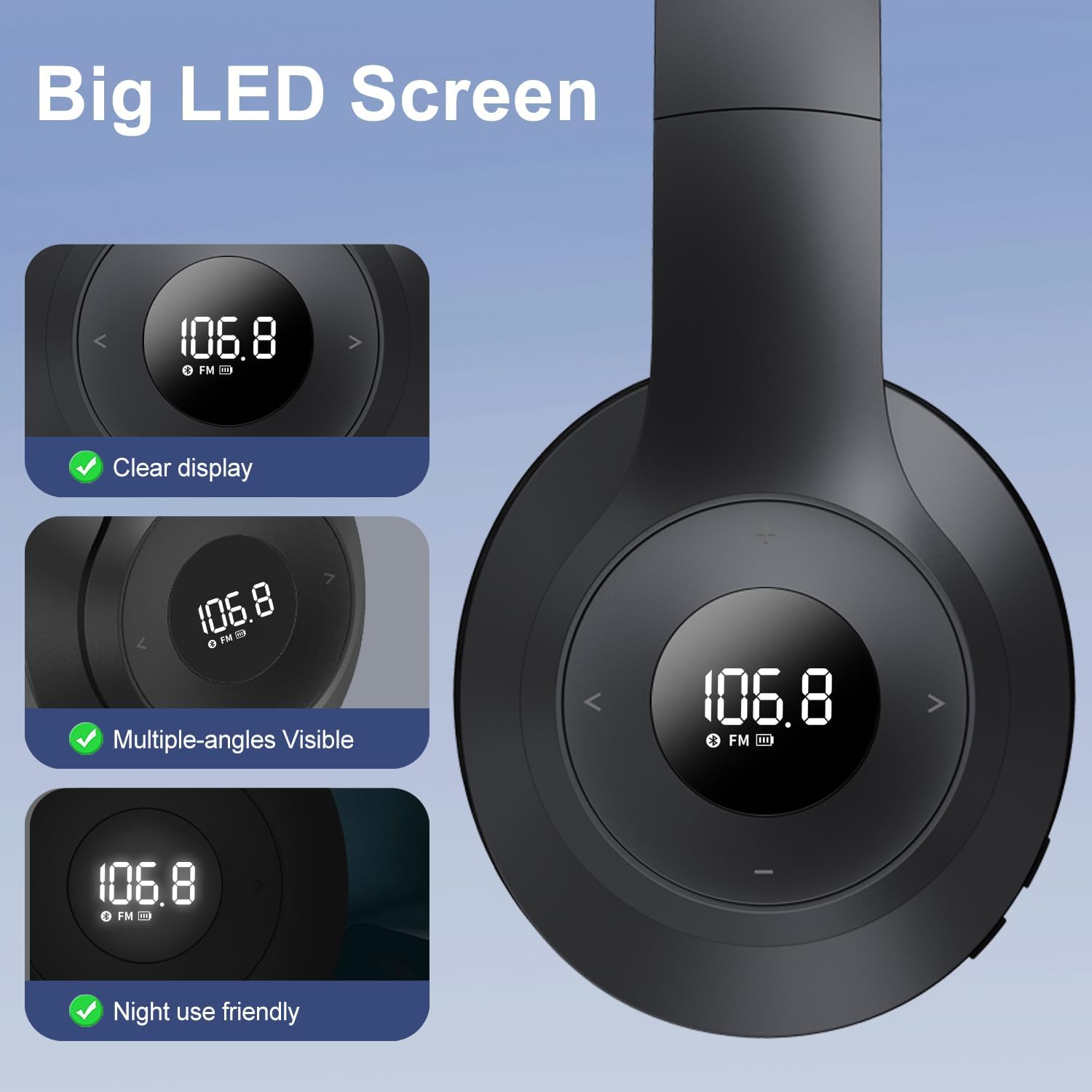
Image: Close-up of the large LED screen, showing clear display, multiple-angles visibility, and night use friendly illumination.
AUX Mode Operation
The X5 headphones can also be used as a wired headset.
- Ensure the headphones are powered off or in FM mode.
- Connect one end of the provided 3.5mm AUX cable to the AUX port on the headphones.
- Connect the other end of the AUX cable to the 3.5mm audio output jack of your smartphone, PC, MP3 player, or other audio device.
- The headphones will automatically switch to AUX mode. Audio will now play through the headphones from your connected device.
- Volume control may be managed by both the headphones and the connected device.

Image: The headphones connected via a 3.5mm AUX cable to a smartphone, illustrating its use as a wired headset.
Maintenance
- Cleaning: Wipe the headphones with a soft, dry, lint-free cloth. Do not use abrasive cleaners, alcohol, or chemical solvents.
- Storage: When not in use, store the headphones in a cool, dry place, away from direct sunlight and extreme temperatures. The foldable design allows for compact storage.
- Battery Care: To prolong battery life, avoid fully discharging the battery frequently. Recharge the headphones regularly, even if not in use for extended periods.
Troubleshooting
| Problem | Possible Cause | Solution |
|---|---|---|
| No power/Headphones won't turn on. | Battery is depleted. | Charge the headphones fully. |
| Poor FM reception/Static. | Weak signal area; interference. | Move to an area with better reception. Re-scan for stations. |
| No sound in AUX mode. | AUX cable not properly connected; volume too low on source device. | Ensure AUX cable is securely plugged into both devices. Increase volume on the connected device. |
| Buttons unresponsive. | Temporary software glitch. | Power off the headphones and then power them back on. |
Specifications
| Feature | Detail |
|---|---|
| Model Number | X5-B |
| Connectivity Technology | AUX, FM Radio |
| Wireless Communication Technology | FM |
| Noise Control | Sound Isolation |
| Battery Type | Lithium Polymer (included) |
| Charging Time | Approx. 2.5 Hours |
| Playing Time | Up to 24 Hours |
| Item Weight | 205 Grams (7.2 ounces) |
| Included Components | Quick Start Guide, 3.5mm aux-in cable, charging cable |
| Manufacturer | Moliao |
| Color | Black |
| Ear Placement | On Ear |
| Impedance | 32 Ohm |
Warranty Information
Specific warranty details are typically provided with your purchase documentation or on the manufacturer's official website. Please refer to the warranty card included in your package or visit the kamapulo official website for the most up-to-date warranty policy.
Customer Support
For further assistance, technical support, or inquiries regarding your kamapulo X5 headphones, please contact kamapulo customer service through their official channels. You can often find contact information on the product packaging, the quick start guide, or by visiting the kamapulo brand store on Amazon: