
Introduction
Welcome to your new MHAZDZE Outdoor Laser Projector Lights. This manual provides essential information for safe operation, installation, and maintenance of your device. Please read it thoroughly before use to ensure proper functionality and longevity of your projector.
Product Overview
Key Features:
- Beautiful Patterns: Projects 18 distinct moving patterns in vibrant red, green, and blue colors.
- Remote Control: Allows convenient operation from up to 50 feet, offering control over speed, color modes, and timing functions.
- Easy Installation: Designed for straightforward setup in various outdoor environments, including ground and grass.
- Extensive Coverage: Capable of covering approximately 3,541 square feet from a distance of 40 feet, ideal for exterior walls, lawns, and roofs.
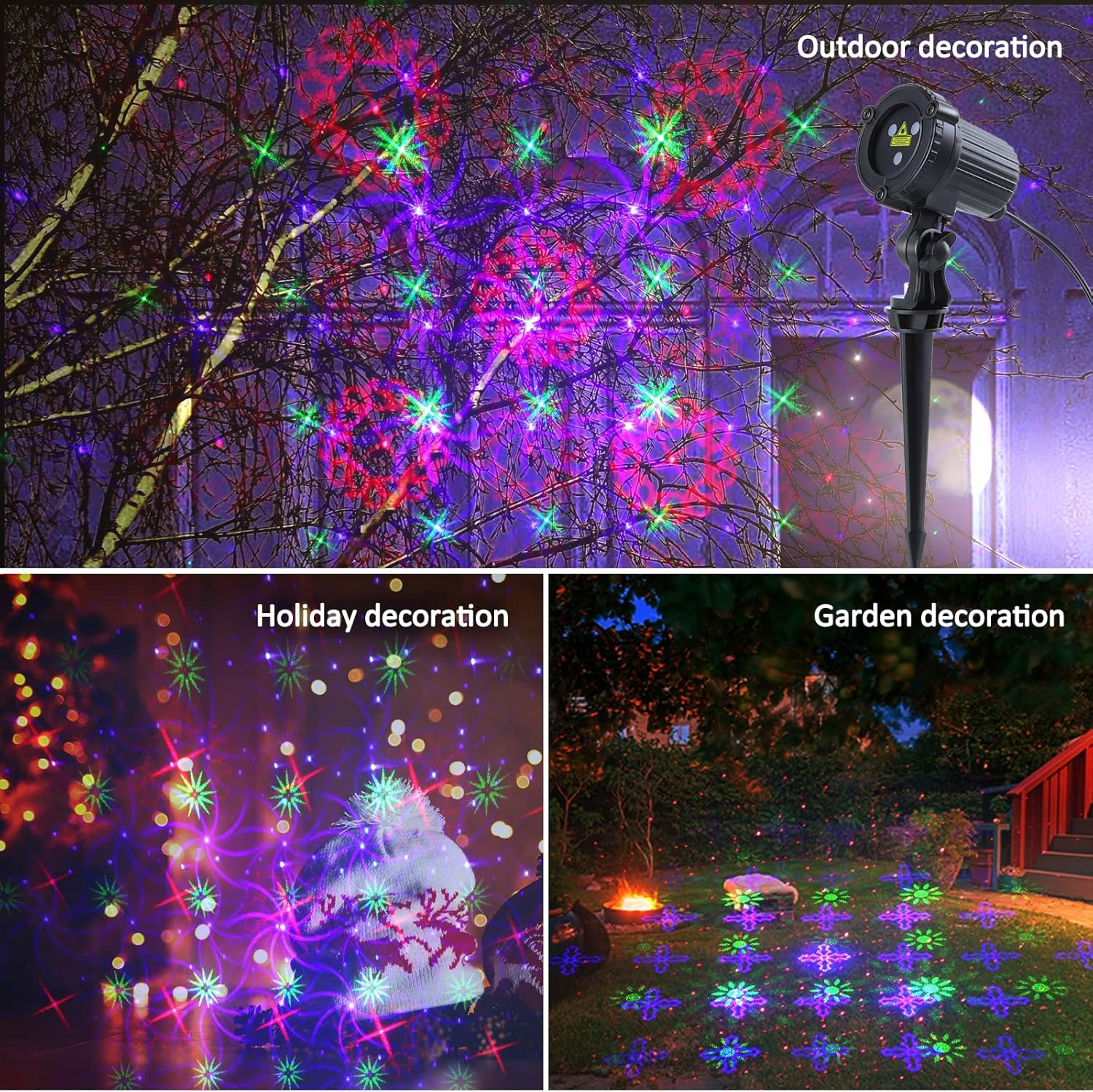
- Versatile Application: Suitable for both indoor and outdoor decorative lighting, perfect for holidays, parties, and general ambiance.
Package Contents:

This image displays the complete contents of the product package, including the laser projector unit, its remote control, the power adapter, the user manual, and the ground stake for outdoor installation.
- Laser Projector Unit
- Remote Control
- Power Plug (3V 1A)
- Steering Bracket
- Ground Stake
- User Manual
Safety Information
General Safety Precautions:
- Laser Radiation: Avoid direct eye exposure to laser light. Do not stare into the beam. This product contains Class IIIA laser radiation.
- Installation: Ensure the projector is securely installed to prevent falling or accidental movement.
- Power Source: Use only the provided power adapter. Do not modify the power cord or plug. Disconnect power before any maintenance or relocation.
- Water Resistance: The unit is IP65 waterproof, suitable for outdoor use in rain or snow. However, do not submerge it in water or expose it to high-pressure water jets.
- Temperature: Operate within specified temperature ranges. Extreme cold may temporarily reduce laser brightness.
- Children and Pets: Keep the projector and its accessories out of reach of children and pets to prevent accidental exposure or damage.
Setup Instructions
Installation Steps:
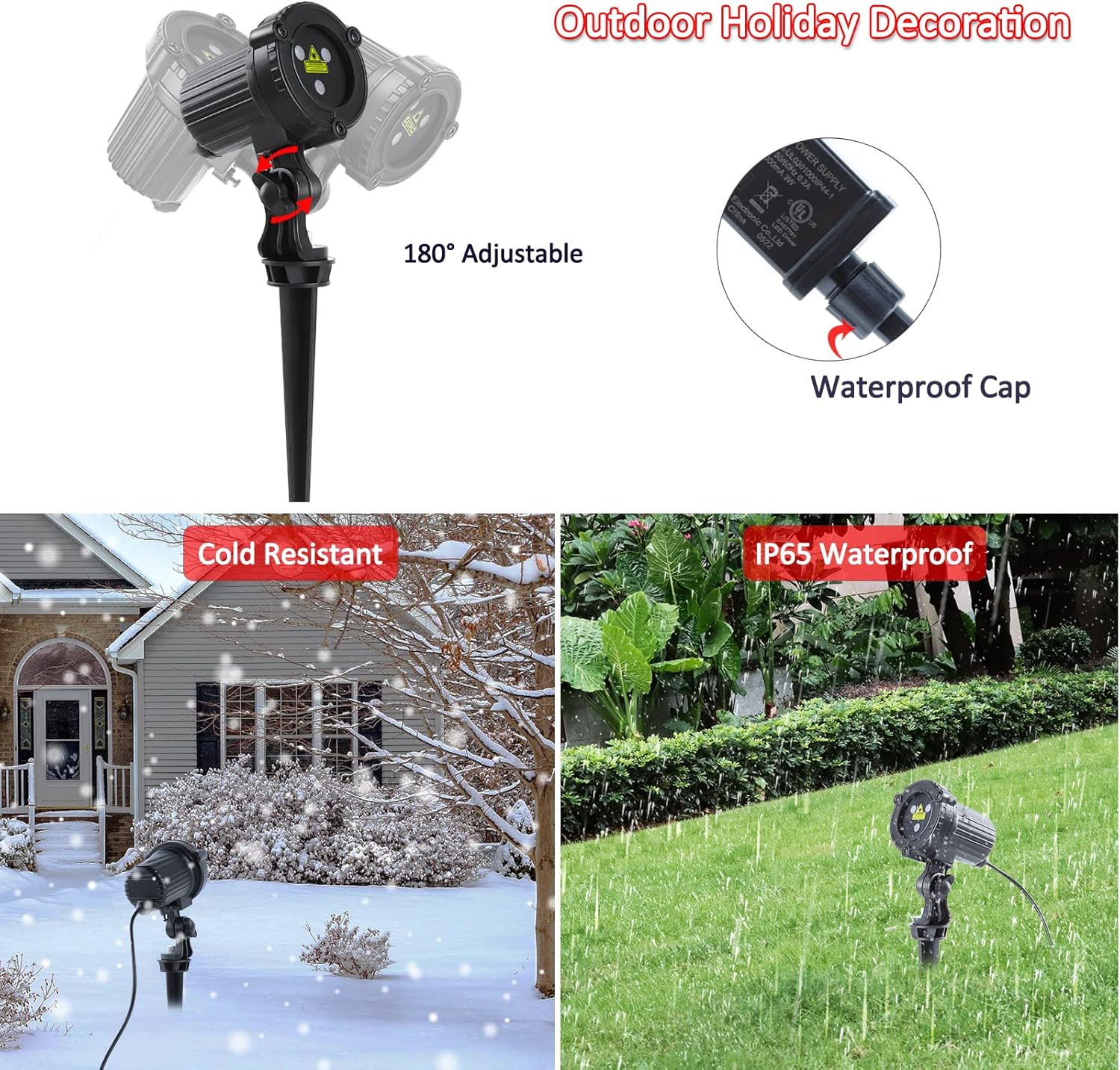
This image highlights key features: the projector's 180-degree adjustable head and a waterproof cap for the power connection. It also visually confirms the unit's cold resistance in snowy conditions and IP65 waterproof rating during rainfall.
- Choose Location: Select a suitable outdoor location (e.g., garden, yard) or indoor area where you wish to project the lights. Consider the desired coverage area and distance from the projection surface.
- Mounting:
- For ground installation: Attach the steering bracket to the projector unit. Insert the ground stake into the bottom of the steering bracket. Firmly push the ground stake into soft ground until stable.
- For flat surface installation: If a round base is included or purchased separately, attach the projector to the base and place it on a stable, flat surface.
- Adjust Angle: Loosen the adjustment knob on the steering bracket to tilt the projector to the desired angle. Once positioned, tighten the knob securely to fix the angle. The projector offers 180-degree adjustability.
- Power Connection: Connect the power plug to the projector's power input. Ensure the waterproof cap is securely fastened over the connection point to protect against moisture. Plug the power adapter into a standard electrical outlet.
- Remote Control Battery: Open the battery compartment on the remote control and insert the included CR2032 battery, observing correct polarity.
Operating Instructions
Remote Control Functions:

A detailed view of the remote control, showing all buttons and their functions, including power, automatic mode, color selection, rotation speed, stepping speed, flash frequency, and various timer options.
- Power Button (Red): Press to turn the projector ON or OFF.
- AUTO Button: Activates the automatic pattern cycling mode, which transitions through various patterns and colors.
- COLOR Button: Cycles through different color display modes (Red, Green, Blue, and various combinations).
- Rotating Speed Buttons (Up/Down Arrows): Adjusts the speed at which the projected patterns rotate.
- Stepping Speed Buttons (Up/Down Arrows): Adjusts the speed of pattern movement or stepping.
- Flash Frequency Buttons (Up/Down Arrows): Adjusts the flashing speed of the patterns.
- Timer Buttons (2H, 3H, 4H, 5H, 6H): Sets the projector to automatically turn off after the selected duration (e.g., 2 hours, 3 hours).
- CANCEL Button (TIMER OFF): Deactivates any active timer function, allowing the projector to run continuously until manually turned off.
Pattern Selection:
A collage of nine different laser patterns demonstrates the variety of visual effects achievable with the projector, featuring intricate designs in red, green, and blue.
The projector features 18 distinct moving patterns. Use the remote control's COLOR, Rotating Speed, Stepping Speed, and Flash Frequency buttons to customize the display to your preference.
Maintenance
- Cleaning: Gently wipe the projector lens and housing with a soft, dry cloth. Do not use abrasive cleaners, solvents, or harsh chemicals, as these may damage the finish or optical components.
- Storage: When not in use for extended periods, unplug the projector from the power source. Store the unit and its accessories in a cool, dry place, away from direct sunlight and extreme temperatures.
- Remote Control: If the remote control's operating range decreases or it becomes unresponsive, replace the CR2032 battery with a new one.
Troubleshooting
| Problem | Possible Cause | Solution |
|---|---|---|
| Projector does not turn on. | No power supply. | Check power connection and ensure the outlet is functional. Verify the power adapter is securely plugged into both the projector and the wall socket. |
| Remote control not working. | Dead battery or obstructed signal. | Replace the CR2032 battery in the remote control. Ensure there is a clear line of sight between the remote and the projector's sensor. |
| Patterns are dim or not moving correctly. | Extreme cold weather. | Laser brightness and movement may be reduced in very low temperatures. Allow the unit to warm up slightly if possible. |
| Patterns are not changing or stuck on one mode. | Incorrect remote setting. | Press the AUTO button to activate automatic cycling, or use the COLOR, Rotating Speed, and Stepping Speed buttons to manually adjust settings. |
| Projector turns off unexpectedly. | Timer function is active. | Press the CANCEL (TIMER OFF) button on the remote to deactivate any active timer setting. |
Specifications
| Attribute | Detail |
|---|---|
| Brand | MHAZDZE |
| Model Number | MOD32GB |
| Color | 18 Patterns (Red, Green, Blue) |
| Material | Aluminum (Housing), Plastic (Shade) |
| Light Source Type | Light Emitting Diode (Laser) |
| Power Source | Corded Electric |
| Voltage | 3 Volts |
| Amperage | 1 Amps |
| Item Weight | 0.99 Pounds (approx. 15.8 ounces) |
| Package Dimensions | 7.05 x 4.17 x 3.62 inches |
| Batteries Required | 1 CR2032 (for remote, included) |
| Mounting Type | Bracket mount, tabletop (with optional base) |
| Finish Type | Laser |
| Manufacturer | SHENZHEN BETTERLIFE PHOTOELECTRIC TECHNOLOGY CO., LTD |
| Date First Available | May 26, 2022 |
Warranty and Support
This product comes with a standard manufacturer's warranty. For specific warranty details, duration, or to obtain technical support, please refer to the contact information provided with your purchase documentation or visit the MHAZDZE official website for assistance.