
Kenwood KVC85.124SI
Kenwood KVC85.124SI Chef Baker Multi-Function Food Processor User Manual
Model: KVC85.124SI
1. Important Safety Instructions
Please read these instructions carefully and retain them for future reference. Incorrect use of the appliance may result in injury or damage.
- Always switch off and unplug the appliance before fitting or removing parts, after use, and before cleaning.
- Do not immerse the motor unit in water or any other liquid.
- Keep hands and utensils away from moving parts during operation.
- Do not use the appliance if the power cord or plug is damaged, or if the appliance malfunctions or is dropped or damaged in any way.
- This appliance is intended for domestic use only.
- Ensure all attachments are correctly fitted before operating the appliance.
- Never leave the appliance unattended when it is operating.
2. Product Overview
The Kenwood KVC85.124SI Chef Baker is a multi-function food processor designed for various baking and food preparation tasks. It features a powerful 1200W motor, integrated digital weighing scale, and comes with two stainless steel bowls (5L and 3.5L capacity) and multiple attachments.
Main Unit and Bowls
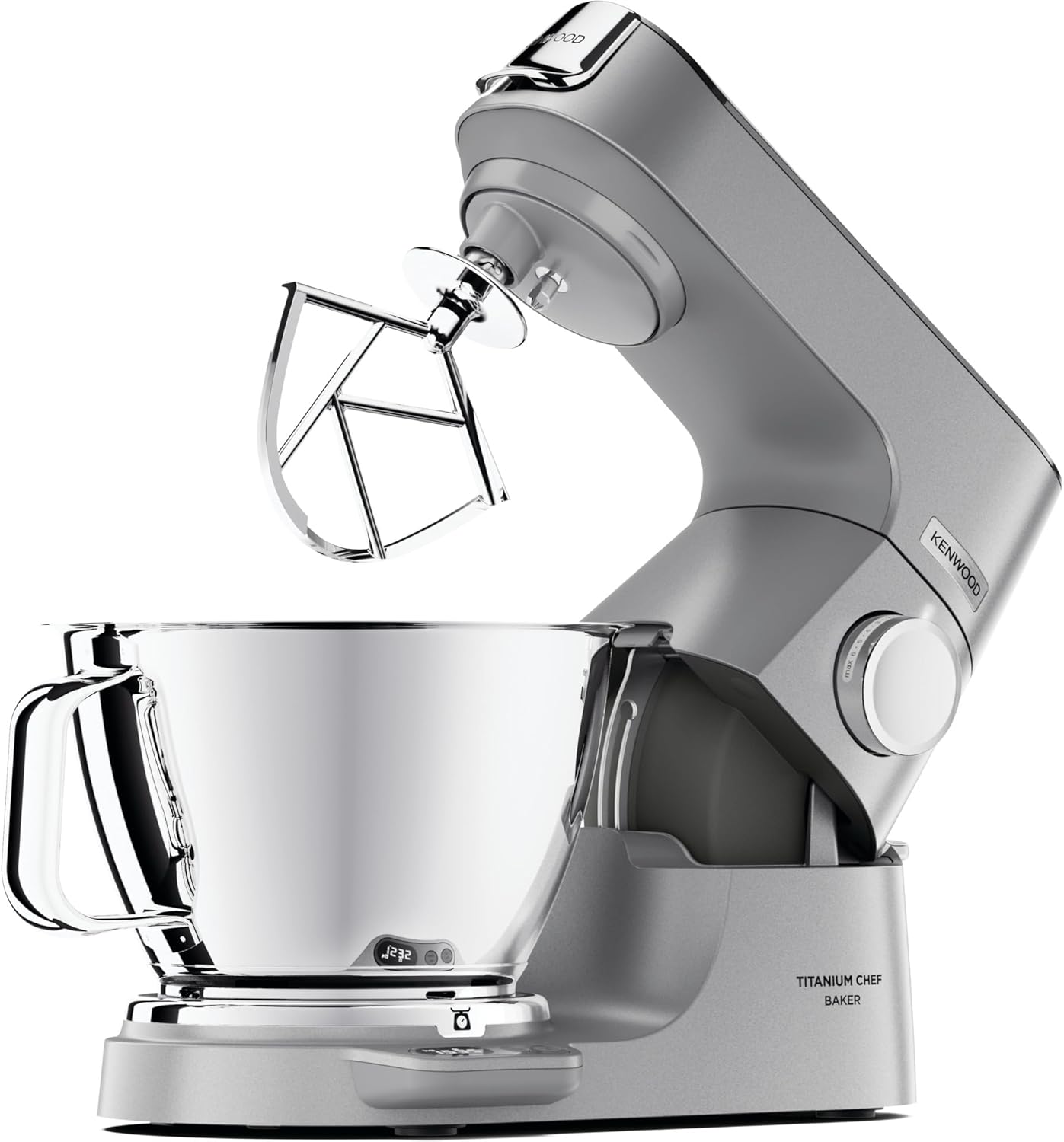
Image Description: A silver Kenwood KVC85.124SI Chef Baker food processor with its head tilted back, revealing the attachment hub. A large 5-liter stainless steel mixing bowl is securely placed on the base, and a K-beater attachment is visible. The integrated digital scale display is visible on the base.

Image Description: A front view of the Kenwood KVC85.124SI Chef Baker food processor in silver, with the mixing head in the down position. The 5-liter stainless steel bowl is attached, and the control dial is visible on the side of the motor unit.
Attachments
- K-beater: For general mixing, creaming, and folding.
- Whisk: For whipping eggs, cream, and light mixtures.
- Dough Hook: For kneading bread dough and other heavy mixtures.
- Creaming Beater: For soft mixtures, creaming butter and sugar.

Image Description: A close-up view of the K-beater attachment, made of polished metal, designed for general mixing tasks.
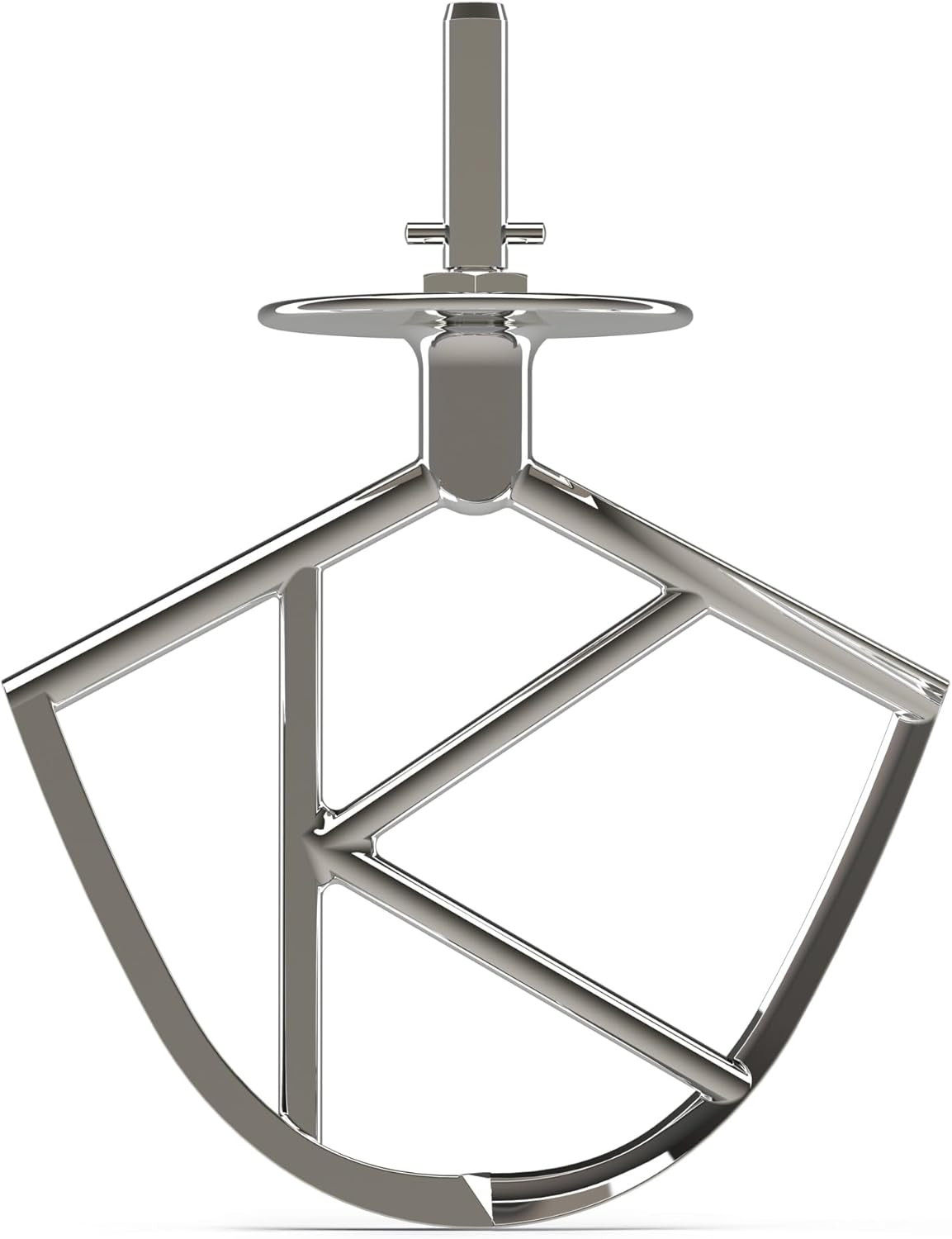
Image Description: A close-up view of the whisk attachment, constructed from multiple metal wires, ideal for aerating ingredients.

Image Description: A close-up view of the dough hook attachment, a curved metal piece designed for kneading heavy doughs.

Image Description: A close-up view of the creaming beater attachment, made of grey plastic with a flexible edge, suitable for soft mixtures.

Image Description: An overhead view displaying the full range of attachments and bowls included with the Kenwood Chef Baker. This includes the K-beater, whisk, dough hook, creaming beater, and both the 5-liter and 3.5-liter stainless steel mixing bowls.
3. Setup
3.1 Unpacking and Initial Cleaning
- Carefully remove all components from the packaging.
- Wash the bowls and all attachments (K-beater, whisk, dough hook, creaming beater) in warm soapy water, then rinse and dry thoroughly. These parts are also dishwasher safe.
- Wipe the main motor unit with a damp cloth. Do not immerse the motor unit in water.
3.2 Assembling the Appliance
- Place the main unit on a clean, stable, and dry surface.
- Lift the mixer head by pressing the head release lever and tilting it upwards until it locks into place.
- Place the desired mixing bowl onto the base, aligning the bowl with the locating pins and twisting clockwise until it locks securely.
- Insert the chosen attachment (e.g., K-beater, whisk, dough hook) into the attachment hub. Push upwards and twist to secure it.
- Lower the mixer head by pressing the head release lever again and gently pushing the head down until it clicks into position.
4. Operating Instructions
4.1 Powering On and Speed Control
- Ensure the appliance is correctly assembled and plugged into a suitable power outlet.
- Turn the speed control dial clockwise to select the desired speed. Start at a low speed and gradually increase as needed.
- To stop the appliance, turn the speed control dial to the '0' (off) position.
4.2 Using the Integrated Digital Scale

Image Description: The Kenwood KVC85.124SI Chef Baker in operation, whisking a white mixture in the stainless steel bowl. The digital scale display on the base shows a weight of '1.535' (likely kg), demonstrating the built-in weighing function.
- With the bowl in place and the mixer head lowered, press the 'ON/OFF' button for the scale (usually located near the display).
- The display will show '0'.
- Add ingredients directly into the bowl. The weight will be displayed.
- To weigh additional ingredients, press the 'TARE' button to reset the display to '0' before adding the next ingredient.
- To change units (e.g., grams to pounds), press the 'UNIT' button.
- The scale can weigh up to 6 kg.
4.3 General Mixing Tips
- Always ensure ingredients are at room temperature unless specified otherwise in your recipe.
- For best results, scrape down the sides of the bowl periodically during mixing to ensure all ingredients are incorporated.
- Do not overload the bowl. Refer to the maximum capacities for each attachment in the specifications section.
5. Care and Cleaning
Regular cleaning will ensure the longevity and optimal performance of your Kenwood Chef Baker.
5.1 Cleaning the Main Unit
- Always unplug the appliance before cleaning.
- Wipe the exterior of the motor unit with a damp cloth. Do not use abrasive cleaners or immerse in water.
- Ensure all surfaces are dry before storing or next use.
5.2 Cleaning Bowls and Attachments
- The stainless steel bowls and most attachments (K-beater, whisk, dough hook, creaming beater) are dishwasher safe.
- Alternatively, wash them in warm soapy water, rinse thoroughly, and dry immediately to prevent water spots.
- For stubborn residue, soak the parts before cleaning.
6. Troubleshooting
| Problem | Possible Cause | Solution |
|---|---|---|
| Appliance does not start. | Not plugged in; power switch off; head not fully lowered. | Check power connection; ensure speed dial is not at '0'; ensure mixer head is locked down. |
| Attachment not reaching ingredients. | Attachment height needs adjustment. | Refer to the 'Attachment Height Adjustment' section in the full manual (if applicable). |
| Scale not displaying weight. | Scale not turned on; battery low (if applicable); overload. | Press the scale 'ON/OFF' button; check for battery compartment (if applicable); remove excess weight. |
| Motor sounds strained. | Overload; mixture too stiff. | Reduce quantity of ingredients; add liquid if appropriate; use a lower speed. |
7. Specifications
| Model Number | KVC85.124SI |
| Brand | Kenwood |
| Power | 1200 Watts |
| Voltage | 240 Volts |
| Main Bowl Capacity | 5 Liters |
| Secondary Bowl Capacity | 3.5 Liters |
| Built-in Scale Capacity | Up to 6 kg |
| Material | Titanium (body), Stainless Steel (bowls) |
| Color | Silver |
| Product Dimensions (DxWxH) | 15.55" x 8.86" x 12.4" (39.5cm x 22.5cm x 31.5cm) |
| Item Weight | 25.7 pounds (11.7 kg) |
| Dishwasher Safe Parts | Bowls and most attachments |
8. Warranty and Support
8.1 Product Warranty
This Kenwood appliance comes with a 2-year manufacturer's warranty from the date of purchase. This warranty covers defects in materials and workmanship under normal household use. Please retain your proof of purchase for warranty claims.
The warranty does not cover:
- Damage caused by misuse, abuse, or negligence.
- Normal wear and tear.
- Damage caused by failure to follow operating instructions.
- Repairs or alterations carried out by unauthorized parties.
8.2 Customer Support
For technical assistance, spare parts, or warranty inquiries, please contact Kenwood Customer Service. Contact details can typically be found on the official Kenwood website for your region or on the product packaging.
You may also visit the official Kenwood website for additional resources and FAQs: www.kenwoodworld.com